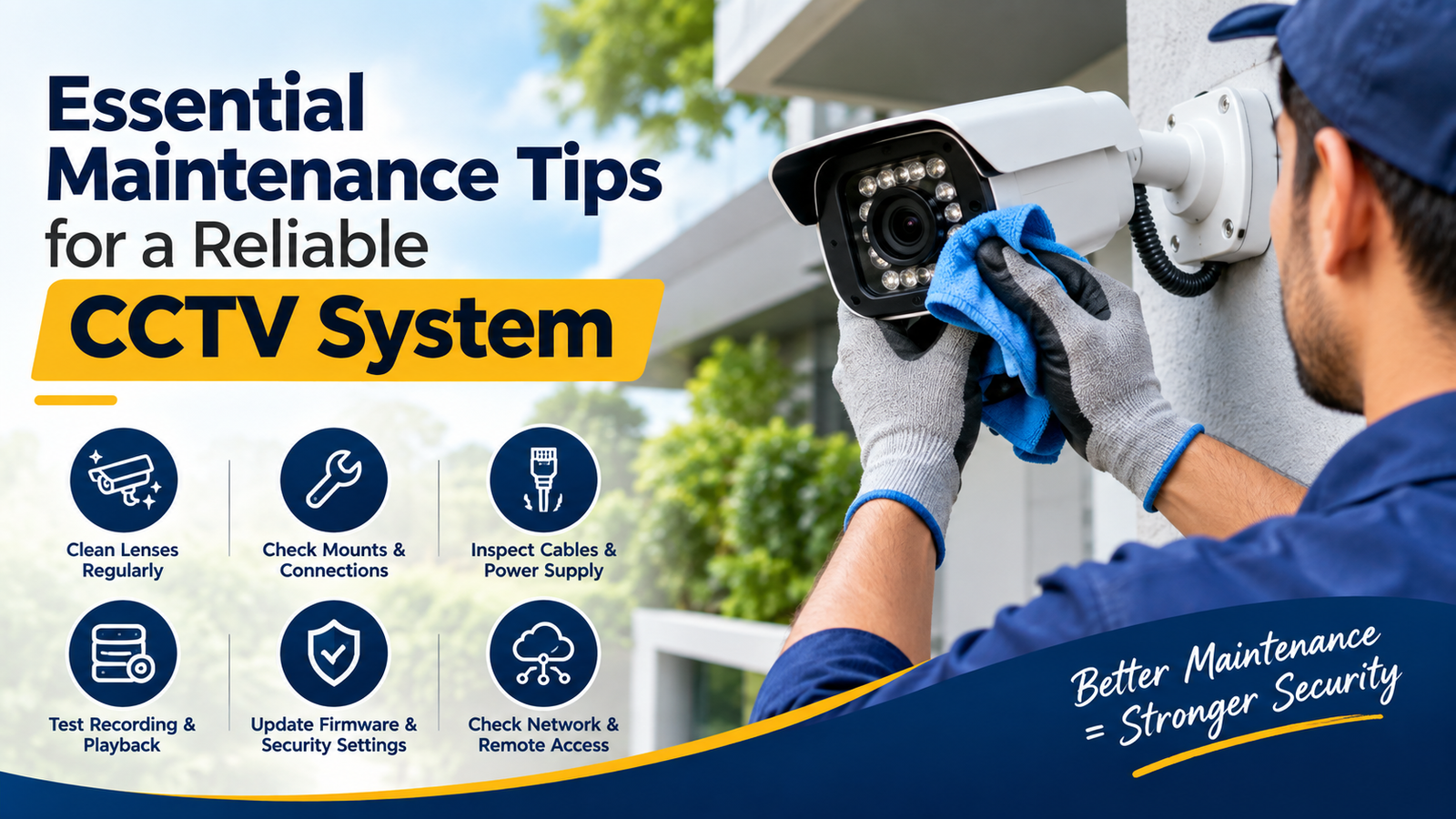
Essential Maintenance Tips for a Reliable CCTV System
A CCTV system is one of the most valuable security investments for homes, offices, retail stores, warehouses, and commercial properties. It helps monitor activities, deter potential threats, and provide recorded evidence when incidents occur. However, installing security cameras is only the first step. To ensure consistent performance, every surveillance system requires regular inspection, cleaning, testing, and technical maintenance.
Many property owners assume that once their cameras are installed, they will continue working perfectly without attention. Unfortunately, dust, weather conditions, loose connections, outdated software, and storage problems can gradually reduce camera performance. These issues may remain unnoticed until an important security incident occurs.
Following CCTV system maintenance practices helps prevent unexpected failures, improves image quality, extends equipment lifespan, and ensures that recorded footage remains accessible when needed.
Whether you operate a small home surveillance setup or a large commercial security network, understanding the essential maintenance procedures can help you protect your property more effectively.
In this comprehensive guide, we will explore practical maintenance tips, common problems, recommended inspection schedules, and professional advice to keep your surveillance equipment operating reliably throughout the year.
Why Is Regular CCTV Maintenance Important?
A surveillance system is designed to provide continuous monitoring, but its performance depends on several interconnected components, including cameras, cables, power supplies, network connections, recording devices, and storage drives.
When even one component develops a fault, the entire security system may become less effective.
Regular CCTV system maintenance helps identify potential problems before they turn into expensive repairs or complete system failures.
Here are some important reasons to maintain your surveillance equipment:
1. Maintain Clear Video Quality
Dust, fingerprints, water spots, and environmental pollution can accumulate on camera lenses. These contaminants may cause blurry images, reduced visibility, and poor identification of people or objects.
Cleaning camera lenses and checking their positioning helps maintain clear footage during daytime and nighttime monitoring.
2. Prevent Unexpected Equipment Failures
Loose cables, damaged connectors, overheating, and unstable power supplies can interrupt camera operation.
Routine inspections allow technicians to identify these problems early and reduce the risk of unexpected downtime.
3. Protect Important Video Recordings
A camera may appear to be functioning normally while the recording device is experiencing storage errors or recording interruptions.
Regularly checking recording schedules, hard drive health, and playback functionality helps ensure that important footage is available when required.
4. Improve Security and System Reliability
Modern surveillance systems frequently connect to networks and remote monitoring applications. Outdated firmware, weak passwords, and insecure configurations can expose these systems to cybersecurity risks.
Keeping devices updated and following secure access practices helps protect your surveillance network.
For additional guidance, visit the
Axis Communications Support Center for device-specific maintenance resources and troubleshooting information.
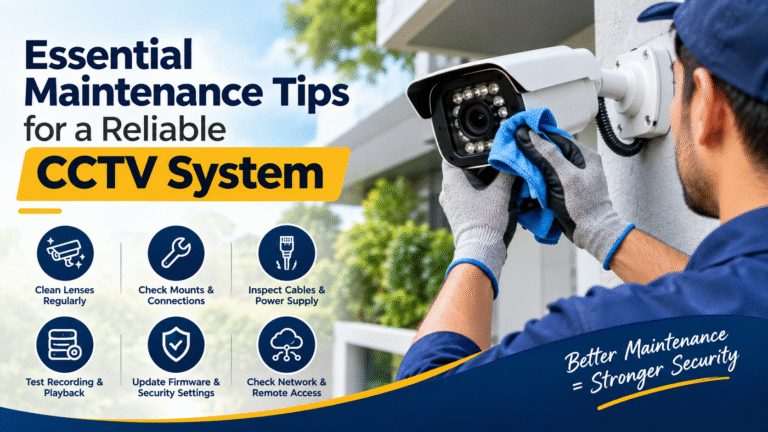
1. Clean CCTV Camera Lenses Regularly

One of the simplest yet most important maintenance tasks is cleaning camera lenses.
Outdoor cameras are exposed to dust, rain, insects, pollution, and changing weather conditions. Indoor cameras may also collect dust, particularly in warehouses, workshops, and commercial environments.
Even a thin layer of dirt can affect image sharpness and reduce the effectiveness of surveillance.
Recommended Cleaning Procedure
- Switch off the camera or follow the manufacturer’s recommended cleaning procedure.
- Use a clean microfiber cloth to remove dust and fingerprints.
- Apply a lens-safe cleaning solution when necessary.
- Avoid abrasive materials that could scratch the lens.
- Inspect the protective dome or housing for dirt and water spots.
- Check the live video feed after cleaning to confirm that the image is clear.
Never use harsh chemicals, rough paper towels, or excessive pressure on camera lenses. These materials can damage protective coatings and reduce image quality.
For detailed cleaning instructions, consult the
Axis camera cleaning and maintenance guidance.
Recommended frequency: Inspect lenses monthly and clean them whenever dirt or image distortion becomes visible. Cameras installed near roads, construction areas, or dusty environments may require more frequent cleaning.
2. Inspect Camera Mounts and Physical Installation
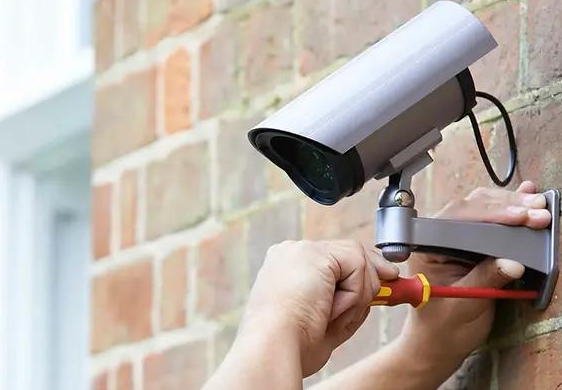
A camera can produce excellent video quality only when it remains securely positioned.
Over time, vibration, strong winds, accidental contact, and building movement can loosen mounting brackets or change camera angles.
A slightly shifted camera may stop covering an important entrance, parking area, or security perimeter.
What Should You Check?
- Examine mounting brackets for loose screws.
- Check whether cameras are tilted or misaligned.
- Inspect protective housings for cracks.
- Confirm that outdoor cameras remain securely attached.
- Look for signs of rust or corrosion.
- Verify that the camera still covers its intended monitoring area.
For PTZ cameras, test pan, tilt, and zoom movements to confirm that the mechanism responds correctly.
If a camera has moved from its original position, adjust it carefully and verify the coverage through the monitoring system.
Professional tip: Keep a record of camera positions and coverage areas. This makes it easier to identify changes during future inspections.
3. Check Cables, Connectors, and Power Supplies

Cabling and power connections are essential to the reliable operation of a surveillance system.
A damaged cable or loose connector can cause intermittent video loss, unstable connections, distorted images, or complete camera shutdown.
These problems are particularly common in older installations and outdoor environments where cables are exposed to moisture, heat, and physical damage.
Essential Inspection Points
- Examine cables for cuts, cracks, or exposed wiring.
- Check connectors for corrosion or moisture.
- Ensure that power adapters are functioning correctly.
- Inspect cable joints and protective conduits.
- Confirm that network cables are securely connected.
- Look for signs of overheating around power supplies.
- Verify that cable management prevents unnecessary tension.
For Power over Ethernet (PoE) systems, inspect the network switch and confirm that cameras receive adequate power.
Avoid attempting electrical repairs without proper training. A qualified technician should handle damaged power connections and electrical components.
Regular CCTV system maintenance should always include a careful inspection of the complete power and connectivity infrastructure, not just the cameras themselves.
4. Test Recording and Playback Functionality

One of the most serious surveillance problems occurs when cameras display live video but fail to record footage.
This issue may go unnoticed for days or weeks if nobody checks the recording system.
A reliable surveillance setup should provide both live monitoring and accessible recorded footage.
How to Test Your Recording System
- Log in to the DVR, NVR, or video management software.
- Confirm that all connected cameras are recording.
- Select different dates and times from the playback menu.
- Verify that recorded video plays without interruptions.
- Check whether motion detection recordings are working correctly.
- Confirm that the recording schedule matches your security requirements.
- Review any system notifications related to recording failures.
If the system uses continuous recording, confirm that footage is available throughout the expected recording period.
For motion-based recording, test whether the system captures activity in the monitored areas without excessive missed events.
Important: Do not assume that a live camera feed means the recording system is working properly. Always test playback.
5. Monitor Hard Drive Health and Storage Capacity

Storage devices play a critical role in preserving surveillance footage.
Most DVR and NVR systems use dedicated hard drives to store video recordings. These drives operate for extended periods and may eventually develop errors or mechanical problems.
A failing hard drive can result in missing footage, recording interruptions, or complete loss of stored evidence.
Storage Maintenance Checklist
- Check available storage capacity.
- Review hard drive health indicators.
- Monitor error notifications.
- Confirm that automatic overwrite settings are configured correctly.
- Verify that recordings are retained for the required period.
- Inspect storage temperatures and ventilation.
- Replace faulty drives with compatible surveillance-grade storage.
Many systems automatically overwrite older recordings when storage becomes full. This is normal behavior when configured correctly, but users should understand how long footage remains available.
For businesses that require longer retention periods, storage capacity should be calculated according to camera count, resolution, frame rate, compression, and recording schedule.
If your system supports drive health monitoring or S.M.A.R.T. diagnostics, review these indicators regularly.
6. Keep CCTV Firmware and Software Updated

Firmware is the internal software that controls the functionality of network cameras and recording devices.
Manufacturers release updates to address security vulnerabilities, improve compatibility, correct software problems, and introduce new features.
Running outdated software can leave devices exposed to known vulnerabilities or prevent them from working correctly with other components.
Best Practices for Software Updates
- Check manufacturer websites for official firmware releases.
- Confirm the exact camera or recorder model before downloading updates.
- Read release notes and installation instructions.
- Back up system configurations before upgrading.
- Schedule updates during periods of low activity.
- Verify camera connectivity after installation.
- Test recording and remote access once the update is complete.
Avoid installing firmware from unknown websites or using files intended for different device models.
Updates may temporarily interrupt camera operation, so plan them carefully.
Axis provides official
device software and firmware downloads along with guidance for selecting supported software versions.
For businesses with multiple cameras, a documented update schedule can make software maintenance more consistent and manageable.
7. Inspect Night Vision and Infrared Performance

Nighttime monitoring is a critical part of surveillance, particularly for parking areas, warehouses, residential entrances, and outdoor facilities.
However, cameras that perform well during daylight may experience problems after dark.
Infrared LEDs, low-light sensors, and automatic day/night switching must function correctly to provide useful nighttime footage.
How to Test Night Vision
- Review camera footage after sunset.
- Check whether infrared illumination activates automatically.
- Look for excessive glare or reflection.
- Confirm that important areas remain visible.
- Inspect camera covers for dirt that could reflect infrared light.
- Check for unusual brightness differences.
- Verify that night recordings are clear enough for the intended purpose.
If a camera is installed behind glass, infrared reflections may interfere with image quality. Adjusting the camera position or infrared illumination may help resolve the issue.
For properties that require color footage at night, evaluate whether the installed camera supports suitable low-light technology.
Regular nighttime testing is an important part of CCTV system maintenance, especially for locations where security incidents are more likely to occur outside business hours.
8. Check Network Connectivity and Remote Access

Modern IP cameras rely on stable network connections to transmit video, communicate with recording devices, and support remote monitoring.
Network problems can cause delayed video, disconnected cameras, failed notifications, or interrupted remote access.
Network Maintenance Tasks
- Check whether every IP camera appears online.
- Inspect network switches and routers.
- Verify Ethernet cable connections.
- Monitor network congestion.
- Review IP address conflicts.
- Test remote viewing applications.
- Confirm that authorized users can access the system.
- Investigate repeated connection failures.
If several cameras disconnect simultaneously, the problem may be related to the network switch, router, power supply, or recording device rather than individual cameras.
For larger installations, network monitoring tools can help identify connectivity problems before they affect security coverage.
Remote access should also be tested from an authorized external connection to confirm that the system remains accessible when users are away from the premises.
9. Strengthen Passwords and Cybersecurity Settings

Network-connected surveillance devices require cybersecurity protection just like computers and other connected equipment.
Weak passwords, unnecessary open ports, outdated firmware, and poorly managed user accounts can increase the risk of unauthorized access.
Essential Security Measures
- Replace default passwords immediately.
- Use long, unique passwords for administrative accounts.
- Enable multi-factor authentication when supported.
- Remove accounts belonging to former employees.
- Limit administrative permissions.
- Disable unused services and features.
- Use secure remote access methods.
- Keep network equipment updated.
- Review login activity and security notifications.
Where possible, place cameras on a separate network or VLAN to reduce unnecessary exposure to other devices.
Avoid exposing camera management interfaces directly to the public internet unless there is a specific, properly secured requirement.
The
CISA Secure Our World initiative provides general guidance on password protection, software updates, and safer online practices.
Security maintenance should be treated as an ongoing responsibility rather than a one-time installation task.
10. Check Weatherproofing and Environmental Protection
Outdoor surveillance cameras face environmental conditions that can gradually affect their performance.
Rain, humidity, extreme temperatures, dust, sunlight, and insects may damage exposed components or reduce image quality.
Even cameras with weather-resistant housings require periodic inspection.
What to Inspect
- Check protective covers for cracks.
- Examine cable entry points for water penetration.
- Inspect seals and gaskets.
- Look for condensation inside camera housings.
- Confirm that drainage openings are clear where applicable.
- Check for corrosion around mounting hardware.
- Verify that protective enclosures remain properly secured.
Pay particular attention to junction boxes and cable connections because water may enter through poorly sealed openings.
If condensation appears inside a camera, investigate the source rather than simply wiping the outside of the housing.
Always follow the manufacturer’s specified environmental and cleaning recommendations.
11. Verify Motion Detection and Camera Coverage

Motion detection helps surveillance systems identify activity and reduce unnecessary recording or notification alerts.
However, incorrect settings can cause missed events or excessive false alarms.
Changes in lighting, furniture, vegetation, and camera positioning may affect detection performance over time.
Motion Detection Maintenance
- Test detection in important areas.
- Confirm that notification alerts are delivered.
- Review sensitivity settings.
- Check detection zones for unwanted coverage.
- Remove unnecessary motion areas.
- Test person or vehicle detection where supported.
- Verify that scheduled recording rules are working.
For outdoor cameras, moving trees, passing vehicles, and changing shadows may trigger unwanted alerts.
Adjust detection zones carefully to focus on relevant areas such as entrances, gates, corridors, and restricted spaces.
A properly configured system should provide useful alerts without overwhelming users with unnecessary notifications.
12. Inspect DVR, NVR, and Monitoring Equipment

Cameras are only one part of a complete surveillance system. Recording devices, monitors, network switches, and control equipment also require attention.
Dust accumulation, poor ventilation, and excessive heat can affect the performance and lifespan of electronic components.
Recorder Maintenance Checklist
- Keep ventilation openings free from dust.
- Ensure that cooling fans operate correctly.
- Check for unusual noises or overheating.
- Confirm that the device restarts normally when required.
- Inspect power cables and connections.
- Verify monitor functionality.
- Check system date and time settings.
- Review error logs and system alerts.
Avoid placing DVRs or NVRs inside enclosed cabinets without adequate ventilation.
A recorder that overheats may become unstable, interrupt recording, or experience premature component failure.
For critical installations, consider using a suitable uninterruptible power supply (UPS) to help protect equipment against brief power interruptions and allow controlled shutdowns during longer outages.
13. Maintain Accurate Date and Time Settings
Accurate timestamps are essential when reviewing surveillance footage.
Incorrect system time can make it difficult to identify when an incident occurred or match video recordings with access logs and other security records.
Time Synchronization Tips
- Confirm the correct date and time.
- Set the appropriate time zone.
- Enable automatic time synchronization where supported.
- Check daylight-saving settings when applicable.
- Verify timestamps across cameras and recording devices.
- Review time settings after power interruptions.
For networked systems, a properly configured Network Time Protocol (NTP) server can help keep devices synchronized.
This small maintenance task can make a significant difference when footage is needed for investigations, insurance claims, or internal reviews.
14. Create a Preventive Maintenance Schedule
The most effective maintenance strategy is one that follows a consistent schedule.
Rather than waiting for equipment to fail, property owners should establish routine inspections that cover both physical hardware and software performance.
The following schedule provides a practical starting point. Actual intervals should be adjusted according to manufacturer guidance, environmental conditions, system size, and security requirements.
Recommended CCTV Maintenance Schedule
| Maintenance Task | Suggested Frequency |
|---|---|
| Check live camera feeds | Weekly |
| Test recording and playback | Weekly |
| Inspect camera image quality | Monthly |
| Clean camera lenses | Monthly or as needed |
| Check storage capacity | Monthly |
| Review system alerts | Monthly |
| Inspect cables and connectors | Quarterly |
| Test night vision | Quarterly |
| Review user accounts and passwords | Quarterly |
| Check camera mounting and alignment | Quarterly |
| Review firmware updates | Quarterly |
| Inspect recorder ventilation | Quarterly |
| Perform a complete system inspection | Annually |
For critical environments such as airports, warehouses, financial institutions, and large commercial facilities, more frequent inspections may be necessary.
A written maintenance checklist helps technicians document completed tasks, identify recurring issues, and plan equipment replacements.
15. Know When to Call a Professional CCTV Technician
Although many basic maintenance tasks can be performed by trained staff, some technical problems require professional assistance.
Attempting complex repairs without the necessary expertise may create additional faults or compromise system security.
Contact a Qualified Technician If You Notice:
- Repeated camera disconnections.
- Persistent recording failures.
- Hard drive errors.
- Damaged power cables.
- Water entering camera housings.
- Unusual overheating.
- Firmware update failures.
- Poor image quality that persists after cleaning.
- Network problems affecting multiple devices.
- Physical damage to mounting structures.
A professional technician can perform diagnostic tests, inspect electrical components, verify system configuration, and recommend appropriate repairs.
For businesses with large surveillance networks, periodic professional servicing can help maintain equipment reliability and reduce the risk of unexpected downtime.
Common CCTV Maintenance Mistakes to Avoid
Even when property owners understand the importance of maintenance, certain mistakes can reduce the effectiveness of their efforts.
Avoid these common problems:
1. Ignoring camera warnings: Repeated error messages may indicate developing hardware or software problems.
2. Cleaning lenses with unsuitable materials: Abrasive cloths and harsh chemicals can damage camera surfaces.
3. Updating firmware without preparation: Incorrect firmware or interrupted upgrades can cause operational issues.
4. Never testing recorded footage: A live feed does not confirm that recordings are being saved correctly.
5. Ignoring storage health: A failing hard drive may cause recording loss without obvious external signs.
6. Using default passwords: Unchanged credentials increase the risk of unauthorized access.
7. Neglecting outdoor connections: Moisture and corrosion can gradually damage exposed wiring.
8. Skipping maintenance documentation: Without records, recurring problems and overdue inspections may go unnoticed.
By avoiding these mistakes and following a structured maintenance routine, property owners can improve the long-term reliability of their surveillance systems.
Benefits of Professional CCTV System Maintenance
Professional maintenance provides more than basic cleaning and troubleshooting. It involves evaluating the complete surveillance environment to identify performance issues and potential security gaps.
Some key benefits include:
- Improved video quality: Regular inspections help maintain clear images and effective monitoring.
- Reduced downtime: Early detection of faults can prevent unexpected system interruptions.
- Longer equipment lifespan: Appropriate care helps protect cameras, recorders, and supporting hardware.
- Reliable video storage: Routine checks help identify recording and hard drive problems.
- Better cybersecurity: Updates and secure configurations reduce avoidable security risks.
- Lower repair costs: Preventive attention may help avoid more extensive equipment failures.
- Consistent monitoring: Regular testing helps ensure that important areas remain covered.
Ultimately, the purpose of CCTV system maintenance is to ensure that your investment continues delivering the security and monitoring capabilities it was designed to provide.
Final Thoughts
A reliable surveillance system requires more than high-quality cameras and professional installation. Consistent cleaning, physical inspections, software updates, storage checks, network monitoring, and security reviews are all essential for maintaining long-term performance.
Whether you manage a residential property, office, retail store, or industrial facility, a well-planned maintenance routine helps reduce equipment failures and ensures that important footage remains accessible when needed.
By following these essential maintenance tips, you can keep your cameras operating efficiently, improve the reliability of your recordings, and maintain better visibility across your property.
Remember, security equipment is most valuable when it works correctly at the exact moment you need it. Regular preventive maintenance helps make that possible.
Frequently Asked Questions (FAQs)
1. How often should a CCTV system be maintained?
Basic checks should be performed weekly, while more detailed inspections are generally recommended monthly or quarterly. A complete professional inspection should be scheduled at least annually, with more frequent servicing for systems operating in demanding environments.
2. Can I clean CCTV cameras myself?
Yes. You can clean accessible camera lenses using a soft microfiber cloth and manufacturer-approved cleaning methods. Avoid harsh chemicals, excessive pressure, and abrasive materials. For cameras installed at height or in hazardous locations, use a qualified technician.
3. Why is my CCTV camera recording blurry footage?
Blurry footage may result from a dirty lens, incorrect focus, condensation, damaged protective covers, poor lighting, or incorrect image settings. Start by checking the lens and camera positioning. If the problem continues, arrange a technical inspection.
4. How do I know if my CCTV hard drive is failing?
Warning signs include recording interruptions, playback errors, storage alerts, unusual noises, and missing footage. Check the recorder’s storage health indicators and consult a technician if errors appear.
5. Is updating CCTV firmware necessary?
Yes. Firmware updates may include important security patches, bug fixes, and compatibility improvements. Always use official manufacturer software and follow the correct update instructions for your specific device.
6. What happens if I never maintain my CCTV system?
Without regular maintenance, cameras may develop poor image quality, recording failures, network problems, and hardware faults. These issues can reduce security coverage and result in missing footage when evidence is required.
7. Does regular CCTV maintenance reduce repair costs?
Preventive maintenance can help identify developing problems before they become more serious. Although it cannot eliminate every failure, it may reduce unexpected downtime, avoid certain costly repairs, and support longer equipment life.
8. Should outdoor CCTV cameras receive more frequent maintenance?
Outdoor cameras often require additional attention because they face dust, rain, humidity, temperature changes, and other environmental conditions. Inspect them regularly and clean them whenever environmental buildup affects image quality.