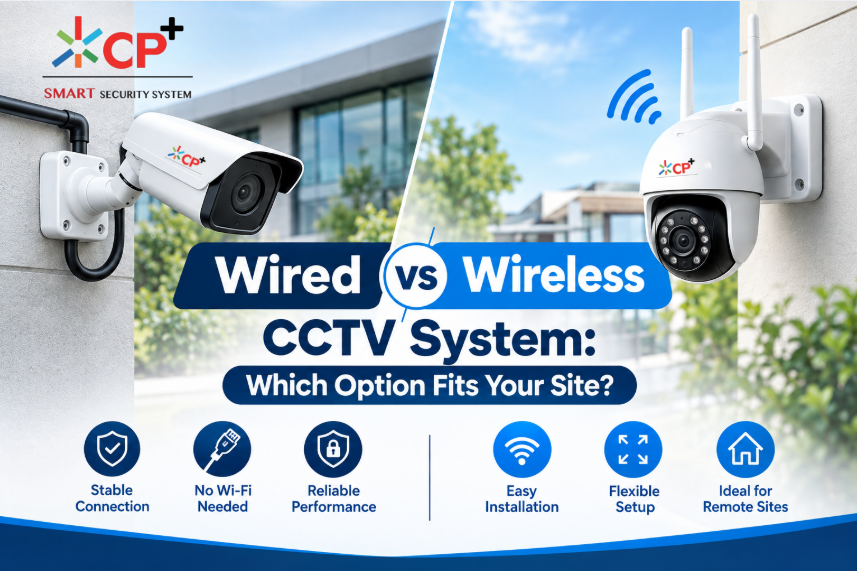
Wired vs Wireless CCTV System: Which Option Fits Your Site?
Choosing the right CCTV setup is an important decision for homeowners, business owners, offices, warehouses, schools, retail stores, and other properties. A surveillance system is not simply about buying cameras and installing them on walls. The way cameras connect to the recorder or network can have a major impact on reliability, installation, maintenance, scalability, and overall performance.
One of the most common decisions buyers face is choosing between a wired vs wireless CCTV system. Both options can provide effective video surveillance, but they are designed for different environments and installation requirements.
Wired CCTV systems traditionally use physical cables to connect cameras with a recorder, network switch, or power source. Wireless systems, on the other hand, use Wi-Fi or another wireless connection for video communication, although many wireless cameras still require a power cable.
The right choice depends on factors such as the size of your property, building structure, internet and network infrastructure, camera locations, installation budget, security requirements, and future expansion plans.
This guide explains the major differences between wired and wireless CCTV systems and helps you understand which approach may be more suitable for your site.
What Is a Wired CCTV System?
A wired CCTV system uses physical cables to connect surveillance cameras to the recording or networking equipment.
Depending on the type of system, cameras may use:
- Ethernet cables
- Coaxial cables
- Power cables
- PoE (Power over Ethernet) connections
- Network switches
- NVRs (Network Video Recorders)
- DVRs (Digital Video Recorders)
Modern IP surveillance systems commonly use Ethernet networking. With PoE technology, a compatible network cable can carry both network data and electrical power to the camera, reducing the number of separate cables required.
For larger commercial installations, wired networking can provide a structured and predictable connection between cameras and recording equipment.
A wired installation can be particularly useful when cameras are positioned permanently around a building and reliable connectivity is more important than minimizing installation work.
What Is a Wireless CCTV System?
A wireless CCTV system uses wireless networking technology to transmit video between cameras and the network or recording platform.
Most wireless security cameras use Wi-Fi to communicate with a router, access point, NVR, cloud platform, or mobile application.
However, the term “wireless” can sometimes be misunderstood.
A Wi-Fi camera is not necessarily completely cable-free.
Many wireless cameras still need:
- A power adapter
- A power outlet
- A rechargeable battery
- Solar power
- Another local power source
Therefore, wireless usually refers to wireless data transmission, rather than a camera that requires absolutely no cables.
Battery-powered cameras can reduce installation requirements even further, but battery life, environmental conditions, recording settings, and wireless signal strength should be considered before installation.
Wired vs Wireless CCTV System: Key Differences
When comparing a wired vs wireless CCTV system, it is useful to evaluate more than just the presence or absence of cables.
Important factors include:
| Factor | Wired CCTV | Wireless CCTV |
|---|---|---|
| Connection | Physical cable | Wi-Fi/wireless network |
| Installation | More installation work | Usually easier |
| Reliability | Generally consistent when properly installed | Depends on wireless signal and network |
| Power | Cable or PoE | Usually needs local power/battery |
| Flexibility | Less flexible after installation | Easier to reposition |
| Large properties | Often suitable | May require multiple access points |
| Network dependency | Lower wireless dependency | Higher wireless dependency |
| Maintenance | Physical cable inspection | Network/battery troubleshooting |
| Expansion | Requires cabling | Easier where wireless coverage exists |
| Aesthetics | Visible cables may need management | Fewer data cables |
| Interference | Less affected by Wi-Fi interference | Can be affected by wireless conditions |
These differences do not mean that one technology is universally better. The appropriate option depends on the specific site.
1. Installation Requirements
Installation is one of the biggest differences between wired and wireless surveillance.
A wired camera requires a physical connection between the camera and the relevant networking or recording equipment. In an existing building, installing cables may involve drilling, conduit, ceiling access, cable trays, or other infrastructure work.
This can increase the time and labor involved.
Wireless cameras can reduce the amount of network cabling required. If the property already has strong Wi-Fi coverage in the required locations, installation may be significantly simpler.
This can be useful for:
- Small offices
- Apartments
- Rental properties
- Small shops
- Temporary surveillance locations
- Finished buildings where cable installation is difficult
However, wireless installation should not be treated as automatically easy. A professional installer should check signal quality and network capacity before placing multiple cameras.
2. Reliability and Connection Stability
Reliability is one of the most important considerations when selecting surveillance equipment.
A wired network connection provides a direct physical path between the camera and network infrastructure. Once properly installed, it is generally less dependent on wireless signal conditions.
Wireless cameras depend on the quality of the wireless connection. Walls, floors, metal structures, distance, network congestion, access-point placement, and other radio-frequency conditions can affect connectivity.
For this reason, large buildings should be carefully surveyed before installing many wireless cameras.
The CISA Guide to Securing Networks for Wi-Fi explains that wireless networks introduce specific security considerations and recommends using appropriate controls to reduce wireless threats.
For a site where continuous and predictable connectivity is a major requirement, wired networking may therefore be considered during the system design.
3. Power Requirements
Another important point is power.
Wired CCTV cameras may receive power through:
- PoE Ethernet
- Separate power adapters
- Centralized power supplies
- Existing electrical infrastructure
PoE can be especially useful because a single Ethernet cable can provide both network connectivity and power to compatible cameras.
Wireless cameras may still require a power source even though they transmit video wirelessly.
For example, a Wi-Fi camera installed on a wall may still need a nearby electrical outlet.
Battery-powered cameras eliminate the need for continuous power cabling, but batteries eventually require charging or replacement.
For outdoor locations, solar-powered cameras may also be an option depending on the product and environmental conditions.
4. Network Dependence
Wireless surveillance systems rely heavily on the quality of the wireless network.
If your Wi-Fi network is already overloaded with:
- Smartphones
- Laptops
- Smart TVs
- IoT devices
- Tablets
- Video streaming
- Business applications
then adding several high-resolution cameras may increase network demands.
This does not mean Wi-Fi cannot support CCTV. Modern wireless networking can handle many applications effectively when designed correctly.
However, camera resolution, frame rate, compression, bitrate, number of cameras, wireless standards, access-point capacity, and network architecture should all be considered.
For larger deployments, simply connecting every camera to a basic home router may not provide the same planning and reliability as a properly designed surveillance network.
5. Security Considerations
Cybersecurity should be part of every modern CCTV installation.
Wireless cameras create additional wireless attack considerations because video and device communications travel over radio networks.
NIST guidance recommends using authentication and encryption features when securing wireless technologies.
The NIST guidance on wireless security provides additional information about protecting wireless networks.
For any CCTV installation, consider:
- Strong administrator passwords
- Unique device credentials
- Secure Wi-Fi encryption
- Updated camera firmware
- Secure router configuration
- Network segmentation where appropriate
- Limited remote access
- Disabling unnecessary services
- Regular firmware updates
- Secure cloud accounts
Do not assume that a wired system automatically eliminates cybersecurity risks. IP cameras, NVRs, routers, switches, and remote-access services can all create security considerations.
6. Image Quality
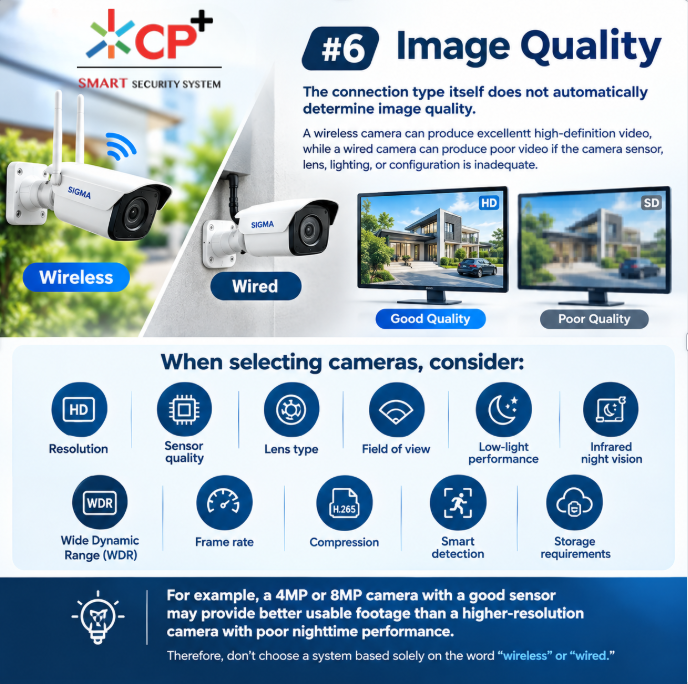
The connection type itself does not automatically determine image quality.
A wireless camera can produce excellent high-definition video, while a wired camera can produce poor video if the camera sensor, lens, lighting, or configuration is inadequate.
When selecting cameras, consider:
- Resolution
- Sensor quality
- Lens type
- Field of view
- Low-light performance
- Infrared night vision
- Wide Dynamic Range (WDR)
- Frame rate
- Compression
- Smart detection
- Storage requirements
For example, a 4MP or 8MP camera with a good sensor may provide better usable footage than a higher-resolution camera with poor nighttime performance.
Therefore, don’t choose a system based solely on the word “wireless” or “wired.”
7. Coverage Area and Distance
Property size has a major influence on the decision.
A small apartment may only need a few cameras located relatively close to a wireless router.
A warehouse, factory, school, hotel, or large office complex may have:
- Long corridors
- Multiple floors
- Thick walls
- Concrete structures
- Metal shelving
- Outdoor areas
- Large parking spaces
Wireless signals can weaken or become difficult to manage across such environments.
A properly designed wired infrastructure may be more practical for many large installations because each camera can have a planned network connection.
That does not mean wireless is impossible for large sites. Additional access points, bridges, mesh systems, or specialized wireless infrastructure may extend coverage.
The important point is to design the network around the property rather than assuming that a single wireless router will cover everything.
8. Scalability and Future Expansion
Think about your future surveillance needs before installation.
You may initially plan to install four cameras but later decide that you need:
- Eight cameras
- Additional outdoor cameras
- Parking surveillance
- Entrance monitoring
- License plate cameras
- Additional storage
- Access control integration
With a wired system, expansion generally requires suitable cabling and network infrastructure.
With a wireless system, adding cameras can be easier if sufficient wireless capacity already exists.
However, wireless scalability also has limits. More cameras mean more network traffic, more wireless clients, and potentially greater demand on access points.
For a growing business, network planning is therefore important regardless of the connection type.
9. Maintenance Requirements
Every CCTV system requires maintenance.
For wired systems, maintenance may involve:
- Checking damaged cables
- Inspecting connectors
- Testing PoE switches
- Checking network ports
- Protecting outdoor cable routes
- Replacing damaged cable sections
For wireless systems, maintenance may involve:
- Checking Wi-Fi signal strength
- Troubleshooting disconnected cameras
- Monitoring access points
- Updating wireless equipment
- Charging or replacing batteries
- Checking interference
- Managing network capacity
Wireless cameras may reduce physical cabling, but they do not necessarily eliminate maintenance.
10. Wired CCTV for Businesses
Businesses often have more demanding surveillance requirements than residential properties.
A business may require cameras for:
- Entrances
- Reception areas
- Cash counters
- Warehouses
- Server rooms
- Parking areas
- Production floors
- Loading bays
- Offices
- Perimeter security
For these environments, network reliability and centralized management can be especially important.
A wired IP CCTV solution can provide a structured infrastructure where cameras connect to switches and NVRs through planned cabling.
For a business with an existing network infrastructure, integrating surveillance into a properly designed wired network can be practical.

11. Wireless CCTV for Homes
Wireless cameras can be convenient for residential properties.
They can be suitable for:
- Front doors
- Backyards
- Garages
- Apartments
- Small homes
- Baby rooms
- Home offices
- Temporary monitoring
Homeowners often prefer wireless cameras because installation can require less drilling and cabling.
A smartphone application can also make remote viewing convenient, depending on the camera and service.
However, homeowners should still check:
- Wi-Fi signal strength
- Camera placement
- Power availability
- Privacy settings
- Cloud-storage costs
- Local storage options
- Battery life
12. Outdoor CCTV Considerations
Outdoor installations require additional planning.
Weather, temperature, dust, moisture, sunlight, and physical damage can affect equipment.
When choosing an outdoor camera, check its environmental protection rating and manufacturer specifications.
You should also consider where the cable or wireless signal will travel.
For a wired outdoor camera, cables should be installed and protected appropriately.
For a wireless outdoor camera, the signal between the camera and access point must remain reliable through walls and other obstacles.
Solar or battery-powered wireless cameras can be useful in locations where electrical infrastructure is difficult to install, but their energy requirements should be calculated based on the recording schedule and local weather conditions.
13. Storage and Recording
Another important part of CCTV planning is video storage.
Both wired and wireless cameras can potentially use:
- NVR storage
- MicroSD cards
- NAS storage
- Cloud storage
- Hybrid storage
Storage requirements depend on:
- Number of cameras
- Resolution
- Frame rate
- Compression
- Recording duration
- Motion detection
- Retention period
For example, continuous recording from several high-resolution cameras can require substantially more storage than motion-triggered recording.
Some IP cameras support edge storage, allowing video to be recorded directly on the camera.
ONVIF’s Profile G addresses recording and retrieval functions for compatible IP video products.
14. Compatibility With Other Equipment
Compatibility is another factor that should not be ignored.
If you purchase cameras, NVRs, software, and other equipment from different manufacturers, verify that they support the required standards and features.
ONVIF provides standardized interfaces intended to improve interoperability between IP-based physical security products. Its profiles define sets of features that compatible devices and clients are expected to support.
You can check the ONVIF Profiles page when evaluating compatibility.
It is important to verify the exact profile and features rather than assuming that every product labeled “ONVIF” supports every function.
ONVIF also maintains a conformant-product database, which can be useful when checking whether a product is officially conformant.
15. Wired vs Wireless CCTV System for a Rental Property
Rental properties can present a unique challenge.
Tenants may not want extensive drilling or permanent cable installation.
In such cases, wireless cameras can be attractive because they may require less modification to the property.
For example, a small rental apartment might use wireless cameras for:
- Main entrance
- Living area
- Garage
- Balcony
- Outdoor entrance
However, privacy considerations should always be taken seriously, particularly in shared or rented spaces.
If a permanent surveillance infrastructure is allowed and long-term reliability is more important than installation convenience, a wired solution may still be appropriate.
16. Wired vs Wireless CCTV System for a Large Commercial Site
Large commercial properties require a different approach.
Consider a warehouse with dozens of cameras spread across a large area.
A wireless design would require careful planning of:
- Access-point locations
- Wireless capacity
- Signal coverage
- Interference
- Network traffic
- Power availability
- Backup connectivity
A wired design may require more installation work, but structured Ethernet infrastructure can make camera connectivity easier to plan and manage.
For a large site, the decision should ideally be based on a professional site survey rather than simply comparing camera prices.
17. Cost: Which One Is Cheaper?
Cost comparisons can be misleading.
A wireless camera may appear cheaper to install because it requires less cabling.
However, a complete system cost can include:
- Cameras
- NVR
- Hard drives
- PoE switches
- Wi-Fi access points
- Network equipment
- Power supplies
- Installation
- Cabling
- Storage
- Cloud subscriptions
- Maintenance
A wired installation may cost more initially if extensive cabling is required.
Wireless may reduce installation labor, but additional access points or network upgrades may increase the overall cost.
Therefore, compare the total system cost, not only the price of individual cameras.
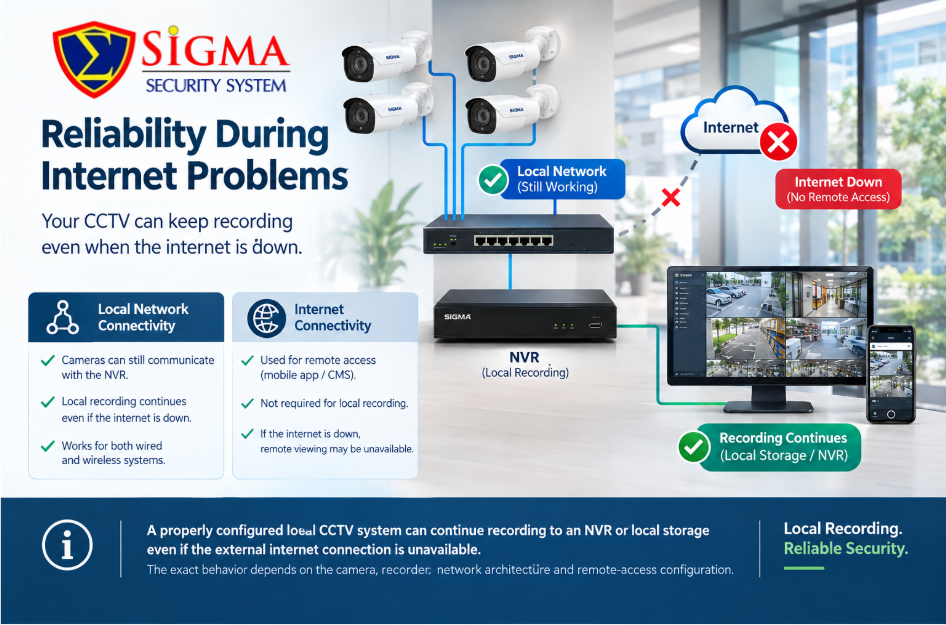
18. Reliability During Internet Problems
A common misconception is that all CCTV cameras stop recording when the internet connection goes down.
That is not necessarily true.
A properly configured local CCTV system can continue recording to an NVR or local storage even if the external internet connection is unavailable.
The exact behavior depends on the camera, recorder, network architecture, and remote-access configuration.
This is why buyers should distinguish between:
Local network connectivity
and
Internet connectivity.
A camera may still communicate with a local NVR even when the property temporarily loses internet service.
This is an important consideration for both wired and wireless systems.
19. Choosing Between Wired and Wireless
When evaluating a wired vs wireless CCTV system, ask yourself the following questions:
How large is the property?
Small properties may be easier to cover wirelessly, while larger properties may benefit from structured cabling.
Are cables easy to install?
If cables can be routed through ceilings, walls, conduits, or existing infrastructure, wired CCTV may be practical.
Is Wi-Fi reliable throughout the property?
If the wireless signal is weak in camera locations, additional network infrastructure may be required.
Do you need battery-powered cameras?
If power is unavailable at the camera location, battery or solar solutions may be worth considering.
How many cameras do you need?
More cameras mean greater network and storage requirements.
Will the system expand?
Think about future camera additions before choosing the infrastructure.
How important is continuous connectivity?
Sites with demanding surveillance requirements may prioritize predictable network connections.
What is your installation budget?
Compare the complete installation cost rather than camera prices alone.
Wired vs Wireless CCTV System: Which Is Better for Different Sites?
There is no universal answer because each site has different requirements.
Small Home
Wireless can be practical when:
- Wi-Fi coverage is strong
- Only a few cameras are required
- Easy installation is important
- Existing electrical outlets are available
Large Home
Either option can work.
A wired system may be suitable when cameras are installed permanently around the property, while wireless may be useful for locations where cable installation is difficult.
Small Office
Wireless can be convenient if the existing network is strong and the number of cameras is limited.
Retail Store
A wired solution may be useful when cameras need stable connectivity and permanent placement.
Warehouse
A wired infrastructure may be considered where long distances and multiple cameras make wireless planning more complex.
Construction Site
Wireless or battery/solar-powered cameras can be useful where permanent network infrastructure does not yet exist.
Rental Property
Wireless can reduce the need for permanent modifications.
Industrial Facility
A professional site survey should determine the most appropriate infrastructure based on distance, environmental conditions, network requirements, and security objectives.
Hybrid CCTV Systems: A Practical Alternative
You do not always have to choose only one technology.
A hybrid surveillance design can combine wired and wireless cameras.
For example:
- Wired cameras can cover entrances.
- Wireless cameras can monitor difficult-to-cable locations.
- Battery cameras can monitor temporary areas.
- PoE cameras can cover permanent indoor installations.
- Solar wireless cameras can cover remote outdoor locations.
This approach can provide flexibility while maintaining wired connectivity where it matters most.
A hybrid architecture may be especially useful when a property has areas with very different installation requirements.
Common Mistakes to Avoid
Choosing Cameras Before Planning the Network
Don’t purchase cameras first and think about infrastructure later.
Determine:
- Camera locations
- Network routes
- Power requirements
- Storage
- Bandwidth
- Recording requirements
before buying equipment.
Assuming Wireless Means Cable-Free
Most wireless cameras still require power unless they are battery or solar powered.
Ignoring Wi-Fi Coverage
A camera installed at the edge of wireless coverage may experience unreliable connections.
Buying Only Based on Resolution
Higher resolution does not automatically guarantee better surveillance.
Sensor quality, lens selection, lighting, WDR, night vision, and placement are also important.
Forgetting Future Expansion
Leave enough network and storage capacity for additional cameras.
Ignoring Cybersecurity
Change default passwords, update firmware, secure remote access, and protect the network.
NIST guidance emphasizes strong authentication and encryption for wireless environments, while CISA’s more recent Wi-Fi security guidance highlights the need for layered security controls.
How to Plan Your CCTV Installation
Before purchasing a wired vs wireless CCTV system, follow a basic planning process.
Step 1: Identify Security Objectives
Determine what you need to monitor.
Examples include:
- People entering the property
- Cash registers
- Parking areas
- Doors
- Hallways
- Warehouses
- Equipment
- Perimeters
Step 2: Mark Camera Locations
Create a simple site plan and mark every proposed camera.
Step 3: Check Lighting
Consider both daytime and nighttime conditions.
Step 4: Check Network Connectivity
For wireless cameras, test Wi-Fi signal quality at each proposed location.
For wired systems, determine cable routes and network equipment requirements.
Step 5: Select Storage
Decide how long recordings need to be retained.
Step 6: Consider Future Expansion
Leave room for additional cameras and storage.
Step 7: Secure the System
Use strong credentials, updated firmware, secure network settings, and controlled remote access.
Step 8: Test Everything
After installation, test:
- Live video
- Recording
- Playback
- Night vision
- Motion detection
- Remote viewing
- Network connectivity
- Storage
- Alerts
Final Thoughts: Finding the Right CCTV Setup
The decision between wired and wireless surveillance should be based on your property’s actual requirements rather than marketing claims.
A wired vs wireless CCTV system comparison should consider installation, reliability, power, network performance, cybersecurity, scalability, maintenance, storage, and future expansion.
Wired CCTV can be attractive for permanent installations where predictable connectivity and structured infrastructure are important. Wireless CCTV can be useful when flexibility, easier installation, or difficult-to-cable locations are major considerations.
For some properties, the most practical answer may be a combination of both.
The best approach is to evaluate the site first, identify your security objectives, determine camera locations, check network and power availability, and then choose the infrastructure that supports those requirements.
Whether you select wired, wireless, or hybrid surveillance, the goal should be the same: reliable video coverage, secure connectivity, appropriate storage, and dependable access to recorded footage when you need it.
If you are planning a new CCTV installation, consider getting the site assessed before purchasing equipment. A proper site survey can help identify blind spots, network limitations, cable-routing challenges, power requirements, and future expansion needs.
Frequently Asked Questions
Is wired CCTV better than wireless CCTV?
Neither option is universally better. Wired CCTV can be suitable for permanent installations requiring structured connectivity, while wireless CCTV can be useful where flexible installation and reduced data cabling are important.
Does wireless CCTV need internet?
Not necessarily. Some wireless cameras can communicate over the local network and record to local storage or an NVR. Internet access is generally needed for features such as remote viewing through internet-based services, depending on the system.
Do wireless cameras need power?
Most do. A wireless camera usually means that video/network communication is wireless, while the camera may still require a power adapter, battery, or solar power.
Can wireless CCTV work through walls?
Yes, but walls and building materials can reduce wireless signal strength. Thick concrete, metal, multiple floors, and long distances can create connectivity challenges.
Is wired CCTV more secure?
A wired network removes the wireless transmission path between the camera and network, but it does not eliminate cybersecurity risks. IP cameras and network equipment still need secure passwords, updates, access controls, and appropriate network security.
Can wired and wireless CCTV be used together?
Yes. A hybrid CCTV system can combine wired, wireless, battery-powered, and other camera types when the equipment and network architecture support them.
How do I decide which CCTV system to buy?
Start with your property size, camera locations, network coverage, power availability, security objectives, recording requirements, budget, and future expansion plans. A professional site survey can help determine the most appropriate solution.