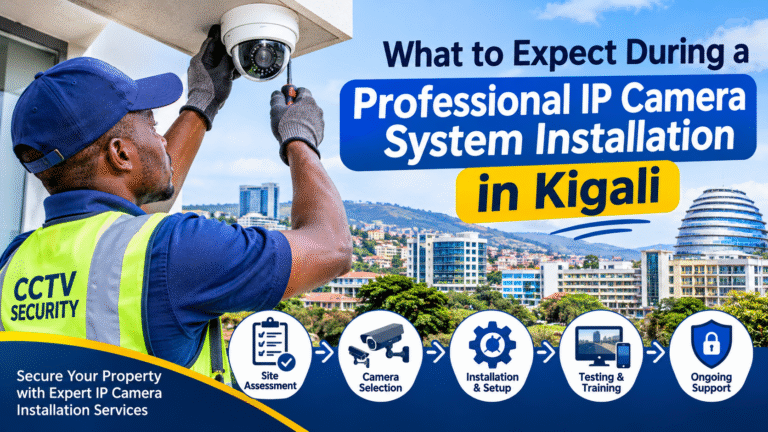
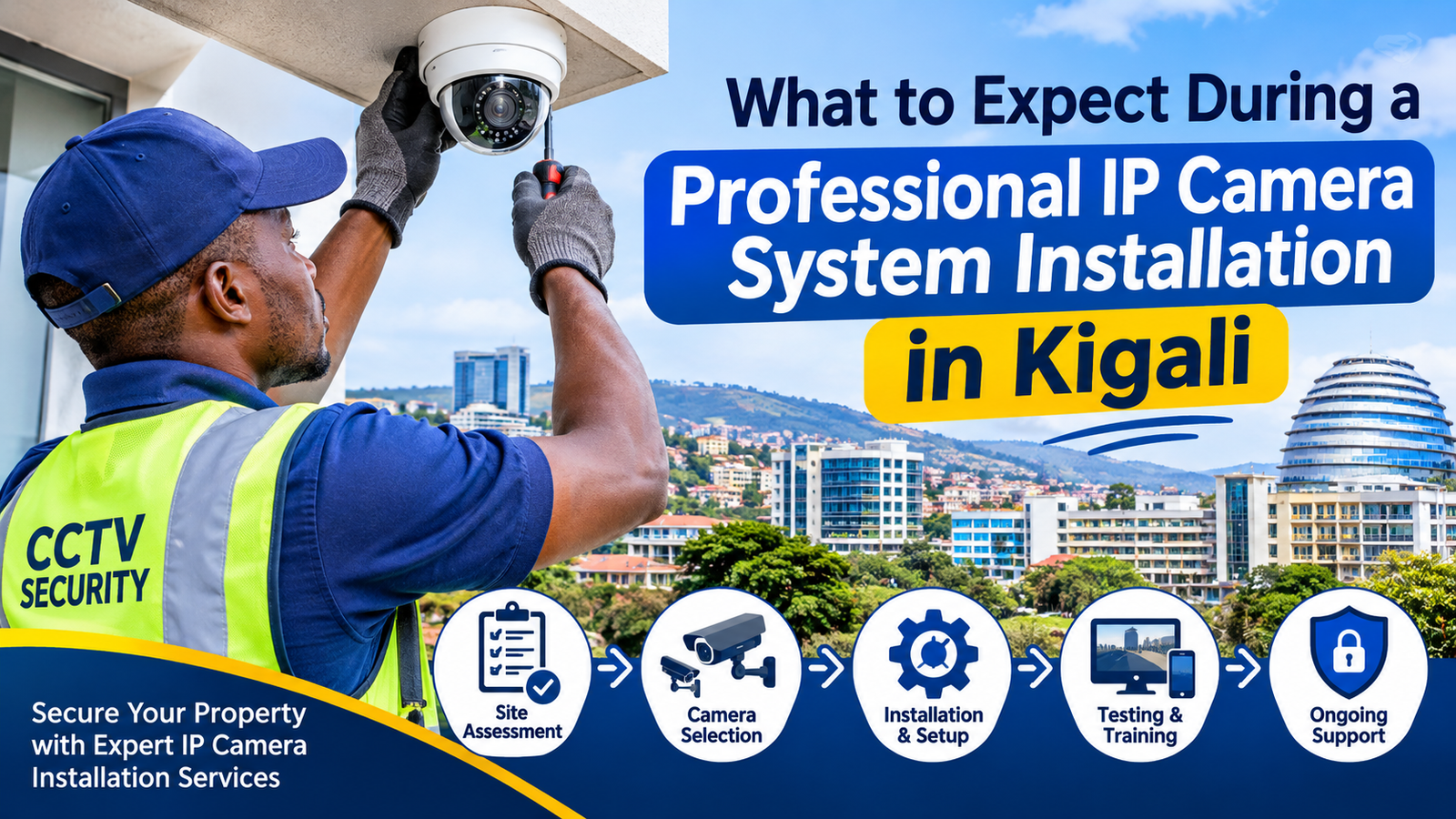
What to Expect During a Professional IP Camera System Installation in Kigali
Installing a modern security camera system is an important investment for protecting homes, offices, commercial buildings, warehouses, schools, hotels, and other properties. However, purchasing high-quality cameras is only one part of creating an effective surveillance solution. Proper planning, professional installation, network configuration, recording setup, and regular maintenance are equally important.
If you are planning a Professional IP Camera System Installation in Kigali, understanding the installation process can help you prepare your property, choose suitable equipment, and avoid common mistakes. A professional installation involves several stages, starting with an initial site inspection and ending with system testing and customer training.
IP cameras use internet protocol (IP) networks to transmit video, allowing users to monitor their properties through compatible computers, smartphones, and network video recorders (NVRs). Depending on the system design, they can also provide advanced features such as motion detection, night vision, remote monitoring, and intelligent security alerts.
In Kigali, security requirements can differ between residential properties, retail shops, office buildings, educational institutions, and industrial facilities. Therefore, every installation should be designed according to the property’s layout, security objectives, available infrastructure, and environmental conditions.
This guide explains what property owners and businesses should expect before, during, and after a professional IP camera installation.
1. Initial Property Inspection and Security Assessment
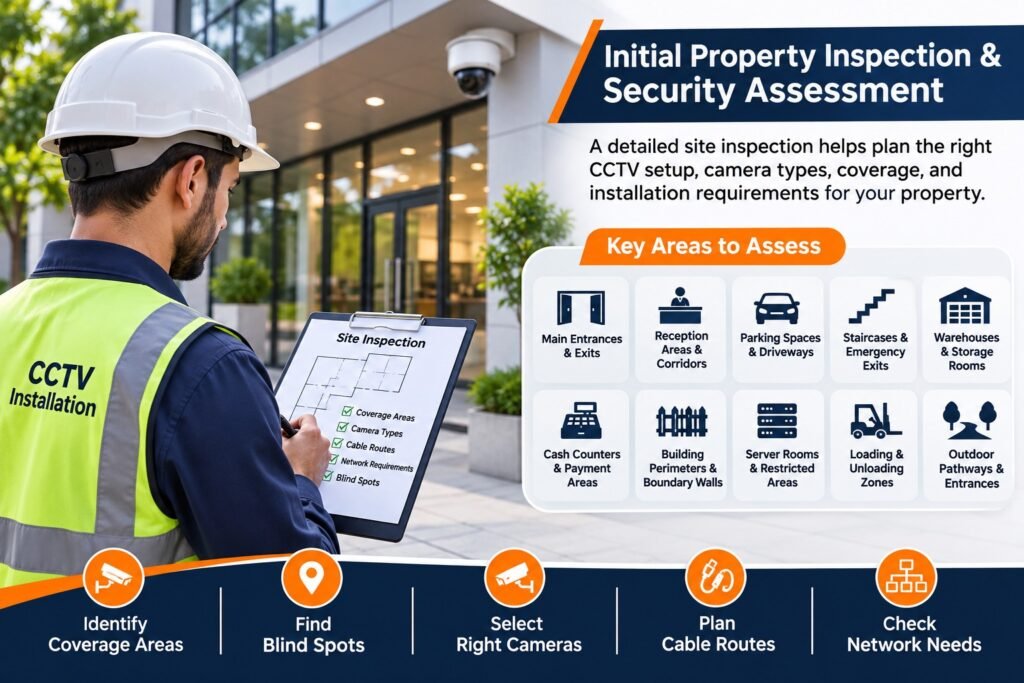
The first stage of a professional installation is a detailed property inspection. Before recommending cameras or installation locations, the technician should understand the building’s layout and identify areas that require monitoring.
A proper site inspection helps determine the number of cameras required, the most suitable camera types, cable routes, network requirements, and possible installation challenges.
During the inspection, technicians may examine:
- Main entrances and exits
- Reception areas and corridors
- Parking spaces and driveways
- Staircases and emergency exits
- Warehouses and storage rooms
- Cash counters and payment areas
- Building perimeters and boundary walls
- Server rooms and restricted areas
- Loading and unloading zones
- Outdoor pathways and entrances
For example, a retail shop in Kigali may need cameras covering its entrance, cashier counter, shelves, and storage area. A warehouse may require wider coverage of loading bays, inventory sections, and vehicle entrances.
The installer should also identify potential blind spots, obstacles, poor lighting conditions, and areas where additional cameras may be necessary.
A site survey should not focus only on camera quantity. It should establish what each camera needs to capture and whether the proposed position can achieve that objective.
2. Understanding Your Security Requirements
After inspecting the property, the installation team should discuss your security expectations.
Different properties have different surveillance requirements. A homeowner may want to monitor entrances and outdoor spaces, while a business may need detailed footage of customer areas, staff entrances, equipment rooms, and inventory locations.
During this discussion, consider the following questions:
- Do you need indoor cameras, outdoor cameras, or both?
- Do you require continuous recording?
- Should cameras provide night vision?
- Do you need remote monitoring?
- How many days of recording should be available?
- Do you need motion or human detection?
- Will multiple users access the system?
- Do you plan to expand the system in the future?
These questions help the installer recommend an appropriate solution instead of selecting equipment without understanding your actual needs.
A reliable Professional IP Camera System Installation in Kigali should be based on clearly defined security objectives. This approach can help prevent unnecessary expenses and ensure that important areas receive suitable coverage.
3. Selecting the Right IP Camera Types

Once the security requirements are understood, the next step is selecting suitable IP cameras.
Different camera designs are intended for different environments. Choosing the correct type can improve coverage, image quality, and long-term performance.
Common IP camera types include:
Dome Cameras
Dome cameras are commonly installed in offices, shops, hotels, reception areas, and indoor commercial spaces. Their compact design makes them suitable for locations where a less noticeable camera is preferred.
Bullet Cameras
Bullet cameras are often used for outdoor surveillance. They can monitor building entrances, parking areas, boundary walls, and other external locations.
Turret Cameras
Turret cameras provide flexible positioning and are widely used for indoor and outdoor applications. Their design can also help reduce some infrared reflection problems associated with certain dome installations.
PTZ Cameras
Pan-Tilt-Zoom cameras allow authorized users to adjust the camera direction and zoom level remotely. They can be useful for larger areas where flexible monitoring is required.
Night Vision Cameras
Night vision cameras use infrared technology or other low-light capabilities to capture footage when natural lighting is limited.
Full-Color Cameras
Some cameras use advanced low-light technology to produce colour images in suitable nighttime lighting conditions. Their performance depends on the available light and camera specifications.
The installer should explain the advantages and limitations of each camera type before finalizing the equipment selection.
4. Planning Camera Positions and Coverage Areas
Camera positioning is one of the most important parts of the installation process. Even expensive IP cameras may produce poor results if they are installed at unsuitable angles.
The installation team should identify positions that provide useful coverage without creating unnecessary blind spots.
For example:
- Entrance cameras should capture approaching visitors.
- Parking cameras should cover vehicle movement and important access points.
- Warehouse cameras should monitor storage and loading areas.
- Reception cameras should provide a useful overview of visitor activity.
- Outdoor cameras should cover vulnerable access points.
The installer should also consider mounting height, lens angle, lighting, distance from the target area, and possible obstructions.
A camera designed for general monitoring may not provide enough detail for identifying faces or reading vehicle number plates. If identification is required, the camera resolution, lens, viewing distance, and positioning must be selected accordingly.
For additional installation planning guidance, you can review the UK Government’s recommended standards for the surveillance camera industry.
5. Checking Network Infrastructure and Internet Connectivity

Unlike traditional analogue cameras, IP cameras communicate through network infrastructure. Therefore, checking the existing network is an important part of the installation.
The technician should inspect available network equipment, Ethernet cabling, switches, routers, and internet connectivity where remote access is required.
Important considerations include:
- Network bandwidth
- Ethernet cable quality
- Network switch capacity
- PoE compatibility
- IP address configuration
- Network security
- Internet reliability
- Future expansion requirements
A weak or poorly designed network can cause delayed video, connection interruptions, or unreliable remote viewing.
It is also important to understand that local recording does not necessarily require a continuous internet connection. A properly configured IP camera system can record to a local NVR even if internet connectivity becomes unavailable. However, remote access and cloud-dependent features may be affected.
A professional technician should explain which features depend on the internet and which continue working locally.
6. Installing Ethernet Cables and Power Connections
After network planning, technicians begin preparing the cable routes and power connections.
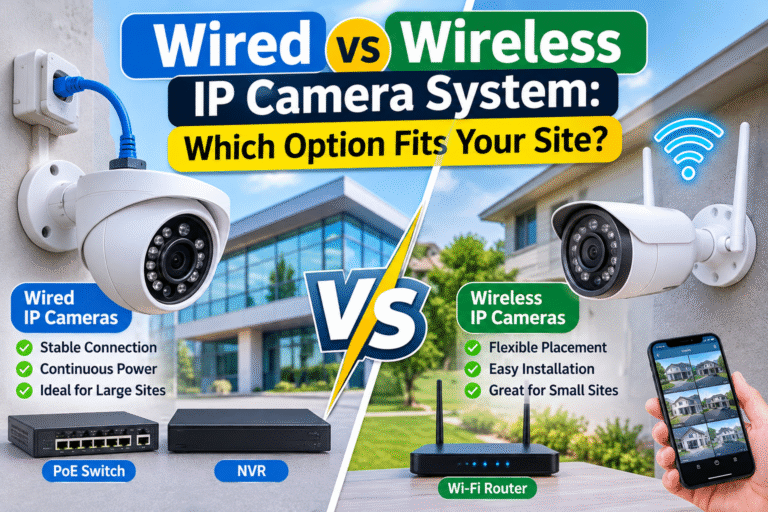
Many IP cameras use Ethernet cables to communicate with network equipment. Depending on the camera and system design, Power over Ethernet (PoE) can deliver both network connectivity and electrical power through a single compatible cable.
This can simplify installation and reduce the need for separate power adapters at every camera location.
Common installation activities include:
- Measuring cable distances
- Preparing Ethernet cables
- Installing protective conduits
- Routing cables through ceilings and walls
- Connecting compatible PoE switches
- Protecting outdoor cable sections
- Labelling network connections
- Checking cable continuity
Cable management should be handled carefully. Exposed or poorly secured cables may be damaged accidentally or affected by environmental conditions.
In Kigali, installers should consider rain exposure, humidity, dust, building construction, and outdoor installation conditions when selecting cable protection and mounting accessories.
A neat installation also makes future troubleshooting and maintenance easier.
7. Mounting and Physically Installing the Cameras
Once the cable routes and installation points are ready, technicians begin mounting the cameras.
Each camera should be installed securely using suitable brackets, screws, and mounting accessories. The mounting surface must be strong enough to support the equipment.
For outdoor installations, technicians should also check whether the camera has an appropriate weather-protection rating.
For example, an IP66-rated camera enclosure is designed to provide protection against dust and powerful water jets under specified test conditions. However, the rating of the camera does not automatically protect poorly installed cable connections or unsuitable junction boxes.
During installation, technicians should check:
- Camera mounting stability
- Correct viewing angle
- Suitable installation height
- Weather protection
- Cable entry protection
- Accessibility for maintenance
- Avoidance of unnecessary glare
The camera should be positioned to monitor the intended area while respecting the privacy of neighbours and other individuals.
8. Installing and Configuring the Network Video Recorder (NVR)

The Network Video Recorder is an important component of many IP camera systems.
An NVR receives video streams from connected network cameras and manages recording, storage, playback, and other supported functions.
During installation, the technician will typically:
- Position the NVR in a suitable secure location.
- Install compatible storage drives.
- Connect cameras and network equipment.
- Configure recording channels.
- Assign camera names.
- Set the correct date and time.
- Configure recording schedules.
- Adjust supported video settings.
- Check storage and recording status.
The NVR should be installed in a location with adequate ventilation and restricted access. This helps protect the recording equipment from accidental damage and unauthorized interference.
The installer should also explain the difference between continuous recording and event-based recording so that you can select a configuration suitable for your security requirements.
9. Setting Up Recording and Storage Capacity
Storage planning determines how much recorded footage can be retained before older recordings are overwritten or storage becomes full.
The required storage capacity depends on several factors:
- Number of connected cameras
- Camera resolution
- Frame rate
- Video compression
- Recording hours
- Continuous or motion-based recording
- Desired retention period
For example, a business using several high-resolution cameras with continuous recording will generally require more storage than a small property using fewer cameras with event-based recording.
Technicians should calculate the expected storage requirements before installation rather than selecting a hard drive without considering the recording workload.
Surveillance-rated hard drives are generally designed for continuous video recording applications. The selected drive should be compatible with the NVR and appropriate for its expected workload.
You can explore Western Digital’s surveillance storage solutions to understand the types of storage products designed for surveillance systems.
It is also important to remember that storage duration should match the property’s legitimate monitoring requirements and applicable privacy obligations.
10. Configuring Remote Viewing and Mobile Access
One of the most useful features of modern IP cameras is remote monitoring.
After configuring the network and recording equipment, the installer may help connect the system to a compatible mobile application or desktop monitoring platform.
This allows authorized users to access selected camera feeds without being physically present at the property.
Depending on the system, remote monitoring may support:
- Live camera viewing
- Recorded video playback
- Motion notifications
- Multiple camera displays
- Remote system management
- Selected event alerts
For example, a business owner in Kigali may want to check the shop’s entrance or parking area while travelling.
However, remote access must be configured securely. The installer should use strong passwords, appropriate user permissions, updated software, and secure network settings.
Default passwords should be changed, and unnecessary remote services should be disabled.
Users should also avoid sharing login credentials with unauthorized individuals.
11. Configuring Motion Detection and Smart Security Features
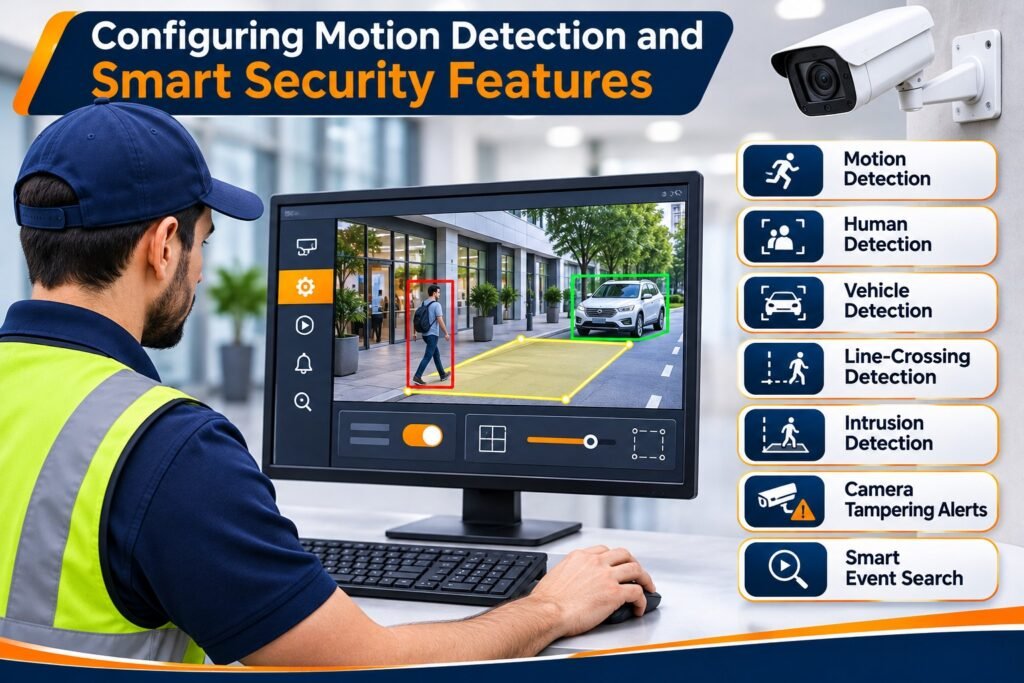
Modern IP camera systems may include intelligent security functions that help users identify important events.
Depending on the camera model and NVR, these features may include:
- Motion detection
- Human detection
- Vehicle detection
- Line-crossing detection
- Intrusion detection
- Camera tampering alerts
- Smart event search
These functions can make surveillance more efficient by highlighting relevant events instead of requiring users to review every minute of recorded footage.
However, smart detection must be configured according to the environment.
For example, a camera overlooking a busy street may generate unnecessary motion alerts because of passing vehicles, pedestrians, or moving objects.
The installer should adjust detection zones and sensitivity where supported. Testing is also necessary to check whether the selected features perform correctly under actual site conditions.
12. Testing Image Quality During Day and Night
After cameras and recording equipment have been configured, the installation team should test image quality.
A camera that produces clear footage during the day may perform differently at night.
This is particularly important for outdoor cameras installed near entrances, parking spaces, and boundary walls.
Testing should include:
- Daytime image clarity
- Night vision performance
- Infrared illumination
- Low-light visibility
- Backlight conditions
- Image focus
- Viewing angles
- Reflections and glare
The technician should also check whether important objects and people remain visible at the required distances.
Where necessary, camera positions and image settings should be adjusted.
Nighttime testing is especially useful because it helps identify problems that may not be visible during daylight installation work.
13. Securing the CCTV Network
An IP camera system is also a connected network device, so cybersecurity should be part of the installation process.
Poorly secured cameras can create unnecessary security risks if unauthorized users gain access to the network or camera accounts.
A professional installer should consider:
- Changing default login credentials
- Creating strong passwords
- Restricting administrator access
- Updating firmware where appropriate
- Disabling unused services
- Configuring network permissions
- Separating surveillance equipment from other networks where suitable
- Reviewing remote access settings
For businesses, it may be helpful to give different access levels to management, security personnel, and technical staff.
Rwanda’s National Cyber Security Authority provides information about cybersecurity and the protection of personal data in the country.
A secure installation should protect both the camera system and the video recordings it produces.
14. Understanding Privacy and Data Protection Requirements
CCTV installation should be planned with privacy in mind.
Video recordings may contain identifiable information about employees, customers, visitors, and members of the public. Organizations should therefore consider their responsibilities when collecting, storing, accessing, and sharing recorded footage.
Rwanda’s Law No. 058/2021 relating to the Protection of Personal Data and Privacy provides the legal framework for personal data processing.
Before installing cameras, businesses should consider:
- The legitimate purpose of surveillance
- Whether camera coverage is necessary and proportionate
- Which areas should be monitored
- Who can view recordings
- How long footage should be retained
- How recordings are protected
- Whether appropriate notices are required
- How requests for recorded footage will be handled
Cameras should not unnecessarily monitor private spaces or neighbouring properties.
For official guidance, consult Rwanda’s Data Protection and Privacy Office and its frequently asked questions.
Where legal obligations are unclear, businesses should seek appropriate professional guidance rather than assuming that installing cameras automatically makes their surveillance practices compliant.
15. Final System Testing and Commissioning
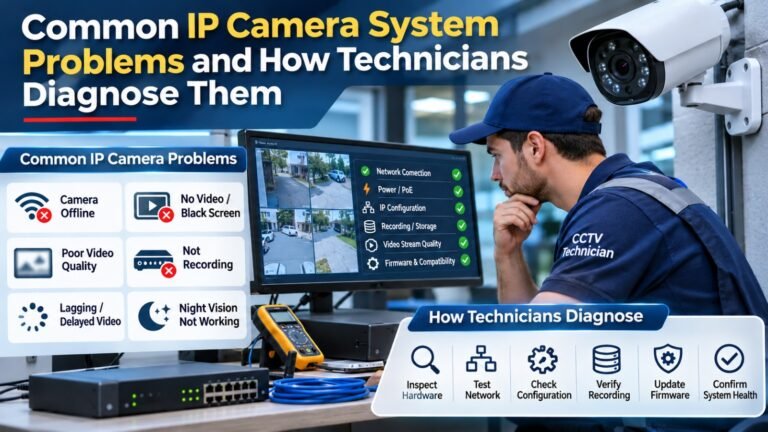
Before the project is considered complete, the technician should perform a full system inspection.
This stage is often called testing and commissioning. It confirms that the installed equipment operates as expected.
The technician should check:
- Every camera is online.
- All important areas are covered.
- Live video is working.
- Recording is functioning.
- Playback is available.
- Storage is recognized.
- Date and time settings are correct.
- Night vision is working.
- Motion detection is configured.
- Remote viewing works, if included.
- User permissions are correct.
- Network connections are stable.
The customer should also be invited to review camera positions and confirm that the intended areas are visible.
If a camera produces unclear footage or an important area remains uncovered, adjustments should be completed before handover.
A successful Professional IP Camera System Installation in Kigali should not end when the last camera is mounted. It should end when the complete system has been tested and demonstrated.
16. Customer Training and System Handover
After successful testing, the installer should explain how to operate the CCTV system.
This is important because property owners and employees may have different levels of technical knowledge.
Basic training should cover:
- Viewing live camera feeds
- Switching between cameras
- Searching recorded footage
- Selecting dates and times
- Exporting important video clips
- Managing authorized users
- Checking storage status
- Understanding security notifications
- Identifying basic system problems
For business environments, it is also useful to identify the person responsible for managing the system.
The customer should receive relevant documentation, equipment details, warranty information, and instructions for contacting technical support.
The installer should never leave customers dependent on undocumented passwords or unclear operating instructions.
17. How Long Does IP Camera Installation Take?
Installation time depends on the size and complexity of the property.
A small residential property may require less installation work than a large office, warehouse, school, or commercial building.
Factors affecting the project timeline include:
- Number of cameras
- Building size
- Cable distances
- Wall and ceiling construction
- Existing network infrastructure
- Electrical requirements
- Camera mounting locations
- NVR configuration
- Remote monitoring setup
- Testing and training
A professional installer should provide an estimated timeline after completing the site inspection.
Unexpected cable routes, difficult mounting surfaces, or additional network requirements may affect the original schedule.
18. What Should You Prepare Before Installation?
Property owners can help make the installation process smoother by preparing the site in advance.
Start by identifying the most important areas that require surveillance.
You should also:
- Make sure the installation team can access the relevant rooms and outdoor areas.
- Identify available internet and network connections.
- Discuss suitable locations for the NVR.
- Identify any areas where drilling or cable routing may be restricted.
- Inform the installer about existing electrical or network issues.
- Decide who will manage camera access.
- Discuss recording and storage requirements.
- Identify any future expansion plans.
For commercial buildings, coordinating installation work with employees or building management can also reduce disruption.
19. What to Check Before Accepting the Installation
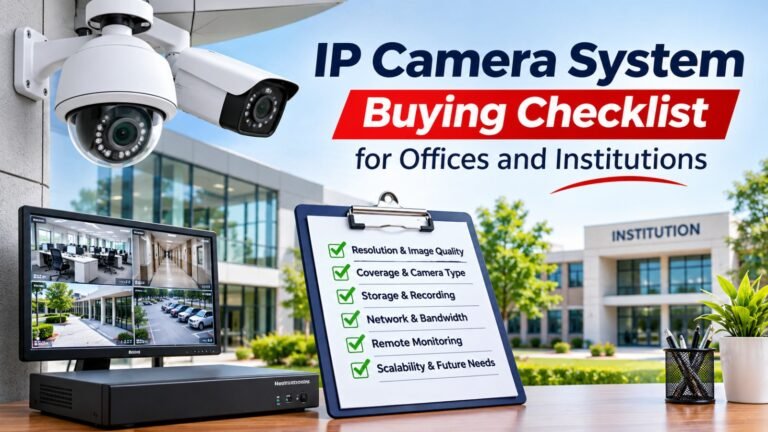
Before approving the completed project, review the following checklist.
Camera installation
- All agreed cameras are installed.
- Camera positions are correct.
- Important areas are visible.
- Outdoor cameras are properly protected.
Recording and storage
- NVR is functioning.
- Recording is active.
- Playback works correctly.
- Storage capacity is confirmed.
Network and security
- Network connections are stable.
- Remote viewing works where required.
- Default passwords have been changed.
- User permissions are configured.
Final handover
- Day and night images have been checked.
- Staff or owners have received training.
- Warranty details are provided.
- Maintenance requirements are explained.
- Technical support arrangements are clear.
Completing these checks can help prevent misunderstandings and identify installation problems before the project is closed.
20. Why Choose Professional Installation Instead of DIY?
DIY installation may appear less expensive initially, especially when purchasing a small number of cameras. However, designing and configuring a reliable IP surveillance system requires more than connecting cameras to a network.
Professional technicians can help with camera placement, cable routing, network configuration, storage calculations, remote access, cybersecurity, and system testing.
Common problems with poorly planned installations include:
- Uncovered security areas
- Incorrect camera angles
- Weak network connections
- Insufficient recording storage
- Unprotected outdoor cables
- Unreliable remote access
- Incorrect recording settings
- Poor nighttime footage
Professional installation helps reduce these risks by following a structured process.
It can also make future maintenance and system expansion easier, particularly for businesses with multiple cameras or more complex security requirements.
Frequently Asked Questions (FAQs)
1. How many IP cameras do I need for my property in Kigali?
The number depends on your property size, layout, entrances, security risks, and required coverage. A site inspection is the best way to determine the appropriate number of cameras.
2. How long does a professional IP camera installation take?
A small installation may be completed relatively quickly, while larger commercial projects may require several days. The timeline depends on camera quantity, cable routes, building structure, and configuration requirements.
3. Can I monitor my IP cameras using my smartphone?
Yes. Most modern IP camera systems support compatible mobile applications. Remote monitoring requires appropriate network configuration, secure account access, and internet connectivity.
4. Do IP cameras work without an internet connection?
Yes, many systems can continue recording locally to an NVR without internet access. However, remote viewing and certain cloud-based features may become unavailable.
5. Do IP cameras provide night vision?
Many IP cameras include infrared night vision or low-light technology. The available nighttime image quality depends on the camera specifications, lighting, distance, and installation position.
6. How much storage do IP cameras require?
Storage requirements depend on camera resolution, frame rate, compression, recording schedules, camera quantity, and desired retention period. A technician should calculate the required capacity before installation.
7. Can I add more cameras in the future?
In many cases, yes. However, future expansion depends on NVR channel capacity, network switch capacity, bandwidth, storage, and system compatibility. It is best to discuss expansion during the initial planning stage.
8. Does professional installation include maintenance?
Maintenance depends on the service agreement. Ask whether the installer offers camera cleaning, system inspections, firmware updates, storage checks, and technical support.
Installing an IP camera system is a structured process that requires careful planning, suitable equipment, reliable networking, secure configuration, and proper testing. From the initial property assessment to final customer training, every stage contributes to the performance and reliability of the surveillance solution.
If you are considering a Professional IP Camera System Installation in Kigali, focus on more than camera prices. Ask about coverage planning, camera specifications, recording storage, network security, remote monitoring, privacy responsibilities, warranty, and ongoing maintenance.
A properly designed and professionally installed system can help protect your property, improve security awareness, and provide useful recorded footage when it is needed.
The best installation is one that matches your property’s real requirements and continues to perform reliably after the technicians have completed the project.