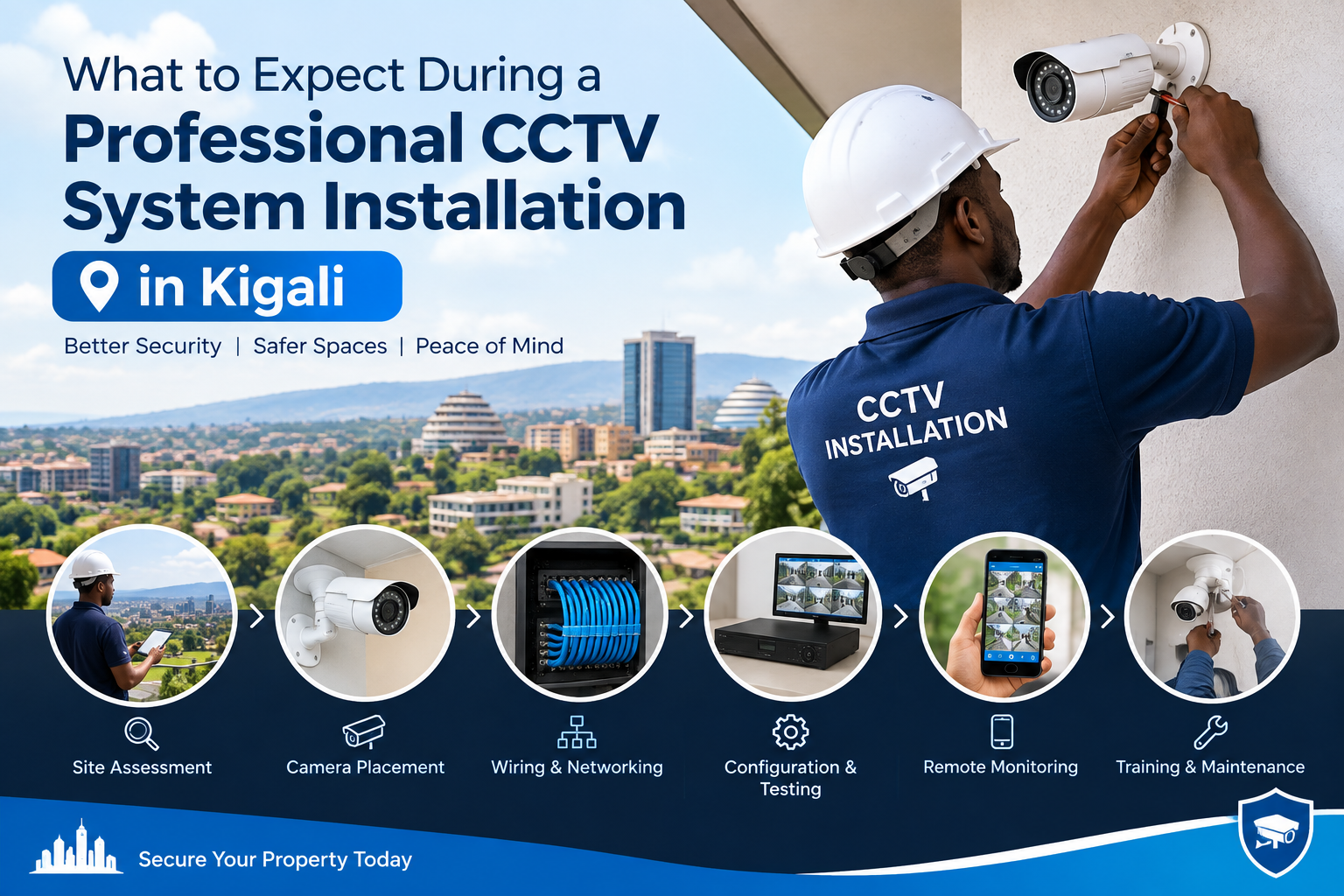
Installing a CCTV system is an important step for protecting homes, offices, shops, warehouses, schools, hotels, hospitals, and other properties in Kigali. However, buying cameras is only one part of the process. The quality of the installation can have a major effect on image quality, system reliability, recording performance, remote monitoring, and long-term maintenance.
A professional CCTV system installation in Kigali normally involves much more than simply mounting cameras on walls. A qualified installer should assess the property, identify security risks, select suitable camera positions, plan cabling and network connections, configure recording equipment, test every camera, and explain how the system should be operated.
For businesses and organizations, CCTV also involves privacy and data-protection responsibilities because recorded video can contain information about identifiable individuals. Rwanda’s Data Protection & Privacy Office explains that personal data protection rules apply to the processing of personal data in Rwanda, including photographs and video recordings of individuals.
This guide explains what you can expect before, during, and after CCTV installation in Kigali so that you can prepare your property and make informed decisions.
1. Initial Security Assessment
The first stage of a professional CCTV system installation in Kigali should be a security assessment of your property.
Instead of immediately deciding where cameras should go, the installer should inspect the entire site and understand how people, vehicles, employees, customers, visitors, and deliveries move through the property.
During the assessment, the installer may examine:
- Main entrances and exits
- Parking areas
- Reception areas
- Corridors and stairways
- Cashier or payment areas
- Storage rooms
- Warehouse entrances
- Perimeter walls and gates
- Loading and unloading areas
- Important equipment rooms
- Outdoor access points
- Areas with limited visibility
- High-value asset locations
The objective is to identify security vulnerabilities before selecting camera models or installation points.
For example, a camera placed directly above an entrance may provide a good overview of people entering the building, but another camera positioned at eye level or at a different angle may be necessary if facial identification is important.
A good assessment also considers lighting conditions, building structure, power availability, network infrastructure, weather exposure, and possible obstructions.
2. Discussion of Your Security Objectives
After inspecting the property, the installer should discuss what you actually want the CCTV system to accomplish.
Different customers have different requirements.
A residential customer may mainly want to monitor:
- Front gates
- Driveways
- Doors
- Gardens
- Parking spaces
A retail business may require coverage of:
- Customer entrances
- Shelves
- Cash counters
- Stockrooms
- Staff areas
- Loading zones
A warehouse may require wider coverage of:
- Large storage areas
- Vehicle movement
- Loading bays
- Perimeter fencing
- Inventory areas
This discussion is important because CCTV design should be based on the purpose of surveillance rather than simply the number of cameras.
You should tell the installer whether your priority is general monitoring, incident investigation, theft prevention, employee safety, access monitoring, vehicle identification, or another legitimate security purpose.
3. Camera Selection and Coverage Planning
The next step in a professional CCTV system installation in Kigali is choosing cameras that match the environment.
There are many CCTV camera types, including:
- Dome cameras
- Bullet cameras
- Turret cameras
- PTZ cameras
- Indoor cameras
- Outdoor cameras
- Infrared night-vision cameras
- Full-color low-light cameras
- Wide-angle cameras
- High-resolution cameras
- Network/IP cameras
The right choice depends on where the camera will be installed and what you need to see.
For example, an outdoor entrance may require a weather-resistant camera, while an indoor reception area may need a compact camera with a wide field of view.
Resolution is also important. A higher-resolution camera can capture more detail, but resolution should not be considered in isolation. Lens selection, lighting, camera positioning, compression, network bandwidth, and recording settings also influence the final video quality.
A professional installer should explain these differences instead of simply recommending the most expensive camera.
4. Strategic Camera Placement
Camera placement is one of the most important parts of CCTV installation.
Even an advanced camera can provide poor evidence if it is installed at the wrong angle.
Installers normally try to position cameras so that important areas remain visible while minimizing blind spots. They should also consider glare from sunlight, headlights, indoor lighting, reflective surfaces, and nighttime illumination.
For entrances, the camera angle should be planned carefully so that people can be identified without excessive distortion.
For outdoor areas, installers may consider:
- Sun direction
- Rain exposure
- Building height
- Wall position
- Trees and vegetation
- Security lighting
- Possible vandalism
- Cable protection
A site-specific layout is therefore much more useful than installing cameras according to a generic template.
5. Cable and Network Planning
During a professional CCTV system installation in Kigali, cable planning is another major consideration.
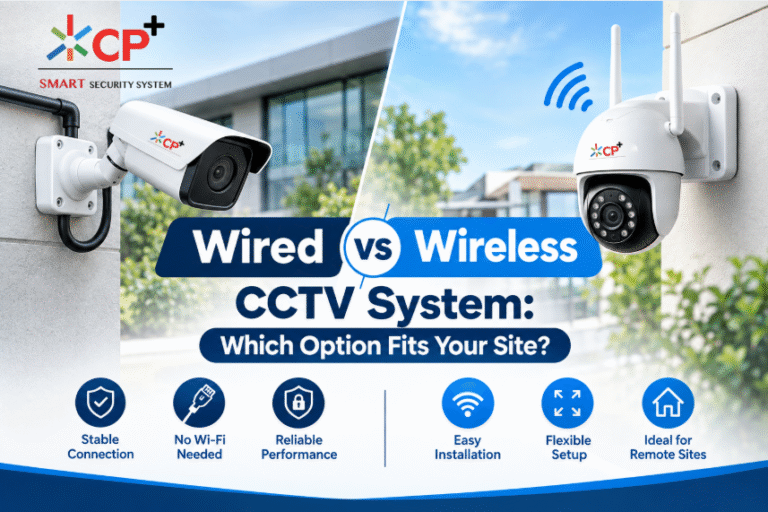
For wired IP CCTV systems, installers commonly use Ethernet networking infrastructure to connect cameras to network equipment and recording devices. Depending on the design, Power over Ethernet (PoE) can allow compatible cameras to receive power and network connectivity through Ethernet cabling.
A professional installation should keep cables organized and protected.
The installer may route cables through:
- Conduits
- Cable trays
- Ceiling spaces
- Wall channels
- Protective trunking
- Secure equipment areas
Poor cable management can make a system difficult to maintain and can also expose cables to accidental damage.
The installer should also label important cables where appropriate. This makes future maintenance, troubleshooting, camera replacement, and system expansion easier.
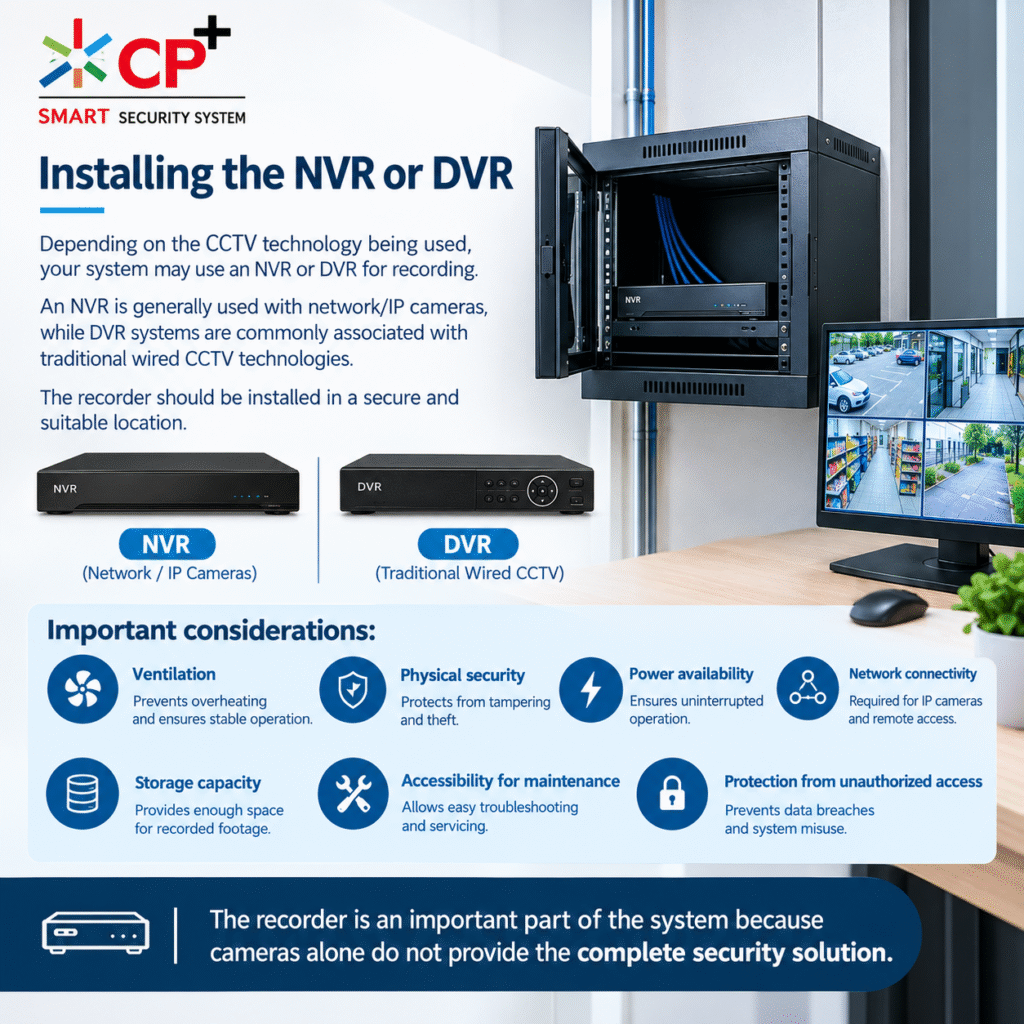
6. Installing the NVR or DVR
Depending on the CCTV technology being used, your system may use an NVR or DVR for recording.
An NVR is generally used with network/IP cameras, while DVR systems are commonly associated with traditional wired CCTV technologies.
The recorder should be installed in a secure and suitable location.
Important considerations include:
- Ventilation
- Physical security
- Power availability
- Network connectivity
- Storage capacity
- Accessibility for maintenance
- Protection from unauthorized access
The recorder is an important part of the system because cameras alone do not provide the same value without properly configured recording and storage.
7. Storage Capacity and Recording Settings
One question customers often ask is how long CCTV footage can be stored.
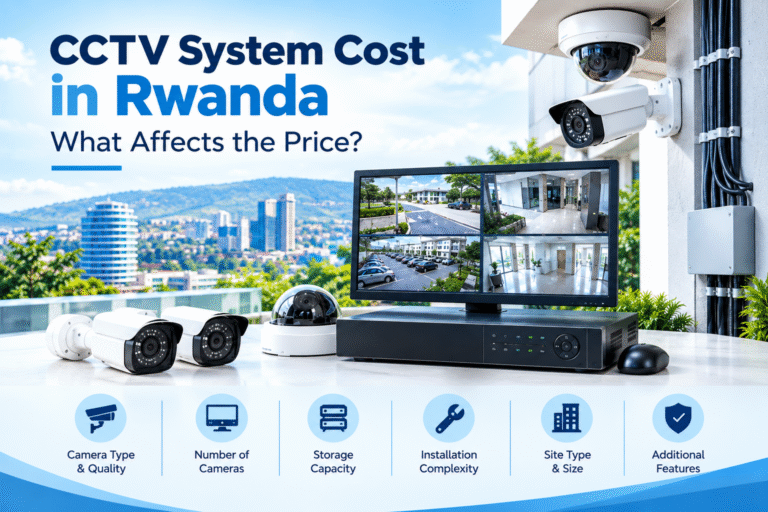
There is no single answer because storage requirements depend on factors such as:
- Number of cameras
- Camera resolution
- Frame rate
- Compression technology
- Continuous or motion-based recording
- Hours of recording per day
- Storage drive capacity
- Recording quality
A professional installer should explain how the selected configuration affects storage duration.
For example, continuous recording from many high-resolution cameras can consume significantly more storage than motion-based recording.
However, recording policies should not be designed only around storage cost. Your organization should also consider its legitimate purpose for collecting footage and applicable data-protection obligations.
Rwanda’s Data Protection & Privacy Office states that personal data should not be kept longer than necessary for the purposes for which it is processed.
8. Power Supply and Backup Considerations
Reliable power is essential for CCTV.
If cameras, switches, recorders, or network equipment lose power, surveillance can be interrupted.
During installation, the technician should assess the property’s electrical setup and identify whether backup power is required.
Depending on the site, options may include:
- UPS systems
- Backup generators
- Battery systems
- Surge protection
- Dedicated power circuits
For businesses that require continuous monitoring, backup power can be particularly important.
A professional installer should also consider how network equipment and the recording system will behave during a power interruption.
9. Network Configuration and Remote Monitoring
Modern CCTV systems often provide remote viewing through computers, smartphones, or tablets.
During a professional CCTV system installation in Kigali, the installer may configure the CCTV system to communicate with your local network and, where appropriate, enable secure remote access.
Remote monitoring can allow authorized users to:
- View live camera feeds
- Review recorded footage
- Receive selected alerts
- Check camera status
- Monitor multiple locations
However, remote access should be configured carefully.
Strong passwords, restricted user permissions, secure network configuration, software updates, and controlled account access are important considerations.
Not every employee needs access to every camera. A business may want management to have broader access while giving other users access only to specific areas.
10. CCTV Privacy and Data Protection in Rwanda
Privacy should be considered during every professional CCTV system installation in Kigali.
CCTV footage can contain personal information because people may be identifiable in video recordings. Rwanda’s Law relating to the Protection of Personal Data and Privacy establishes requirements concerning the lawful, fair, transparent, and proportionate processing of personal data.
Organizations using CCTV should therefore consider questions such as:
- Why are cameras being installed?
- What areas need to be monitored?
- Who can access recordings?
- How long will recordings be retained?
- Where is footage stored?
- How is footage protected?
- Who is responsible for managing the system?
- What happens when footage is requested?
- Are individuals properly informed where required?
The Rwanda Data Protection & Privacy Office also identifies systematic monitoring of publicly accessible areas on a large scale as a situation that may require a data protection impact assessment under the law.
For organizations operating CCTV at scale, obtaining appropriate professional and legal guidance can help ensure that the surveillance system is designed and operated responsibly.
11. User Accounts and Access Permissions
Once the hardware is installed, user access should be configured.
A good CCTV system should not rely on one shared password for everyone.
Depending on the system, administrators may create different user accounts with different permissions.
For example:
Administrator:
Full system configuration and management access.
Security Manager:
Live viewing, playback, and selected system controls.
Security Staff:
Access to designated camera feeds and playback.
Management:
Remote viewing or selected camera access.
Limiting permissions reduces the possibility of unauthorized access to sensitive footage.
Access credentials should also be updated when employees leave an organization or no longer require access.
12. Camera Testing and Image Quality Checks
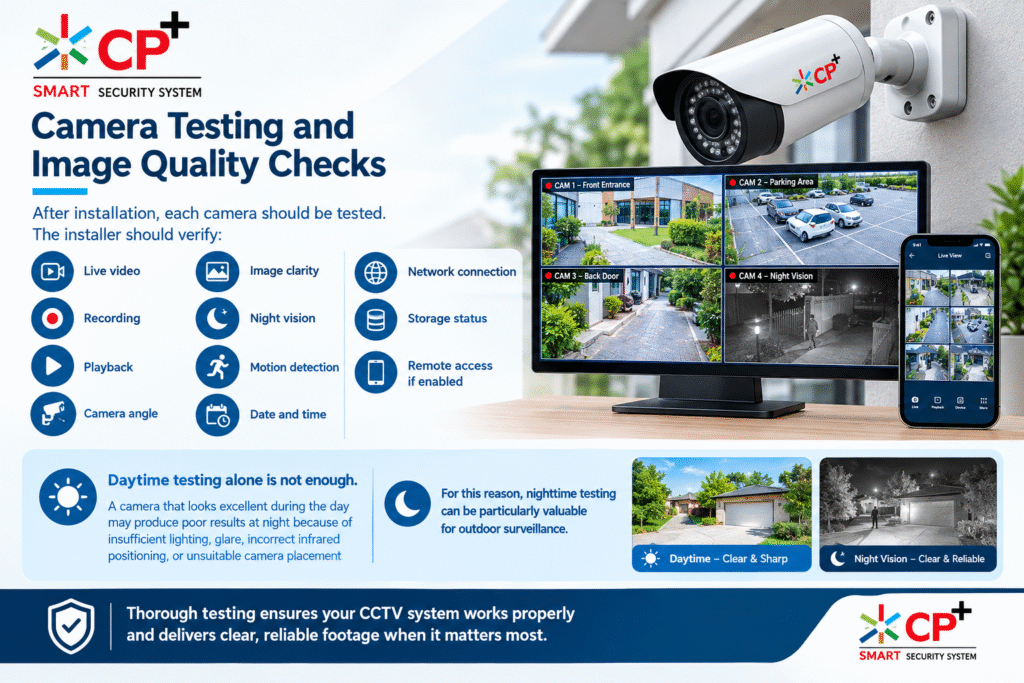
After installation, each camera should be tested.
The installer should verify:
- Live video
- Recording
- Playback
- Camera angle
- Image clarity
- Night vision
- Motion detection
- Date and time
- Network connection
- Storage status
- Remote access, if enabled
Daytime testing alone is not enough.
A camera that looks excellent during the day may produce poor results at night because of insufficient lighting, glare, incorrect infrared positioning, or unsuitable camera placement.
For this reason, nighttime testing can be particularly valuable for outdoor surveillance.
13. Testing Different Lighting Conditions
Lighting is often overlooked during CCTV installation.
A camera facing a bright window can produce a dark image of the person standing inside. Similarly, headlights can create glare in outdoor parking areas.
Installers should check important areas under realistic lighting conditions.
They may test:
- Daylight
- Low light
- Darkness
- Artificial lighting
- Vehicle headlights
- Direct sunlight
- Shadows
Where necessary, the installer may adjust the camera angle, exposure, lighting, or camera settings.
The objective is not simply to produce an attractive live image but to ensure that footage remains useful for the intended security purpose.
14. Motion Detection and Smart Features
Many modern CCTV systems offer intelligent functions.
Depending on the camera and recorder, these may include:
- Motion detection
- Human detection
- Vehicle detection
- Line crossing
- Intrusion detection
- Tamper alerts
- Smart search
- Event notifications
These features can reduce the amount of footage that security personnel need to review.
However, smart detection should be configured according to the property.
For example, a camera monitoring a busy road may detect large numbers of irrelevant movements if its settings are not properly adjusted.
Professional configuration can help reduce unnecessary alerts.
15. Final System Testing
Before the installer leaves, a complete system test should be performed.
A professional CCTV system installation in Kigali should finish with verification that the cameras, recorder, network, storage, power supply, and user access are working correctly.
The installer should ideally demonstrate:
- Live camera viewing
- Recording
- Playback
- Searching for events
- Exporting footage
- Motion or smart alerts
- Remote viewing
- User management
- Storage monitoring
- Basic troubleshooting
You should not hesitate to ask the installer to demonstrate each important function.
16. Training for Staff and Property Owners
A CCTV system is only useful if the people responsible for it know how to use it.
During handover, the installer should explain how to:
- View cameras
- Search recordings
- Export important footage
- Change passwords
- Add or remove users
- Check storage
- Respond to alerts
- Restart equipment safely
- Identify common problems
For businesses, it can also be useful to create a simple internal CCTV procedure explaining who can access footage and under what circumstances.
This is particularly important where CCTV recordings contain personal data.
17. Documentation and Handover
A professional installation should include useful documentation.
Depending on the project, this may include:
- Camera layout
- Camera names
- IP addresses
- Recorder details
- Network information
- User account information
- Warranty information
- Equipment specifications
- Maintenance recommendations
The installer should not simply leave after mounting the final camera.
A proper handover helps the property owner understand what has been installed and how the system should be maintained.
18. Maintenance After Installation
CCTV systems require ongoing maintenance.
Dust, weather, insects, network problems, power interruptions, storage failures, and software issues can affect performance over time.
Regular maintenance may include:
- Cleaning camera lenses
- Checking camera mounts
- Inspecting cables
- Testing night vision
- Checking storage health
- Reviewing recording status
- Updating firmware where appropriate
- Checking user accounts
- Testing backup power
- Reviewing camera coverage
Outdoor cameras should receive particular attention because environmental conditions can gradually affect image quality.
19. What You Should Ask Your CCTV Installer
Before choosing an installer in Kigali, ask practical questions.
For example:
How many cameras do I actually need?
The answer should be based on coverage requirements rather than simply selling more cameras.
Where will the recorder be installed?
Ask how the NVR or DVR will be protected and maintained.
How long will recordings be stored?
The installer should explain the expected storage duration based on your configuration.
Can I access the system remotely?
Ask how remote access will be configured and secured.
What happens during a power outage?
Find out whether backup power is recommended.
What warranty is included?
Clarify warranty coverage for cameras, recorders, storage devices, installation work, and other components.
Is maintenance available?
Ask whether the installer provides ongoing technical support.
How will privacy and data protection be handled?
For organizations processing video footage of individuals, this is an important consideration in Rwanda.

20. Common Mistakes to Avoid
When planning CCTV installation, avoid focusing only on camera prices.
Some common mistakes include:
Choosing cameras without a site survey
A camera may have excellent specifications but still be unsuitable for a particular location.
Installing cameras too high
A very high camera position may provide a wide overview but insufficient detail for identification.
Ignoring nighttime conditions
A camera that works well in daylight may not provide useful footage after dark.
Poor cable management
Exposed or poorly protected cables can create maintenance and reliability problems.
Using weak passwords
Default or easily guessed passwords can create unnecessary security risks.
Giving everyone administrator access
Users should receive only the access they actually need.
Ignoring storage requirements
A CCTV system should be designed around realistic recording and retention requirements.
Forgetting privacy responsibilities
CCTV footage can involve personal data, so organizations should consider applicable data-protection requirements from the beginning.
21. How Long Does CCTV Installation Take?
Installation time varies according to the size and complexity of the property.
A small residential system may be completed relatively quickly, while a commercial building with many cameras, multiple floors, long cable routes, networking equipment, and advanced configuration can require considerably more time.
Factors affecting installation time include:
- Number of cameras
- Building size
- Cable distance
- Ceiling and wall construction
- Network infrastructure
- Electrical work
- Camera mounting requirements
- Recorder configuration
- Remote access setup
- Testing and staff training
The installer should provide a project timeline after assessing the site.
22. Why Professional Installation Matters
Choosing professional CCTV system installation in Kigali can help ensure that the system is designed around your property’s actual security requirements.
Professional installation is about more than mounting cameras.
It includes planning, positioning, cabling, configuration, testing, cybersecurity considerations, recording management, user permissions, and training.
A poorly installed system can leave blind spots, produce unclear footage, experience unreliable recording, or create unnecessary maintenance problems.
By contrast, a properly planned system can provide consistent surveillance coverage and make recorded footage easier to review when an incident occurs.
23. Preparing for Your CCTV Installation
Before the installer arrives, you can make the project easier by preparing a few things.
Create a list of important areas that need monitoring.
Identify:
- Main entrances
- Emergency exits
- Parking spaces
- Valuable assets
- Storage areas
- Cash-handling locations
- Perimeter areas
- Employee access points
You should also identify who will manage the CCTV system.
For a business, decide whether the system will be managed by an owner, IT department, security manager, or another authorized person.
If remote access is required, make sure the relevant internet and network infrastructure is available.
24. Final Checklist
Before accepting the completed installation, use this checklist:
- All cameras are installed
- Important areas are covered
- Camera angles are correct
- Daytime image quality has been checked
- Nighttime performance has been checked
- Recording is working
- Playback is working
- Storage capacity has been confirmed
- Date and time are correct
- Remote access has been tested
- User permissions have been configured
- Passwords have been changed
- Backup power has been tested if installed
- Cables are protected and organized
- Installer has demonstrated system operation
- Warranty information has been provided
- Maintenance requirements have been explained
- Privacy and data-protection responsibilities have been considered
Conclusion
A CCTV system should be treated as a complete security solution rather than simply a collection of cameras.
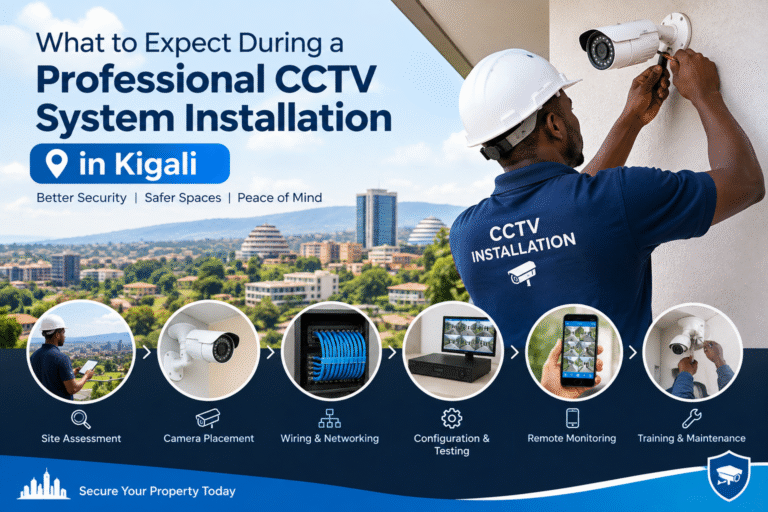
A professional CCTV system installation in Kigali normally starts with a site assessment and continues through camera selection, strategic placement, cable planning, recorder configuration, storage setup, network configuration, testing, training, and ongoing maintenance.
For businesses and organizations, privacy and data protection should also be considered from the planning stage. Rwanda’s Data Protection & Privacy Office provides official information about the country’s personal data and privacy framework, including obligations concerning lawful processing, security measures, retention, and the rights of individuals.
The most important goal is to build a system that matches the property’s actual security needs. Before installation, discuss coverage areas, recording requirements, remote access, storage, maintenance, user permissions, and privacy considerations with your installer.
When these elements are planned properly, CCTV can become a reliable part of a property’s overall security strategy in Kigali.
Recommended external resources: Rwanda’s official Data Protection & Privacy Office provides guidance on personal data protection and privacy, while its official DPP Law pages explain the principles and obligations that may be relevant to organizations operating CCTV systems.