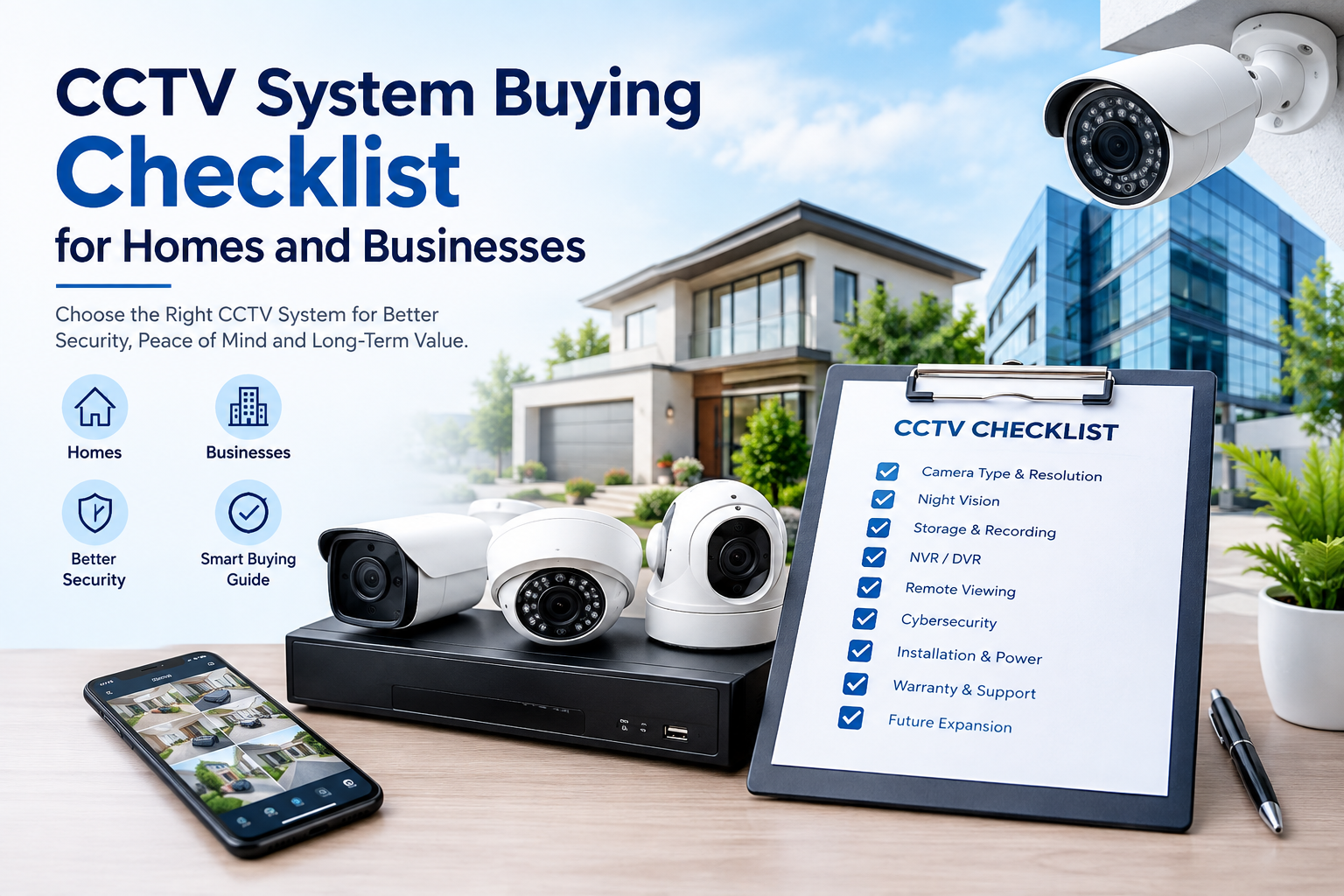
CCTV System Buying Checklist for Homes and Businesses
Choosing the right CCTV system is an important decision for both homeowners and businesses. A well-planned surveillance system can help monitor entrances, protect valuable assets, record important events, and provide useful evidence when an incident occurs. However, with so many cameras, recording systems, storage options, resolutions, and smart features available, selecting the right equipment can become confusing.
This CCTV system buying checklist for homes and businesses will help you understand the most important factors to consider before purchasing a surveillance system. From camera resolution and night vision to storage, installation, cybersecurity, and future expansion, this guide covers the essential points you should evaluate.
Whether you need CCTV cameras for a house, office, shop, warehouse, school, restaurant, factory, or other commercial property, the goal should be to choose a system that matches your actual security requirements rather than simply buying the most expensive equipment.
Why Choosing the Right CCTV System Matters
A CCTV system is more than just a collection of cameras. It is a complete security solution consisting of cameras, recording equipment, storage, networking, power, software, and sometimes monitoring services.
Before purchasing equipment, identify what you want the system to accomplish. For example, a homeowner may primarily want to monitor doors, gates, driveways, and outdoor areas. A retail business may need cameras covering entrances, cash counters, aisles, storage areas, and loading zones.
The ONVIF security camera installation guidance emphasizes the importance of camera placement, privacy, cybersecurity, and interoperability when designing a surveillance system.
A properly planned system can provide better coverage and useful footage without requiring unnecessary cameras.
1. Start With a Security Assessment
The first step in this CCTV system buying checklist for homes and businesses is to assess the property.
Walk around the property and identify areas that require monitoring. Consider:
- Main entrance
- Back entrance
- Garage or parking area
- Driveway
- Garden or perimeter
- Cash counter
- Reception area
- Warehouse
- Stock rooms
- Server rooms
- Loading and unloading areas
- Stairways
- Hallways
- High-value equipment areas
For businesses, also consider areas where employees, customers, deliveries, or vehicles enter and leave the property.
Do not automatically place cameras everywhere. Instead, determine which locations represent the highest security risks and prioritize them.
For outdoor areas, camera positioning is especially important. A camera that is installed too far from an entrance may record someone entering the property but fail to provide a useful view of their face. ONVIF similarly recommends careful positioning around entry points.
2. Decide How Many Cameras You Need
The number of cameras depends on property size, layout, camera viewing angle, and security objectives.
A small home may need cameras covering the front door, backyard, driveway, and side entrances. A larger business may require dozens of cameras covering internal and external areas.
When planning camera quantity, think about overlapping coverage. For example, an entrance may benefit from one camera covering the overall entrance area and another positioned to provide a closer view.
Avoid purchasing cameras simply because a package includes a certain number. A smaller number of strategically positioned cameras can sometimes provide more useful coverage than a larger number installed without proper planning.
3. Choose the Right Camera Resolution
Resolution determines how much visual detail a camera can capture.
Common CCTV resolutions include:
- 2MP / Full HD
- 4MP
- 5MP
- 6MP
- 8MP / 4K
- Higher-resolution professional systems
Higher resolution can provide more detail, but it can also increase storage and bandwidth requirements.
For general home monitoring, Full HD or a moderate higher-resolution camera may be sufficient. Businesses that need detailed identification, such as monitoring cash counters, entrances, or license plates, may benefit from higher-resolution cameras.
However, resolution should not be considered in isolation. Lens quality, lighting, camera positioning, compression, sensor performance, and recording settings can all influence the usefulness of the final footage.
4. Consider the Camera Lens and Viewing Angle
A camera’s lens determines how wide or narrow its field of view will be.
Wide-angle cameras can cover larger areas, making them useful for rooms, shops, warehouses, and open spaces. Narrower lenses can provide more detail over longer distances.
Before purchasing a camera, consider:
- Area size
- Distance from the target
- Required level of detail
- Mounting position
- Lighting conditions
- Desired field of view
A very wide viewing angle may cover more area but can make distant objects appear smaller. Therefore, selecting the correct lens is just as important as choosing resolution.
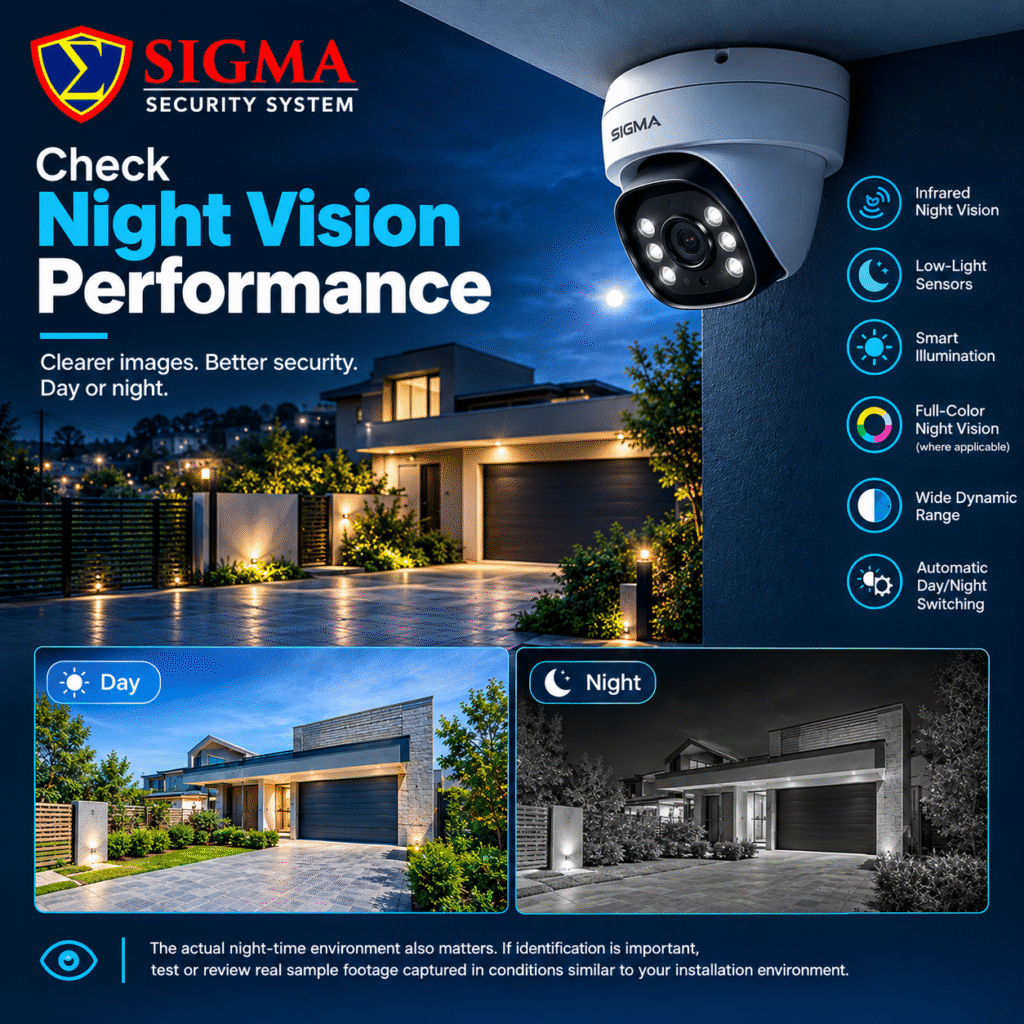
5. Check Night Vision Performance
Nighttime surveillance is one of the most important considerations in a CCTV system buying checklist for homes and businesses.
A camera may produce excellent daytime video but poor footage at night if its low-light performance is weak.
Look for features such as:
- Infrared night vision
- Low-light sensors
- Smart illumination
- Full-color night vision where appropriate
- Wide dynamic range
- Automatic day/night switching
The actual night-time environment also matters. A camera near a bright streetlight may behave differently from one installed in a completely dark backyard.
If identification is important, test or review real sample footage captured in conditions similar to your installation environment.
6. Look for WDR and Good Image Processing
Wide Dynamic Range (WDR) can be particularly useful when a camera faces areas with strong differences between bright and dark areas.
For example, an entrance may have bright sunlight outside and a darker interior behind it. Without suitable image processing, the bright background can make people inside the doorway difficult to identify.
WDR and related image-processing technologies can help improve visibility in challenging lighting conditions.
For commercial installations, consider cameras designed specifically for difficult lighting environments rather than relying only on high megapixel numbers.
7. Decide Between Indoor and Outdoor Cameras
Indoor and outdoor cameras have different requirements.
Outdoor cameras should generally be designed to withstand environmental conditions such as rain, dust, temperature changes, and sunlight.
When selecting outdoor equipment, check the manufacturer’s stated protection rating and operating temperature range.
Indoor cameras may focus more on compact design, appearance, audio, privacy features, and easy installation.
For exterior installations, also consider whether cables, connectors, power supplies, and mounting brackets are adequately protected.
8. Choose Between IP and Analog CCTV
One of the most important decisions is whether to choose an IP-based surveillance system or an analog/HD-over-coax system.
IP Cameras
IP cameras transmit video over a network. They can provide high-resolution video, remote access, analytics, Power over Ethernet (PoE), and easier integration with network-based systems.
Analog Systems
Traditional analog systems generally use coaxial cabling and a DVR for recording. Modern HD-over-coax technologies can provide high-definition video while using existing coaxial infrastructure.
The right option depends on your property, existing cabling, budget, network infrastructure, and future expansion plans.
9. Understand NVR and DVR Recording
Your CCTV system buying checklist for homes and businesses should also include the recording device.
An NVR, or Network Video Recorder, is generally used with IP cameras. A DVR, or Digital Video Recorder, is commonly associated with analog camera systems.
When selecting a recorder, check:
- Number of supported cameras
- Maximum recording resolution
- Supported storage capacity
- Recording frame rates
- Remote viewing
- Playback functions
- Backup options
- Motion detection
- Smart analytics
- Network capabilities
Do not buy a recorder based only on the number of camera ports. Check whether it can actually handle the resolution and recording requirements of all connected cameras.
10. Calculate Storage Requirements
Storage is frequently overlooked when buying CCTV.
Your required storage depends on:
- Number of cameras
- Resolution
- Frame rate
- Compression technology
- Hours of recording
- Continuous or motion-based recording
- Retention period
For example, a system recording continuously from several high-resolution cameras will require substantially more storage than a smaller system recording only when motion is detected.
Businesses may need longer retention periods than residential users because footage may be required for investigations, operational monitoring, or internal incidents.
Ask your installer or supplier to calculate the expected storage requirement before purchasing the recorder and hard drives.
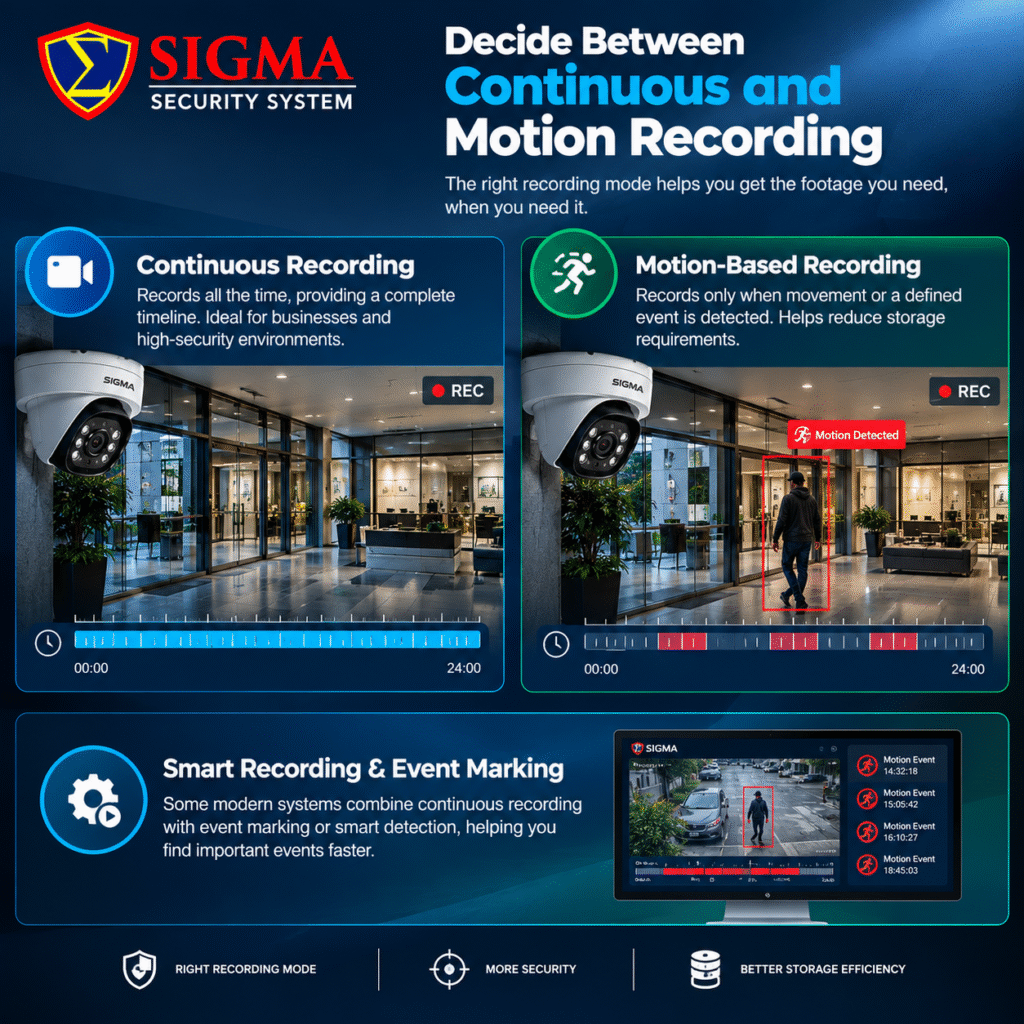
11. Decide Between Continuous and Motion Recording
There are two common recording approaches.
Continuous Recording
The system records continuously, providing a complete timeline. This can be useful for businesses and high-security environments.
Motion-Based Recording
The system records when movement or another defined event is detected. This can reduce storage requirements.
Some modern systems combine continuous recording with event marking or smart detection, allowing users to locate important events more quickly.
The correct choice depends on your security objectives and retention requirements.
12. Check Remote Viewing Features
Modern CCTV systems commonly offer remote monitoring through smartphones, tablets, or computers.
Before buying, check whether the system supports:
- Mobile applications
- Desktop viewing
- Live view
- Playback
- Notifications
- Multiple users
- User permissions
- Secure remote access
Remote access can be useful for homeowners checking their property while away and for business owners monitoring operations from another location.
However, remote access should be configured securely rather than simply exposing devices directly to the internet.
13. Pay Attention to Cybersecurity
A modern IP camera is effectively a network-connected device, so cybersecurity should be part of every CCTV system buying checklist for homes and businesses.
Use strong, unique passwords and change default credentials. Keep camera and recorder firmware updated when security updates are available.
ONVIF’s cybersecurity recommendations include network segmentation, firewalls, limiting unnecessary internet exposure, using encrypted connections where possible, restricting user privileges, and keeping firmware current.
For larger businesses, consider placing CCTV equipment on a dedicated network or VLAN. This can help separate surveillance devices from normal business systems.
You can also review the ONVIF cybersecurity recommendations for additional security practices.
14. Check ONVIF Compatibility
If you are purchasing IP cameras, interoperability can become important, especially if you plan to combine equipment from different manufacturers.
ONVIF develops standardized interfaces intended to improve interoperability between IP-based physical security products. Its profiles define groups of features that conformant devices and clients are required to support.
However, do not assume that a product is officially ONVIF conformant simply because a seller mentions ONVIF.
The official ONVIF Conformant Products database is the authoritative source for checking whether a particular product is officially conformant.
This is particularly useful when building a system that may be expanded or upgraded in the future.
15. Consider Smart Detection Features
Modern cameras can provide more than basic motion detection.
Depending on the model, intelligent features may include:
- Person detection
- Vehicle detection
- Line crossing
- Intrusion detection
- Object detection
- Face-related functions
- License plate recognition
- People counting
Not every installation needs advanced analytics. For a small home, basic motion alerts may be enough. A warehouse, retail store, or industrial facility may benefit more from event-based analytics.
Choose features based on your actual requirements rather than paying extra for functions you will never use.
16. Check Audio Requirements
Some cameras support microphones and two-way audio.
Audio can be useful for certain applications such as reception areas, entrances, offices, or intercom-style monitoring. However, recording or transmitting audio can raise additional privacy and legal considerations depending on your location.
Before enabling audio recording, check the applicable local requirements and inform relevant users or visitors where required.
17. Think About Power and Cabling
Power requirements should be planned before installation.
IP cameras may support Power over Ethernet (PoE), allowing power and network data to travel through a suitable Ethernet cable.
This can simplify installation, particularly in business environments.
For other systems, cameras may require separate power supplies. Plan cable routes carefully and consider protection against weather, physical damage, interference, and unauthorized access.
A professional installation should also include appropriate cable management and labeling so future maintenance is easier.
18. Check Backup Power
Power failure can stop cameras and recording equipment.
For homes and businesses where surveillance availability is important, consider backup power such as an appropriately sized UPS.
A UPS can help keep the recorder, network equipment, and cameras operating for a period during a power interruption, depending on system load and UPS capacity.
For commercial installations, calculate the expected backup runtime rather than choosing a UPS based only on its advertised capacity.
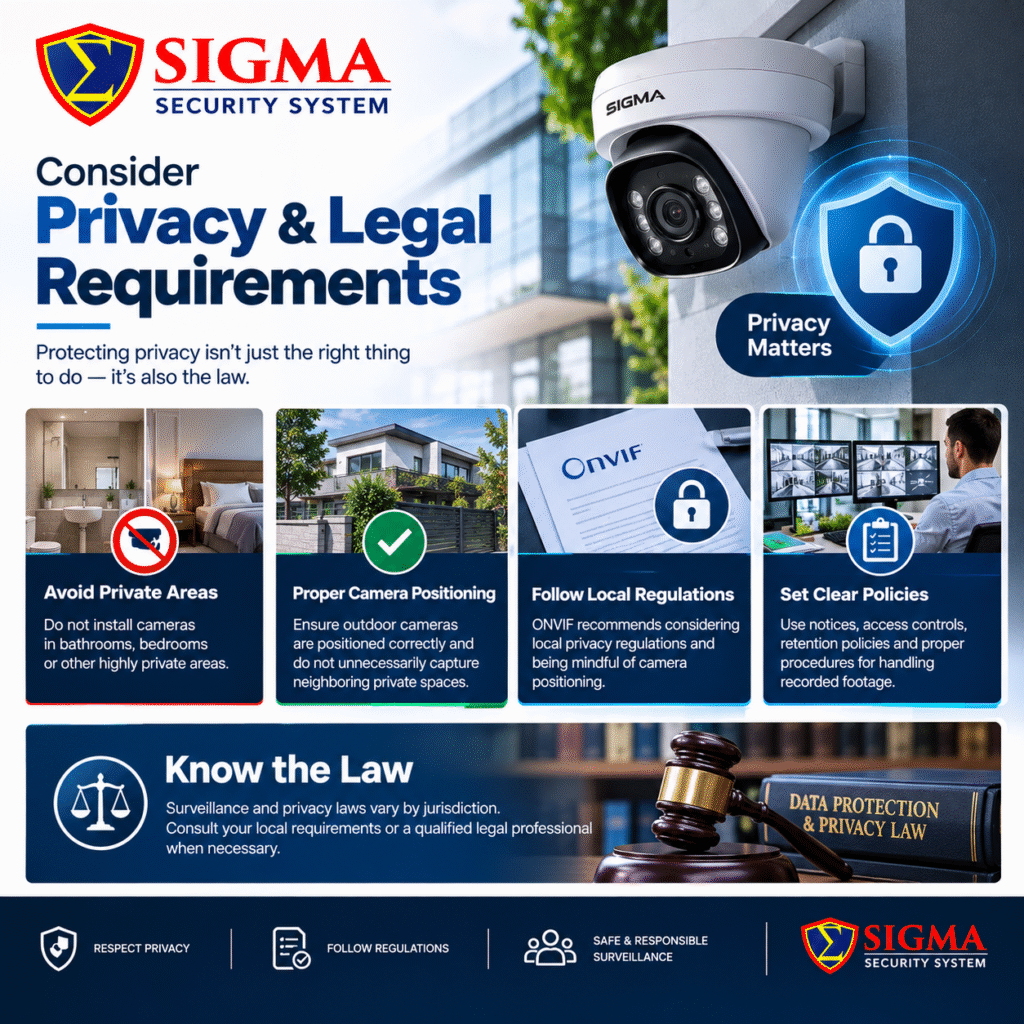
19. Consider Privacy and Legal Requirements
Privacy should be included in your CCTV system buying checklist for homes and businesses, especially when cameras capture employees, customers, visitors, or neighboring properties.
Avoid installing cameras in highly private areas such as bathrooms and bedrooms. Also ensure that outdoor cameras are positioned appropriately and do not unnecessarily capture neighboring private spaces.
ONVIF recommends considering local privacy regulations and being mindful of camera positioning.
Businesses should also consider appropriate notices, access controls, retention policies, and procedures for handling recorded footage.
Because privacy and surveillance laws vary by jurisdiction, consult applicable local requirements or a qualified legal professional when necessary.
20. Check the Manufacturer’s Support and Warranty
A CCTV system can remain in operation for years, so the supplier’s support matters.
Before purchasing, ask:
- How long is the warranty?
- Is technical support available?
- Are firmware updates provided?
- Are replacement parts available?
- Is installation support available?
- Can the system be expanded later?
- Is training provided?
A lower initial price may not represent the full cost of ownership if spare parts, support, or compatible upgrades are difficult to obtain.
21. Plan for Future Expansion
Your current security requirements may increase over time.
For example, a business may start with eight cameras but later need additional cameras for a new warehouse, entrance, office, or parking area.
Therefore, consider choosing a recorder, network switch, storage system, and cabling infrastructure that can accommodate reasonable future expansion.
Interoperability can also help with future upgrades. ONVIF notes that conformant products can provide greater flexibility when integrating equipment from different vendors.
22. Avoid Choosing a CCTV System Based Only on Price
Price is an important consideration, but it should not be the only factor.
A very cheap camera may appear attractive initially but may have limitations in areas such as:
- Night performance
- Build quality
- Storage compatibility
- Software support
- Cybersecurity
- Warranty
- Integration
- Long-term reliability
At the same time, the most expensive system is not automatically necessary for every property.
The objective should be to match the equipment to the security risk, environment, required image quality, storage period, and future needs.
Quick CCTV Buying Checklist
Before placing an order, use this practical checklist:
- Identify areas that require surveillance
- Decide the number of cameras
- Choose suitable camera types
- Select appropriate resolution
- Check lens and viewing angle
- Verify night vision performance
- Check WDR and low-light performance
- Select indoor/outdoor protection as required
- Choose IP or analog technology
- Select NVR or DVR
- Calculate storage capacity
- Decide continuous or event-based recording
- Check remote viewing
- Review cybersecurity features
- Check ONVIF compatibility where relevant
- Consider smart detection
- Check audio requirements
- Plan power and cabling
- Consider backup power
- Review privacy requirements
- Check warranty and technical support
- Plan for future expansion
Final
A CCTV system should be selected according to the property, security risks, environment, and monitoring objectives. The right combination of camera type, resolution, lens, night vision, recording, storage, networking, cybersecurity, and installation can make a significant difference in the usefulness of your surveillance system.
This CCTV system buying checklist for homes and businesses provides a practical starting point for comparing systems before making a purchase. Instead of focusing on one specification such as megapixels or price, evaluate the complete system and consider how each component will work together.
For homes, focus on entrances, outdoor areas, privacy, easy remote access, and reliable recording. For businesses, consider employee and customer areas, entrances, inventory, parking, sensitive locations, storage requirements, user permissions, and future expansion.
Finally, remember that installation quality is just as important as equipment selection. Even a high-quality camera can produce poor results if it is positioned incorrectly, exposed to unsuitable lighting, or installed with inadequate networking and power.
If you are comparing different systems, use this CCTV system buying checklist for homes and businesses to create a list of requirements first. Then compare products based on those requirements rather than choosing equipment simply because it has more features.
For additional guidance on interoperability, you can review the official ONVIF profiles and verify individual products through the ONVIF Conformant Products database.
A carefully planned surveillance system can provide useful security coverage today while also giving you flexibility to expand and upgrade the system as your needs change.