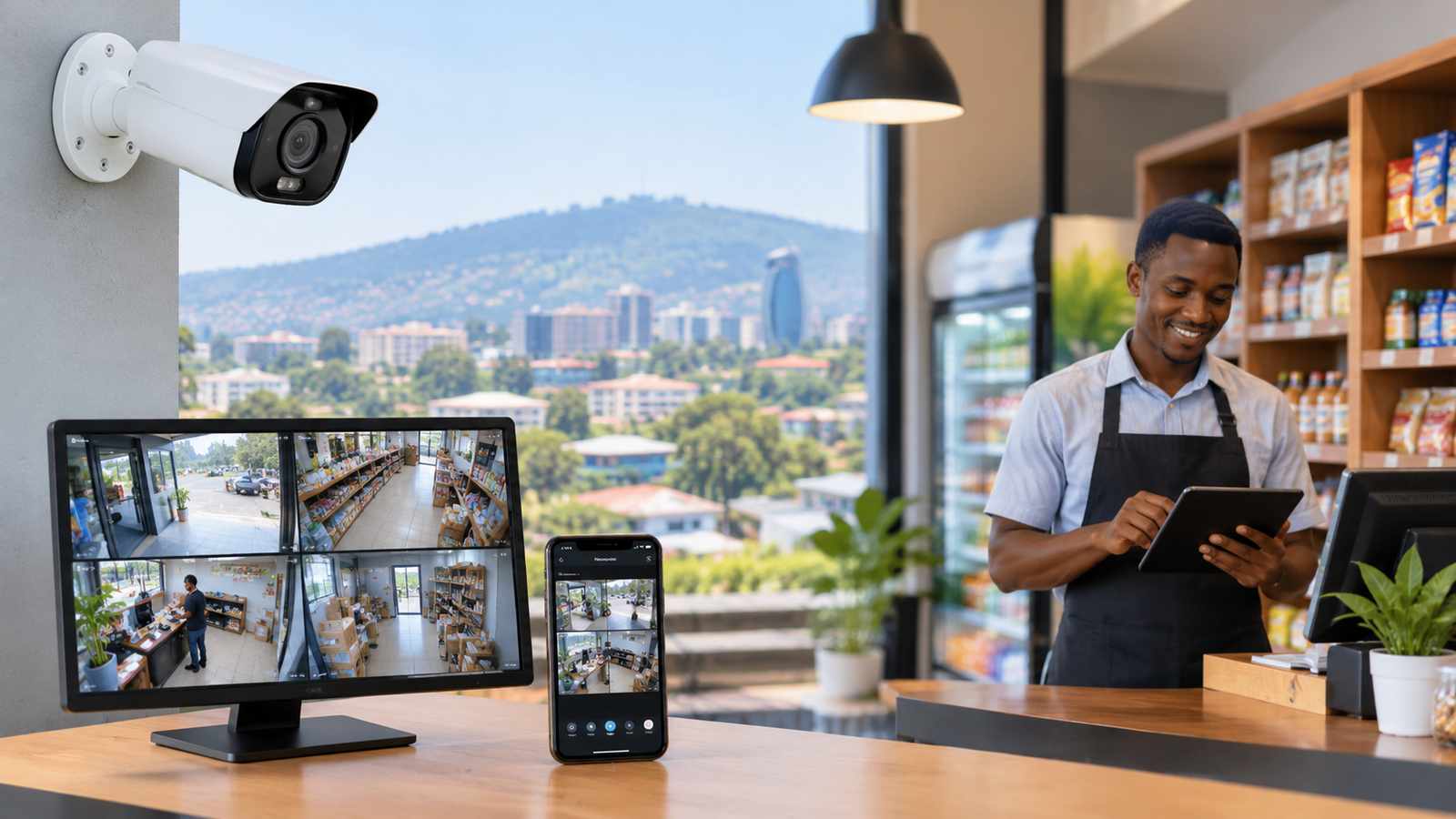
Practical CCTV System Options for Small Businesses in Kigali
Small businesses need reliable security to protect their employees, customers, equipment, stock, and daily operations. In Kigali, businesses such as retail shops, restaurants, offices, pharmacies, salons, warehouses, and small hotels can benefit from a properly planned surveillance system. However, choosing the right equipment requires more than purchasing cameras and installing them on walls.
The best CCTV system options for small businesses in Kigali depend on the size of the premises, the type of business, available lighting, internet connectivity, recording requirements, and budget. A small shop may need only a few strategically positioned cameras, while a warehouse or restaurant may require additional cameras, extended recording storage, and remote monitoring.
A practical system should provide clear footage, dependable recording, secure access, and straightforward maintenance. Business owners should also consider privacy and data protection when recording employees and customers.
This guide explains the available camera technologies, recording methods, essential features, installation considerations, and budgeting strategies that can help Kigali businesses make informed security decisions.
Why Small Businesses in Kigali Need CCTV Security
Security challenges can affect businesses of every size. Shoplifting, unauthorised entry, workplace disputes, stock discrepancies, and incidents outside business hours can create financial losses and operational difficulties.
A professionally planned CCTV installation can help businesses monitor important areas, investigate incidents, and improve visibility across their premises.
Protecting Stock and Business Assets
Retail shops, electronics stores, supermarkets, pharmacies, and wholesale businesses often keep valuable products on display or in storage. Cameras positioned at entrances, checkout counters, stockrooms, and delivery areas can help document activities and identify suspicious incidents.
For example, a small electronics shop in Kigali could install cameras covering the main entrance, customer service counter, product displays, and stockroom access. This arrangement provides useful coverage without requiring a large surveillance network.
Improving Employee and Customer Safety
Restaurants, offices, salons, and other customer-facing businesses need safe working environments. Cameras in appropriate shared areas can help management review incidents, investigate complaints, and understand what happened during a particular event.
However, cameras should be positioned carefully. Private areas, such as toilets and changing rooms, should not be monitored. Businesses should establish clear rules explaining who can access recordings and why footage is collected.
Monitoring Operations Remotely
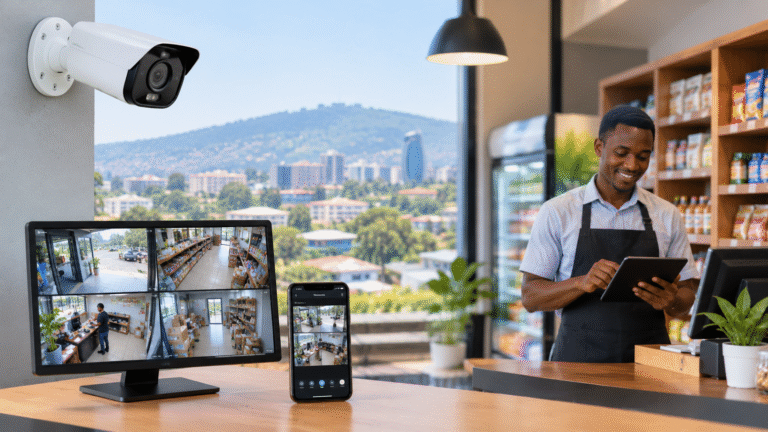
Business owners cannot always remain on-site. Remote viewing allows authorised users to check selected camera feeds through a computer or smartphone when away from the premises.
This can be useful when checking whether a shop has closed properly, reviewing activity near a warehouse entrance, or confirming whether a delivery has arrived. Remote monitoring should be protected with strong passwords, secure account settings, and updated equipment.
Types of CCTV Cameras Suitable for Small Businesses
Understanding camera types is the first step towards selecting an appropriate system. Different cameras serve different purposes, and a combination of models may be more effective than using the same camera everywhere.
1. Dome Cameras for Shops and Offices
Dome cameras are commonly installed on ceilings and are suitable for indoor environments. Their compact appearance makes them a practical choice for reception areas, retail shops, corridors, offices, and customer service counters.
Many models offer wide-angle views, infrared night vision, and high-definition recording. Their positioning can make it less obvious which direction the camera faces, depending on the model.
A small office may use dome cameras to monitor entrances, reception areas, and shared workspaces. The installer should check that shelves, partitions, signs, and lighting fixtures do not obstruct the intended view.
2. Bullet Cameras for Entrances and Outdoor Areas
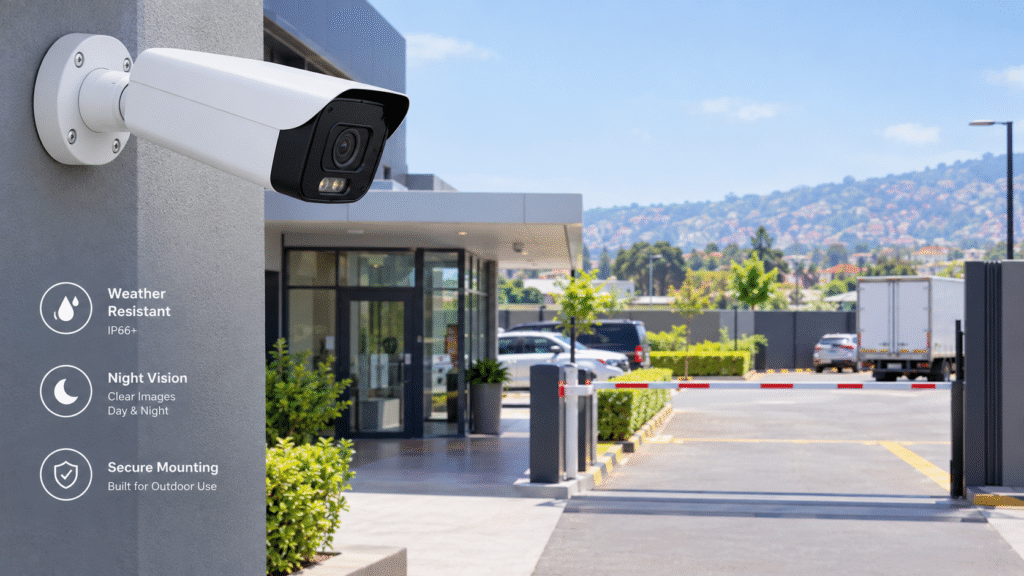
Bullet cameras have a visible, elongated design and are frequently used to monitor outdoor locations. They can be suitable for building entrances, parking areas, loading zones, perimeter walls, and delivery entrances.
For outdoor installation in Kigali, choose equipment with an appropriate weather-resistance rating. The camera should also have suitable night vision or low-light performance.
Position outdoor cameras to capture useful details while reducing unnecessary recording of neighbouring properties or public areas. Protective housings and secure mounting can help equipment withstand the conditions at the installation site.
3. IP Cameras for Flexible Network-Based Surveillance
Internet Protocol (IP) cameras transmit video over a network. Depending on the system design, they can connect to a network video recorder (NVR), a dedicated computer, or a supported recording platform.
IP cameras are useful for businesses that want high-resolution footage, network-based management, remote access, or the ability to expand their surveillance coverage later.
Some models support Power over Ethernet (PoE), which allows compatible network cables to carry both power and video data. This can simplify installation by reducing the need for separate power cables at each camera.
For businesses comparing CCTV system options for small businesses in Kigali, IP surveillance is worth considering when image detail, expansion, and centralised management are important priorities.
4. Analog HD Cameras for Cost-Conscious Installations
Analog high-definition cameras transmit video through compatible cabling to a digital video recorder (DVR). They can be suitable for smaller businesses that prefer a conventional wired installation or already have compatible coaxial cabling.
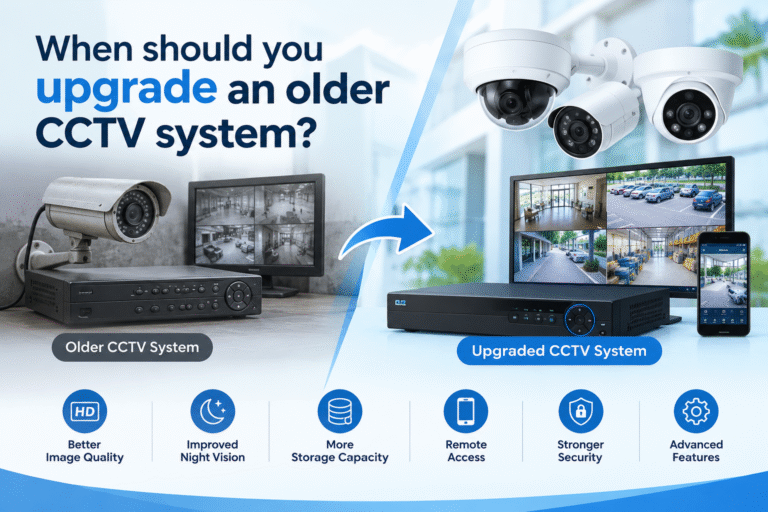
A DVR-based system may provide a practical way to upgrade older equipment without replacing every cable. However, compatibility should be confirmed before purchasing new cameras or recorders.
Compare the total installation cost, image quality, storage options, and maintenance requirements rather than choosing a system solely because its initial equipment price is lower.
5. PTZ Cameras for Larger or More Open Areas
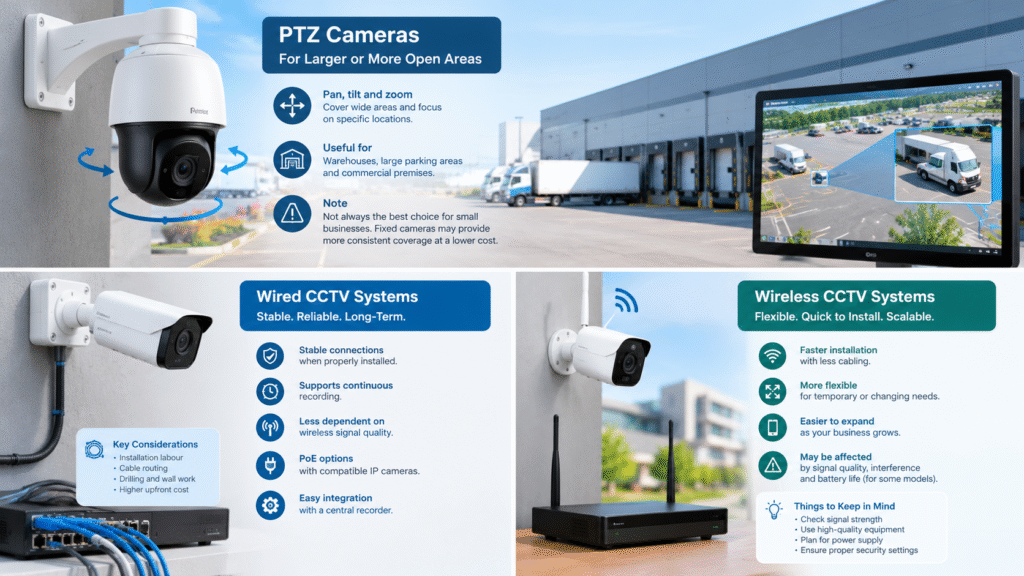
Pan-Tilt-Zoom (PTZ) cameras can move horizontally and vertically and zoom into selected areas. They may be useful for larger warehouses, extensive parking areas, or commercial premises where an operator needs to inspect different locations.
However, PTZ cameras are not automatically the best option for small businesses. A camera focused on one direction may miss activity elsewhere while it is moving or zooming.
For many small premises, several fixed cameras provide more consistent coverage at a lower overall cost.
Choosing Between Wired and Wireless CCTV Systems
The installation method affects reliability, flexibility, and maintenance. Both wired and wireless systems can be effective when selected for the correct environment.
Wired CCTV Systems
Wired systems use physical connections to transmit video and, in some configurations, supply power. They are often suitable for permanent business installations where cables can be installed securely.
Advantages include:
- Stable connections when properly installed.
- Suitable support for continuous recording.
- Reduced dependence on wireless signal quality.
- Options for PoE with compatible IP cameras.
- Straightforward integration with a central recorder.
The main considerations are installation labour, cable routing, drilling, and the need to protect cables from damage. Businesses operating from rented premises should confirm installation permissions before making permanent changes.
Wireless CCTV Systems
Wireless cameras transmit video through Wi-Fi or another supported wireless connection. Some models require mains power, while others use batteries or solar charging.
Wireless installation may be convenient for small offices, temporary spaces, and locations where cable routing is difficult. However, wireless cameras still need a reliable power source and a suitable connection for the features they use.
Thick walls, metal shelving, nearby wireless networks, and long distances can weaken signals. Battery-powered models may also require regular charging, depending on activity levels and operating conditions.
For a permanent shop or office, compare wired and wireless designs through an actual site survey. The cheapest installation is not necessarily the most dependable over time.
Selecting the Right Recording and Storage Method
Cameras are only useful for incident investigation when footage has been recorded and remains accessible. Business owners should decide how video will be stored before selecting their cameras.
DVR and NVR Recording
A DVR is commonly used with compatible analog cameras, while an NVR generally records video from IP cameras.
A dedicated recorder can provide centralised storage, continuous recording, playback, and user management. Depending on the model, it may support motion-triggered recording, remote viewing, and multiple hard drives.
When comparing recorders, check the supported camera count, recording resolution, incoming video capacity, storage compatibility, and remote-access features.
Local Storage
Local storage keeps recordings on a device at the premises, such as an NVR, DVR, or supported memory card.
Its advantages include direct control over the equipment and the possibility of recording without relying on a continuous internet connection. Remote access, however, may require internet connectivity.
The recorder should be installed in a secure location with adequate ventilation and appropriate power protection. If an intruder can easily remove the recorder, the business could lose both the equipment and the recorded evidence.
Cloud Storage
Cloud recording stores video on a remote service when supported by the camera and subscription plan. It may offer convenient access from different locations and can provide an additional copy of selected footage.
Potential disadvantages include recurring fees, internet bandwidth requirements, upload limitations, and data protection considerations.
Before choosing cloud recording, confirm where the footage will be stored, who can access it, how long it will be retained, and whether international transfers of personal data require additional compliance steps under applicable Rwandan law.
How Much Storage Does a Business Need?
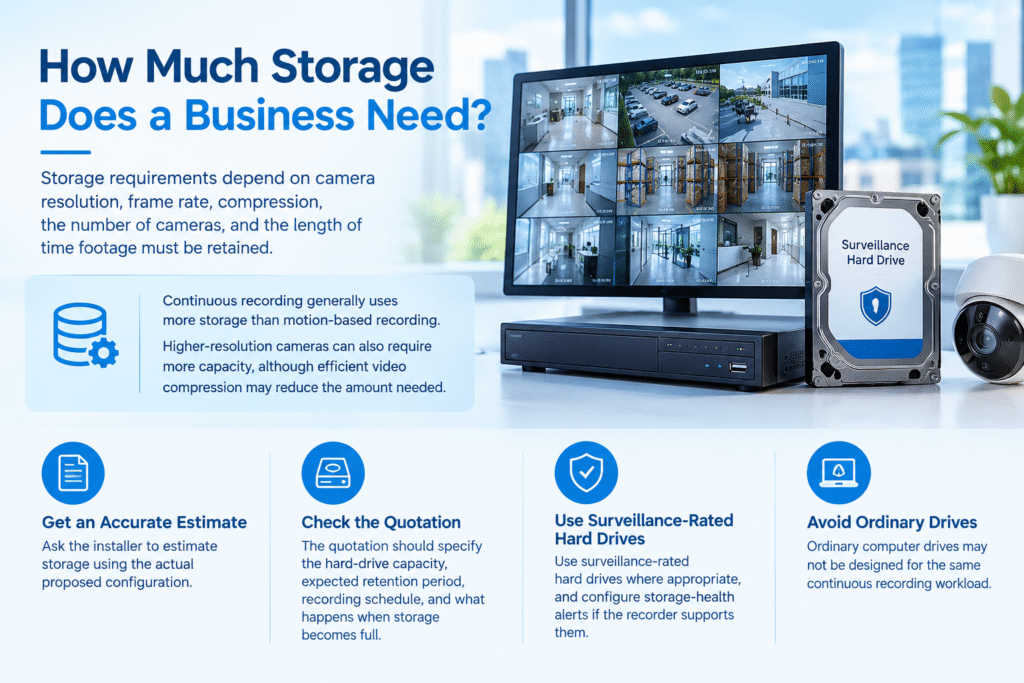
Storage requirements depend on camera resolution, frame rate, compression, the number of cameras, and the length of time footage must be retained.
Continuous recording generally uses more storage than motion-based recording. Higher-resolution cameras can also require more capacity, although efficient video compression may reduce the amount needed.
Ask the installer to estimate storage using the actual proposed configuration. The quotation should specify the hard-drive capacity, expected retention period, recording schedule, and what happens when storage becomes full.
Use surveillance-rated hard drives where appropriate, and configure storage-health alerts if the recorder supports them. Ordinary computer drives may not be designed for the same continuous recording workload.
Essential Features to Consider Before Buying
Not every business needs advanced artificial intelligence or expensive specialist cameras. Prioritise the features that solve real security problems at the site.
Image Resolution and Identification Detail
Resolution affects how much detail a camera captures, but it is not the only factor determining image quality.
A 4MP or 8MP camera may provide more detail than a lower-resolution model under suitable conditions. However, poor lighting, unsuitable lenses, excessive viewing distance, and incorrect camera positioning can still produce unusable footage.
For entrances and checkout counters, prioritise views that can capture relevant identifying details. For general room monitoring, a wider view may be more useful.
Night Vision and Low-Light Performance
A business may be empty after dark, making nighttime footage especially important. Infrared night vision can help cameras record in low-light conditions, while colour low-light technology may preserve more visual detail when sufficient illumination is available.
Check how far the camera can effectively see at night and whether nearby walls, glass, reflective surfaces, or headlights could affect the image.
Motion Detection and Smart Alerts
Motion detection can help reduce the time required to review recordings. Some cameras support person or vehicle detection, line-crossing alerts, or restricted-area notifications.
These features can be useful for stockrooms, entrances, and delivery areas. Nevertheless, incorrect settings may generate excessive notifications or miss relevant events. Test detection zones and sensitivity during installation.
Power Backup and System Reliability
Power interruptions can stop cameras and recorders unless suitable backup arrangements are available. Consider a compatible uninterruptible power supply (UPS) for essential equipment.
The installer should explain how the system behaves during a power failure, network outage, or recorder fault. Regular testing helps identify problems before an actual security incident occurs.
Practical CCTV System Options for Different Businesses in Kigali
The right system depends on the activities and layout of each business. The following examples provide starting points rather than fixed equipment requirements.
Small Retail Shops
A small retail shop may need three to four cameras, depending on its layout.
Possible locations include the main entrance, checkout counter, product display area, and stockroom access. A compact IP camera system with a suitable NVR can provide centralised recording and optional remote viewing.
Where cash transactions or valuable products are involved, ensure the relevant camera angles capture useful details without being blocked by customers, shelves, or signs.
Restaurants and Cafés
Restaurants may benefit from cameras covering the main entrance, cashier area, stockroom entrance, and selected staff-only operational areas.
Kitchen environments require special consideration because heat, steam, grease, and cleaning practices can affect camera suitability. Select equipment appropriate for the installation conditions.
Do not install cameras in toilets, changing areas, or other places where individuals reasonably expect privacy. Avoid collecting more footage than the business genuinely needs.
Small Offices and Professional Services
An office may require two to four cameras for reception, entrances, corridors, and selected shared spaces.
IP cameras with secure remote access can help authorised managers review incidents when they are away. Access permissions should be configured so that employees only view footage when their roles require it.
A small office should also establish a written policy describing the purpose of surveillance and how recordings are managed.
Pharmacies and Electronics Stores
Businesses handling expensive products or sensitive inventory may require stronger coverage around entrances, payment counters, storage areas, and delivery points.
Choose cameras with suitable image quality and recording capacity. Where specific incidents must be investigated, verify that the system can capture sufficient detail at the relevant distances.
Warehouses and Small Distribution Centres
Warehouses often have loading entrances, storage aisles, vehicle movement, and goods receiving areas. A combination of fixed IP cameras and suitable outdoor cameras may be more practical than relying on a single wide-angle view.
Lighting, mounting height, long viewing distances, dust, and vehicle headlights should all be considered. Depending on the size of the premises, additional network switches, cable protection, and recording capacity may be required.
Understanding CCTV Installation Costs
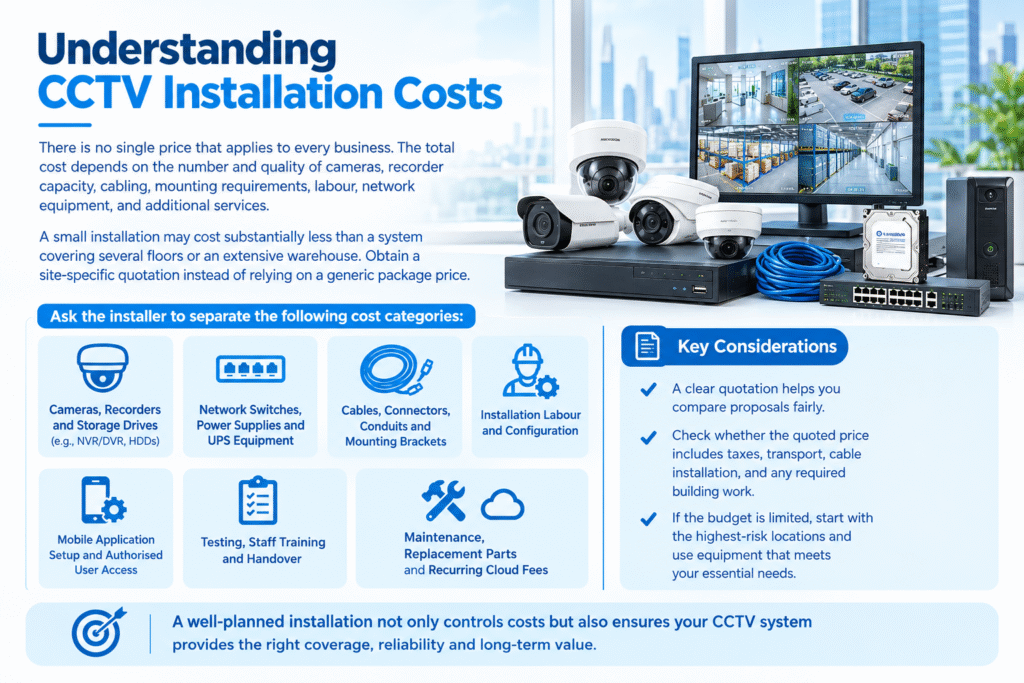
There is no single price that applies to every business. The total cost depends on the number and quality of cameras, recorder capacity, cabling, mounting requirements, labour, network equipment, and additional services.
A small installation may cost substantially less than a system covering several floors or an extensive warehouse. Obtain a site-specific quotation instead of relying on a generic package price.
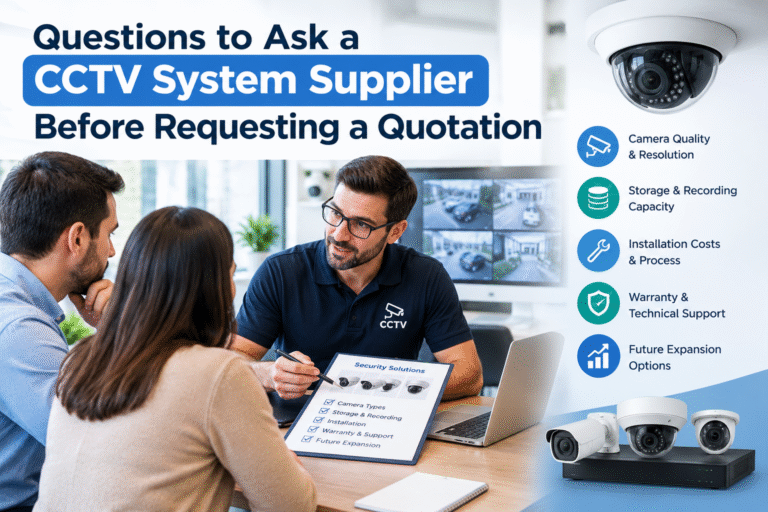
Ask the installer to separate the following cost categories:
- Cameras, recorders, and storage drives.
- Network switches, power supplies, and UPS equipment.
- Cables, connectors, conduits, and mounting brackets.
- Installation labour and configuration.
- Mobile application setup and authorised user access.
- Testing, staff training, and handover.
- Maintenance, replacement parts, and any recurring cloud fees.
A clear quotation helps you compare proposals fairly. Check whether the quoted price includes taxes, transport, cable installation, and any required building work.
If the budget is limited, start with the highest-risk locations and use equipment that can be expanded later. A phased installation can help a business improve security without buying unnecessary cameras immediately.
Planning a Professional CCTV Installation
A successful installation begins with understanding the premises rather than choosing cameras from a catalogue.
Step 1: Conduct a Site Survey
Identify entry points, cash-handling locations, stockrooms, delivery zones, blind spots, lighting conditions, and areas that require privacy protection.
Discuss the main security concerns with the business owner or manager. This helps determine whether the priority is theft prevention, incident investigation, employee safety, or monitoring access after closing.
Step 2: Design Camera Positions
Mark the proposed camera locations on a floor plan. Consider viewing angles, mounting height, glare, obstructions, cable routes, and access for future maintenance.
Avoid placing cameras where bright sunlight or vehicle headlights repeatedly obscure the image. Test critical views at different times of day when possible.
Step 3: Confirm Network and Power Requirements
For IP cameras, assess network capacity, cable distances, PoE requirements, and internet availability for remote access.
Confirm that the recorder and cameras can operate during expected power conditions. Any backup system should be sized for the equipment it is expected to support.
Step 4: Configure and Test the System
After installation, check every camera during daylight and darkness. Verify recording, playback, date and time settings, motion alerts, remote viewing, and user permissions.
Test the system by reviewing sample footage rather than simply checking whether a live image appears on the screen.
Step 5: Train Staff and Document the Handover
Provide the authorised staff with instructions for viewing recordings, exporting relevant clips, checking system health, and contacting the installer.
The handover should include device details, warranty information where supplied, user documentation, and guidance on changing default passwords. Credentials should be transferred securely rather than written on a publicly accessible label.
CCTV Privacy and Data Protection in Rwanda
Surveillance must be managed responsibly. Camera recordings can contain identifiable images of customers, employees, delivery drivers, and other people.
Rwanda’s Data Protection and Privacy Office provides information about the country’s personal data protection and privacy law. Its guidance explains that personal data processing is subject to legal requirements and privacy protections.
Businesses should review the relevant legal obligations before operating their surveillance systems.
Practical steps include:
- Establishing a clear and legitimate purpose for each camera.
- Informing people about surveillance where required.
- Restricting footage access to authorised personnel.
- Using secure passwords and protecting remote access.
- Keeping recordings only for an appropriate period.
- Avoiding unnecessary recording of private or neighbouring areas.
- Reviewing storage, sharing, and international data-transfer arrangements.
The Data Protection and Privacy Office also publishes guidance on data controller and data processor obligations. Businesses should consult the official guidance or qualified local advice where registration, retention, or other compliance requirements are unclear.
Maintaining CCTV Equipment for Long-Term Performance
A surveillance system needs regular maintenance to remain reliable. Dust, loose connections, damaged cables, storage failures, and incorrect settings can affect performance over time.
Create a simple maintenance schedule that includes the following activities:
Clean camera lenses: Remove dust and dirt carefully using suitable materials. Dirty lenses can reduce image clarity, especially at night.
Inspect camera positions: Check for loose brackets, movement, damaged housings, and newly developed obstructions.
Test recordings: Review sample footage and confirm that the recorder is saving video as expected.
Check storage health: Review drive warnings, available capacity, and recording retention.
Update firmware: Apply appropriate security and stability updates according to the manufacturer’s recommendations.
Review access permissions: Remove accounts that are no longer needed and change compromised credentials promptly.
Test backup power: Check the UPS and other backup arrangements according to the manufacturer’s guidance.
Documenting maintenance activities makes it easier to identify recurring faults and plan replacement costs.
Common Mistakes to Avoid When Choosing CCTV
Small businesses sometimes spend too much on unnecessary features while overlooking basic installation requirements.
One common mistake is selecting cameras based only on advertised resolution. Image quality also depends on the lens, lighting, distance, and camera placement.
Another mistake is choosing insufficient storage. A system that overwrites footage too quickly may not retain recordings long enough for an incident to be discovered.
Businesses may also underestimate network requirements, rely on weak passwords, or install cameras without considering privacy.
Finally, avoid choosing an installer based only on the lowest quotation. Confirm equipment compatibility, installation experience, testing procedures, warranty terms, and after-sales support before making a decision.
For further purchasing guidance, the UK government’s Surveillance Camera Commissioner’s buyer toolkit offers useful general considerations for organisations evaluating surveillance systems. Although it is not Rwandan legal guidance, its focus on informed purchasing can help businesses ask better questions.
Selecting suitable surveillance equipment does not have to be complicated. By identifying security risks, comparing camera technologies, planning storage, and choosing reliable installation practices, small businesses can build a system that supports their everyday operations.
The most effective CCTV system options for small businesses in Kigali are those designed around the actual premises, available budget, recording requirements, and privacy responsibilities.
Start with a site survey, request a detailed quotation, test important camera views, and establish a maintenance schedule. A practical system should be reliable today while allowing room for future expansion as the business grows.
With the right planning and responsible management, CCTV can become a valuable part of a broader business security strategy rather than simply a collection of cameras mounted on walls.