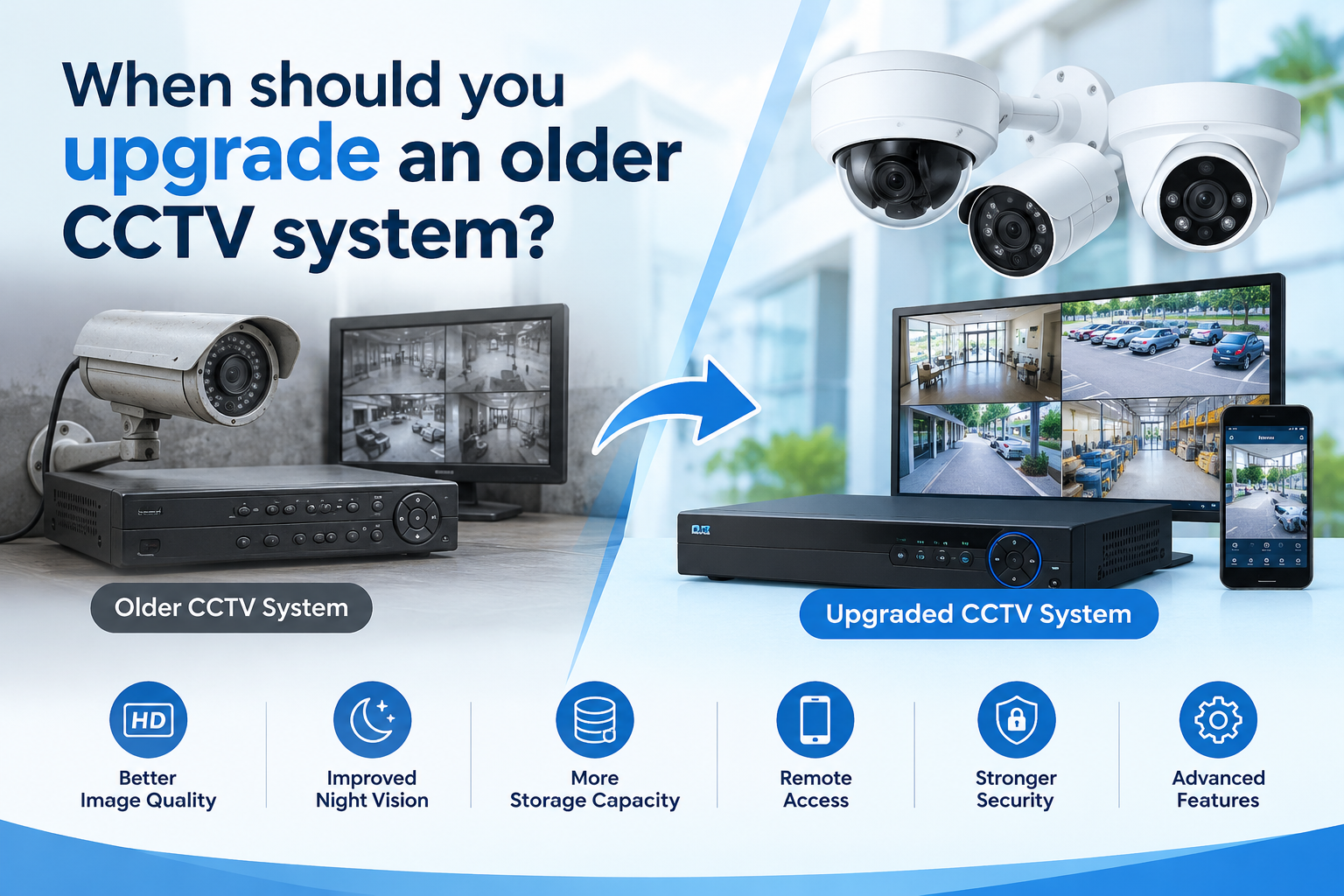
Poor Night Vision? When to Upgrade Your CCTV System
A CCTV system is an important investment for protecting homes, offices, retail stores, warehouses, schools, and industrial facilities. However, security technology continues to improve, and a surveillance system that worked well several years ago may no longer provide the level of protection required today.
Older cameras can produce unclear images, recording equipment may struggle to store enough footage, and outdated software can create maintenance and cybersecurity concerns. These issues may prevent property owners from identifying incidents, reviewing evidence, or monitoring their premises effectively.
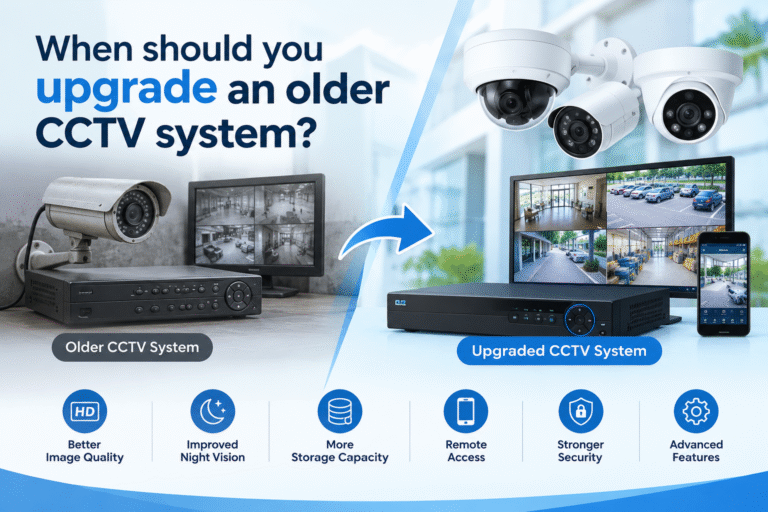
Knowing when to upgrade an older CCTV system helps homeowners and businesses make informed decisions about security, performance, and long-term costs. An upgrade does not always mean replacing every camera. In some cases, upgrading the recorder, improving storage, updating firmware, or adding cameras to vulnerable areas may solve the main problems.
This guide explains the most important warning signs, the benefits of modern surveillance technology, and the factors to consider before investing in a new CCTV solution.
Why CCTV System Upgrades Matter
A surveillance system should provide reliable monitoring, clear recorded footage, convenient playback, and dependable operation. As a property changes, its security requirements may also change.
For example, a small shop may initially need only two cameras covering its entrance and cash counter. After expanding into a larger retail space, the owner may need additional cameras, better nighttime visibility, longer recording retention, and remote access.
Similarly, a warehouse may introduce new loading areas, machinery, access points, or storage sections that its original cameras cannot adequately monitor.
Modernizing surveillance equipment can help address these changing requirements. Before making a purchase, property owners should assess their existing equipment, identify performance gaps, and determine whether repairs or a targeted upgrade would be sufficient.
10 Signs You Should Upgrade Your CCTV System
1. Your Cameras Produce Blurry or Low-Resolution Images
Image quality is one of the first things to evaluate when reviewing an older surveillance system. Older analog cameras and early digital models may provide enough detail to observe general activity but struggle to capture faces, vehicle registration plates, or small objects.
This becomes particularly problematic when an incident occurs and investigators need usable footage.
Modern cameras offer different resolution options, including Full HD and higher-resolution models. However, resolution alone does not guarantee excellent results. Lens quality, lighting, camera placement, compression settings, and the distance from the subject also affect image clarity.
For example, a camera installed high above a shop entrance may record people entering the building but fail to capture useful facial details if it is poorly positioned.
Before replacing equipment, inspect recordings from important locations during daylight and nighttime conditions. If the images consistently lack the detail required for identification, an upgrade may be appropriate.
2. Night Vision Performance Is Poor
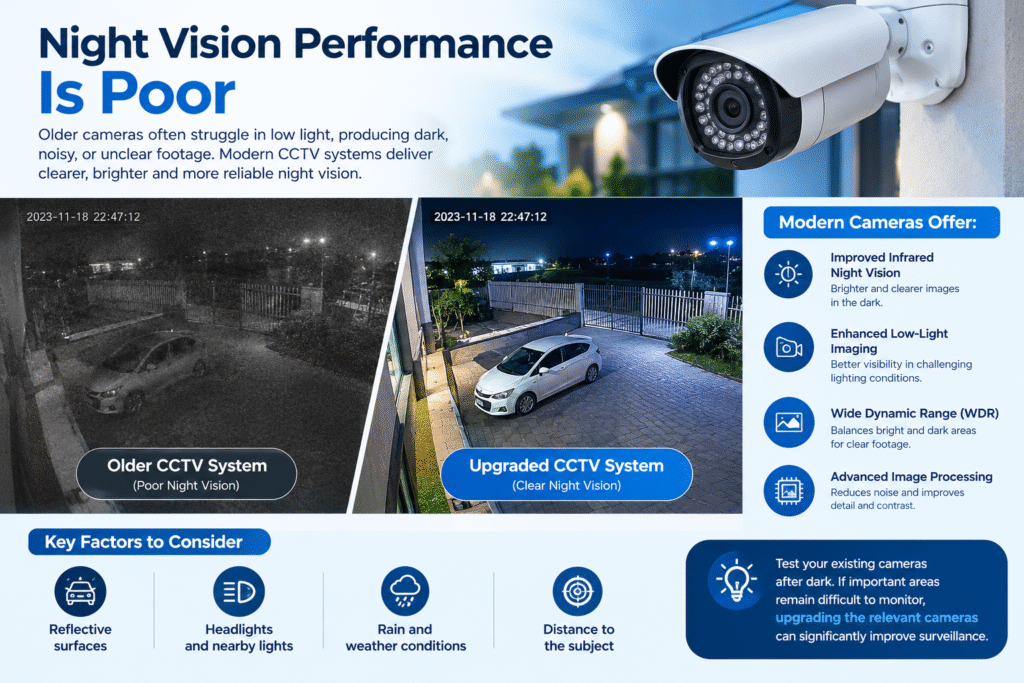
Many security incidents occur during periods of low activity, including late evenings and overnight hours. A camera that performs well in daylight may produce dark, noisy, or unclear footage after sunset.
Older cameras may have limited infrared illumination, weak low-light sensitivity, or poor handling of bright lights and shadows.
Modern surveillance cameras may offer improved infrared night vision, enhanced low-light imaging, wide dynamic range (WDR), and other image-processing capabilities.
These features can help improve visibility in entrances, parking areas, corridors, loading bays, and outdoor spaces.
However, choosing the correct camera also requires considering the actual environment. Reflective surfaces, headlights, nearby lights, rain, and the distance to the subject can affect nighttime performance.
Test existing cameras after dark before deciding whether replacement is necessary. If important areas remain difficult to monitor, upgrading the relevant cameras may significantly improve surveillance.
3. Your DVR or NVR Frequently Fails
The recorder is responsible for receiving, processing, and storing surveillance footage. A digital video recorder (DVR) commonly works with compatible analog camera systems, while a network video recorder (NVR) is generally designed for IP cameras.
If your recorder frequently freezes, restarts unexpectedly, loses camera connections, or fails to save footage, the system may require professional inspection.
Possible causes include a failing hard drive, overheating, insufficient power, faulty cables, outdated firmware, or incompatible equipment. These problems do not automatically mean the entire system must be replaced.
A technician should first inspect the recorder, power supply, connections, cooling, and storage health.
If the recorder is no longer reliable, cannot support the required cameras, or lacks essential features, replacing it may be a better long-term solution than repeatedly paying for repairs.
When evaluating a replacement, confirm that it supports the required camera channels, resolution, recording settings, remote access features, and storage capacity.
4. Your System Cannot Store Enough Video Footage
Storage requirements often increase as businesses add cameras or improve video resolution. A system that once retained recordings for several weeks may now overwrite important footage much sooner.
Recording retention depends on several factors, including camera count, resolution, frame rate, video compression, motion activity, recording schedules, and the selected retention period.
For example, a business that needs 30 days of footage should calculate its storage requirements using the actual camera settings instead of relying on the recorder’s maximum advertised capacity.
An upgrade may involve installing a larger surveillance-rated hard drive, replacing a failing drive, adding supported storage, or selecting a recorder with greater capacity.
Review whether the system records continuously or only when motion is detected. Motion-based recording can reduce storage use, but incorrect detection settings may miss relevant activity.
Before upgrading, establish how many days of footage you need, how many cameras are recording, and whether important cameras require continuous recording.
5. Remote Viewing Is Unreliable or Unavailable
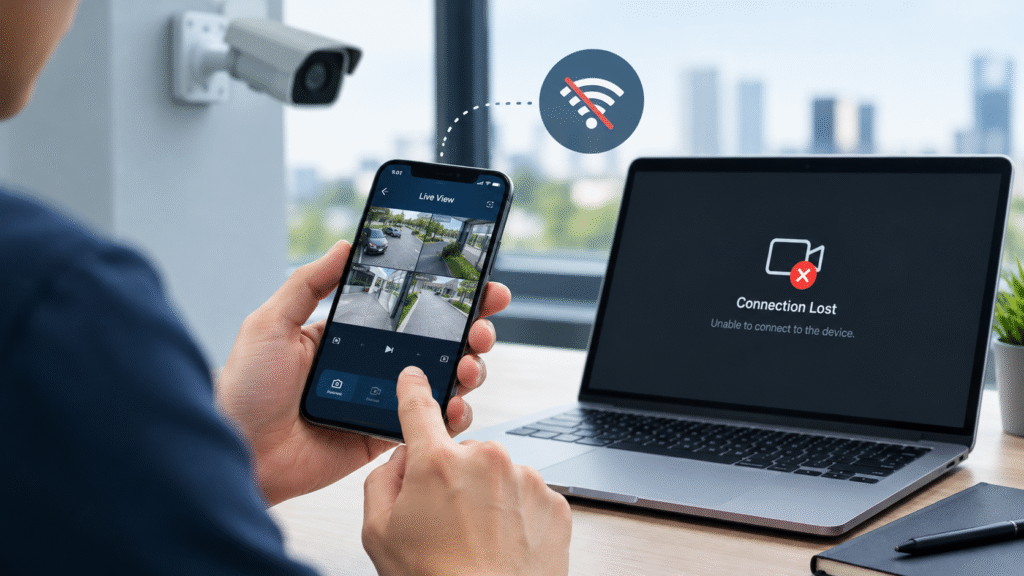
Remote access allows authorized users to monitor their premises through a computer, smartphone, or tablet. This is particularly useful for business owners who manage several locations or travel frequently.
Older CCTV equipment may depend on outdated mobile applications, unsupported browser features, or unreliable remote connection methods.
Some systems also lack convenient user management, secure remote access options, or compatibility with current devices.
If you regularly experience connection failures or cannot view live footage while away from the premises, check whether the manufacturer still supports the recorder’s software and mobile application.
A modern system may offer improved remote viewing, event notifications, playback controls, and access management. These features can make surveillance more convenient, provided they are configured securely.
For cybersecurity guidance, consult the Cybersecurity and Infrastructure Security Agency (CISA) for general advice on protecting connected devices and online accounts.
6. Your CCTV Equipment No Longer Receives Security Updates
Cybersecurity is an important consideration for network-connected cameras and recorders. Older devices may contain vulnerabilities that cannot be corrected if the manufacturer has discontinued firmware and software support.
Poorly secured surveillance equipment may expose video feeds, administrative accounts, or parts of a connected network to unnecessary risk.
Check the manufacturer’s official support page for firmware updates, security advisories, product end-of-life announcements, and available replacement options.
You should also change default passwords, use strong unique credentials, restrict access to authorized users, and avoid exposing recorder management interfaces directly to the public internet.
Where supported, use multifactor authentication, network segmentation, secure remote access, and current encryption settings.
If critical equipment has reached end of life and no security fixes are available, replacement may be necessary. The CISA guidance on reducing internet exposure explains why unsupported devices and missing security patches deserve attention.
For organizations, the decision should consider the sensitivity of recorded footage, network exposure, operational importance, and the manufacturer’s support policy.
7. You Cannot Easily Expand the Existing System
A growing property may need additional cameras, new monitoring locations, or integration with other security equipment.
Unfortunately, some older systems have a fixed channel limit, limited network capacity, or proprietary connections that make expansion difficult.
For example, a 4-channel recorder may not accommodate a business that now needs eight or sixteen cameras. An older recorder may also be unable to process the resolution or advanced functions offered by newer cameras.
Before investing in additional cameras, check the recorder’s supported channel count, camera compatibility, bandwidth capacity, power requirements, and maximum recording resolution.
If you plan to expand further, consider a system that allows additional cameras and storage to be added as requirements grow.
Compatibility is especially important when combining equipment from different manufacturers. Review the ONVIF Profiles and Specifications to understand standardized interoperability between compatible IP surveillance products.
Always verify the specific camera and recorder models, supported profiles, firmware versions, and required features before purchasing. A shared standard does not guarantee that every proprietary feature will work across different brands.
8. Repair and Maintenance Costs Keep Increasing
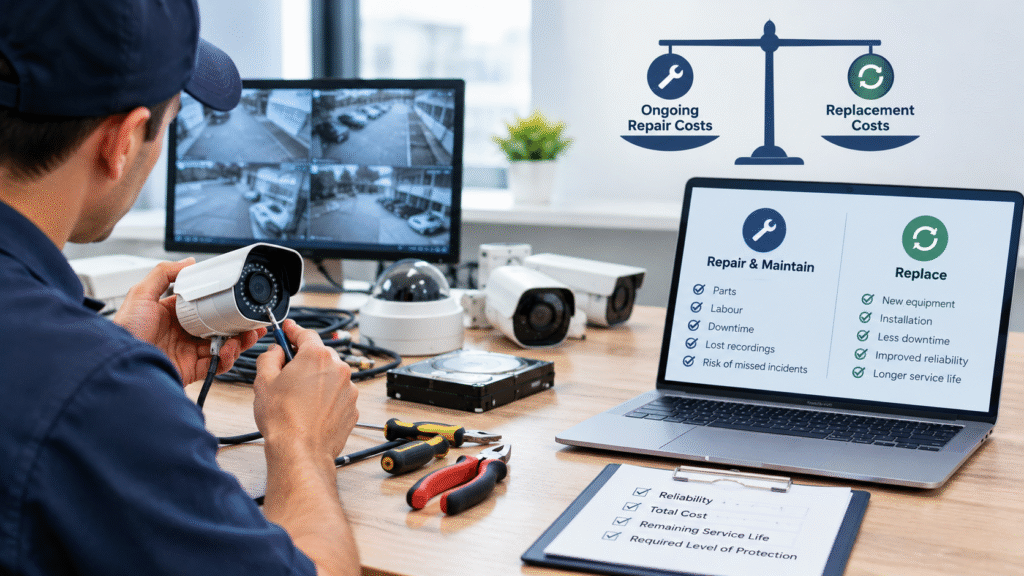
Occasional maintenance is normal for a CCTV system. Cables can deteriorate, connectors may become loose, hard drives can fail, and outdoor cameras may need cleaning or weatherproofing repairs.
However, frequent faults and repeated service visits may indicate that the system is approaching the end of its useful service life.
Compare the total cost of continued maintenance with the cost of replacing the equipment. Include parts, labour, downtime, lost recording capability, and the risk of missing important incidents.
For instance, replacing a single faulty camera may be sensible. Repeatedly repairing an unsupported recorder while several cameras also fail may be less economical.
A complete replacement is not always the answer. A professional inspection can identify whether a few components are responsible for most problems.
The best decision balances reliability, repair costs, expected remaining service life, and the level of protection required.
9. Your Business Needs Better Security Features
Security requirements change as businesses grow and operating practices evolve. Basic recording may no longer be sufficient for properties that need faster incident detection, more efficient monitoring, or better control over access to recorded footage.
Depending on the application, modern systems may support features such as:
- Motion detection with configurable zones.
- Human or vehicle classification.
- Line-crossing or intrusion alerts.
- Smart search and event-based playback.
- Improved wide dynamic range and low-light performance.
- Integration with access control or other security platforms.
These capabilities can help operators focus on relevant events instead of reviewing hours of footage manually.
Nevertheless, features vary by camera, recorder, software licence, and manufacturer. Some analytics also produce false alerts in challenging lighting or crowded environments.
Identify the specific problem you want to solve before selecting equipment. A warehouse may prioritize perimeter monitoring, while a retail store may need better coverage of entrances, checkout counters, and stock areas.
Choose features that address real operational needs rather than paying extra for functions your team will not use.
10. Your Property Has Changed Since Installation
A CCTV system should reflect the current layout and use of the property. New doors, extensions, partitions, shelving, parking spaces, and outdoor structures can create blind spots or block existing camera views.
Even if the cameras still work, they may no longer cover the areas that matter most.
Walk through the property and compare the current layout with the original camera placement plan. Identify entrances, exits, cash-handling areas, delivery zones, storage rooms, and other locations that need monitoring.
Consider whether new lighting conditions, increased visitor traffic, or changes in business operations have affected image quality.
Sometimes, repositioning existing cameras or adding a small number of units will solve the problem. In other situations, the original system may lack the capacity or image quality needed for the revised layout.
A site survey can help determine whether a targeted upgrade or a redesigned system offers better value.
Should You Replace the Entire CCTV System or Upgrade Individual Components?
Not every aging system needs complete replacement. The correct approach depends on equipment condition, compatibility, support status, and your security objectives.
When a Partial Upgrade Makes Sense
A partial upgrade may be suitable when most of the existing equipment remains reliable and compatible.
Examples include:
- Replacing a failing hard drive.
- Upgrading a recorder while retaining compatible cameras.
- Adding cameras to newly developed areas.
- Improving lighting or repositioning existing cameras.
- Replacing only cameras with inadequate nighttime performance.
- Updating supported firmware and correcting network settings.
This approach can reduce initial costs while improving the weakest parts of the installation.
When a Full Replacement Is Better
A complete system replacement may be justified when several essential components are failing, the equipment is unsupported, compatibility is severely limited, or the system cannot meet current security requirements.
A new installation may also be appropriate when changing from an outdated analog setup to an IP-based surveillance system or when the property requires a substantially different camera layout.
Before committing to a full replacement, ask a qualified installer to document the condition of the existing equipment and explain which components can reasonably be reused.
How to Choose the Right CCTV Upgrade
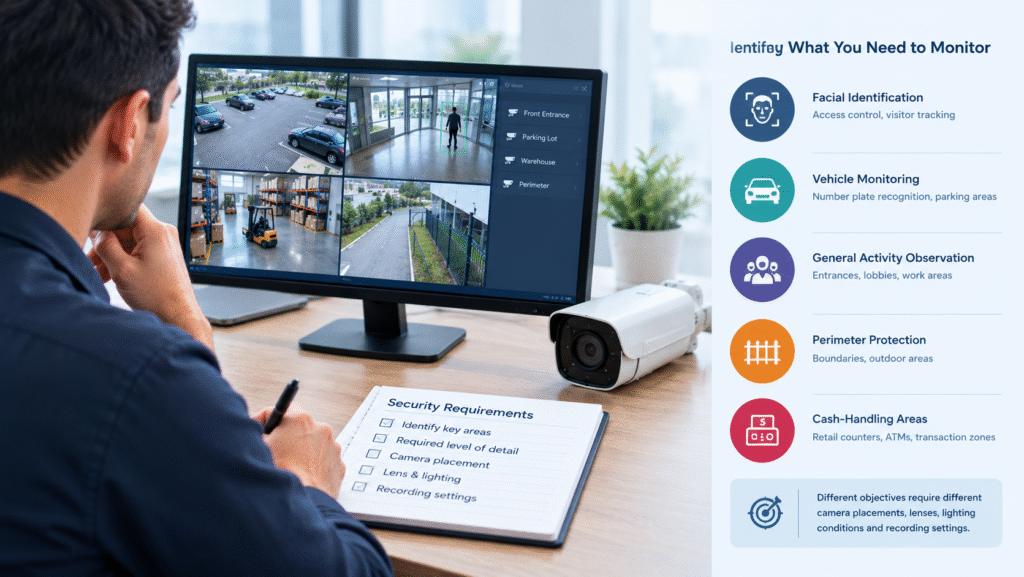
Assess Your Security Requirements
Begin by identifying the areas that require monitoring and the level of detail needed in recorded footage.
Determine whether you need facial identification, vehicle monitoring, general activity observation, perimeter protection, or monitoring of cash-handling areas.
Different objectives require different camera placements, lenses, lighting conditions, and recording settings.
Check Camera and Recorder Compatibility
Confirm whether the proposed equipment supports your existing cameras, cables, network infrastructure, recording formats, and remote access requirements.
For IP systems, check the relevant ONVIF profiles where interoperability is required. Verify the actual product models and supported features instead of assuming that all products using the same standard are fully interchangeable.
Calculate Storage and Network Capacity
Estimate the required retention period and check whether your recorder, hard drives, network switches, and cabling can support the planned camera count and recording quality.
Higher-resolution video can require more storage and network bandwidth. A suitable design should account for both current needs and reasonable future expansion.
Prioritize Cybersecurity
Choose equipment with a clear manufacturer support policy and an appropriate update process.
Configure strong passwords, limit administrative access, and use secure remote connectivity. Keep the network design and access controls aligned with the risks associated with the property.
Compare Long-Term Value
Do not compare systems based only on purchase price. Consider installation costs, ongoing maintenance, storage replacement, software support, warranty terms, and future expansion.
A properly planned system may cost more initially but offer better reliability and a more suitable service life.
What Is the Best Time to Upgrade an Older CCTV System?
The best time depends on the system’s condition and the risks associated with failure.
If important footage is missing, the recorder is unreliable, or essential cameras no longer provide usable images, arrange an inspection promptly. Do not wait for a serious incident to discover that your equipment is unable to capture evidence.
If the system remains functional but has limited features, plan an upgrade around your budget, maintenance schedule, and business requirements.
For commercial properties, upgrades may be easier to complete during planned maintenance periods or quieter operating hours. This helps reduce disruption while installers replace equipment, configure recording settings, and test camera coverage.
Always confirm that the new system is recording correctly before considering the work complete.
CCTV Upgrade Checklist
Use this checklist to review your existing surveillance system before requesting a quotation.
- Check daytime and nighttime image quality.
- Confirm that all cameras display live video correctly.
- Review recordings for missing footage or playback errors.
- Inspect recorder and hard-drive health.
- Confirm that recordings are retained for the required period.
- Test remote viewing and authorized user access.
- Check firmware support and manufacturer security updates.
- Identify blind spots and changes to the property layout.
- Confirm expansion requirements and equipment compatibility.
- Compare repair costs with replacement costs.
- Request a professional site assessment if significant issues remain.
Completing these checks helps you identify the most urgent problems and discuss practical solutions with a qualified CCTV installer.
Frequently Asked Questions
How long does a CCTV system usually last?
There is no universal replacement age for every CCTV system. Lifespan depends on equipment quality, environmental conditions, usage, maintenance, manufacturer support, and the availability of spare parts. Outdoor equipment exposed to harsh weather may require attention sooner than equipment installed in a protected indoor environment.
Can I keep my old cameras and replace the recorder?
Yes, in some cases. Existing cameras can often be retained if the replacement recorder supports their signal type, resolution, and other technical requirements. Analog cameras and IP cameras have different compatibility considerations, so confirm the specifications before purchasing a recorder.
Is a higher-resolution CCTV camera always better?
Not necessarily. Higher resolution can capture more detail, but performance also depends on lens selection, camera positioning, lighting, image processing, bandwidth, and storage. Choose a camera based on the actual monitoring objective and installation conditions.
Is upgrading CCTV expensive?
Costs vary according to the number of cameras, recorder type, storage capacity, cable condition, installation complexity, and required features. Replacing one or two components may be relatively affordable, while redesigning a large commercial installation can require a greater investment. A site survey and itemized quotation help establish the likely cost.
Should I upgrade if my cameras still work?
Working cameras do not automatically need replacement. However, you should assess whether they provide sufficient image quality, secure connectivity, reliable recording, and coverage for your current needs. Equipment that no longer receives security updates may also require replacement even if its video quality remains acceptable.
Conclusion
An older surveillance system can continue to provide value when its components remain reliable, supported, and suitable for the property. However, poor image quality, unreliable recording, limited storage, outdated software, repeated repairs, and new security requirements are important reasons to reassess the installation.
The decision to upgrade an older CCTV system should be based on performance, security risks, compatibility, and long-term cost rather than equipment age alone. A targeted component upgrade may be sufficient for some properties, while others will benefit from a complete replacement.
Start by testing your cameras, reviewing recorded footage, checking recorder health, and identifying gaps in coverage. If the system cannot meet your current requirements, consult a qualified CCTV professional for a site assessment and a practical upgrade plan.
A well-planned surveillance upgrade can improve visibility, strengthen system reliability, simplify monitoring, and help protect the people, property, and assets that matter most.