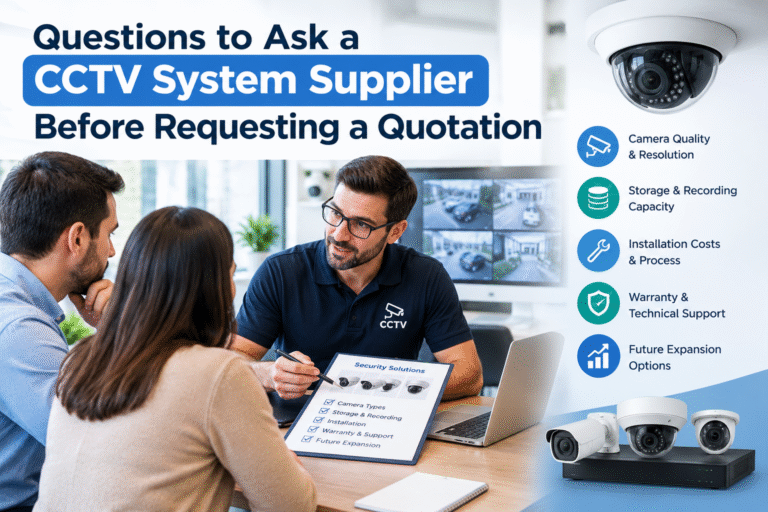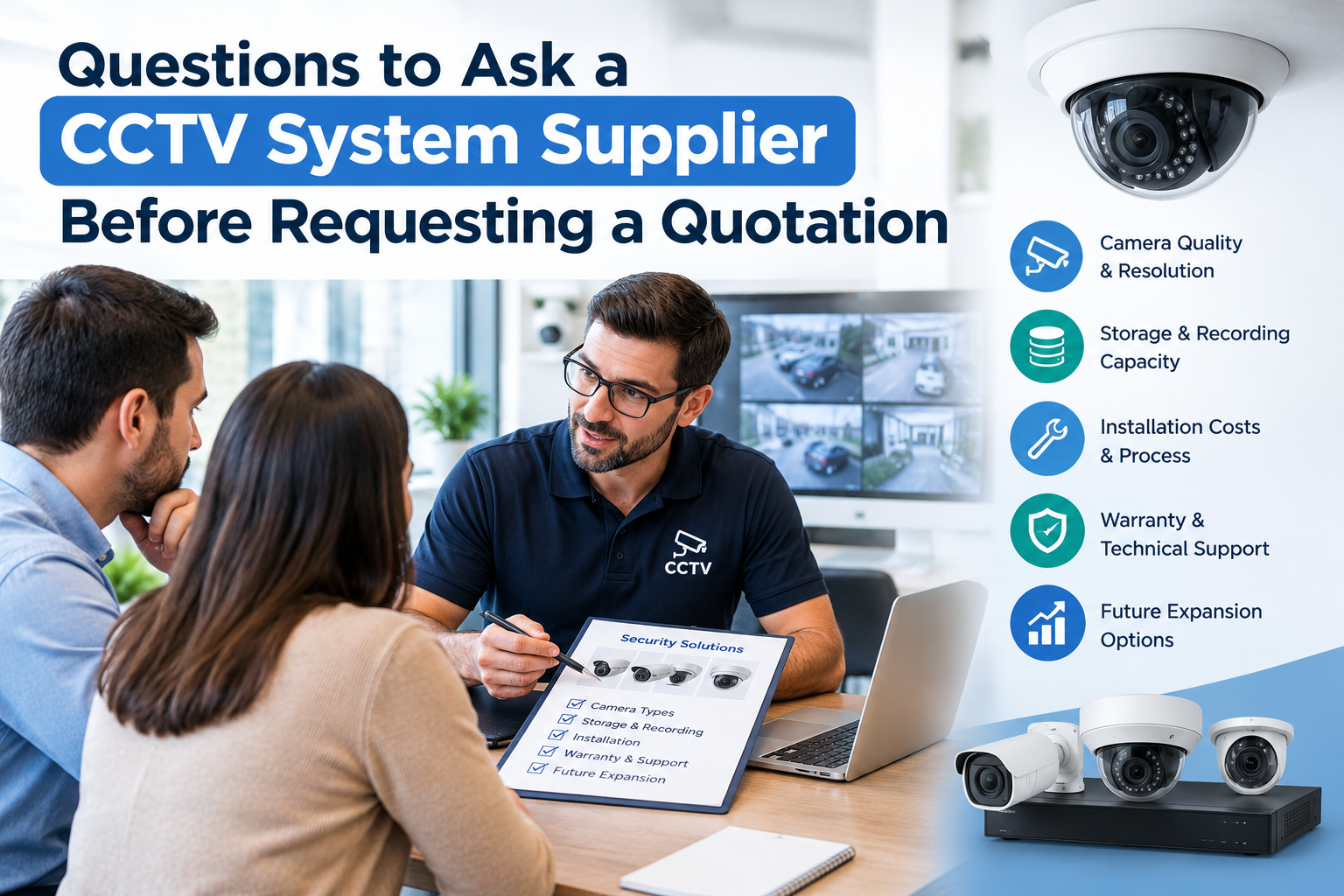
Questions to Ask a CCTV System Supplier Before Requesting a Quotation
Choosing the right CCTV system is an important decision for homeowners, business owners, property managers, and security professionals. A reliable surveillance system can help prevent theft, monitor daily activities, protect valuable assets, and provide useful evidence when an incident occurs. However, selecting the wrong equipment or an inexperienced supplier may lead to poor video quality, insufficient storage, unexpected installation costs, and ongoing maintenance problems.
Before contacting a supplier for pricing, it is important to understand your security requirements and prepare a list of relevant questions. Knowing the questions to ask a CCTV system supplier helps you compare different proposals, understand technical specifications, and avoid paying for equipment that does not meet your needs.
Whether you need cameras for a small shop, office, warehouse, school, residential property, or industrial facility, this guide explains what to discuss with a supplier before requesting a quotation.
Why Should You Prepare Before Requesting a CCTV Quotation?
Requesting a quotation without understanding your requirements can make it difficult to compare suppliers fairly. One company may offer high-resolution cameras with advanced recording features, while another may provide basic equipment at a lower price. Although both quotations may appear similar, their performance and long-term value could be very different.
Preparation helps you identify the areas that require surveillance, determine how long recordings should be stored, and establish a realistic budget. It also allows suppliers to recommend equipment based on your actual security objectives rather than simply offering their most popular products.
A well-prepared request should describe your property, the number of areas to monitor, lighting conditions, recording requirements, remote viewing needs, and expectations for installation and support.
1. What Type of CCTV System Do You Recommend for My Property?
The first question should concern the type of surveillance system suitable for your location. Different properties have different security challenges, and a system designed for a small retail shop may not be appropriate for a large warehouse or commercial building.
Ask the supplier whether an IP-based CCTV system, an analogue HD system, or a hybrid solution would be the best choice.
IP cameras transmit video over a network and can support high-resolution recording, network-based management, and advanced analytics, depending on the equipment. Analogue HD cameras may be suitable when upgrading an existing coaxial installation. Hybrid systems can accommodate different technologies where existing infrastructure needs to be retained.
You should also explain the main purpose of the installation. For example, a shop may need to monitor entrances, cash counters, and stockrooms, while a warehouse may require coverage of loading bays, perimeter fencing, and storage areas.
Ask the supplier to explain the advantages, limitations, and expected lifespan of the recommended solution.
2. Which Camera Resolution and Image Quality Do I Need?
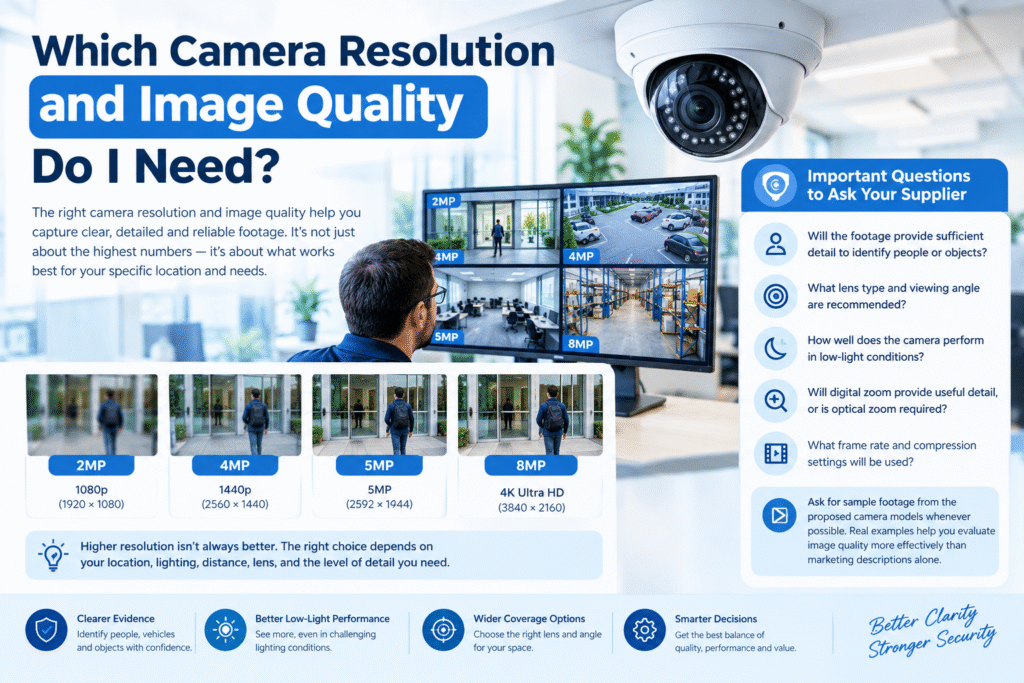
Camera resolution directly affects the level of detail available in recorded footage. However, choosing the highest resolution does not automatically guarantee the best surveillance results.
Ask whether 2MP, 4MP, 5MP, 8MP, or another resolution is appropriate for each monitoring location. The correct option depends on the distance to the subject, the width of the scene, available lighting, lens selection, and the level of detail required.
For example, a camera monitoring a small office entrance may require different specifications from a camera intended to identify vehicles at a large parking facility.
Important questions include:
- Will the footage provide sufficient detail to identify people or objects?
- What lens type and viewing angle are recommended?
- How well does the camera perform in low-light conditions?
- Will digital zoom provide useful detail, or is optical zoom required?
- What frame rate and compression settings will be used?
Ask for sample footage from the proposed camera models whenever possible. Real examples can help you evaluate image quality more effectively than marketing descriptions alone.
3. How Many Cameras Are Required?
The number of cameras affects equipment costs, installation labour, network capacity, and storage requirements. A supplier should recommend the number of cameras after reviewing the property and identifying important monitoring locations.
Ask whether a site survey is included before the quotation is finalized. During the survey, the supplier should assess entrances, exits, corridors, reception areas, parking spaces, blind spots, lighting conditions, and other potential security risks.
You should also ask for a camera placement plan showing the approximate position, direction, and coverage area of each camera.
This plan helps you determine whether the proposed system provides adequate coverage without unnecessary duplication.
For businesses, consider whether additional cameras are required for cash handling, stock management, restricted areas, loading operations, or employee access points.
A carefully planned installation can provide better coverage with fewer cameras than a poorly designed system.
4. Will the Cameras Work Properly at Night?
Night-time performance is essential for properties that require continuous monitoring. A camera that produces clear images during the day may deliver poor footage when lighting becomes limited.
Ask the supplier whether the proposed cameras support infrared night vision, colour night vision, low-light imaging, or additional illumination.
You should also confirm the effective night vision distance. A manufacturer’s stated infrared range does not necessarily mean that faces or other important details will be clearly identifiable at that distance.
Ask whether the camera has features such as wide dynamic range (WDR), which can help manage scenes containing bright and dark areas simultaneously.
For outdoor installations, discuss streetlights, vehicle headlights, reflective surfaces, and changing weather conditions. These factors can affect image quality.
Request examples of day and night footage from the exact model being quoted. This allows you to evaluate performance under conditions similar to your property.
5. How Much Recording Storage Will I Need?
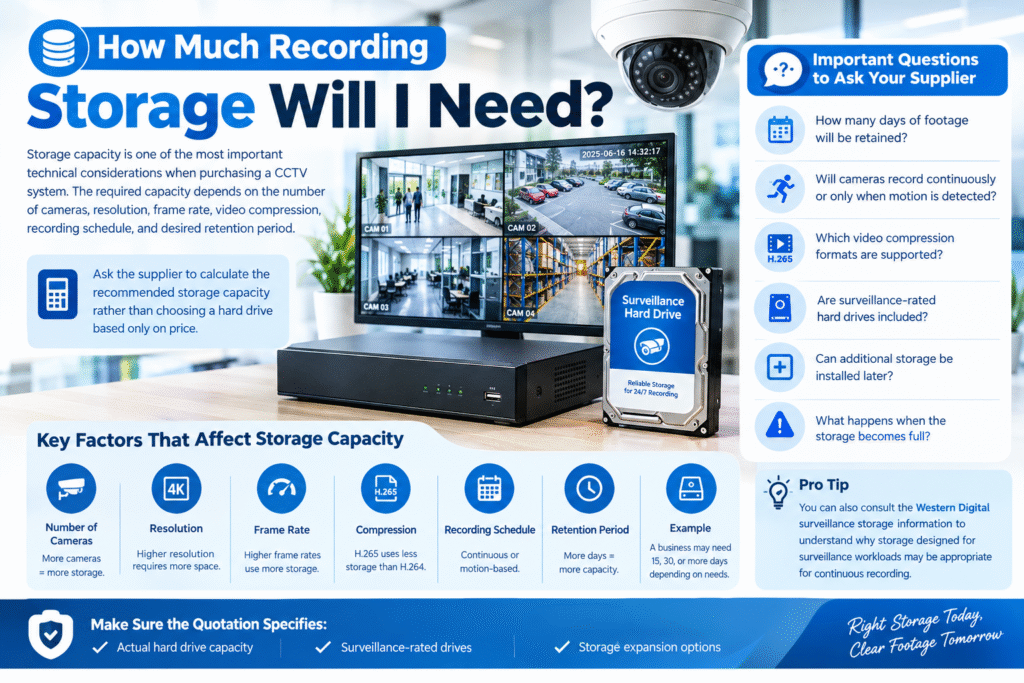
Storage capacity is one of the most important technical considerations when purchasing a CCTV system. The required capacity depends on the number of cameras, resolution, frame rate, video compression, recording schedule, and desired retention period.
Ask the supplier to calculate the recommended storage capacity rather than choosing a hard drive based only on price.
Discuss the following requirements:
- How many days of footage will be retained?
- Will cameras record continuously or only when motion is detected?
- Which video compression formats are supported?
- Are surveillance-rated hard drives included?
- Can additional storage be installed later?
- What happens when the storage becomes full?
For example, a business may need to retain footage for 15, 30, or more days, depending on operational needs and applicable requirements. The supplier should calculate capacity using the proposed camera settings and number of recording hours.
You can also consult the Western Digital surveillance storage information to understand why storage designed for surveillance workloads may be appropriate for continuous recording.
Make sure the quotation specifies the actual hard drive capacity and whether storage expansion will require additional hardware.
6. Does the System Support Remote Viewing?
Remote viewing allows authorized users to monitor cameras through a smartphone, tablet, or computer. This feature is useful for business owners who need to check their premises while travelling or managing multiple locations.
Ask whether remote viewing is included in the quoted system and which application or software is required.
Important questions include:
- Is the mobile application free or subscription-based?
- Can multiple authorized users access the cameras?
- Is remote playback available?
- Can users receive motion alerts?
- Does remote viewing require a fixed public IP address?
- Will the system continue recording if the internet connection fails?
The last question is particularly important. Many properly configured local recording systems can continue recording when internet access is interrupted, although remote viewing may become unavailable.
Ask the supplier to demonstrate the application and explain how user permissions are managed.
7. What Cybersecurity Features Are Included?
Modern network cameras are connected devices, which means cybersecurity must be considered alongside physical security. Poorly secured cameras may expose private footage or provide unauthorized users with access to a network.
Ask the supplier whether the proposed system supports unique passwords, encrypted connections, secure remote access, firmware updates, and separate user permissions.
You should also clarify who will change default credentials and configure security settings during installation.
The Federal Trade Commission’s guide to securing home security cameras provides practical recommendations on passwords, software updates, encryption, and protecting connected camera networks.
For businesses, the CISA Internet of Things guidance offers additional information about evaluating connected devices and their security risks.
Before approving a quotation, ask how the supplier will protect administrative access, manage updates, and handle security problems if they occur.
8. Are the Cameras Compatible With Other Equipment?
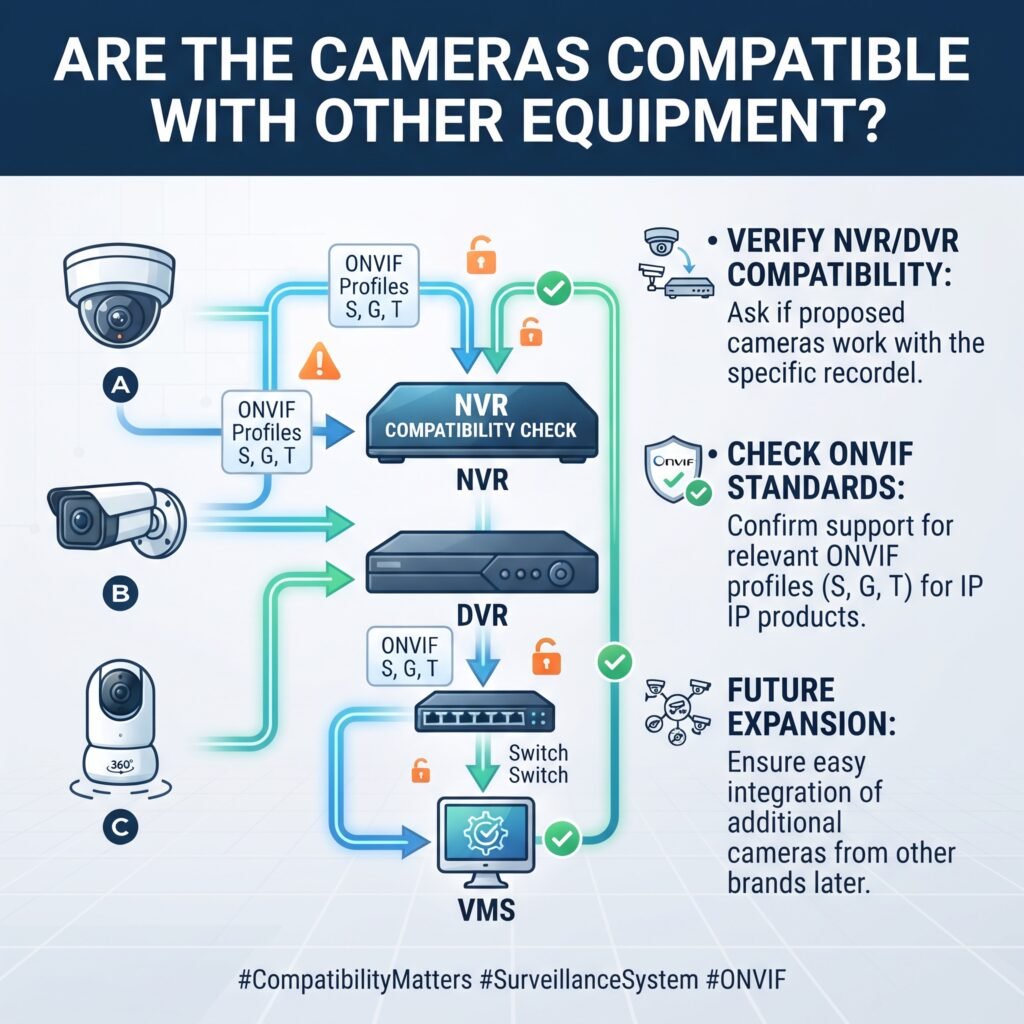
Compatibility matters when installing a new system alongside existing cameras, recorders, network switches, or video management software.
Ask whether the proposed cameras are compatible with the NVR or DVR included in the quotation. If you intend to expand the system later, confirm that additional cameras from other manufacturers can be integrated where required.
For IP surveillance products, ask whether the exact camera and recorder models support the relevant ONVIF profiles and features.
The official ONVIF website explains interoperability standards for IP-based physical security products. You can also use its conformance information to understand how to verify product claims.
Do not assume that two devices will support every feature simply because both advertise ONVIF compatibility. Specific functions, firmware versions, and supported profiles can affect interoperability.
Request written confirmation of compatibility before purchasing equipment intended for a mixed-brand installation.
9. Are the Cameras Suitable for Outdoor Conditions?
Outdoor cameras may be exposed to rain, dust, humidity, heat, direct sunlight, and physical damage. Selecting equipment that is not designed for these conditions can result in frequent failures and replacement expenses.
Ask whether the proposed cameras are rated for outdoor use and what ingress protection (IP) rating they carry.
An IP66-rated enclosure, for example, provides defined protection against dust and powerful water jets under specified test conditions. However, the rating alone does not guarantee resistance to every environmental hazard.
Also discuss operating temperature, corrosion resistance, mounting stability, cable protection, and exposure to direct sunlight.
For installations in warehouses, factories, parking areas, and other demanding environments, ask whether vandal-resistant housings or additional protective enclosures are necessary.
The supplier should recommend equipment according to the actual installation conditions rather than using the same camera model everywhere.
10. What Is Included in the Installation Cost?
Equipment prices are only one part of a complete CCTV project. Installation may require cables, connectors, mounting brackets, conduits, network switches, power supplies, cabinets, configuration, and labour.
Ask the supplier to provide an itemized quotation that clearly separates equipment and services.
Check whether the quoted price includes:
- Cameras, recorders, and storage drives.
- Network equipment and power supplies.
- Cables, connectors, and mounting accessories.
- Cable routing, trunking, and conduit.
- Installation and system configuration.
- Mobile application setup.
- Testing, commissioning, and user training.
- Applicable taxes, delivery charges, and other fees.
You should also ask whether additional charges may apply if the installation requires difficult cable routes, elevated working platforms, drilling, or other site-specific work.
A detailed quotation helps you compare offers fairly and reduces the likelihood of unexpected costs after the project begins.
11. What Warranty Do You Provide?
A warranty can protect your investment if equipment develops a qualifying fault. However, warranty coverage differs between manufacturers, distributors, and installation companies.
Ask how long the cameras, recorder, hard drives, and other components are covered.
Clarify whether the warranty includes replacement equipment, labour, removal, reinstallation, or transportation. Ask which conditions may invalidate the warranty and whether damage caused by environmental conditions is covered.
You should also confirm whether the supplier is an authorized distributor or can provide legitimate proof of product origin where applicable.
Request written warranty terms instead of relying on verbal assurances.
It is equally important to understand the procedure for making a claim, the expected response time, and whether temporary replacement equipment is available if a critical component fails.
12. Do You Provide Maintenance and Technical Support?
Even a well-designed surveillance system requires occasional maintenance. Cameras may become dirty, cables can deteriorate, storage drives can fail, and software may require updates.
Ask whether the supplier provides ongoing technical support after installation.
Useful questions include:
- Is telephone or remote technical support available?
- Are maintenance visits included?
- Can the supplier diagnose faults remotely?
- How quickly are service requests normally handled?
- Are spare parts available locally?
- Is preventive maintenance offered under a service agreement?
For commercial properties, warehouses, schools, and other sites that depend on continuous surveillance, a maintenance agreement may be worthwhile.
Ask the supplier to explain the cost of support after the initial warranty period ends. This helps you estimate the total cost of ownership rather than focusing only on the initial purchase.
13. How Long Will Installation Take?
The installation schedule matters when the property must remain operational or when security improvements are needed before a specific deadline.
Ask the supplier to estimate the time required for the site survey, equipment delivery, cable installation, camera mounting, system configuration, testing, and handover.
The final schedule may depend on the number of cameras, building layout, cable routes, equipment availability, and access restrictions.
For a business, discuss whether installation can be completed in stages or outside normal operating hours.
You should also ask whether the supplier will provide a project contact who can communicate updates and address problems during installation.
A written schedule helps both parties understand the expected completion date and responsibilities.
14. Will You Test the System Before Handover?
Installation is not complete simply because the cameras are mounted and powered on. The system should be tested to confirm that it meets the agreed requirements.
Ask whether commissioning and performance testing are included in the quotation.
Testing should cover live viewing, recording, playback, date and time settings, motion detection where applicable, remote access, user permissions, and storage operation.
The installer should check camera angles and confirm that important areas are visible without unacceptable obstructions.
For night-time surveillance, request testing under low-light conditions whenever practical.
Ask for a handover session that explains how to operate the system, export recordings, manage users, review alerts, and report technical faults.
You should also receive relevant documentation, such as equipment model numbers, warranty information, configuration details, and a camera location plan.
15. Can the System Be Expanded in the Future?
Security needs often change as businesses grow, properties are extended, or additional entrances and storage areas are introduced.
Ask whether the proposed recorder has spare camera channels and whether its network, storage, and processing capacity can support future expansion.
For example, an eight-channel recorder may be suitable for an initial installation but leave limited room for additional cameras.
However, selecting a larger recorder is not enough by itself. The network bandwidth, power budget, storage capacity, and software licensing must also support the expanded system.
Discuss whether new cameras can be integrated without replacing the existing infrastructure.
A scalable design can reduce future upgrade costs and make it easier to adapt the system to changing requirements.
16. What Should I Check Before Accepting the Final Quotation?
Before approving the proposal, review the equipment list, quantities, specifications, services, and commercial terms carefully.
The quotation should identify camera models, resolution, lens specifications where relevant, recorder capacity, hard drive size, included accessories, installation charges, taxes, warranty, and payment terms.
Confirm that any promised features are documented. If the supplier has recommended facial identification, vehicle identification, advanced analytics, or other specialist functions, ask for the exact capabilities and limitations of the proposed equipment.
You should also verify delivery timelines, quotation validity, after-sales support, and any recurring cloud or software fees.
The questions to ask a CCTV system supplier should help you understand both the initial price and the long-term responsibilities associated with operating the system.
If important details are missing, request clarification before comparing the quotation with other offers.
Common Mistakes to Avoid When Choosing a CCTV Supplier
Even after researching different systems, buyers sometimes make decisions based primarily on price. This can create problems when the selected equipment does not provide the required coverage or when installation and support are excluded.
Avoid the following mistakes:
- Choosing cameras based only on resolution or advertised range.
- Accepting a quotation without checking storage capacity.
- Ignoring night vision and difficult lighting conditions.
- Failing to confirm compatibility with existing equipment.
- Overlooking cybersecurity and remote access protection.
- Assuming all installation materials are included.
- Accepting verbal warranty promises without written terms.
- Failing to check the supplier’s experience and references.
- Ignoring future expansion and maintenance requirements.
Instead, compare the complete solution, including technical suitability, installation quality, warranty, support, and operating costs.
A slightly higher initial price may represent better value when it includes appropriate equipment, professional installation, and reliable after-sales service.
How to Request a More Accurate CCTV Quotation
Once you understand your requirements, prepare a concise project brief to send to potential suppliers.
Include the property type, location, approximate size, areas requiring surveillance, indoor and outdoor camera requirements, desired recording period, remote viewing needs, and estimated installation timeline.
If available, attach a floor plan or photographs showing entrances, parking areas, corridors, and other important locations. Avoid sharing sensitive access credentials or unnecessary private information.
Ask each supplier to provide an itemized quotation with model numbers, technical specifications, installation details, warranty terms, and ongoing service costs.
You can also ask whether the supplier recommends a site visit before submitting a final price. For larger or more complex properties, a survey can help identify installation challenges and produce a more realistic proposal.
Using the same project brief for every supplier makes the resulting quotations easier to compare.
Choosing the right surveillance equipment begins with understanding your property’s security needs and asking informed questions before requesting a quotation. Camera quality, storage, night vision, cybersecurity, compatibility, installation, warranty, and technical support all influence the overall value of a CCTV project.
By preparing the right requirements and reviewing each proposal carefully, you can avoid unnecessary expenses and select a system that meets your operational needs.
The most useful questions to ask a CCTV system supplier focus not only on the equipment price but also on performance, reliability, maintenance, and future expansion.
Take time to compare suppliers, request written specifications, verify important product claims, and clarify what is included before making a commitment. A well-planned CCTV installation can provide dependable monitoring and greater peace of mind for years to come.
Frequently Asked Questions (FAQs)
1. What should I ask a CCTV supplier before requesting a quotation?
Ask about camera resolution, night vision, camera placement, storage capacity, remote access, cybersecurity, installation charges, warranty, maintenance, and future expansion. These details help the supplier prepare an accurate proposal.
2. Should I request a site survey before receiving a CCTV quotation?
A site survey is recommended for most commercial installations and larger residential projects. It helps identify camera locations, blind spots, cable routes, lighting conditions, and installation requirements.
3. How can I compare two CCTV quotations?
Compare the exact camera and recorder models, image quality, storage capacity, included accessories, installation labour, warranty coverage, technical support, and recurring fees. Do not compare prices without checking whether both proposals offer equivalent specifications.
4. How many days should CCTV footage be stored?
The required retention period depends on your security objectives, storage capacity, operational needs, and applicable legal or regulatory requirements. Ask the supplier to calculate the necessary capacity based on the proposed recording settings.
5. Is a cheaper CCTV system always a better option?
No. A lower-cost system may have limited image quality, insufficient storage, fewer security features, or weaker after-sales support. Evaluate the complete solution and long-term operating costs before making a decision.
6. Why is cybersecurity important when purchasing CCTV cameras?
Network-connected cameras may expose video feeds or create security risks if they are poorly configured. Strong passwords, secure remote access, firmware updates, encryption, and appropriate user permissions can help protect the system.
7. What documents should I receive after installation?
Request the final equipment list, camera layout, user instructions, warranty documents, relevant configuration records, and contact information for technical support. These documents make future maintenance and troubleshooting easier.