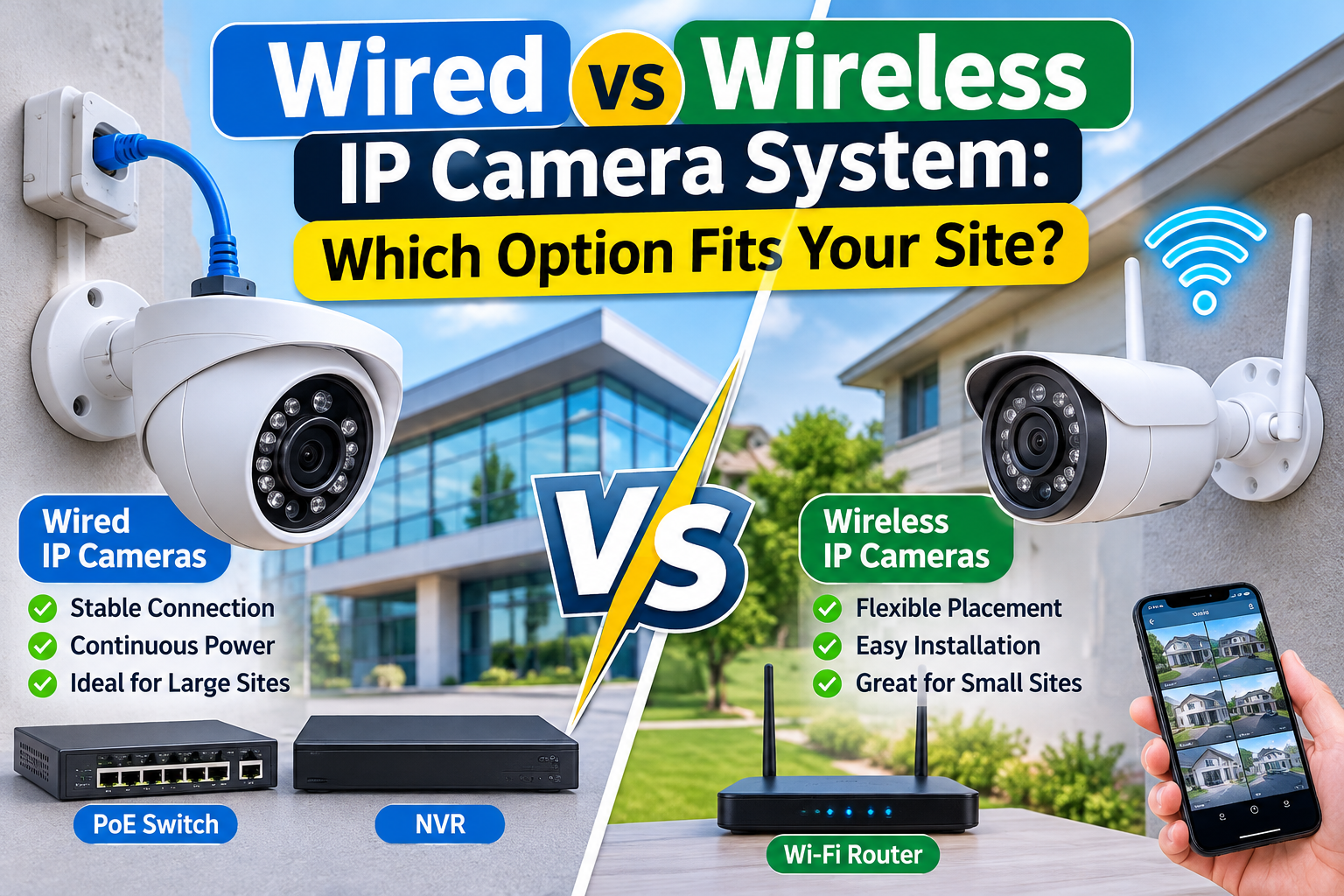
Wired vs Wireless IP Camera System: Which Option Fits Your Site?
Choosing the right security camera system is an important decision for homeowners, business owners, property managers, and security professionals. Modern IP cameras offer high-definition video, remote monitoring, motion detection, night vision, and flexible recording options. However, one important question remains: should you install a wired or wireless surveillance system?
Both technologies can provide effective security, but they work differently and have different advantages. A wired installation generally offers stable connectivity and dependable power, while wireless cameras provide greater flexibility and can be easier to install in locations where running cables is difficult.
Understanding the differences between a wired vs wireless IP camera system can help you select equipment that matches your property’s layout, security requirements, network infrastructure, and long-term budget.
For example, a large office building with multiple entrances, corridors, and parking areas may need a permanent surveillance solution. On the other hand, a small shop, rented property, or temporary construction site may benefit from wireless cameras.
This guide explains how both options work, compares their performance, installation requirements, costs, recording capabilities, and security considerations, and helps you identify the right solution for your site.
What Is a Wired IP Camera System?
A wired IP camera system uses physical network cables to connect surveillance cameras with network equipment or a Network Video Recorder (NVR). These connections allow cameras to transmit digital video over a local network.
Many modern installations use Power over Ethernet (PoE) technology. PoE allows compatible cameras to receive electrical power and transmit video data through a single Ethernet cable.
This reduces the need for separate power connections at every camera location and can make professional installations more organized.
How Does a Wired IP Camera System Work?
A typical wired installation includes:
- IP Cameras: Capture video footage from selected monitoring locations.
- Ethernet Cables: Carry network data between cameras and network equipment.
- PoE Switch: Supplies power and network connectivity to compatible cameras.
- NVR: Receives, processes, and stores video recordings.
- Monitoring Devices: Allow authorized users to view live and recorded footage.
When a camera detects movement or continuously records video, the footage travels through the network to the recording device. Users can access the recordings locally or remotely when the system is configured for secure remote access.
Main Advantages of Wired IP Cameras
1. Stable Network Connectivity
Physical Ethernet connections generally provide more consistent communication than Wi-Fi, particularly in locations with weak wireless coverage or network congestion.
This makes wired cameras suitable for important monitoring points, such as entrances, reception areas, warehouses, and cash-handling locations.
2. Continuous Power Supply
PoE cameras receive power through their network cables. They do not depend on rechargeable batteries, making them suitable for installations that require continuous operation.
A compatible UPS can also provide backup power to the recorder and network equipment during short electricity interruptions.
3. Reliable Video Recording
Wired connections can provide dependable video transmission when the network is correctly designed. This is especially important for businesses that require continuous recording and regular review of security footage.
4. Better Support for Larger Installations
A properly planned wired network can connect multiple cameras to centralized recording equipment. Businesses can organize cameras by building sections, floors, entrances, and outdoor monitoring zones.
5. Reduced Wireless Interference
Because video travels through physical cables, wired cameras are not dependent on Wi-Fi radio signals for their primary network connection.
However, wired systems still require appropriate network security, cable protection, and maintenance.
What Is a Wireless IP Camera System?
A wireless IP camera system transmits video through a wireless network instead of using an Ethernet cable for its primary data connection.
Most wireless IP cameras use Wi-Fi to communicate with a router, wireless access point, NVR, or compatible monitoring platform.
Some wireless cameras use rechargeable batteries, while others require a permanent electrical connection. Therefore, wireless does not always mean completely cable-free.
For example, a plug-in Wi-Fi camera may need an electrical cable for power but use wireless connectivity to send video to the network.
How Does a Wireless IP Camera System Work?
A typical wireless installation includes:
- Wireless IP Cameras: Capture video and transmit it through a wireless connection.
- Wi-Fi Router or Access Point: Provides network connectivity to the cameras.
- NVR or Storage Platform: Stores video footage when supported by the camera and system.
- Power Supply or Battery: Provides the electrical energy required for operation.
- Mobile Application: Allows authorized users to view camera feeds and recordings.
The camera connects to the wireless network and sends video data to the selected recording or monitoring platform.
The performance of the installation depends on signal strength, network capacity, camera specifications, distance, and environmental conditions.
Main Advantages of Wireless IP Cameras
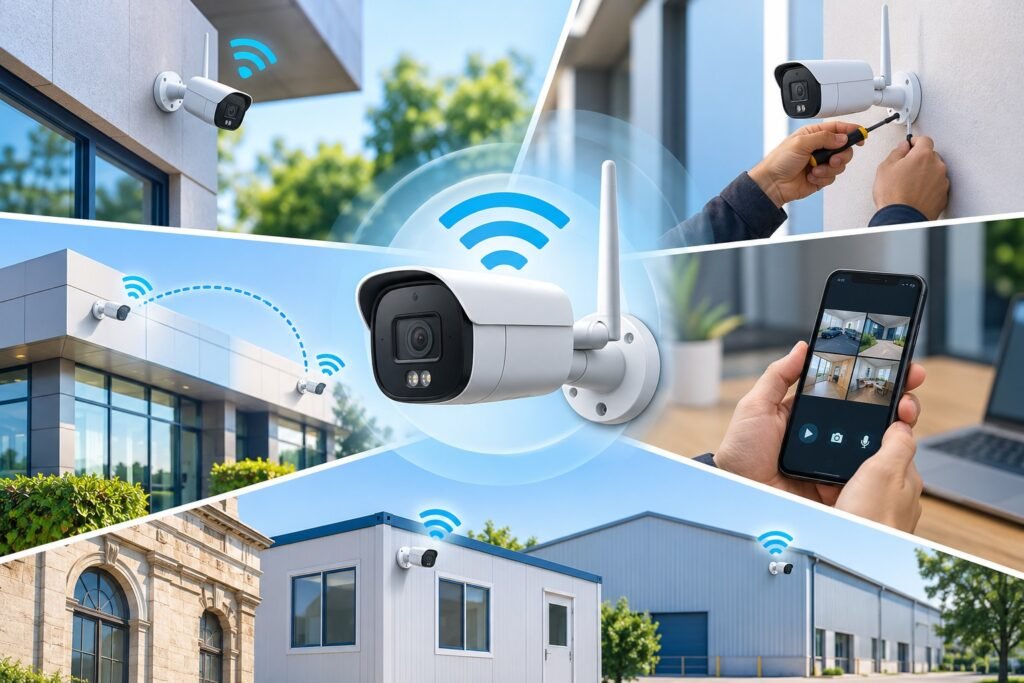
1. Flexible Camera Placement
Wireless cameras can be installed in locations where network cabling is difficult, expensive, or disruptive.
This can be useful in rented buildings, existing properties, temporary offices, and locations where drilling or installing additional cables is not practical.
2. Easier Installation
A wireless installation may require less network cabling than a traditional wired system. This can reduce installation work in suitable environments.
However, cameras still need a reliable power source unless they use batteries or another supported power solution.
3. Convenient Expansion
Adding another wireless camera can be relatively straightforward when the existing network has sufficient capacity and coverage.
This makes wireless systems attractive for small properties that may need additional monitoring points later.
4. Remote Monitoring
Many wireless IP cameras support mobile applications and remote viewing. Authorized users can check live video, review available recordings, and receive motion notifications.
Remote monitoring is also available with many wired IP camera systems, so this feature is not exclusive to wireless technology.
5. Suitable for Difficult Cable Routes
Some outdoor areas, detached buildings, temporary structures, and historic properties may be difficult to connect using conventional Ethernet cabling.
Wireless networking can provide an alternative when a suitable signal and secure connection are available.
Wired vs Wireless IP Camera System: Key Differences
Before selecting a surveillance solution, compare the technical and practical differences between both technologies.
| Comparison Factor | Wired IP Cameras | Wireless IP Cameras |
|---|---|---|
| Network Connection | Ethernet cable | Wi-Fi or supported wireless network |
| Power Supply | Often PoE | Battery or electrical supply |
| Installation | Requires cable routing | Usually less network cabling |
| Connectivity | Generally stable | Depends on signal quality |
| Interference | Less affected by Wi-Fi interference | Can experience wireless interference |
| Maintenance | Generally lower battery maintenance | Battery models require charging |
| Camera Placement | Depends on cable routes | More flexible within wireless coverage |
| Large Installations | Well suited | Requires careful wireless planning |
| Recording | Supports continuous recording | Depends on camera and storage configuration |
| Expansion | May require additional cabling and switch capacity | Depends on wireless coverage and network capacity |
| Best Application | Permanent commercial installations | Small, flexible, or difficult-to-cable locations |
The right option depends on the site’s physical layout, recording requirements, network capacity, and available installation infrastructure.
1. Installation Requirements: Which Is Easier to Install?
Installation is one of the first factors to consider when comparing the two technologies.
Wired cameras require physical network connections between cameras and network equipment. Installers may need to route cables through ceilings, walls, conduits, and outdoor pathways.
Although this process requires more planning, it provides a structured network infrastructure for long-term surveillance.
Wireless cameras generally require less network cabling. They can be installed more quickly in suitable locations, particularly when the existing Wi-Fi network provides sufficient coverage.
However, wireless installations still need careful planning.
Before installation, check:
- Distance between the camera and wireless access point.
- Wi-Fi signal strength at the mounting position.
- Physical obstacles such as concrete walls and metal structures.
- Availability of electrical power.
- Network capacity for multiple video streams.
- Suitable mounting positions for clear camera views.
For large commercial properties, a professional site survey can help identify the most appropriate installation method.
2. Network Reliability and Connection Stability
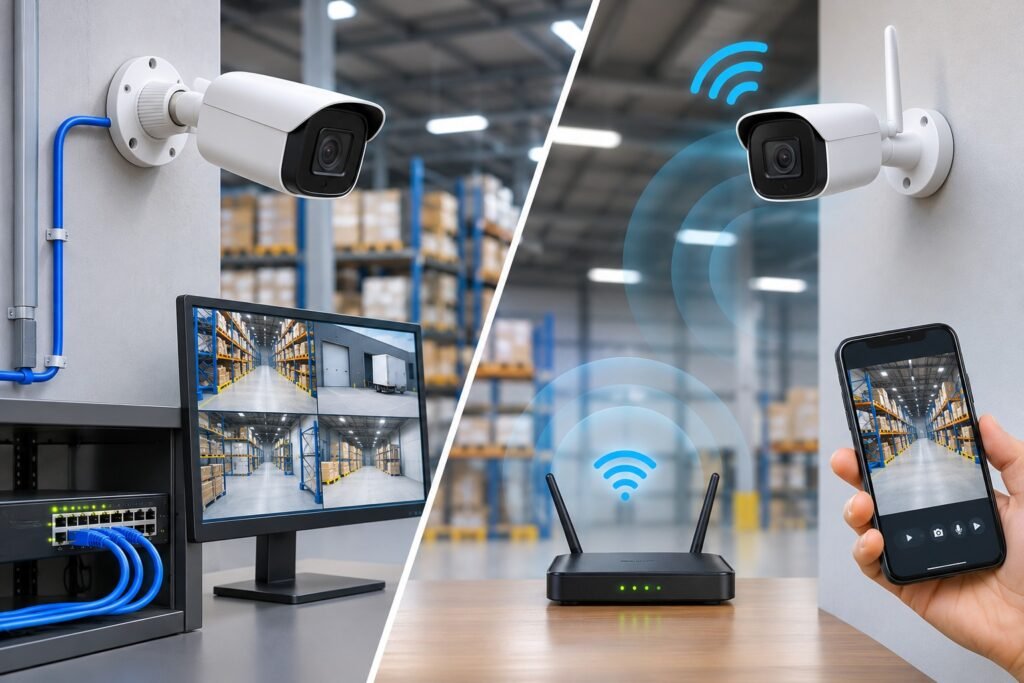
Network reliability is essential because security cameras must transmit useful footage when an incident occurs.
Wired cameras use Ethernet connections, which generally provide stable communication when cables, switches, and network equipment are installed correctly.
Wireless cameras depend on radio signals. Their performance can change because of distance, building materials, interference, and the number of connected devices.
For example, a camera installed near a router may work perfectly, while another camera positioned at the far end of a warehouse may experience weak connectivity.
A wired installation may therefore be a stronger choice for locations where uninterrupted video transmission is particularly important.
Wireless technology can still perform effectively when the network is properly designed and tested.
3. Video Quality and Recording Performance
Both wired and wireless IP cameras can support high-resolution video, including Full HD, 4MP, and 4K models.
However, resolution alone does not determine the quality of surveillance footage.
Other important factors include:
- Image sensor quality.
- Lens selection and field of view.
- Low-light performance.
- Wide Dynamic Range (WDR).
- Video compression.
- Available network bandwidth.
- Recording settings and frame rate.
Wired connections often make it easier to provide consistent bandwidth for high-resolution video streams, particularly when several cameras operate simultaneously.
Wireless cameras can also deliver detailed images, but network limitations may affect transmission quality or cause interruptions.
Businesses that require detailed footage for identifying people, monitoring transactions, or investigating incidents should test actual camera performance under real site conditions.
4. Power Supply and Backup Requirements
Power availability is another important consideration.
Most wired PoE cameras receive electricity through Ethernet cables connected to a compatible PoE switch or injector.
This simplifies power distribution because one cable can support both data and power.
For wireless cameras, power requirements vary by model.
Some use rechargeable batteries, while others connect to electrical outlets. Battery-powered cameras may require regular charging depending on recording activity, environmental conditions, and manufacturer specifications.
For both technologies, backup power should be considered.
A UPS can help maintain operation of important equipment, including:
- Network switches.
- Wireless access points.
- NVR devices.
- Routers.
- Other essential network components.
Remember that a camera may remain powered while its network equipment or recorder is unavailable. A complete backup plan should consider the entire surveillance system.
5. Security and Cybersecurity Considerations
Security is not only about preventing physical intrusion. Modern IP cameras also require protection against unauthorized network access.
Both wired and wireless IP camera systems connect to digital networks and may introduce cybersecurity risks if they are poorly configured.
Wireless cameras require particular attention to Wi-Fi security because video data travels through radio communication.
For a safer installation, follow these practices:
- Use strong and unique administrator passwords.
- Change default login credentials.
- Enable WPA2 or WPA3 security where supported.
- Keep camera firmware and network equipment updated.
- Disable unnecessary services and remote access features.
- Restrict camera access to authorized users.
- Use secure remote viewing methods.
- Consider placing surveillance devices on a separate network or VLAN.
- Review user permissions regularly.
The Federal Trade Commission’s camera security guidance provides useful recommendations for protecting connected surveillance devices.
For additional network security information, consult the Cybersecurity and Infrastructure Security Agency (CISA).
A secure wired installation is not automatically protected from cyberattacks. Proper configuration and ongoing maintenance are necessary for both technologies.
6. Installation Cost and Long-Term Expenses

The initial cost of a camera system is only one part of the overall investment.
A complete budget should include cameras, network equipment, recording devices, installation labour, storage, maintenance, and future expansion.
Wired Camera System Costs
Wired installations may require:
- Ethernet cables and connectors.
- PoE switches or injectors.
- Cable conduits and protective accessories.
- Professional installation.
- NVR equipment and storage drives.
The initial installation can cost more when extensive cable routing is required.
However, permanent wired infrastructure can provide long-term value for buildings that need continuous surveillance.
Wireless Camera System Costs
Wireless installations may reduce cable-related expenses, but additional costs can include:
- Wireless access points.
- Network upgrades.
- Battery replacements or charging equipment.
- Electrical connections.
- Cloud storage subscriptions, where applicable.
- Additional network coverage equipment.
The total cost depends on the camera models, property size, installation conditions, and recording requirements.
Instead of choosing a system based only on its initial price, compare its expected operating and maintenance costs over several years.
7. Which System Is Better for Large Commercial Properties?
Large commercial properties often require multiple cameras covering different areas.
Examples include:
- Office buildings.
- Shopping centres.
- Warehouses.
- Manufacturing facilities.
- Educational institutions.
- Hospitals.
- Hotels.
- Parking facilities.
These locations may require continuous recording, centralized monitoring, multiple user accounts, and reliable video storage.
A wired PoE installation is often a practical starting point for permanent commercial surveillance because it provides structured network connectivity and centralized power distribution.
Wireless cameras can also be useful for remote corners, temporary structures, and areas where cable installation is difficult.
The final design should consider network capacity, camera quantity, recording retention, access control, and future expansion.
8. Which System Is Better for Homes and Small Businesses?
Residential properties and small businesses often have different requirements from large commercial installations.
A homeowner may only need cameras at the front entrance, backyard, driveway, and main living areas.
A small shop may need to monitor its entrance, payment counter, storage room, and exterior surroundings.
Wireless cameras can be convenient for these smaller installations, especially when the existing Wi-Fi network provides strong coverage.
However, a wired PoE system may be more suitable when continuous recording, multiple cameras, and long-term reliability are priorities.
Before making a decision, identify the areas that need monitoring and determine whether the property can support permanent cabling.
9. Recording Storage: NVR, Local Storage, or Cloud?
Recording storage is an important part of every IP camera installation.
Wired and wireless cameras can use different recording methods depending on their specifications and compatibility.
Network Video Recorder (NVR)
An NVR receives video streams from compatible IP cameras and stores recordings on internal hard drives.
It can support centralized video management and allow authorized users to search and review recorded footage.
MicroSD Card Storage
Some cameras support local microSD card storage.
This can be useful for individual cameras, but storage capacity and recording duration depend on the card size, recording settings, and camera specifications.
Cloud Storage
Some manufacturers provide cloud-based recording services.
Cloud storage may allow remote access to footage, but it can involve subscription costs and depend on internet availability.
When selecting a storage solution, consider:
- Number of cameras.
- Video resolution.
- Recording frame rate.
- Continuous or motion-based recording.
- Required retention period.
- Available storage capacity.
- Backup and recovery requirements.
A suitable recording plan helps ensure that important footage remains available when needed.
10. Can Wired and Wireless IP Cameras Work Together?
Yes. Many modern surveillance installations can combine wired and wireless cameras in one system, provided the equipment and recording platform support the required compatibility.
This approach is commonly called a hybrid surveillance system.
For example, a business might install wired PoE cameras at its main entrances, reception desk, and warehouse while using wireless cameras in a detached storage area.
The advantages of a hybrid installation include:
- More flexible camera placement.
- Reduced cabling in difficult locations.
- Reliable wired connectivity for critical areas.
- Easier coverage of selected remote locations.
- Potentially simpler expansion.
Before combining different cameras, check compatibility with the NVR, network configuration, video standards, and management software.
The ONVIF official website provides information about interoperability standards for IP-based physical security products.
Compatibility should always be confirmed for the exact camera and recorder models rather than assumed from the manufacturer name alone.
11. Important Factors to Check Before Choosing Your System
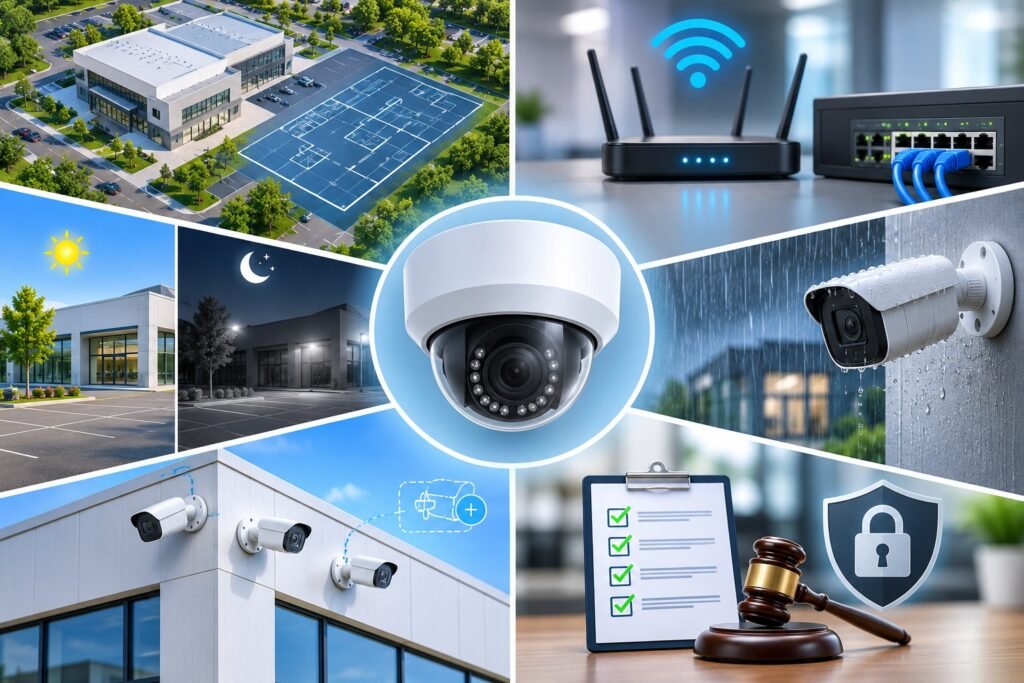
A successful CCTV installation starts with understanding the site rather than simply selecting cameras.
Consider the following factors before purchasing equipment.
Property Size and Layout
A small office may need only a few cameras, while a warehouse or industrial property may require a much larger installation.
Review building dimensions, entrances, outdoor areas, and potential cable routes.
Internet and Network Availability
Wireless cameras require suitable wireless coverage, while wired IP cameras require a properly designed Ethernet network.
Remember that local recording can continue during an internet outage if the equipment and configuration support it. Remote access, however, may become unavailable.
Lighting Conditions
Check the lighting conditions at each camera location.
Areas with low light may require infrared night vision, suitable image sensors, or additional lighting.
Environmental Protection
Outdoor cameras should have suitable weather protection.
Review the IP rating, operating temperature, mounting accessories, and resistance to dust and moisture.
Future Expansion
Think about whether you may need additional cameras in the future.
A properly designed network should provide sufficient switch ports, bandwidth, storage, and wireless coverage for expected expansion.
Privacy and Legal Requirements
Cameras should monitor legitimate security areas while respecting the privacy of employees, visitors, customers, and neighbours.
Consider access restrictions, recording retention, and applicable local surveillance requirements before installation.
12. Common Mistakes to Avoid When Selecting IP Cameras
Choosing the wrong surveillance equipment can create unnecessary costs and coverage gaps.
Avoid these common mistakes:
Choosing Cameras Without a Site Survey
Purchasing cameras before reviewing the property can lead to blind spots, poor viewing angles, and unnecessary equipment expenses.
Ignoring Wi-Fi Signal Strength
A wireless camera may disconnect frequently if its installation location has weak network coverage.
Selecting Resolution Without Considering Storage
Higher-resolution recording can require additional bandwidth and storage capacity. Make sure your NVR and hard drives can support the planned configuration.
Ignoring Power Backup
A camera system without appropriate backup arrangements may stop operating during electricity interruptions.
Overlooking Cybersecurity
Default passwords, outdated firmware, and unrestricted remote access can expose connected surveillance devices to unnecessary risks.
Choosing Equipment Without Checking Compatibility
Confirm that cameras, NVRs, switches, and management software work together before purchasing.
A professional installation plan can help prevent these problems and improve long-term system performance.
Conclusion: Which IP Camera System Fits Your Site?
Selecting between wired and wireless surveillance technology depends on your property’s requirements, installation conditions, and security priorities.
Wired cameras are generally a strong choice for permanent installations that require stable network connectivity, centralized recording, and continuous operation. They are particularly suitable for offices, warehouses, commercial buildings, and larger properties.
Wireless cameras offer greater installation flexibility and can be useful for small businesses, homes, rented properties, and locations where running network cables is difficult.
For some properties, a hybrid solution may provide the most practical balance between reliability and flexibility.
Before making your final decision, evaluate camera placement, network coverage, power availability, storage requirements, cybersecurity, and future expansion.
A carefully planned wired vs wireless IP camera system should do more than provide live video. It should deliver dependable surveillance, useful recordings, and long-term value for your site.
If you are planning a new CCTV installation or upgrading an existing surveillance network, consult experienced security professionals to assess your site and recommend suitable equipment.
Explore available surveillance solutions at Kigali Smart Solutions to learn more about IP camera options for different security applications.
Frequently Asked Questions (FAQs)
1. Are wired IP cameras better than wireless IP cameras?
Wired IP cameras are generally preferable for permanent installations that require stable connectivity, centralized recording, and continuous operation. Wireless cameras are useful where flexible placement and reduced network cabling are priorities.
2. Do wireless IP cameras need an internet connection?
Not necessarily. Some wireless cameras can communicate with a local network and compatible recording equipment without an active internet connection. However, remote viewing and cloud services usually require internet access.
3. Can wireless IP cameras record continuously?
Yes, some wireless cameras support continuous recording when connected to a suitable power source and compatible storage system. Battery-powered models may use motion-based recording to conserve battery life.
4. How far can a wireless IP camera connect to Wi-Fi?
There is no universal distance. Wireless range depends on the router, antenna design, frequency band, building materials, interference, and environmental conditions. Test signal strength at the actual installation location.
5. Do wired IP cameras work during an internet outage?
They can continue recording locally if the cameras, network equipment, and NVR remain powered and the system is configured for local recording. Internet-based remote viewing may become unavailable.
6. Can I use wired and wireless cameras with one NVR?
Yes, provided the NVR supports the specific cameras and their connection methods. Check the manufacturer’s compatibility information before purchasing.
7. Which IP camera system is suitable for a warehouse?
Wired PoE cameras are often a suitable option for warehouses because they can support permanent camera locations, centralized recording, and dependable network connectivity. Wireless cameras may supplement coverage in difficult-to-cable areas.
8. Is a wireless camera system cheaper to install?
It can be cheaper when it avoids extensive network cabling. However, wireless access points, batteries, power connections, and cloud storage can add expenses. Compare the total installation and operating costs before deciding.
9. What is PoE in an IP camera system?
Power over Ethernet (PoE) is a technology that delivers electrical power and network data through a single compatible Ethernet cable. It simplifies installation and reduces the need for separate camera power connections.
10. What should I consider before installing IP cameras?
Review your property layout, camera positions, image quality, lighting, network coverage, recording storage, power backup, cybersecurity, and future expansion requirements. A professional site assessment can help you select the right equipment.