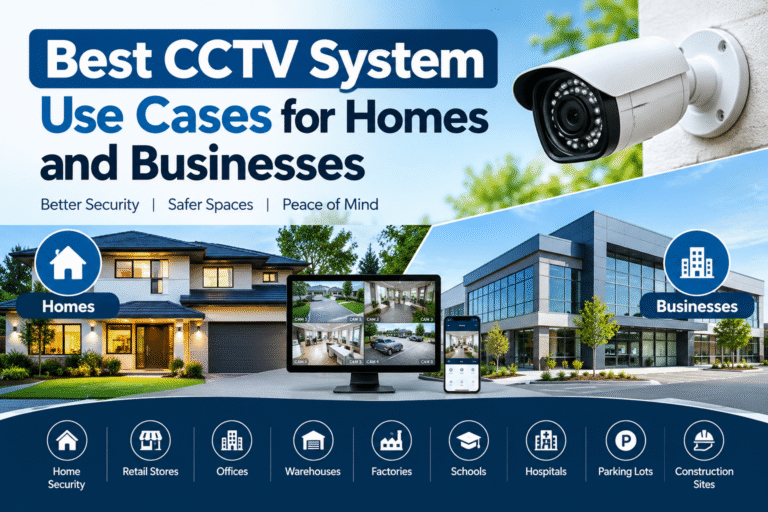
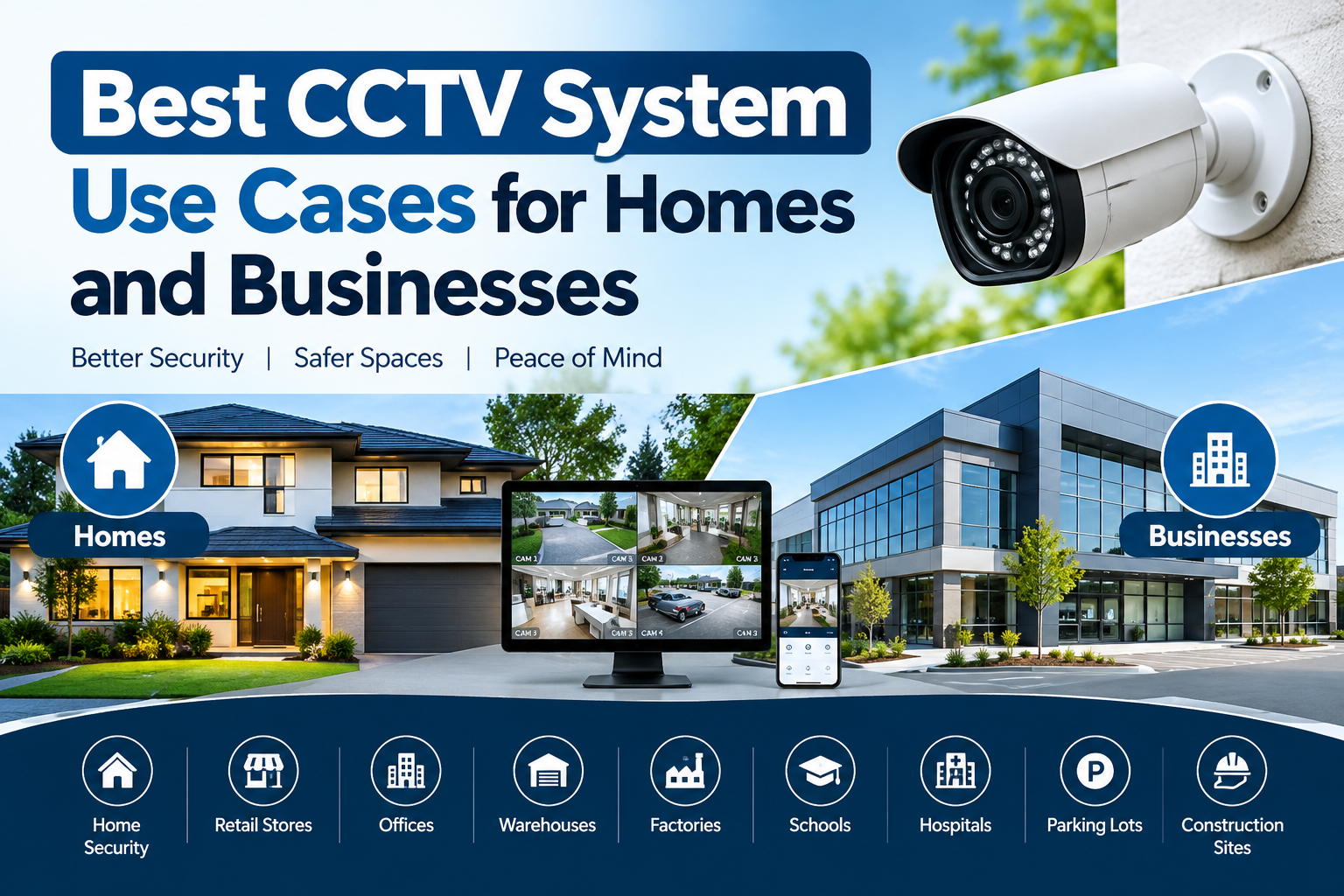
Best CCTV System Use Cases for Homes and Businesses
Introduction
Security has become an important concern for homeowners, business owners, retailers, office managers, and property developers. Protecting people, valuable assets, confidential information, and physical property requires a reliable security strategy. One of the most practical tools for improving visibility and monitoring activities is a closed-circuit television (CCTV) system.
Modern CCTV technology offers much more than basic video recording. Depending on the equipment selected, users can monitor live footage, receive motion alerts, review recorded incidents, access cameras remotely, and integrate surveillance with other security devices. These capabilities make CCTV useful for residential properties, commercial buildings, warehouses, educational institutions, and many other environments.
Understanding the best CCTV system use cases helps property owners select equipment that addresses their actual security needs instead of spending money on unnecessary features. A small home may need only a few cameras covering entrances and outdoor areas, while a large commercial facility may require multiple cameras, network video recorders, access controls, and centralized monitoring.
In this guide, we explore the most valuable CCTV applications for homes and businesses, explain which features matter for different environments, and share practical advice for choosing and maintaining a reliable surveillance system.
What Is a CCTV System?
A CCTV system is a video surveillance solution that captures images from cameras and makes them available for live viewing, recording, or later playback. Depending on its design, the system may use wired connections, wireless networking, digital video recorders (DVRs), network video recorders (NVRs), or cloud-based storage.
A typical CCTV installation includes:
- Security cameras: Capture video from selected locations.
- Recording equipment: Stores footage for later review.
- Storage: Uses hard drives, memory cards, or supported cloud services.
- Monitoring devices: Allow authorized users to view live or recorded footage.
- Network connectivity: Supports remote access and connected features where available.
- Power equipment: Supplies electricity to cameras and recording devices.
The right configuration depends on the property’s layout, lighting, network conditions, security risks, and recording requirements.
For general background on residential surveillance, read the U.S. Federal Trade Commission’s guide to home security cameras.
1. CCTV System Use Cases for Homes
Residential surveillance helps homeowners monitor access points, observe outdoor activity, and review incidents when they are away from their properties. The most effective installation focuses on areas where monitoring provides a clear security benefit.
Front Doors and Main Entrances
The front entrance is one of the most useful places for a residential camera. It allows homeowners to see visitors, monitor deliveries, and review activity around the doorway.
A camera with suitable resolution and a wide field of view can capture useful details about people approaching the entrance. Video doorbells may also offer two-way audio and visitor notifications, depending on the model.
Recommended features:
- Clear daytime video
- Infrared or low-light night vision
- Motion detection
- Remote viewing through a secure application
- Weather resistance for outdoor installation
Position the camera to capture the approach to the door without unnecessarily recording neighboring properties.
Backyards, Gardens, and Outdoor Spaces
Backyards, side passages, garden entrances, and detached storage areas can contain security blind spots. Outdoor CCTV cameras help homeowners observe these locations and identify unusual activity.
Weather-resistant cameras are particularly useful where equipment is exposed to rain, dust, heat, or changing outdoor conditions.
Motion detection can reduce unnecessary notifications, while infrared illumination can support nighttime monitoring. Security lighting may further improve image quality and visibility.
Garages, Driveways, and Vehicle Parking
Vehicles, bicycles, tools, and other valuable possessions are often stored in garages or driveways. Cameras can help owners monitor vehicle access, observe suspicious activity, and review incidents involving property damage.
When selecting a camera for these areas, consider its field of view, nighttime performance, and ability to capture useful details at the expected distance.
If vehicle identification is important, ordinary wide-angle footage may not be sufficient. Camera placement and resolution should be planned specifically for the required level of detail.
Monitoring Deliveries and Visitors
Online shopping has made parcel deliveries part of everyday life. A camera covering the entrance can help homeowners check whether a package arrived and review activity around the delivery location.
When combined with a compatible smart doorbell, the system may allow a homeowner to communicate with a visitor remotely.
However, video monitoring cannot guarantee that a parcel will remain secure. A locked delivery box or another appropriate delivery arrangement may provide additional protection.
Monitoring Pets and Shared Living Areas
Indoor cameras can help residents check on pets while they are away. They may also provide visibility into common areas such as living rooms or entry halls.
Pet owners should choose camera features according to their actual needs. Two-way audio, motion alerts, and remote access may be helpful, but they are not essential for every household.
Indoor cameras should be positioned carefully to respect the privacy of family members, guests, and domestic workers. Bedrooms, bathrooms, and other private spaces should not be treated as routine surveillance locations.
Holiday Homes and Vacant Properties
Properties that remain empty for extended periods can benefit from remote surveillance. Cameras may help owners check entrances, garages, exterior areas, and other important locations while traveling.
Remote monitoring is especially useful when the system provides secure mobile access and reliable notifications. Nevertheless, cameras depend on suitable power, connectivity, and storage arrangements.
For vacant properties, consider combining CCTV with strong locks, exterior lighting, door sensors, and periodic physical inspections.
2. CCTV System Use Cases for Businesses
Commercial properties often face different security challenges from residential buildings. Businesses may need to protect stock, equipment, cash-handling areas, staff, customers, and operational spaces.
The following applications demonstrate how surveillance can support everyday business operations.
Retail Stores and Shopping Centers
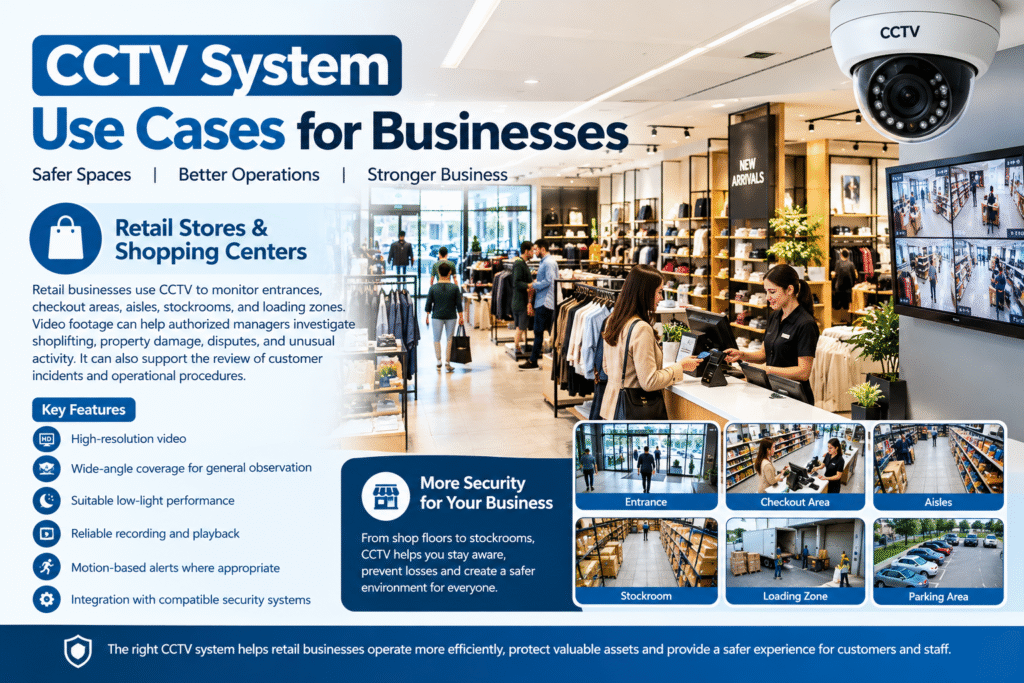
Retail businesses use CCTV to monitor entrances, checkout areas, aisles, stockrooms, and loading zones.
Video footage can help authorized managers investigate suspected shoplifting, property damage, disputes, and unusual activity. It can also support the review of customer incidents and operational procedures.
Useful features include:
- High-resolution video
- Wide-angle coverage for general observation
- Suitable low-light performance
- Reliable recording and playback
- Motion-based alerts where appropriate
- Integration with compatible security systems
Large shops may require several cameras because one camera rarely provides detailed coverage of every aisle and checkout point.
Retailers should also ensure that camera placement and recording practices respect employee and customer privacy.
Offices and Corporate Buildings
Offices may contain computers, documents, valuable equipment, and confidential business information. CCTV can help monitor entrances, reception areas, corridors, parking facilities, and selected equipment rooms.
A properly designed system allows authorized security personnel to review access-related incidents and identify gaps in physical security.
For multi-floor offices, network cameras connected to a centralized NVR can make monitoring easier. Remote access may help authorized managers oversee multiple locations without needing to be physically present at every site.
CCTV should complement, rather than replace, access control, visitor management, cybersecurity, and appropriate workplace policies.
Warehouses and Storage Facilities
Warehouses frequently contain large quantities of inventory, expensive machinery, and goods awaiting dispatch. Their size and layout can make continuous visual monitoring challenging.
Cameras can help monitor loading docks, storage aisles, perimeter fences, vehicle entrances, and inventory-handling areas.
A warehouse installation should account for long viewing distances, high ceilings, changing light levels, dust, and possible obstructions caused by shelving or stacked goods.
Depending on the environment, businesses may benefit from fixed cameras for continuous coverage and selected cameras with specialized lenses for longer distances.
Recording capacity is particularly important because large facilities may generate substantial amounts of video every day.
Factories and Manufacturing Facilities
Manufacturing sites use CCTV to observe production areas, equipment rooms, access points, and material-handling zones.
Footage may assist supervisors when reviewing equipment incidents, unauthorized access, or unexpected interruptions in production. It can also help identify physical conditions surrounding an event.
However, video surveillance should not be considered a substitute for machine guards, emergency stops, safety training, or required protective equipment.
Cameras installed in industrial environments must also be appropriate for the temperature, dust, vibration, moisture, and other conditions present at the site.
Restaurants, Cafés, and Hotels
Hospitality businesses serve customers throughout the day and may operate late into the evening. CCTV can provide useful visibility around entrances, reception desks, payment counters, storage rooms, delivery areas, and parking facilities.
In restaurants, cameras may help managers review property damage, unauthorized access, and incidents involving equipment or stock.
Hotels may use surveillance in suitable public and operational areas, including entrances and reception spaces. Private guest rooms and bathrooms must remain private.
The objective should be to monitor relevant security areas without collecting more personal information than necessary.
Schools, Colleges, and Educational Institutions
Educational institutions need to manage access, protect facilities, and respond appropriately to security incidents. CCTV may support monitoring at gates, reception areas, corridors, parking facilities, and selected common spaces.
When planning surveillance for a school, administrators should balance safety objectives with the privacy and dignity of students, staff, and visitors.
Camera placement should follow applicable laws and institutional policies. Access to footage should be restricted, and retention periods should be defined in advance.
CCTV alone cannot guarantee student safety. It should form part of a broader safeguarding and emergency-response strategy.
Hospitals and Healthcare Facilities
Hospitals and clinics may use CCTV to monitor entrances, reception areas, parking facilities, supply rooms, and other appropriate public or operational spaces.
Surveillance can assist with investigating unauthorized access, property loss, and incidents affecting facilities or equipment.
Healthcare environments require particular attention to confidentiality. Cameras should not expose sensitive patient information or routinely record private treatment and consultation areas.
Authorized personnel should have clearly defined access to footage, with appropriate security controls and retention practices.
Parking Lots and Commercial Garages
Parking facilities often include entrances, exits, pedestrian routes, payment areas, and vehicle parking spaces.
CCTV can help operators review collisions, vandalism, unauthorized entry, and other reported incidents.
For this application, cameras must be selected according to viewing distance, lighting, and the details that need to be captured. A camera that provides a useful overview of an entire parking lot may not capture a readable vehicle registration plate.
Where vehicle identification is a specific requirement, dedicated license plate recognition equipment may be more appropriate.
Construction Sites
Construction sites can contain expensive tools, machinery, building materials, and temporary storage facilities. They may also remain unattended outside working hours.
Cameras can help site managers monitor access gates, equipment storage areas, material delivery points, and the perimeter.
Depending on site conditions, temporary or solar-powered surveillance solutions may be worth considering. The installer should evaluate power availability, network coverage, mounting options, weather exposure, and the possibility of equipment being moved or damaged.
Surveillance should be combined with secure storage, access procedures, suitable lighting, and physical barriers.
3. CCTV for Small Businesses and Home-Based Offices
Small businesses do not always need a complex surveillance installation. A carefully planned system with a limited number of cameras may provide useful coverage at a reasonable cost.
For example, a home-based office might need cameras covering its external entrance, driveway, and equipment storage area. A small shop may prioritize the front entrance, checkout counter, and stockroom.
The key is to identify the most important risks before choosing equipment.
Small business owners should consider whether they need continuous recording, remote viewing, motion alerts, or longer retention periods. They should also check whether the recorder and cameras can be expanded if the business grows.
Choosing a system based on actual requirements helps avoid unnecessary spending while preserving opportunities for future upgrades.
4. Choosing the Right CCTV Technology for Each Use Case
Different environments require different camera types. The most expensive camera is not necessarily the best choice for every location.
Dome Cameras
Dome cameras are commonly used indoors in offices, shops, reception areas, and corridors. Their compact design can suit locations where a discreet installation is preferred.
Some models provide vandal-resistant housings, making them useful in selected public-facing environments.
Bullet Cameras
Bullet cameras are often installed outdoors to monitor entrances, building perimeters, parking areas, and driveways.
Their visible shape can make the direction of surveillance more apparent. Weather-resistant models are suitable for outdoor environments when installed according to the manufacturer’s specifications.
PTZ Cameras
Pan-tilt-zoom cameras can move horizontally and vertically and zoom into selected areas. They may be useful for large facilities, yards, and locations where operators need to inspect multiple areas.
However, a PTZ camera cannot continuously view every direction at once. Fixed cameras may still be necessary to maintain uninterrupted coverage of critical points.
IP Cameras
Internet Protocol cameras transmit video over a network and are widely used in residential and commercial installations.
They can support high-resolution video, remote viewing, and integration with compatible NVR equipment. Their performance depends on network capacity, device compatibility, and correct configuration.
Wireless Cameras
Wireless cameras can reduce the need for video cabling, making them useful in some homes, rental properties, and smaller installations.
However, wireless does not always mean wire-free. Some models still require a power cable, and battery-powered models need charging or battery replacement.
Before installation, assess Wi-Fi coverage, interference, battery life, and what happens if the internet connection becomes unavailable.
5. Important Features to Consider Before Installation
Selecting the right equipment requires more than comparing camera prices.
Image resolution: Choose a resolution appropriate for the distance and level of detail required. A higher resolution can improve detail, but lens quality, lighting, and positioning also matter.
Night vision: Infrared or low-light capabilities can improve visibility in dark areas. Test nighttime performance in the actual environment whenever possible.
Weather protection: Outdoor cameras should have suitable protection against rain, dust, and expected temperatures.
Storage capacity: Estimate how many days of footage must be retained, how many cameras will record, and the expected recording quality.
Motion detection: Motion-based recording or alerts can reduce unnecessary activity notifications and storage use, depending on configuration.
Remote monitoring: Check whether the system offers secure access through an application or web interface.
Backup and reliability: Consider backup power, recording continuity, and how the system behaves during network or power interruptions.
Scalability: Businesses expecting to expand should consider whether additional cameras, storage, or monitoring stations can be added later.
For additional information on protecting connected cameras, consult the FTC’s home security camera recommendations.
6. CCTV Privacy, Cybersecurity, and Responsible Use
A surveillance system should protect property without unnecessarily compromising other people’s privacy.
Before installing cameras, determine the purpose of each device and avoid recording areas where people reasonably expect privacy. Where necessary, use privacy masking, restricted camera angles, and appropriate signage.
Business owners should define who can access recordings, how footage is shared, and how long it is retained. Requirements differ by country and sometimes by industry, so check the applicable local rules.
Internet-connected cameras also require cybersecurity protection. Change default passwords, use unique and strong credentials, enable two-factor authentication when available, and install firmware updates.
Restrict remote access to authorized users and secure the network to which cameras are connected.
The UK government’s domestic CCTV guidance provides a useful reference for privacy considerations. Businesses can also consult the Information Commissioner’s Office CCTV guidance. These are UK-specific resources; other jurisdictions may impose different requirements.
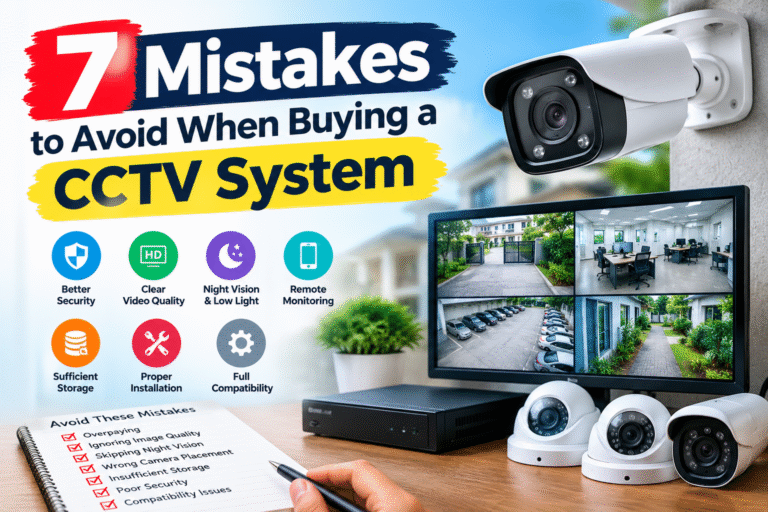
7. Common CCTV Installation Mistakes to Avoid
Even good equipment can perform poorly when the system is not planned properly.
Common mistakes include:
- Installing cameras without assessing blind spots.
- Pointing outdoor cameras toward bright lights that cause glare.
- Choosing insufficient storage capacity.
- Ignoring nighttime lighting conditions.
- Using weak passwords or leaving default credentials unchanged.
- Failing to test recorded footage after installation.
- Placing cameras where furniture, shelving, or vegetation blocks the view.
- Recording private areas unnecessarily.
- Neglecting routine maintenance and software updates.
A professional site assessment can help identify these problems before installation. After setup, test each camera during both daytime and nighttime conditions and verify that recording and playback work correctly.
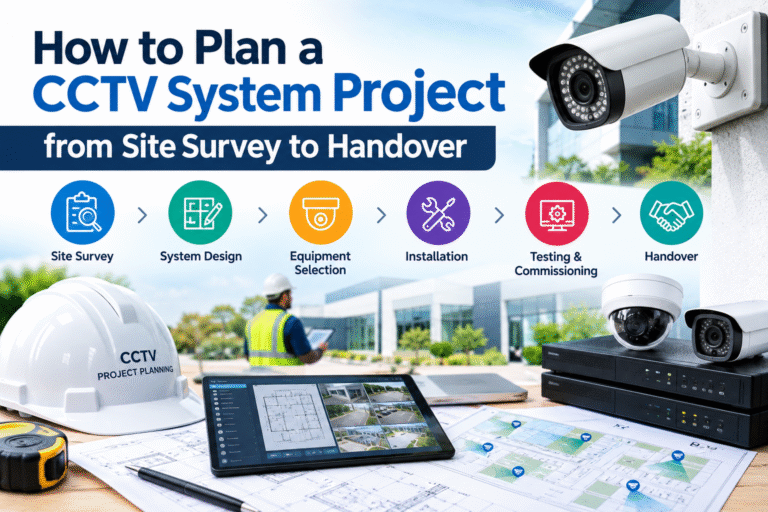
8. How to Build a CCTV Plan for Your Property
A practical surveillance plan begins with the risks that matter most.
Step 1: Identify priority areas. List entrances, exits, parking areas, storage spaces, and any locations with a history of security incidents.
Step 2: Define the purpose of each camera. Decide whether you need a general overview, identification of people, vehicle monitoring, or observation of a specific process.
Step 3: Select suitable equipment. Compare camera types, resolution, low-light performance, weather resistance, and compatibility with recording equipment.
Step 4: Calculate storage needs. Estimate the number of cameras, recording hours, desired retention period, and video settings.
Step 5: Plan privacy and access controls. Determine which areas can be recorded, who may view footage, and how recordings will be protected.
Step 6: Test the completed installation. Confirm camera coverage, remote access, recording, playback, alerts, and backup arrangements.
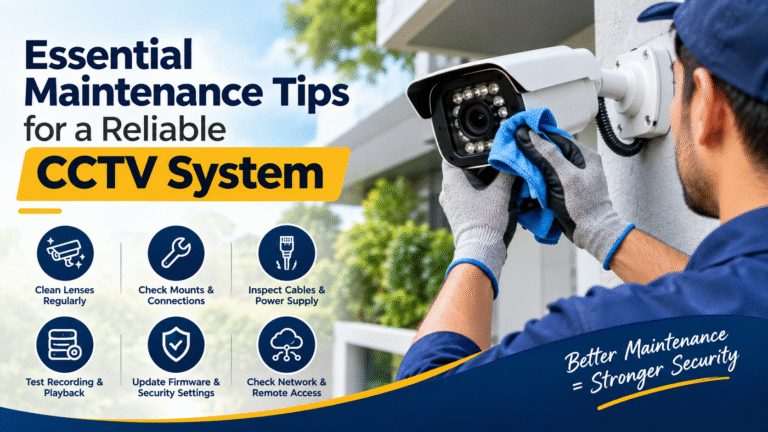
Step 7: Schedule maintenance. Inspect lenses, clean camera housings, review recording status, and update software as needed.
This process helps ensure that the system serves a defined purpose rather than simply adding cameras without a clear security strategy.
Conclusion
CCTV surveillance can support a wide range of residential and commercial security requirements. Homes may benefit from monitoring entrances, driveways, gardens, and vacant properties, while businesses can use cameras in retail stores, offices, warehouses, factories, schools, healthcare facilities, and parking areas.
The most suitable solution depends on the property’s layout, security priorities, lighting, storage requirements, and privacy obligations. Careful planning is usually more valuable than simply purchasing the largest number of cameras.
By understanding the best CCTV system use cases, property owners can make informed decisions, improve visibility, and build a surveillance solution that supports their wider security strategy.
Whether you are protecting a family home or managing a commercial facility, prioritize reliable recording, appropriate camera placement, secure remote access, and regular maintenance. A properly planned CCTV system can become a valuable part of a comprehensive security setup.