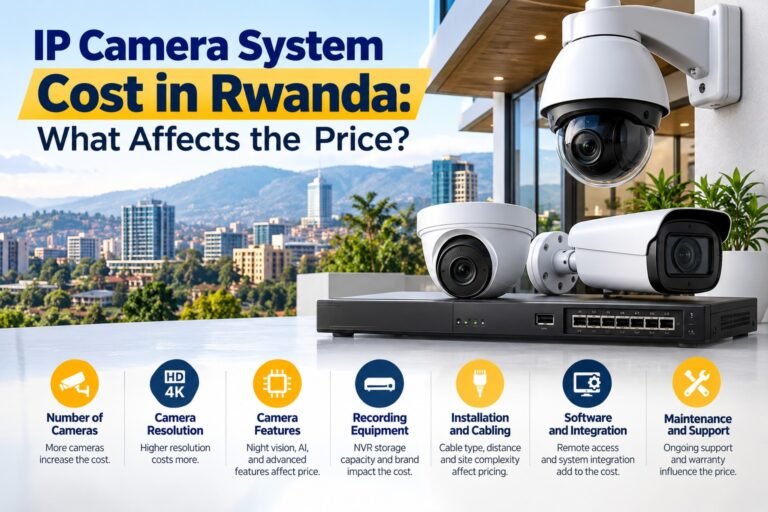
How to Choose the Right IP Camera System in Rwanda
Choosing the right security solution is an important decision for homeowners, shop owners, offices, hotels, warehouses, schools, and other businesses. A reliable surveillance system can help monitor important areas, record incidents, protect property, and improve day-to-day security. However, not every camera system provides the same image quality, storage capacity, reliability, or remote access features.
If you are planning to install an IP camera system in Rwanda, it is important to understand how camera resolution, network connectivity, night vision, recording equipment, weather protection, and cybersecurity affect overall performance. The right solution should match your property’s layout, security requirements, available budget, and plans for future expansion.
Rwanda’s varied site conditions also deserve attention. A small retail shop in Kigali may need a different setup from a large warehouse, residential property, hotel, or outdoor commercial facility. Factors such as lighting, rain exposure, internet availability, and power reliability can influence equipment selection and installation decisions.
This guide explains how to compare different options, identify essential specifications, avoid common purchasing mistakes, and select a practical surveillance solution for your property.
1. Understand What an IP Camera System Is
An Internet Protocol (IP) camera captures video and transmits it over a network. Depending on the design, video can be recorded on a Network Video Recorder (NVR), stored on a compatible server, saved on a memory card, or accessed through an approved cloud service.
Unlike traditional analogue CCTV systems, IP surveillance equipment can support high-resolution video, network-based management, remote viewing, motion detection, and integration with compatible security technologies.
A typical system includes:
- IP cameras positioned at important monitoring points.
- An NVR or another suitable recording solution.
- Network switches and Ethernet cables where required.
- A router or other network equipment for remote access.
- Hard drives or another suitable storage medium.
- Power supplies or Power over Ethernet (PoE) equipment.
- Monitoring screens and authorised viewing devices.
The exact configuration depends on the number of cameras, recording requirements, site layout, and network infrastructure.
For example, a small shop may need only a few cameras covering its entrance, checkout counter, and stockroom. A larger business may require multiple cameras, centralised recording, separate network equipment, and carefully controlled access for different employees.
Understanding these components before requesting a quotation helps you compare complete systems rather than judging products by camera prices alone.
2. Assess Your Property and Security Requirements
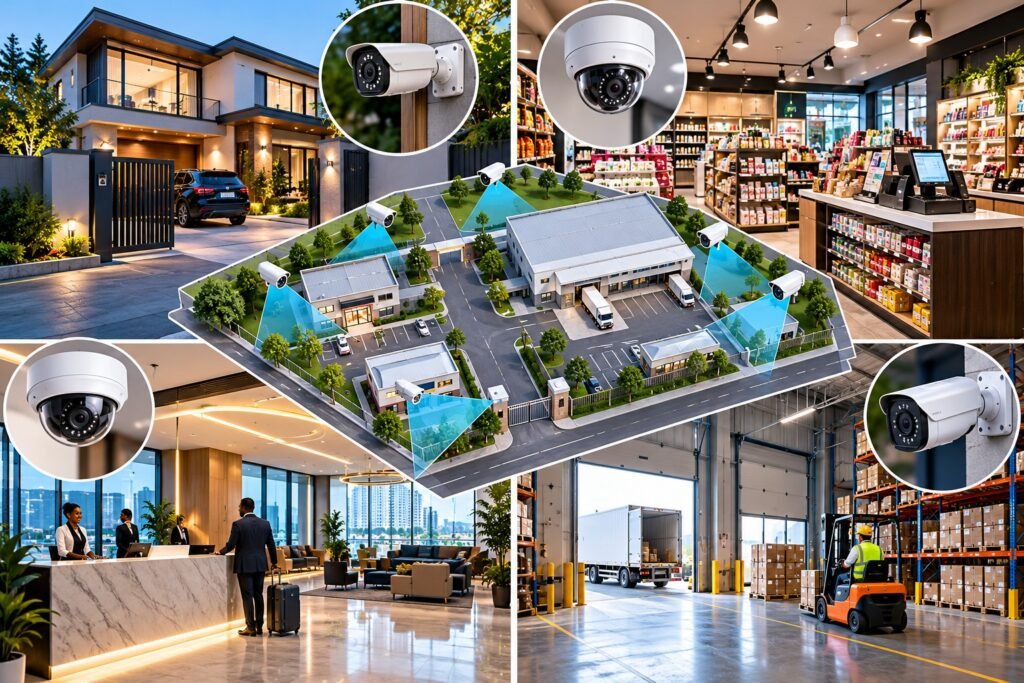
Before comparing brands or technical specifications, identify what you need the cameras to accomplish. This is one of the most important steps when selecting an IP camera system in Rwanda because the correct equipment depends on the environment in which it will operate.
Residential properties
Homeowners may want to monitor gates, entrances, driveways, garages, gardens, and other legitimate security areas. Outdoor cameras should be selected according to their exposure to rain, dust, sunlight, and other environmental conditions.
Indoor cameras may be suitable for entrances, shared living areas, or other appropriate locations. Their positioning should respect the privacy of family members, visitors, domestic workers, and neighbours.
Shops and retail businesses
Retailers often benefit from cameras covering entrances, checkout counters, shelves containing valuable products, storage rooms, and delivery areas.
Image clarity is especially important where footage may need to show transactions, movements, or details of an incident. Camera placement should minimise blind spots and avoid excessive glare from shop windows or lighting fixtures.
Offices, hotels, and commercial buildings
Offices and hotels may require surveillance at entrances, reception desks, corridors, parking areas, and selected service zones.
A larger property may benefit from centralised monitoring, different user permissions, and a recording solution that supports multiple cameras. Any monitoring of employees, guests, or visitors should be proportionate to a legitimate security purpose.
Warehouses and industrial facilities
Warehouses often have large open spaces, loading bays, storage aisles, and external boundaries. Camera selection should consider the distance between the camera and the area being monitored.
Wide-angle coverage can help observe general activity, while narrower views may be necessary for specific entrances or operational areas. High mounting positions can also affect the amount of detail visible in recorded footage.
Create a site map and mark the areas that require monitoring before deciding how many cameras to purchase.
3. Choose the Appropriate Camera Resolution
Resolution describes the number of pixels used to create a video image. Higher resolution can provide more detail, but it does not automatically guarantee better surveillance results.
Common IP camera resolutions include:
- 2MP (1080p): Suitable for many basic monitoring requirements.
- 4MP: Offers additional detail for entrances, counters, and selected business areas.
- 5MP: Can provide more image detail where the camera and recording setup support it.
- 8MP (4K): May be useful for larger scenes or situations requiring greater detail.
The best resolution depends on the monitoring distance, lens, lighting, camera position, compression settings, and the level of detail required.
For example, a camera monitoring a small office entrance may not need the same resolution as one observing a large parking area. In a wide outdoor scene, even a high-resolution camera may fail to capture useful facial details if the subject is too far away.
Consider the actual purpose of each camera instead of purchasing the highest resolution available for every location.
Also check whether the NVR supports the selected camera resolution and recording frame rate. Network bandwidth and storage requirements generally increase when recording more detailed video.
4. Check Night Vision and Low-Light Performance
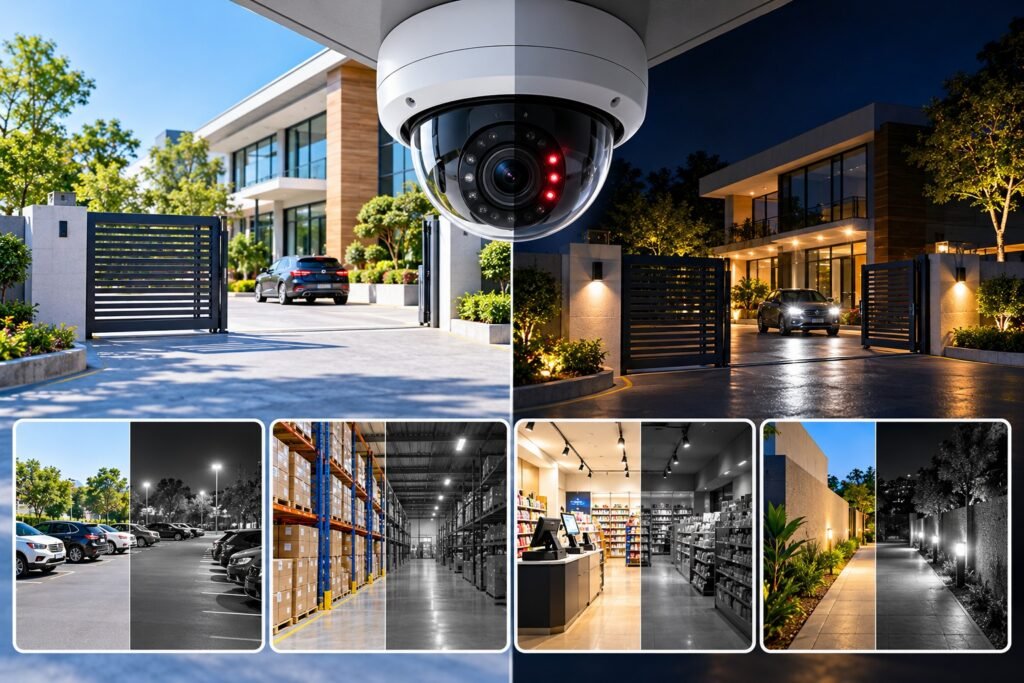
Security incidents can occur outside normal business hours, so night-time performance is an important consideration.
Many cameras use infrared (IR) illumination to capture monochrome images in low-light or dark conditions. Other models use specialised low-light sensors, visible-light illumination, or technologies designed to preserve colour under suitable lighting conditions.
When comparing products, review the following features:
- Infrared illumination range.
- Low-light sensitivity.
- Wide Dynamic Range (WDR).
- Image noise reduction.
- Performance in complete darkness.
- White-light illumination, if available.
- Exposure control and backlight compensation.
Infrared range should not be treated as a guarantee of identification at a particular distance. Results depend on the lens, scene, reflective surfaces, subject movement, and surrounding conditions.
For example, a camera installed near a gate may perform differently when facing a reflective vehicle, a bright security light, or a dark outdoor area.
Ask the installer to demonstrate actual day and night footage from the proposed model, preferably in lighting conditions similar to your property.
5. Select the Right Camera Type
Different camera designs suit different installation environments. Selecting the correct type can improve coverage and reduce unnecessary costs.
Bullet cameras
Bullet cameras have a visible, elongated housing and are commonly used for outdoor monitoring, entrances, boundary areas, and building exteriors.
Their shape can make the monitoring direction obvious to visitors. Select an appropriate weather-resistant model for exposed locations.
Dome cameras
Dome cameras are often used in shops, offices, corridors, reception areas, and other indoor environments. Depending on their design, they may also be suitable for outdoor installation.
Check whether the specific model has suitable protection against weather or physical impact where required.
Turret cameras
Turret cameras provide an adjustable mounting design and are frequently used for indoor and outdoor surveillance. They can be a practical choice when flexible positioning and infrared performance are important.
PTZ cameras
Pan-Tilt-Zoom cameras allow authorised operators to change the viewing direction and zoom in remotely. They can be useful for large sites, provided someone can operate them or an appropriate monitoring strategy is in place.
A PTZ camera does not continuously observe every direction at once. For critical areas, fixed cameras may still be necessary to provide uninterrupted coverage.
Choose each camera type according to the specific area being monitored, rather than using the same model everywhere.
6. Evaluate Outdoor Protection for Rwanda’s Conditions
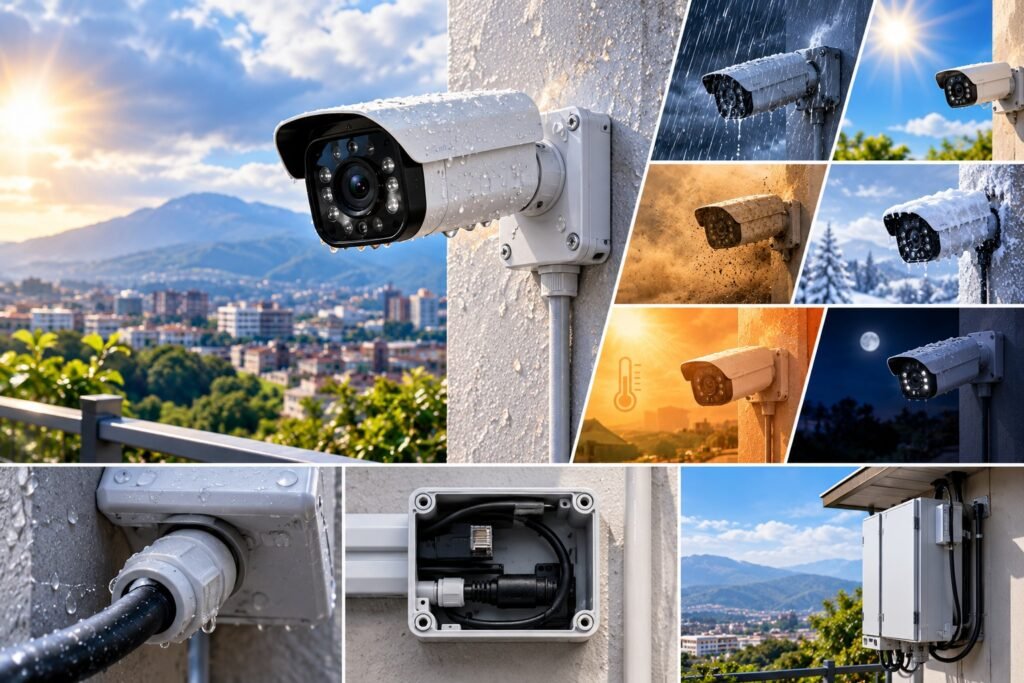
Outdoor surveillance equipment must be suitable for the conditions at its installation point. Rain, dust, humidity, sunlight, heat, and installation quality can all affect long-term reliability.
When choosing an IP camera system in Rwanda, examine the environmental ratings of the exact camera model and its accessories.
Understand IP ratings
Ingress Protection (IP) ratings describe an enclosure’s protection against solid particles and water under specified testing conditions.
For example:
- IP65: Provides dust protection and protection against water jets under the applicable test conditions.
- IP66: Provides dust protection and protection against powerful water jets.
- IP67: Provides dust protection and protection against temporary immersion under specified conditions.
An IP rating does not automatically establish resistance to every environmental hazard. It does not, by itself, guarantee protection against corrosion, lightning, electrical surges, vandalism, or prolonged exposure to direct sunlight.
For outdoor installations, check the manufacturer’s operating temperature limits, mounting instructions, cable-entry requirements, and any additional environmental certifications.
Weatherproof cameras also need appropriate installation. Poorly sealed cable connections, unsuitable junction boxes, and exposed network equipment can create vulnerabilities even when the camera itself has a suitable rating.
7. Decide Between Wired PoE and Wi-Fi Cameras
Connectivity affects video reliability, installation complexity, and ongoing maintenance.
Wired Power over Ethernet (PoE)
PoE allows compatible network equipment to carry data and electrical power over one Ethernet cable.
Potential benefits include:
- A stable network connection.
- Reduced need for separate camera power adapters.
- Centralised power management.
- Suitability for multi-camera installations.
- Easier integration with compatible PoE switches and NVRs.
However, the installer must consider cable distance limits, cable quality, power budgets, routing, and protection against electrical hazards.
Wi-Fi IP cameras
Wi-Fi cameras can be convenient where running Ethernet cable is difficult. Some models use a separate power adapter, while others operate using batteries.
Their performance depends on wireless coverage, interference, network capacity, and power availability. A weak Wi-Fi signal may cause delayed viewing, interrupted recordings, or reduced video quality.
Battery-powered models also need a charging or battery-replacement plan.
For offices, warehouses, and other locations where consistent recording is important, wired connectivity is often worth considering. Wi-Fi may still be suitable for smaller properties or specific locations.
The final choice should reflect the site’s infrastructure and the importance of uninterrupted monitoring.
8. Choose the Right NVR and Storage Capacity
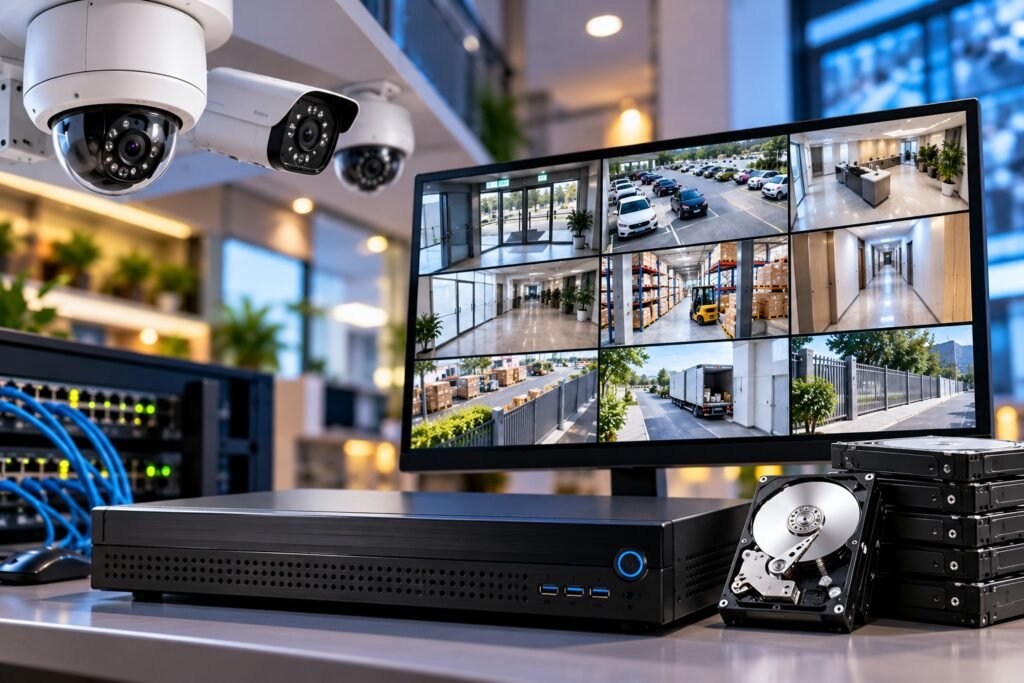
A surveillance camera is only one part of the system. You must also ensure that video can be recorded and retained for an appropriate period.
An NVR receives and records video from compatible network cameras. Before purchasing one, verify the supported number of cameras, recording resolution, incoming bandwidth, storage capacity, and compatibility with the proposed equipment.
Estimate your storage requirements
Storage depends on several factors:
- Number of cameras.
- Resolution and frame rate.
- Video compression.
- Continuous or event-based recording.
- Average scene activity.
- Desired retention period.
- Audio recording, if enabled.
- Recording and redundancy settings.
For example, a system recording eight cameras continuously will generally require more storage than a system recording four cameras during selected events.
Higher resolution and higher bitrates usually increase storage consumption. Motion-triggered recording may reduce storage use, but it can miss events if detection settings are poorly configured.
Ask the installer to provide a storage estimate based on the actual camera models, recording settings, and required retention period.
You should also check the manufacturer’s recommendations for surveillance-rated hard drives. Ordinary desktop drives may not be designed for the same continuous recording workload.
If footage is important for business operations, discuss backup arrangements, drive-failure alerts, and how recordings can be recovered after equipment failure.
9. Review Remote Monitoring and Mobile Access
Remote access allows authorised users to view live footage or recordings from a phone, tablet, or computer.
This can be useful for business owners who manage several locations or need to check a property while away.
Before purchasing, verify that the camera or NVR supports the required mobile application, operating systems, user permissions, and playback functions.
Ask these questions:
- Can multiple authorised users access the system?
- Can different permissions be assigned to different users?
- Is recorded footage available remotely?
- Does the system require a stable internet connection?
- Can the system continue recording if the internet goes offline?
- Are alerts available for relevant events?
- What happens if the manufacturer’s cloud service becomes unavailable?
A properly configured local recording system can often continue recording during an internet outage, provided local power, network connectivity, and recording equipment remain operational.
Remote access may stop working during that outage, depending on the network design. Confirm the behaviour of the proposed system before installation.
10. Prioritise Cybersecurity and Privacy
IP cameras are network-connected devices, so their security must be considered alongside their physical protection.
A poorly secured camera can expose live footage, stored recordings, or other network resources. Weak passwords, outdated firmware, unnecessary remote access, and insecure network configurations can increase these risks.
The Cybersecurity and Infrastructure Security Agency (CISA) provides general cybersecurity guidance that can help organisations improve their security practices.
Use the following precautions:
- Change default passwords before the system is placed into service.
- Create strong, unique passwords for administrative accounts.
- Install firmware updates from trusted manufacturers.
- Disable unnecessary services and unused accounts.
- Restrict access to authorised users.
- Use secure remote-access methods.
- Separate cameras from sensitive business networks where practical.
- Review access logs and security alerts.
- Remove access promptly when staff responsibilities change.
Privacy also matters. Rwanda’s Data Protection and Privacy Office provides information about the country’s data protection framework.
Businesses should assess applicable requirements relating to lawful processing, transparency, access control, retention, and the protection of recorded personal data. Depending on the organisation and its activities, registration or other compliance obligations may apply.
Position cameras for legitimate security purposes, avoid unnecessarily monitoring private spaces, and establish a reasonable retention policy. Restrict footage access and assess the legal implications of audio recording or advanced identification features before enabling them.
11. Check Compatibility Before Buying
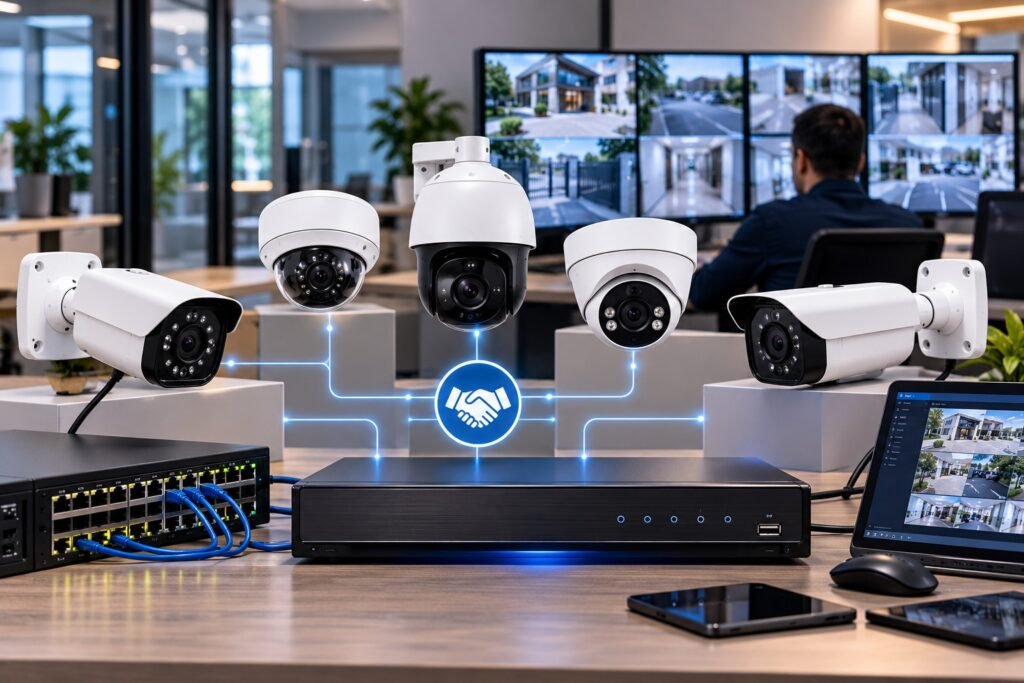
A surveillance system may include equipment from different manufacturers. Compatibility should be verified before purchasing cameras, NVRs, software, or other network components.
The ONVIF organisation develops interoperability standards for physical security products. Supported profiles can help identify compatible functionality between conformant products.
However, the presence of an ONVIF logo or a general compatibility claim does not guarantee that every feature will work between every combination of devices.
Ask the supplier to confirm:
- Compatibility between the exact camera and NVR models.
- Support for required ONVIF profiles, where applicable.
- Access to live video and playback.
- Motion detection and event integration.
- Supported resolution and frame rates.
- Firmware and software requirements.
- Compatibility with any existing cameras or network equipment.
If you already have a surveillance system, provide the installer with its model numbers and current configuration. Testing compatibility before installation can prevent unexpected costs and functionality limitations.
12. Consider Power Reliability and Network Design
Power interruptions and network faults can interrupt surveillance if the system is not designed to handle them.
Before installation, review the electrical supply, equipment location, cable routes, and available network infrastructure.
A suitable uninterruptible power supply (UPS) may help keep the NVR, network switch, router, and other essential equipment operating during short power interruptions. Its effectiveness depends on the connected load, battery condition, and required backup duration.
The installer should calculate the power demand of all connected equipment rather than selecting a UPS based only on the number of cameras.
Surge protection and appropriate electrical installation practices may also be important, particularly where equipment is exposed to electrical disturbances.
For larger sites, consider network capacity, switch placement, cable distances, and whether the network can handle the combined camera bitrate.
If the internet connection is limited, the local recording system should be configured appropriately so that continuous recording does not depend entirely on cloud connectivity.
13. Compare Installation Costs and Long-Term Value
The cheapest quotation is not always the most economical choice. A low initial price may exclude essential components, suitable storage, professional configuration, or after-sales support.
When comparing quotations for an IP camera system in Rwanda, review the complete scope of work.
A quotation should ideally specify:
- Camera models and quantities.
- Resolution and essential features.
- NVR specifications and storage capacity.
- Network switches, cables, and accessories.
- Mounting materials and junction boxes.
- Installation and configuration charges.
- Remote-access setup.
- Testing and handover.
- Warranty terms.
- Maintenance and technical support.
Request an explanation of any excluded items, recurring service fees, and optional upgrades.
Also consider the expected maintenance requirements, replacement costs, software support, and future expansion needs. A system with appropriate storage, secure configuration, and dependable support may offer better long-term value than a cheaper installation that requires frequent repairs.
For accurate budgeting, request a site assessment and an itemised quotation instead of relying solely on a general online price.
14. Select a Qualified CCTV Installation Provider
The performance of a surveillance system depends on installation and configuration as well as the equipment itself.
A qualified provider should understand camera placement, networking, storage calculations, cybersecurity, electrical safety, and the specific requirements of your property.
Before appointing a supplier, ask about previous projects, technician experience, warranty coverage, maintenance arrangements, and the process for resolving faults.
A professional installation should include a site survey, a camera placement plan, equipment selection, cable installation, configuration, and final testing.
During handover, request administrator credentials, a list of installed equipment, basic operating instructions, warranty information, and guidance on retrieving recordings.
The installer should also explain how to change passwords, manage user access, update firmware, and respond to common system alerts.
If you need a specialist provider in Kigali or elsewhere in Rwanda, compare more than one quotation and ask each supplier to explain why its proposed equipment meets your actual security requirements.
15. Avoid These Common IP Camera Purchasing Mistakes
Several mistakes can reduce surveillance performance even when the cameras appear to have good specifications.
Choosing resolution without considering distance: A high-resolution camera may still fail to capture sufficient detail if it is positioned too far from the subject.
Ignoring night-time conditions: Daytime demonstration footage does not establish how well a camera performs at night.
Underestimating storage: Insufficient capacity may result in recordings being overwritten before they are needed.
Overlooking compatibility: An incompatible NVR or software platform may prevent important features from working.
Using weak security settings: Default credentials and unrestricted remote access can create unnecessary cybersecurity risks.
Ignoring installation quality: Poor cable routing, unsuitable mounting, and badly positioned cameras can undermine the entire system.
Failing to plan maintenance: Dirty lenses, faulty storage drives, outdated firmware, and incorrect time settings can reduce reliability.
Avoid these problems by preparing a site plan, checking specifications, testing equipment, and agreeing on installation and support requirements before work begins.
16. A Practical Checklist Before You Buy
Use this checklist when evaluating a proposed installation:
- Identify all areas that require monitoring.
- Decide whether indoor, outdoor, or both types of cameras are required.
- Choose appropriate resolution and lens coverage.
- Verify night vision and low-light performance.
- Check weather protection for outdoor equipment.
- Compare PoE, wired Ethernet, and Wi-Fi options.
- Confirm NVR compatibility and channel capacity.
- Calculate storage for the required retention period.
- Verify remote access and mobile application support.
- Review cybersecurity and privacy safeguards.
- Confirm network capacity and backup power requirements.
- Request an itemised quotation and written warranty.
- Agree on testing, training, and system handover.
Completing this checklist makes it easier to compare competing proposals on a consistent basis.
Choosing the right surveillance equipment requires more than comparing camera prices or selecting the highest available resolution. You need a system that provides appropriate coverage, dependable recording, useful night-time images, secure remote access, and suitable protection for the installation environment.
The most effective approach is to assess your property, define your security objectives, and match each camera to the area it needs to monitor. Storage, network capacity, power reliability, cybersecurity, compatibility, and ongoing support should all be included in the decision.
A carefully planned IP camera system in Rwanda can help homeowners and businesses monitor important areas more effectively while supporting long-term security and operational needs.
Before making a final purchase, arrange a site survey, compare detailed quotations, and confirm that the proposed equipment meets your requirements. This will help you make a more informed decision and avoid unnecessary costs later.
Frequently Asked Questions (FAQs)
1. Which IP camera resolution is best for homes and businesses in Rwanda?
The appropriate resolution depends on the area being monitored and the detail required. A 2MP camera may be sufficient for basic monitoring, while 4MP, 5MP, or 8MP cameras may be more suitable for locations requiring additional detail. Lens selection, lighting, and camera positioning are equally important.
2. Is a wired IP camera better than a Wi-Fi camera?
Wired PoE cameras often provide a stable network connection and centralised power for business installations. Wi-Fi cameras can be convenient where cabling is difficult. The best option depends on network coverage, installation costs, power availability, and the importance of continuous recording.
3. How much storage do I need for an IP camera system?
Storage requirements depend on the number of cameras, bitrate, resolution, frame rate, recording schedule, and retention period. Ask your installer to calculate the expected storage requirements using the actual equipment and recording settings.
4. Can I monitor my cameras remotely from my phone?
Many modern IP cameras and NVRs support remote viewing through compatible mobile applications. You generally need suitable network connectivity and secure account configuration. Confirm that the selected model supports the features you require.
5. Are IP cameras suitable for outdoor installation in Rwanda?
Yes, provided the selected models are designed for the installation conditions. Review the IP rating, operating temperature range, mounting instructions, cable protection, and resistance to relevant environmental factors.
6. What should I check before hiring a CCTV installer in Rwanda?
Check the installer’s experience, proposed camera models, storage calculations, compatibility, installation scope, warranty, cybersecurity practices, and after-sales support. An itemised quotation and a documented handover can help prevent misunderstandings.
7. Do IP cameras work when the internet is unavailable?
Many systems can continue recording locally to an NVR during an internet outage, provided power and the local network remain operational. Remote viewing may become unavailable until the internet connection is restored.
8. How can I improve the security of my IP cameras?
Change default passwords, use unique credentials, update firmware, limit administrative access, disable unnecessary services, and configure remote access securely. Businesses should also review applicable privacy and data protection obligations before collecting or sharing surveillance footage.