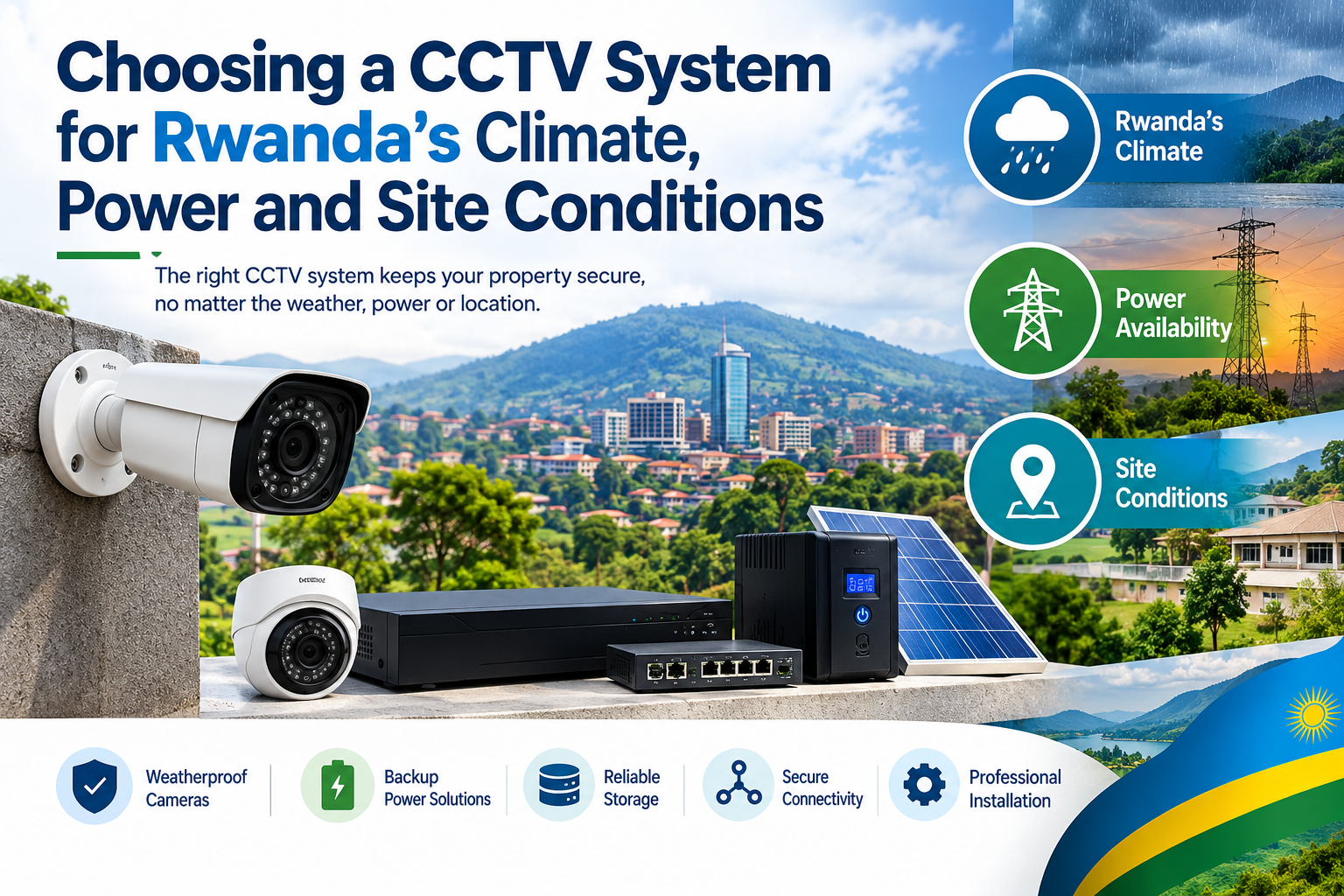
Choosing a CCTV system for Rwanda’s climate, power and site conditions
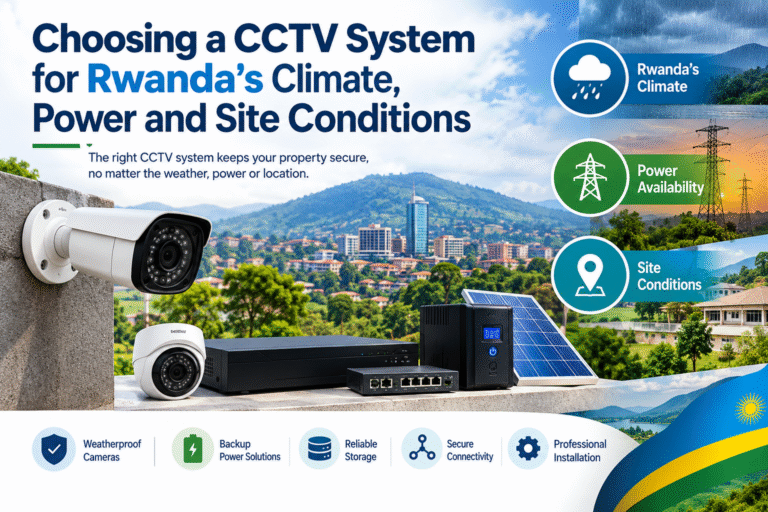
Choosing the right security equipment requires more than comparing camera prices, resolution, and recording features. Rwanda’s varied weather conditions, electricity reliability, building layouts, and installation environments can all affect the performance of a surveillance project. A system designed for a small indoor shop may not provide the same reliability when installed at an outdoor warehouse, a rural property, a school, or a commercial building in Kigali.
Before purchasing a CCTV system for Rwanda, property owners should consider how rain, humidity, dust, sunlight, power interruptions, and network availability could affect daily operation. These factors influence camera selection, cable protection, recording equipment, backup power, and maintenance requirements.
A carefully planned installation can help businesses and homeowners maintain useful video coverage while reducing unnecessary repairs and operating costs. It can also make future upgrades easier when a property expands or security requirements change.
This guide explains the main considerations for selecting a suitable surveillance solution in Rwanda. Whether you are securing a home, retail shop, office, warehouse, farm, or institutional facility, understanding the local conditions will help you make a more informed purchasing decision.
1. Understand Rwanda’s Climate Before Choosing Cameras
Rwanda has a varied climate influenced by its elevation and geographical features. Although many areas experience moderate temperatures, rainfall patterns differ across the country. The Rwanda Climate Change Portal reports increasing rainfall extremes, particularly in northern and western provinces. These conditions make weather protection an important consideration for outdoor surveillance equipment. Read the Rwanda climate information.
When selecting a CCTV system for Rwanda, consider the actual weather exposure at the installation site rather than assuming that every location has identical conditions.
Rainfall and water protection
Heavy rain can affect cameras, exposed connectors, power supplies, and outdoor cable joints. Water entering poorly sealed equipment may cause corrosion, image interruptions, or permanent damage.
For outdoor installations, look for cameras with a suitable Ingress Protection (IP) rating. Common options include IP66 and IP67, although the appropriate rating depends on the expected exposure and manufacturer specifications.
- IP65: Provides dust-tight protection and protection against water jets under specified test conditions.
- IP66: Provides dust-tight protection and protection against powerful water jets.
- IP67: Provides dust-tight protection and protection against temporary immersion under specified test conditions.
An IP rating does not automatically mean a camera is suitable for every outdoor environment. Installation quality, cable glands, mounting accessories, and the manufacturer’s temperature limits also matter.
For more information about enclosure protection, consult the IEC 60529 standard.
Humidity and condensation
Humidity can affect exposed electronic components, metal brackets, connectors, and recording equipment. Condensation may also form when temperatures change, especially inside poorly sealed housings.
Choose outdoor cameras designed for the expected environmental conditions. Check the manufacturer’s operating temperature and humidity specifications, and use appropriate weatherproof junction boxes and cable glands.
Recording equipment should normally be installed indoors in a dry, ventilated, and secure location. Avoid placing an NVR directly beneath a roof leak, near damp walls, or in an enclosure where heat cannot escape.
Sunlight and temperature
Direct sunlight can create glare, wash out images, and increase the temperature inside camera housings. Cameras installed under metal roofing may also experience greater heat exposure than expected.
Look for cameras with Wide Dynamic Range (WDR) when monitoring entrances where bright daylight and dark interiors appear together. Select suitable mounting positions to reduce direct glare, and use manufacturer-approved sunshields when necessary.
Practical tip: Before purchasing equipment, record the installation area’s exposure to rain, sunlight, humidity, and temperature. This simple site assessment helps prevent avoidable equipment failures.
2. Choose the Right Camera for Each Installation Site
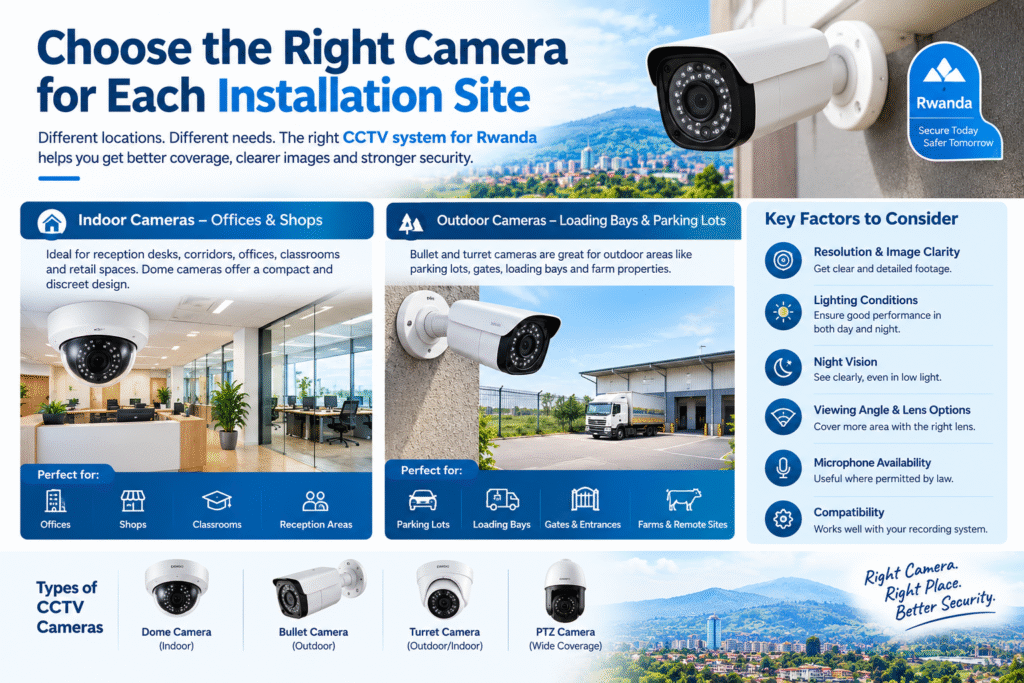
Different properties require different camera designs. A camera that performs well in a reception area may not provide enough protection for a loading bay, parking lot, or remote farm.
The best CCTV system for Rwanda should be selected according to the purpose of each camera, the required viewing distance, lighting conditions, and the physical layout of the property.
Indoor cameras for offices and shops
Indoor cameras are suitable for reception desks, corridors, offices, classrooms, and retail spaces. Dome cameras are often useful where a compact appearance and discreet mounting are preferred.
When comparing indoor models, evaluate:
- Resolution and image clarity.
- Performance under artificial lighting.
- Night vision or low-light capability.
- Viewing angle and lens options.
- Microphone availability, where appropriate and lawful.
- Compatibility with the recording system.
Avoid choosing a camera solely because it has a high megapixel rating. Lens quality, sensor performance, installation angle, and lighting all influence the usefulness of recorded footage.
Outdoor cameras for entrances and parking areas
Outdoor bullet cameras can be useful for monitoring gates, perimeter walls, parking spaces, and building approaches. Turret cameras are another option for outdoor locations where flexible positioning and infrared night vision are important.
Consider the following before installation:
- Weather-resistant housing.
- Night vision at the required distance.
- Suitable field of view.
- Strong mounting hardware.
- Protection for exposed connections.
- Resistance to tampering where needed.
For example, a shop entrance may need clear facial identification, while a large parking area may require a wider view supported by additional cameras.
PTZ cameras for large properties
Pan-Tilt-Zoom (PTZ) cameras allow operators to change the viewing direction and zoom into selected areas. They can be useful at warehouses, industrial facilities, large commercial compounds, and other sites with broad coverage requirements.
However, a PTZ camera cannot continuously observe every direction at once. If a camera is facing one area, an incident elsewhere may go unnoticed.
For critical locations, combine PTZ surveillance with fixed cameras that continuously cover entrances, access routes, and other high-priority areas.
3. Plan for Electricity Availability and Power Interruptions
Electricity planning is essential because cameras, recorders, network switches, and routers depend on a reliable power source.
Rwanda’s electricity infrastructure includes grid-connected and off-grid solutions. The Rwanda Energy Group publishes information about electricity access and electrification. This is useful background when planning installations in urban, peri-urban, and rural areas.
However, electricity access statistics do not establish whether power at a particular property is uninterrupted. Installers should assess the actual supply conditions at each site.
Use a UPS for backup power
An Uninterruptible Power Supply (UPS) can keep essential surveillance equipment operating during a power interruption, provided its capacity and battery condition are adequate.
A suitable UPS may support:
- Network cameras or their PoE switch.
- The NVR or DVR.
- The network router.
- Essential networking equipment.
Calculate the combined power consumption of the equipment you want to protect. Then select a UPS with sufficient output capacity and a battery runtime that matches the required backup period.
For example, a small office may only need short backup coverage to bridge brief interruptions. A warehouse that requires continuous recording may need a larger battery system or a combination of UPS and another backup source.
Remember that the backup duration depends on battery capacity, equipment load, battery condition, and conversion losses.
Consider Power over Ethernet (PoE)
Power over Ethernet allows compatible IP cameras to receive electrical power and network connectivity through one Ethernet cable.
A PoE installation can reduce separate power connections at camera locations and simplify maintenance. It can also allow several cameras to share a centrally protected power supply.
Before choosing PoE, verify that:
- The cameras and switch support compatible PoE standards.
- The switch provides sufficient total power budget.
- Cable lengths remain within applicable Ethernet limits.
- Outdoor cable routes have suitable protection.
- The switch itself is connected to the required backup power.
PoE does not eliminate the need for backup power. If the switch loses electricity, connected cameras may stop operating unless another suitable power source is available.
Explore solar power for remote sites
Solar-powered surveillance may be appropriate for farms, construction areas, remote compounds, and properties where grid access is limited or expensive.
Rwanda’s Ministry of Infrastructure provides information about solar energy and off-grid electricity solutions through its energy resources.
A solar-powered CCTV installation normally requires solar panels, a charge controller, batteries, suitable power regulation, and cameras with compatible consumption requirements.
System sizing should account for daily energy use, available sunlight, battery autonomy, cloudy periods, and any additional equipment such as wireless links.
Important: Do not size a solar system based only on the cameras’ advertised power consumption. Include the recorder, network equipment, infrared illumination, and other connected devices that must remain operational.
4. Select the Right Recording and Storage System
A camera is only one part of a complete surveillance installation. The recording system determines how footage is stored, retrieved, and reviewed after an incident.
The choice between a Digital Video Recorder (DVR) and a Network Video Recorder (NVR) depends largely on the camera technology and the site’s existing infrastructure.
DVR versus NVR
| Feature | DVR system | NVR system |
|---|---|---|
| Camera connection | Usually coaxial cable | Usually Ethernet network |
| Camera type | Typically analogue HD | Typically IP cameras |
| Power arrangement | Often separate or combined with compatible cabling | May use PoE |
| Expansion | Depends on recorder channels and cabling | Depends on channels, network and bandwidth |
| Best suited for | Suitable existing coaxial installations | New IP surveillance projects |
Neither option is automatically better for every property. An existing building with usable coaxial cables may benefit from a compatible DVR upgrade, while a new office may benefit from the flexibility of an IP camera network.
Calculate storage requirements
Storage needs depend on the number of cameras, resolution, frame rate, compression, recording schedule, and retention period.
Continuous recording generally requires more storage than motion-triggered recording. However, motion recording must be configured carefully to avoid missing important activity.
Before buying a recorder, determine:
- How many cameras will be installed.
- How many days of footage must be retained.
- Whether recording will be continuous or event-based.
- Whether audio recording is necessary and appropriate.
- Whether the system needs expansion capacity.
Use surveillance-rated hard drives recommended for the recorder and workload. Ordinary desktop drives may not be suitable for continuous recording in every application.
It is also wise to configure storage alerts and check drive health regularly. A system that displays live video but has stopped recording can create a false sense of security.
5. Evaluate Internet Connectivity and Remote Monitoring
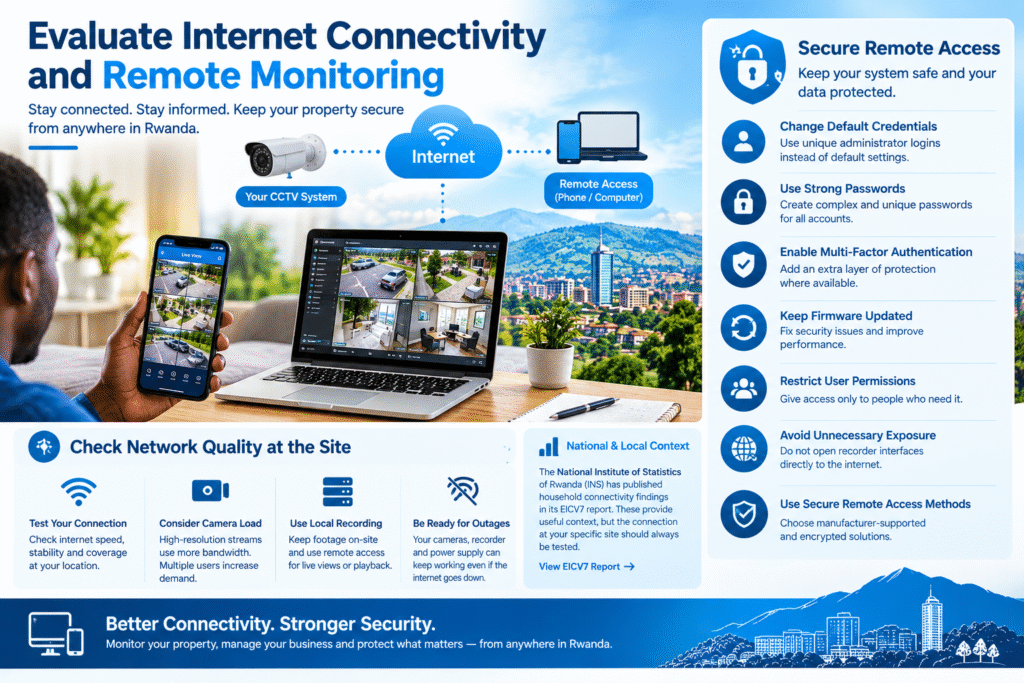
Remote viewing can help property owners monitor their premises from a phone or computer. However, internet connectivity varies between locations and service arrangements.
The National Institute of Statistics of Rwanda has published household connectivity findings in its EICV7 utilities and amenities report. These findings provide useful context, but the connection at an individual installation should always be tested.
Check network quality at the site
Before selecting a remote-viewing solution, assess the available connection and the number of cameras that will be accessed simultaneously.
High-resolution streams can consume significant bandwidth. Multiple users viewing several cameras at once may increase network demand.
A practical setup may use local recording for continuous footage and remote access for selected live views or playback. This means an internet outage does not necessarily stop recording, provided the local cameras, recorder, and power supply continue working.
Secure remote access
Remote access should be configured with security in mind.
- Change default administrator credentials.
- Use strong, unique passwords.
- Enable multi-factor authentication where supported.
- Keep firmware and software updated.
- Restrict user permissions according to job responsibilities.
- Avoid exposing recorder interfaces directly to the internet unnecessarily.
- Use secure, manufacturer-supported remote-access methods.
Where the site uses a separate network for cameras, apply appropriate access controls and firewall rules. Consult the CISA cybersecurity resources for general guidance on protecting connected devices.
A secure configuration protects both recorded footage and the wider business network.
6. Assess Site Layout, Cabling and Physical Security
Even high-quality equipment can perform poorly when cameras are badly positioned or cables are installed without proper protection.
A site survey should identify entrances, exits, blind spots, lighting conditions, cable routes, network equipment locations, and areas where unauthorised access is most likely.
Plan camera coverage carefully
Place cameras to cover meaningful security objectives rather than simply installing the same number at every corner.
For a small retail shop, priorities may include the entrance, checkout counter, stockroom access, and delivery area. A warehouse may require additional coverage of loading bays, storage aisles, gates, and perimeter access points.
Avoid placing cameras where signs, roof supports, trees, or other objects block important views.
Protect cables and connectors
Outdoor cabling should be routed through suitable conduits or other protective systems where required. Cable entries should be sealed appropriately, and junction boxes should be compatible with their installation environment.
For network cameras, follow the cable manufacturer’s specifications and applicable Ethernet installation limits. Use suitable outdoor-rated cable when the route requires it.
Where cables cross exposed areas, consider mechanical damage, moisture, sunlight, and access by unauthorised individuals.
Secure the recorder
Install the recorder in a locked, ventilated area with controlled access. If someone can easily remove the recorder, they may be able to take stored footage along with the equipment.
For high-risk premises, consider additional protection for recordings, such as authorised off-site backups or secure secondary storage. Establish who can access, export, and delete video.
7. Choose Suitable Cameras for Different Rwanda Locations
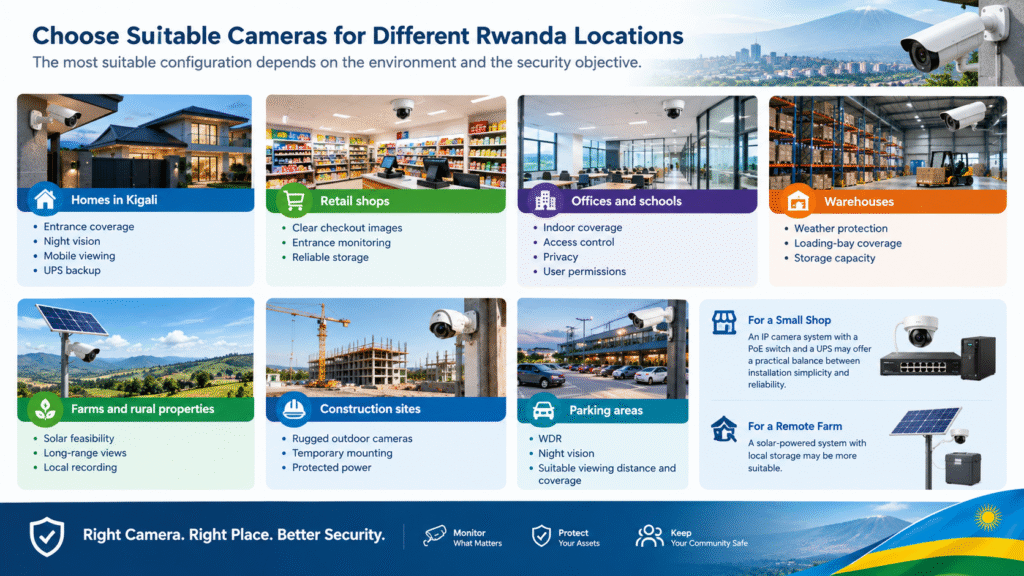
The most suitable configuration depends on the environment and the security objective.
| Location | Recommended considerations |
|---|---|
| Homes in Kigali | Entrance coverage, night vision, mobile viewing, UPS backup |
| Retail shops | Clear checkout images, entrance monitoring, reliable storage |
| Offices and schools | Indoor coverage, access control, privacy, user permissions |
| Warehouses | Weather protection, loading-bay coverage, storage capacity |
| Farms and rural properties | Solar feasibility, long-range views, local recording |
| Construction sites | Rugged outdoor cameras, temporary mounting, protected power |
| Parking areas | WDR, night vision, suitable viewing distance and coverage |
For a small shop, an IP camera system with a PoE switch and a UPS may offer a practical balance between installation simplicity and reliability.
For a remote farm, a solar-powered system with local storage may be more appropriate if electricity and internet connectivity are limited. The final design should be based on a real assessment of the site rather than a generic package.
8. Consider Privacy and Responsible Surveillance
A reliable CCTV installation should protect property while respecting the privacy of employees, customers, visitors, and neighbours.
Position cameras to monitor legitimate security areas and avoid unnecessary recording of neighbouring homes or private spaces. Restrict access to footage and establish an appropriate retention period.
If audio recording, facial recognition, or other advanced monitoring features are proposed, review their necessity and legal implications before enabling them.
For Rwanda-specific requirements, consult the National Cyber Security Authority and the National Cyber Security Authority’s relevant official resources where applicable, alongside the relevant data protection authority and current legislation. Obtain professional advice if the installation involves sensitive environments or extensive personal-data processing.
9. Compare Total Cost Instead of Purchase Price Alone
The initial equipment price is only one part of the overall investment. Installation, cabling, backup power, storage, network equipment, maintenance, and future upgrades can all affect the total cost.
When requesting quotations for a CCTV system for Rwanda, ask suppliers to itemise the main components.
A clear quotation should specify:
- Camera models, quantities, and resolution.
- Recorder type and channel capacity.
- Hard-drive capacity and expected retention.
- Cable types and installation materials.
- UPS or solar backup requirements.
- Network equipment and remote-access setup.
- Installation, testing, and user training.
- Warranty terms and maintenance arrangements.
Compare quotations using the same coverage requirements. A cheaper package may include fewer cameras, smaller storage capacity, limited backup power, or lower-quality installation materials.
Also confirm whether replacement parts and technical support are available locally. Timely support can be particularly valuable for businesses that depend on surveillance every day.
10. Test the System Before Handover
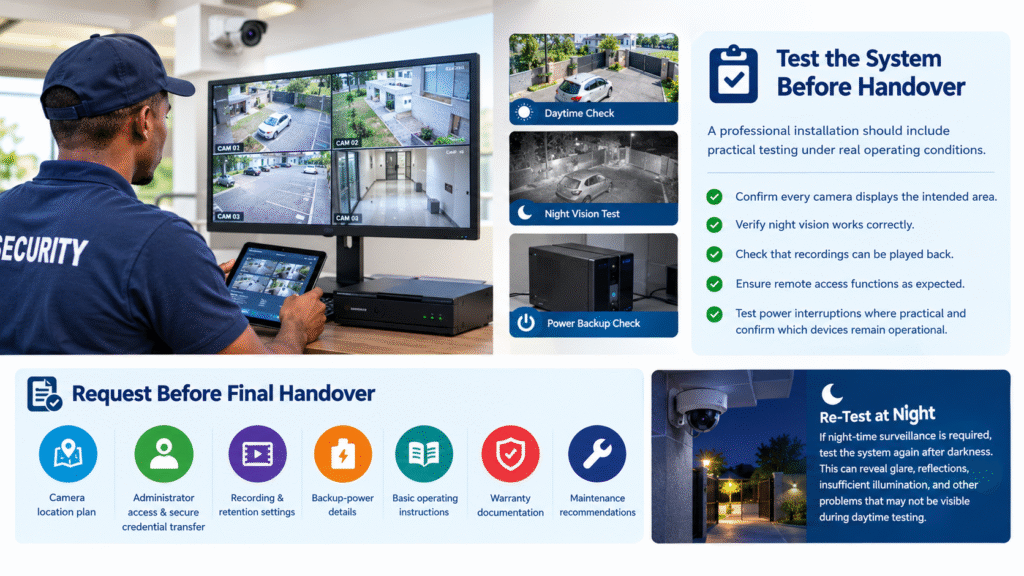
A professional installation should include practical testing under real operating conditions.
The installer should confirm that every camera displays the intended area, night vision works correctly, recordings can be played back, and remote access functions as expected.
Testing should also cover power interruptions where practical. Verify which devices remain operational when the mains supply fails and confirm the actual backup arrangement.
Before final handover, request:
- A camera location plan.
- Administrator access and secure credential transfer.
- Recording and retention settings.
- Backup-power details.
- Basic operating instructions.
- Warranty documentation.
- Maintenance recommendations.
Test the system again after darkness if night-time surveillance is required. This can reveal glare, reflections, insufficient illumination, and other problems that may not be visible during daytime testing.
11. Common Mistakes to Avoid
Several avoidable mistakes can reduce surveillance performance and increase long-term costs.
Choosing indoor cameras for outdoor locations: Indoor equipment may not provide adequate protection against rain, dust, or temperature changes.
Ignoring backup power: Cameras and recorders may stop working during an interruption if no suitable backup is installed.
Buying insufficient storage: Footage may be overwritten before an incident is discovered.
Overlooking network security: Weak passwords and outdated firmware can expose connected equipment to unnecessary risks.
Installing cameras without a site survey: Poor angles and blind spots may prevent the system from capturing useful evidence.
Ignoring maintenance: Dirty lenses, damaged cables, failed drives, and depleted batteries can remain unnoticed without regular checks.
Avoiding these mistakes helps keep the installation practical, secure, and easier to maintain.
12. Build a Maintenance Plan for Long-Term Reliability
Maintenance should be included in the original project plan, not treated as an optional extra.
Inspect outdoor camera housings, mounting brackets, cable entries, and connectors periodically. Clean lenses with suitable materials and check that vegetation or newly installed structures have not blocked the field of view.
Review recorder status, storage capacity, camera connectivity, and backup power. Test remote viewing and playback, and investigate unexpected gaps in recordings promptly.
For solar installations, inspect panels, batteries, mounting hardware, and charge-control equipment according to the manufacturer’s recommendations.
The frequency of maintenance depends on the location, environmental exposure, and equipment type. Sites exposed to dust, heavy rain, or frequent physical activity may need more frequent inspections than protected indoor installations.
A documented maintenance schedule helps property owners identify problems before they lead to extended recording failures.
Choosing a reliable CCTV system for Rwanda requires careful consideration of climate, electricity, connectivity, installation layout, storage, and security requirements. Weatherproof cameras, protected cabling, appropriate backup power, secure remote access, and correctly sized recording equipment can all contribute to better long-term performance.
The best solution is not necessarily the most expensive system or the one with the highest resolution. It is the system that provides the required coverage, continues operating under realistic site conditions, and can be maintained within the available budget.
Before making a purchase, arrange a site survey, define the areas that need monitoring, and request a detailed quotation that includes installation and ongoing support. These steps can help you select equipment that meets your needs today while allowing room for future expansion.
A well-planned CCTV installation can improve visibility, support incident investigations, and help homes and businesses manage security more effectively.