A CCTV system is an important part of modern security for homes, offices, retail stores, warehouses, factories, schools, and commercial buildings. However, buying a surveillance camera does not automatically guarantee effective protection. The real value of a CCTV installation depends on how well the equipment performs in everyday conditions, including darkness, changing weather, busy environments, network interruptions, and unexpected security incidents.
Many buyers focus mainly on camera resolution or price when choosing surveillance equipment. Although these factors matter, they do not tell the whole story. A camera with a high resolution may still produce unclear footage if it is installed in the wrong position, while a system with insufficient storage may lose important recordings before an incident is investigated.
Understanding the CCTV system features that matter in real working conditions helps property owners make informed decisions and avoid unnecessary costs. It also helps installers design systems that meet the actual security needs of each location.
In this guide, we explore ten essential features, explain why they matter, and show how to evaluate them before investing in a surveillance solution.
1. High Image Resolution and Clear Video Quality
Image quality is one of the first factors to consider when selecting a surveillance system. Cameras must capture enough detail to help security teams understand what happened during an incident.
Resolution is usually measured in megapixels (MP). Common options include 2MP Full HD, 4MP, 5MP, and 8MP 4K cameras. Higher resolution can capture more detail, but the best option depends on the area being monitored and the level of identification required.
For example, a small office entrance may work well with a properly positioned Full HD camera. A large warehouse entrance, vehicle checkpoint, or retail payment area may benefit from a higher-resolution camera if it needs to capture finer details.
However, resolution alone does not guarantee useful footage. Lens quality, lighting, camera angle, subject movement, and image compression all affect the final result.
What should you check?
- Detail at a distance: Can the camera capture useful details at the required distance?
- Image clarity: Does the picture remain clear when viewed on a monitor or enlarged during playback?
- Lighting performance: Does the image remain usable in bright sunlight and low-light conditions?
- Frame rate: Is movement recorded smoothly enough for the intended application?
Before purchasing equipment, test the camera in a location similar to the actual installation site.
For additional technical guidance, visit the Axis Communications learning resources.
2. Reliable Night Vision and Low-Light Performance
Security risks do not disappear when the sun goes down. In fact, entrances, parking areas, warehouses, and outdoor boundaries may require more attention at night.
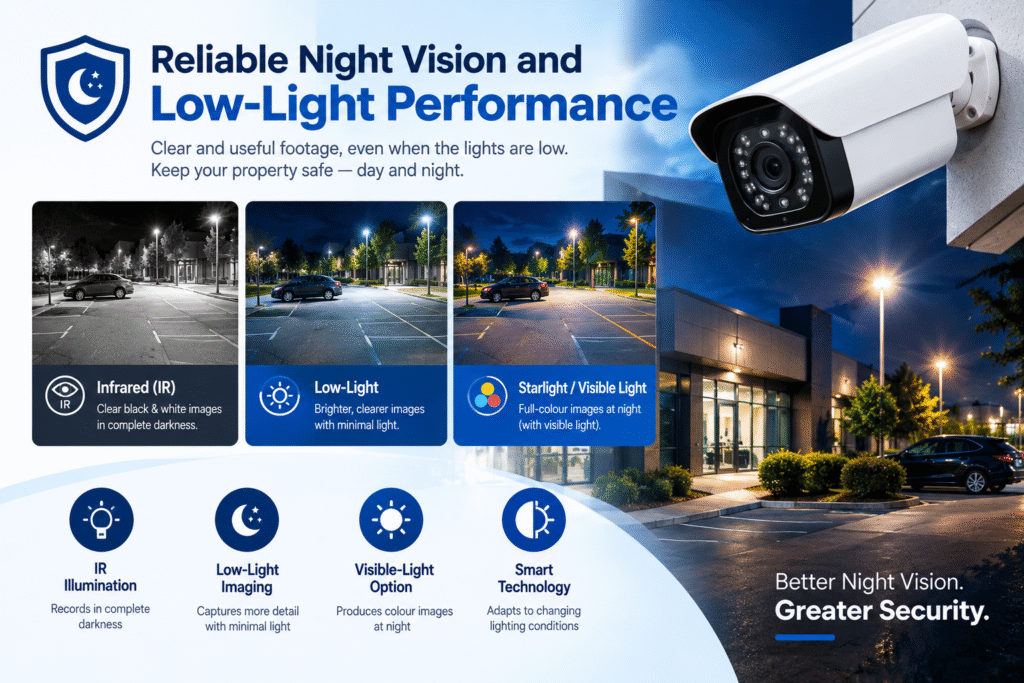
A reliable surveillance camera should capture useful footage under the lighting conditions expected at the site. Depending on the environment, this may require infrared (IR) illumination, low-light imaging, or a combination of different technologies.
Infrared cameras can record monochrome images in darkness when sufficient infrared illumination is available. Some cameras also use visible-light illumination to produce colour images at night.
Low-light performance is particularly important in locations with weak street lighting, poorly illuminated corridors, or changing indoor lighting.
How to evaluate night vision
Check the following factors before installation:
- Effective night range: Confirm how far the camera can capture useful detail, rather than relying only on the manufacturer’s maximum range.
- Infrared reflection: Glass, nearby walls, and reflective surfaces can cause glare or washed-out images.
- Colour performance: Determine whether colour footage is necessary for identifying clothing, vehicles, or other details.
- Motion clarity: Test moving people and vehicles to identify blur during nighttime recording.
- Lighting consistency: Look for dark corners and overexposed areas.
For example, a camera installed outside a shop may capture the pavement clearly but fail to show a person’s face when they approach a brightly lit doorway from a dark area.
A nighttime site test can reveal this problem before it affects an investigation. Good low-light performance is therefore one of the most practical CCTV system features to assess.
3. Accurate Motion Detection and Intelligent Analytics
Motion detection helps a surveillance system identify activity without requiring staff to watch every camera continuously. Basic systems detect changes between video frames, while more advanced models may offer person detection, vehicle classification, line crossing, intrusion detection, or other analytics.
These functions can reduce the time required to review recordings and help operators prioritise important events.
However, analytics must be configured correctly. Trees moving in the wind, changing shadows, insects near the lens, rain, and headlights can trigger unwanted alerts.
Features that can improve detection
- Human and vehicle classification: Helps distinguish relevant activity from some environmental movement.
- Intrusion detection: Identifies movement within a configured restricted area.
- Line crossing: Generates alerts when an object crosses a virtual boundary.
- Custom detection zones: Limits monitoring to important parts of the image.
- Adjustable sensitivity: Helps balance missed events against excessive alerts.
Consider a warehouse that needs to monitor its loading entrance after working hours. A well-configured detection zone can alert staff when a person enters the restricted area instead of generating notifications for movement on a public road outside the building.
Always test analytics during daytime and nighttime conditions. Check how frequently false alarms occur and whether genuine events are detected reliably.
Intelligent detection is most useful when it supports a clear security objective rather than simply adding more notifications.
4. Sufficient Storage Capacity and Recording Reliability
A CCTV camera can capture excellent footage, but that footage has limited value if the system does not store it correctly. Recording reliability and storage capacity are essential for businesses that need to investigate incidents days or weeks after they occur.
Storage requirements depend on several factors, including camera resolution, recording frame rate, video compression, the number of cameras, recording schedules, and the required retention period.
For example, a retail store may need to retain footage for 30 days, while a small office may have different requirements. The appropriate retention period should be determined by operational needs and applicable privacy and legal requirements.
What storage options are available?
Network Video Recorder (NVR): Commonly used with IP cameras, an NVR stores footage on internal or compatible external drives.
Digital Video Recorder (DVR): Typically used with compatible analogue or HD-over-coaxial cameras.
Network-attached storage: May support centralised recording or additional storage, depending on the system architecture.
Cloud storage: Stores footage remotely and may provide access if the local recorder is damaged or unavailable. It also introduces internet bandwidth, subscription, privacy, and cybersecurity considerations.
Important checks before installation
- Calculate the expected storage requirements for all cameras.
- Confirm the number and type of supported hard drives.
- Enable recording-status and disk-failure alerts where available.
- Test playback, searching, exporting, and recovering recorded footage.
- Consider whether important footage needs a separate backup.
A practical installation should include a recording test, not just a live-video check. Review footage from different cameras and verify that recordings are available for the expected period.
For technical information about video storage and network performance, explore the Axis network video learning resources.
5. Weather Resistance and Physical Durability
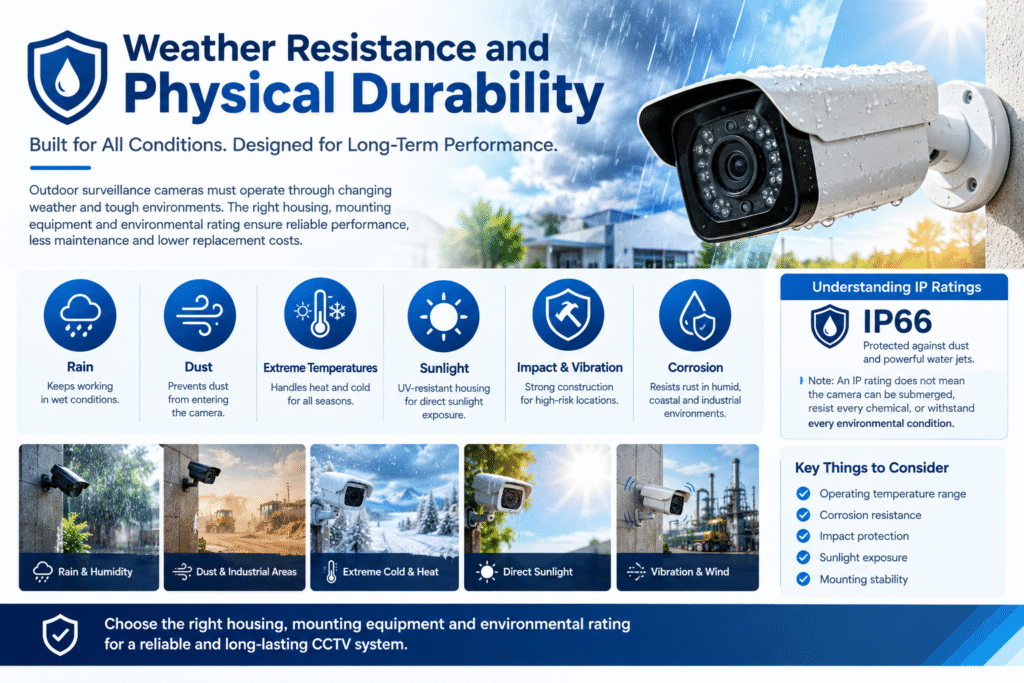
Outdoor surveillance cameras must operate through changing environmental conditions. Rain, dust, humidity, heat, cold, and direct sunlight can affect their performance and lifespan.
A camera designed for indoor use may fail prematurely if it is exposed to rain or installed in a dusty industrial environment. Selecting equipment suitable for the installation location reduces maintenance problems and unexpected replacement costs.
Understanding IP ratings
Ingress Protection (IP) ratings indicate the level of protection an enclosure provides against the entry of solid objects and water under specified test conditions.
For example, an IP66-rated camera enclosure is designed to provide strong protection against dust and powerful water jets under the applicable test conditions. However, an IP rating does not automatically mean that the camera can be submerged, resist every chemical, or withstand every environmental condition.
You should also consider:
- Operating temperature: Confirm that the equipment supports expected seasonal temperatures.
- Corrosion resistance: Important in humid, coastal, or industrial environments.
- Impact protection: Useful in public spaces or locations where equipment may be exposed to physical damage.
- Sunlight exposure: Check whether the camera and housing are suitable for direct sunlight.
- Mounting stability: Ensure that brackets and fixings can withstand vibration and wind.
For example, a camera installed near a factory entrance may experience dust, vibration, and temperature changes that would not affect a camera inside a climate-controlled office.
Choosing the right housing, mounting equipment, and environmental rating helps ensure consistent operation. Always review the manufacturer’s specifications and install the equipment according to its instructions.
6. Stable Network Connectivity and Bandwidth Management
Modern IP surveillance systems depend on reliable network communication. Cameras must transmit video to recorders, monitoring stations, or cloud services without excessive delays or interruptions.
Network problems can cause frozen images, dropped frames, delayed notifications, or missing recordings. These issues may occur even when the cameras themselves are functioning correctly.
Bandwidth requirements vary according to camera resolution, frame rate, compression settings, scene complexity, and the number of active video streams.
For example, a business operating 24 high-resolution cameras may require a carefully designed network to handle simultaneous video transmission and playback.
Network features worth evaluating
- Gigabit Ethernet: May be appropriate for network links carrying multiple video streams.
- Power over Ethernet (PoE): Allows compatible cameras to receive power and data over one Ethernet cable.
- Network segmentation: Helps separate surveillance devices from general business traffic.
- Bandwidth monitoring: Helps identify overloaded connections and unexpected traffic.
- Reliable switching equipment: Supports stable connections between cameras and recorders.
Where necessary, calculate the total expected network load before selecting switches and uplinks. Allow suitable capacity for simultaneous live viewing, playback, and remote access.
Also test the system during busy periods. A network that performs well with only two cameras connected may behave differently when every camera is transmitting at full quality.
For more information about interoperability between network video products, consult ONVIF, which develops standards intended to improve compatibility between IP-based physical security products.
A stable network is one of the CCTV system features that directly affects everyday reliability.
7. Power Supply Reliability and Backup Protection
A surveillance system cannot provide continuous protection if its cameras or recording equipment lose power. Power interruptions may stop recording, disconnect cameras, or cause equipment to restart unexpectedly.
The right power arrangement depends on the number of devices, their power consumption, the installation environment, and how long the system must continue operating during an outage.
Essential power considerations
Power over Ethernet: PoE can simplify installation by carrying power and data through a compatible Ethernet cable. Confirm that the switch has enough total power capacity for all connected devices.
Uninterruptible Power Supply (UPS): A UPS can keep compatible equipment operating temporarily during a power interruption. Runtime depends on the battery condition and the actual connected load.
Surge protection: Suitable protection can reduce the risk of damage caused by certain electrical surges. It does not eliminate every electrical risk.
Correct cabling: Cable quality, length, connectors, and installation methods can affect power delivery and stability.
Power monitoring: Where supported, alerts can help operators identify power or device failures.
For example, a small business may connect its NVR, network switch, and router to a properly sized UPS. This can help maintain local recording and network connectivity during a short outage, provided the connected devices and backup capacity are suitable.
Remember that protecting the recorder alone is insufficient if the cameras or network equipment lose power first.
During commissioning, test the backup arrangement safely and verify whether the system continues recording as expected. A documented power plan can help prevent avoidable gaps in surveillance coverage.
8. Secure Remote Access and Cybersecurity
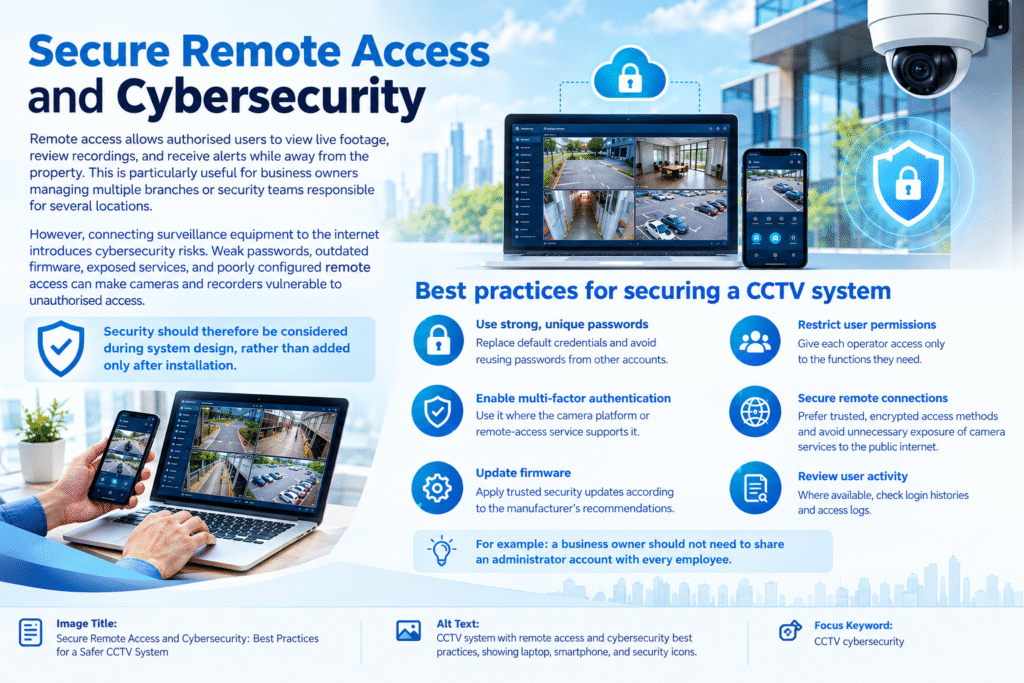
Remote access allows authorised users to view live footage, review recordings, and receive alerts while away from the property. This is particularly useful for business owners managing multiple branches or security teams responsible for several locations.
However, connecting surveillance equipment to the internet introduces cybersecurity risks. Weak passwords, outdated firmware, exposed services, and poorly configured remote access can make cameras and recorders vulnerable to unauthorised access.
Security should therefore be considered during system design, rather than added only after installation.
Best practices for securing a CCTV system
- Use strong, unique passwords: Replace default credentials and avoid reusing passwords from other accounts.
- Enable multi-factor authentication: Use it where the camera platform or remote-access service supports it.
- Update firmware: Apply trusted security updates according to the manufacturer’s recommendations.
- Restrict user permissions: Give each operator access only to the functions they need.
- Secure remote connections: Prefer trusted, encrypted access methods and avoid unnecessary exposure of camera services to the public internet.
- Review user activity: Where available, check login histories and access logs.
For example, a business owner should not need to share an administrator account with every employee who wants to view a camera. Individual user accounts make it easier to control permissions and investigate suspicious activity.
Organisations can also consult the CISA Secure Our World guidance for general cybersecurity practices, including password security and multifactor authentication.
Remote access should be convenient without weakening the security of the surveillance system.
9. Wide Dynamic Range and Effective Camera Positioning
Lighting conditions often change dramatically within a single scene. A camera facing a bright window, an entrance exposed to sunlight, or a vehicle approaching at night may struggle to capture both bright and dark areas clearly.
Wide Dynamic Range (WDR) technology helps cameras handle scenes with significant differences in brightness. Depending on the camera, WDR may combine or process image information to improve visibility across differently illuminated parts of the scene.
This can be particularly helpful in reception areas, shop entrances, building lobbies, and loading bays.
Why camera placement matters
Even a high-quality camera may produce poor results if it is positioned incorrectly.
Before installation, consider:
- Viewing angle: Does the camera cover the required area without leaving important gaps?
- Mounting height: Can the camera capture useful identifying details rather than only the tops of people’s heads?
- Backlighting: Will sunlight or bright indoor lighting make people appear as silhouettes?
- Obstructions: Could signs, doors, shelves, vehicles, or vegetation block the view?
- Privacy: Does the camera unnecessarily capture neighbouring properties or private areas?
For example, a camera installed directly opposite a bright glass entrance may struggle to capture facial details when sunlight enters the building. Adjusting the position, exposure settings, or camera technology may improve the result.
A site survey should identify the most important observation points before installation begins. Test each camera from the perspective of the final recording, not just the live monitor.
In many cases, correcting the camera angle delivers a greater improvement in usable footage than purchasing a camera with a higher megapixel rating.
10. Easy Management, Compatibility, and Maintenance
A professional surveillance system should be straightforward to operate, expand, and maintain. Complicated interfaces, incompatible devices, and difficult troubleshooting procedures can reduce the system’s practical value.
The best setup allows authorised users to locate recordings, review events, manage cameras, export footage, and identify technical problems without unnecessary delays.
Management features to look for
Centralised monitoring: A suitable interface can help operators view several cameras and manage recording devices from one location.
Flexible user permissions: Different users should be able to access the functions required for their roles.
Search and playback tools: Time-based searches, event filters, and supported analytics can make investigations faster.
Device compatibility: Confirm that cameras, recorders, software, and network equipment work together as intended.
Health monitoring: Device-offline notifications, storage warnings, and system logs can help technicians identify faults.
Scalability: Consider whether the system can accommodate additional cameras, storage, or locations as the business grows.
Maintenance access: Firmware updates, configuration backups, cleaning, and routine testing should be practical to perform.
For example, a company opening a second office may want to monitor both locations through a central platform. Choosing compatible equipment and planning the network architecture from the beginning can reduce the complexity of future expansion.
Compatibility should never be assumed simply because two products use the same general technology. Check supported protocols, firmware versions, recording functions, and analytics compatibility before making a purchase.
Regular maintenance is equally important. Dust-covered lenses, loose connectors, outdated firmware, failing storage drives, and incorrect camera settings can gradually reduce performance.
A maintenance schedule should include camera cleaning, playback checks, storage inspections, time synchronisation, network checks, and review of user permissions. The frequency should reflect the environment and the manufacturer’s guidance.
Together, these capabilities make the system easier to manage over its entire working life.
How to Choose the Right CCTV System for Your Site
Understanding individual features is only the first step. The next task is matching the equipment to the security requirements of the property.
A small shop may prioritise clear entrance footage, reliable nighttime recording, and sufficient storage. A warehouse may need wide-area coverage, durable outdoor cameras, intelligent alerts, and a stable network. An office managing several locations may place greater emphasis on remote access, centralised monitoring, and cybersecurity.
Use the following checklist before approving an installation:
- Identify the locations that require surveillance.
- Decide what details each camera must capture.
- Assess daytime and nighttime lighting conditions.
- Estimate storage requirements and retention periods.
- Calculate network bandwidth and power needs.
- Review environmental protection ratings.
- Confirm remote-access security and user permissions.
- Check equipment compatibility and future expansion options.
- Test live viewing, recording, playback, and alerts.
- Establish a maintenance and troubleshooting plan.
A professional site assessment can help identify coverage gaps, installation challenges, and unnecessary equipment costs before work begins.
When comparing quotations, look beyond the camera count and headline resolution. Ask the installer to explain the proposed recording capacity, network design, backup arrangements, configuration, testing, and ongoing maintenance requirements.
The most suitable solution is the one that meets the site’s actual security objectives and remains dependable under expected operating conditions.
Benefits of Investing in the Right Surveillance Technology
Choosing suitable equipment can provide benefits beyond recording video. A well-designed system can help organisations respond to incidents, improve operational awareness, and manage security resources more effectively.
Key benefits include:
- Improved incident investigation: Clear recordings can help authorised personnel understand what happened.
- More efficient monitoring: Intelligent alerts can reduce the need to watch every camera continuously.
- Better operational visibility: Businesses can monitor entrances, loading areas, and other important locations.
- Reduced avoidable downtime: Health alerts and routine inspections can help identify problems earlier.
- More informed purchasing decisions: Evaluating practical performance helps prevent spending money on unnecessary specifications.
The real value of these improvements depends on correct installation, suitable configuration, responsible use, and regular maintenance.
Businesses should also establish clear rules for who can access footage, how long recordings are retained, and how exported recordings are protected. Surveillance should comply with applicable privacy and data-protection requirements.
Conclusion
Selecting a surveillance solution requires more than comparing prices and camera resolutions. Image clarity, night vision, intelligent analytics, storage, environmental protection, network stability, power backup, cybersecurity, WDR, and management capabilities all influence how well a system performs.
The ten CCTV system features discussed in this guide provide a practical framework for evaluating equipment before installation. By considering the environment, recording requirements, network infrastructure, and operational needs, property owners can make more informed decisions.
The best approach is to begin with a site assessment, identify the most important security objectives, and select equipment that can meet those requirements reliably. Proper installation, realistic performance testing, and scheduled maintenance are just as important as the hardware itself.
Ultimately, a reliable CCTV system should deliver clear, accessible, and secure recordings when they are needed most.
Frequently Asked Questions (FAQs)
1. What are the most important CCTV system features?
The most important considerations include image quality, low-light performance, recording and storage reliability, motion detection, network connectivity, power backup, cybersecurity, and ease of maintenance. The priority depends on the site and its security objectives.
2. Is a 4K CCTV camera always better than a 2MP camera?
No. A 4K camera can capture more detail under suitable conditions, but it may require more storage and bandwidth. A well-positioned 2MP camera can be sufficient for some locations. Choose resolution according to the required viewing distance and identification needs.
3. How many days should CCTV footage be stored?
The appropriate retention period depends on business requirements, available storage, and applicable laws or regulations. Calculate storage needs using the number of cameras, video settings, recording schedules, and desired retention period.
4. Does every CCTV system need internet access?
No. Many systems can record locally without an internet connection. Internet access is generally required for certain remote-viewing, cloud-storage, and online notification features. Local recording should be configured according to the site’s needs.
5. How can I improve CCTV performance in real working conditions?
Start by checking camera placement, lighting, recording settings, network capacity, storage health, and power reliability. Test live viewing and recorded footage during both daytime and nighttime conditions. Regular maintenance can help prevent avoidable failures.