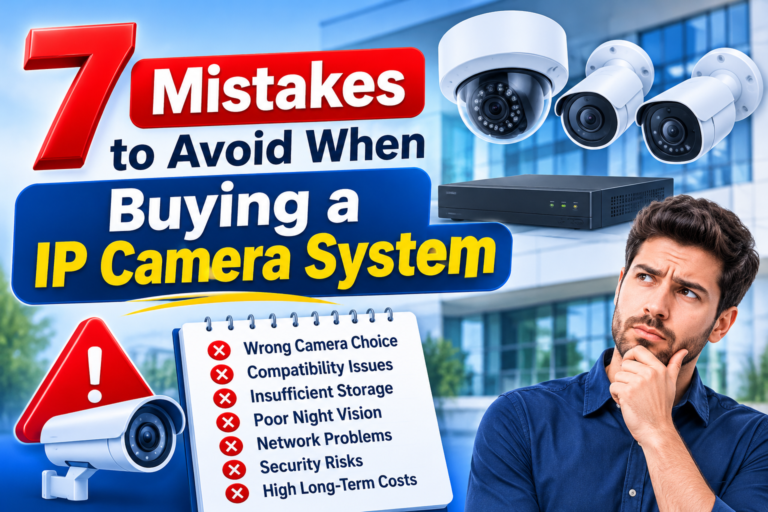
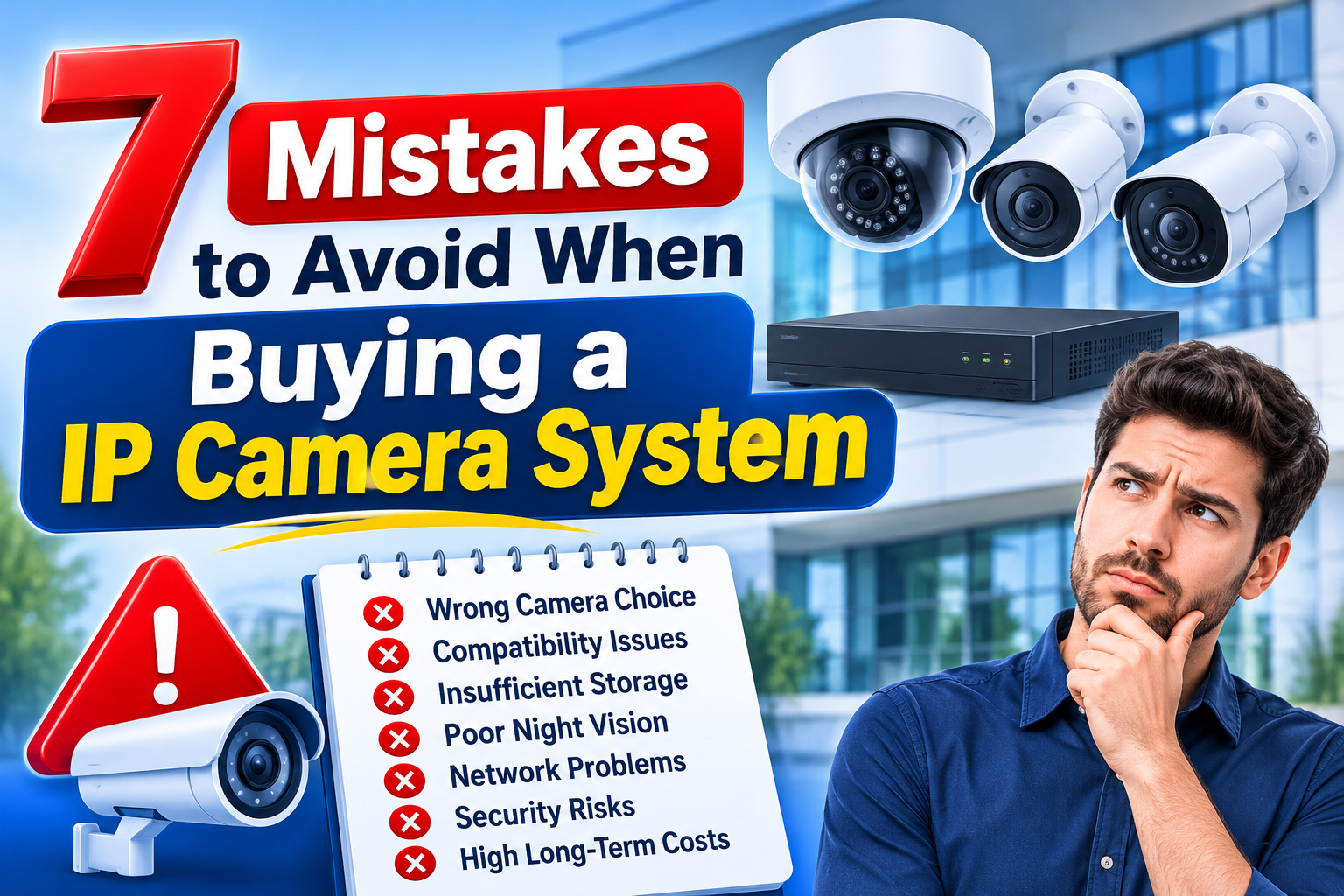
Seven Mistakes to Avoid When Buying an IP Camera System
Choosing the right security equipment is an important decision for homeowners, business owners, offices, schools, warehouses, and other commercial properties. An IP camera system provides advanced surveillance capabilities, remote monitoring, high-quality video recording, and flexible integration with modern security technologies. However, purchasing the wrong equipment can result in poor video quality, compatibility problems, unnecessary expenses, and unreliable security coverage.
Many buyers focus only on camera prices or advertised megapixels without considering the complete surveillance requirements. A camera may look impressive in a product description but fail to deliver the expected performance in real operating conditions. Similarly, choosing an unsuitable network video recorder (NVR), insufficient storage, or unreliable installation can affect the entire security system.
Understanding common IP camera system buying mistakes before making a purchase can help you select suitable equipment, avoid technical problems, and achieve better long-term value.
Whether you are installing cameras in a small office, retail store, residential property, or large commercial facility, this guide explains seven important mistakes to avoid and how to make a more informed purchasing decision.
1. Choosing Cameras Based Only on Megapixels
One of the most common mistakes buyers make is selecting surveillance cameras based entirely on resolution. Many people assume that a camera with a higher megapixel rating will automatically provide better image quality.
Although resolution is important, it is not the only factor that determines camera performance.
A high-resolution camera can still produce unclear footage if it has a poor image sensor, unsuitable lens, weak low-light performance, or incorrect installation positioning.
Why Resolution Is Not Everything
Different surveillance environments require different camera capabilities. For example, a camera installed at a building entrance may need to capture identifiable facial details, while a camera covering a warehouse may need a wider field of view.
Before purchasing equipment, consider:
- Image sensor quality: A good sensor helps produce clearer images in different lighting conditions.
- Lens selection: The correct focal length determines how much area the camera can cover and how much detail it can capture.
- Low-light performance: Cameras should provide usable footage in dim environments.
- Wide Dynamic Range (WDR): This feature helps balance bright and dark areas within the same scene.
- Frame rate: A suitable frame rate helps capture movement smoothly.
For example, installing a high-megapixel camera with a narrow viewing angle may leave important areas outside the coverage zone. Similarly, a camera with poor night vision may produce unclear footage despite having a high resolution.
How to Avoid This Mistake
Evaluate the actual surveillance environment before selecting camera resolution. Identify whether you need general monitoring, facial identification, license plate visibility, or detailed observation of specific activities.
Ask the supplier to demonstrate sample footage recorded under similar lighting conditions.
A practical camera selection process should balance resolution, lens type, image sensor quality, lighting performance, and installation requirements.
2. Ignoring Network and NVR Compatibility
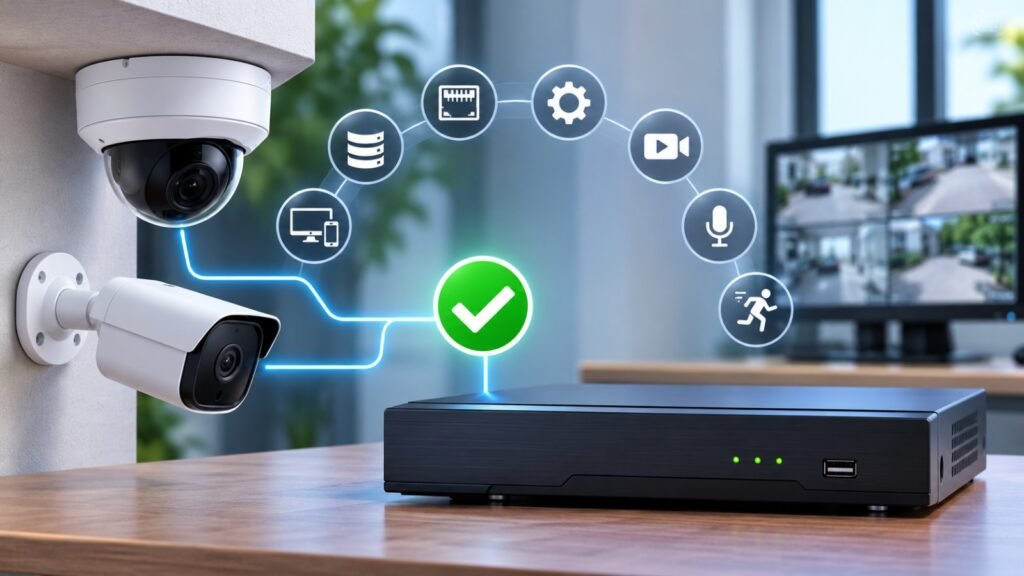
Another serious mistake is purchasing cameras without checking whether they are compatible with the selected network video recorder.
An IP camera communicates through a network connection, while an NVR receives, processes, and stores video footage. Both devices must support the required communication standards and features for reliable operation.
Some buyers purchase cameras from one manufacturer and an NVR from another without confirming compatibility. This can lead to missing features, connection difficulties, or limited recording functionality.
Why Compatibility Matters
Not every IP camera supports every NVR feature. Even when two devices connect successfully, certain functions may not work correctly.
Possible compatibility problems include:
- Cameras failing to connect to the NVR.
- Missing motion detection events.
- Limited audio functionality.
- Unsupported video compression formats.
- Problems with remote configuration.
- Incomplete access to advanced camera features.
For better interoperability, buyers should understand ONVIF compatibility.
ONVIF is an industry organization that develops standardized communication interfaces for IP-based physical security products.
Its profiles help determine which features compatible devices and clients must support.
You can explore the official ONVIF Profiles and Compatibility Guide to understand how different profiles support interoperability.
It is also important to verify the actual product in the ONVIF Conformant Products Database. Simply seeing an ONVIF logo or compatibility claim in a product advertisement does not guarantee official conformance.
How to Avoid This Mistake
Before purchasing, confirm:
- The camera and NVR support compatible ONVIF profiles.
- The NVR supports the camera’s resolution.
- Video compression formats are supported.
- Required audio and motion detection features are available.
- The NVR supports the total number of cameras you intend to install.
- Firmware versions are compatible.
Do not assume that all products from different manufacturers will work together perfectly. Request a compatibility demonstration or written confirmation from the supplier.
3. Underestimating Video Storage Requirements
Storage is one of the most important parts of a surveillance installation. However, many buyers select an NVR or hard drive without calculating how much recording capacity their cameras will require.
This can create serious problems when recorded footage is needed for an investigation or security review.
For example, a business may expect to keep recordings for 30 days but discover that its storage capacity only supports a much shorter recording period.
What Affects Video Storage?
Several technical factors determine how much storage an IP camera system needs.
1. Camera Resolution
Higher-resolution cameras generally require more storage because they produce larger amounts of video data.
2. Recording Frame Rate
A higher frame rate captures more images every second, which can increase storage requirements.
3. Video Compression
Modern compression technologies, such as H.265, can reduce storage requirements while maintaining suitable video quality.
4. Number of Cameras
A property with 20 cameras will generally require more storage than a property with four cameras, assuming similar recording settings.
5. Recording Schedule
Continuous recording requires more storage than motion-based recording because footage is captured throughout the day.
6. Retention Period
The required number of recording days directly affects the total storage capacity needed.
How to Avoid This Mistake
Calculate storage requirements before selecting an NVR or surveillance hard drive.
For example, a system with 16 cameras recording continuously may require significantly more storage than a system with four cameras using motion-based recording.
Ask your installer to provide a storage calculation based on camera resolution, bitrate, recording schedule, and required retention period.
Choose a surveillance-rated hard drive designed for continuous recording workloads rather than assuming that any standard desktop hard drive will provide the same reliability.
You can explore Western Digital’s Surveillance Storage Solutions to understand storage options designed for video surveillance applications.
It is also sensible to consider additional storage capacity if you expect to expand the system in the future.
4. Overlooking Night Vision and Low-Light Performance
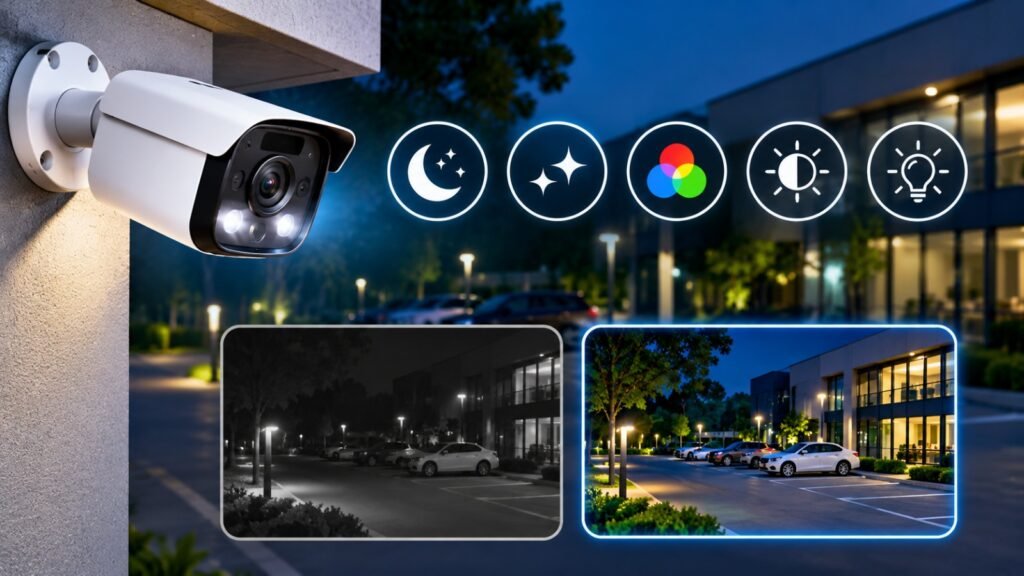
Many buyers evaluate cameras during daytime demonstrations and overlook their performance at night.
This is a major purchasing mistake because security incidents can occur at any time. A camera that provides clear daytime footage but produces dark, noisy, or blurry nighttime recordings may not offer adequate protection.
Outdoor entrances, parking areas, warehouses, loading zones, and building boundaries often require reliable nighttime surveillance.
Important Features to Consider
Infrared Night Vision
Infrared technology allows cameras to capture footage in low-light or completely dark environments. Check the actual infrared range and whether it is suitable for your installation distance.
Starlight or Low-Light Technology
Some cameras use advanced sensors and image processing to capture clearer images in limited lighting conditions.
Full-Color Night Vision
Certain cameras can produce color footage at night when sufficient ambient lighting is available.
Wide Dynamic Range
WDR helps cameras handle challenging lighting conditions, such as bright headlights or strong sunlight entering a building.
Smart Illumination
Some cameras automatically adjust infrared or white-light illumination according to environmental conditions.
How to Avoid This Mistake
Evaluate camera performance under the lighting conditions where it will actually operate.
Ask your supplier for nighttime sample footage rather than relying entirely on advertised specifications.
Consider the distance between the camera and the area being monitored. A camera with a limited infrared range may not provide sufficient detail across a large parking area.
Also check for infrared reflection caused by nearby walls, glass, or other surfaces.
The best camera is not necessarily the one with the longest advertised night vision range. It is the one that delivers useful footage in your specific environment.
5. Buying an IP Camera System Without Checking Network Requirements
IP cameras depend on network infrastructure to transmit video footage. Unfortunately, some buyers concentrate on camera specifications without checking whether their existing network can support the complete surveillance installation.
This can cause delayed video streams, connection interruptions, poor remote viewing performance, and recording failures.
Why Network Planning Is Important
Every connected camera generates network traffic. When several cameras transmit high-resolution video simultaneously, the network must handle the combined bandwidth requirements.
Common network-related problems include:
- Insufficient network bandwidth.
- Poor-quality Ethernet cables.
- Unreliable network switches.
- Incorrect PoE configuration.
- Network congestion.
- Weak wireless connections.
- Inadequate router performance.
Power over Ethernet (PoE) is particularly useful because it allows compatible cameras to receive electrical power and transmit data through a single Ethernet cable.
However, the PoE switch must provide sufficient power for all connected cameras.
For example, if a switch has a limited PoE power budget, connecting several cameras with high power requirements may cause unstable operation.
How to Avoid This Mistake
Before purchasing equipment, evaluate the existing network infrastructure.
Consider the following requirements:
- Calculate the combined bandwidth requirements of all cameras.
- Select network switches with sufficient capacity.
- Check PoE compatibility and total power budget.
- Use appropriate Ethernet cables for the installation distance.
- Plan network segmentation where necessary.
- Ensure the router and internet connection can support the expected remote access requirements.
For larger installations, a dedicated surveillance network or VLAN can help separate camera traffic from ordinary business network activities.
Do not assume that a standard office network will automatically support a large surveillance installation.
A professional network assessment can identify potential problems before equipment installation begins.
6. Ignoring Cybersecurity and Firmware Updates
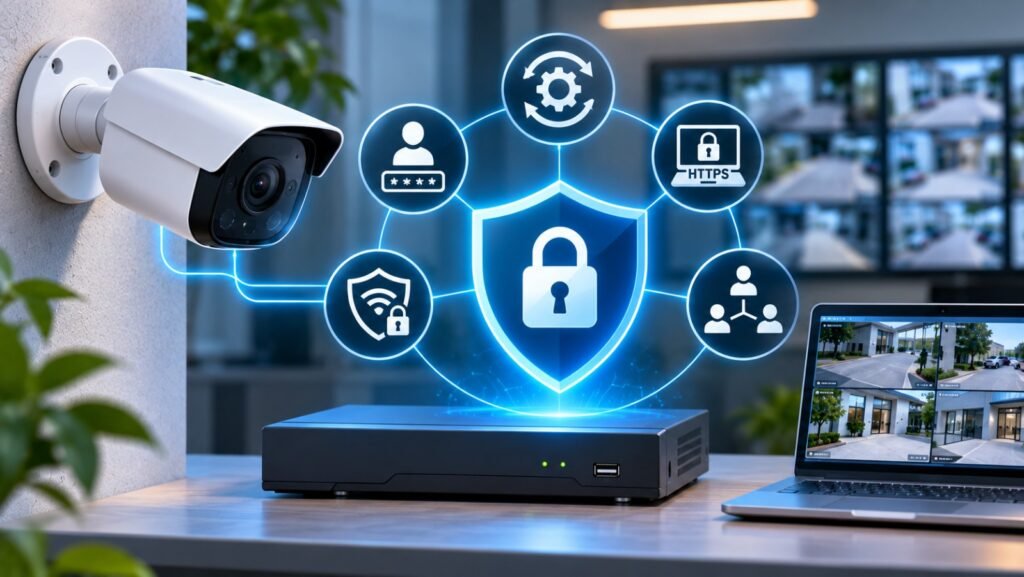
An IP camera system is a network-connected security solution. Therefore, cybersecurity should be considered an essential purchasing requirement rather than an optional feature.
Some buyers select inexpensive cameras without checking their security capabilities, password management options, firmware support, or manufacturer update policies.
This can expose surveillance equipment to unauthorized access and other cybersecurity risks.
Common Security Risks
Poorly secured surveillance equipment may experience:
- Unauthorized login attempts.
- Weak or default passwords.
- Outdated firmware vulnerabilities.
- Unnecessary open network ports.
- Insecure remote access.
- Unauthorized viewing of recorded footage.
A camera system should protect the property without creating unnecessary weaknesses in the network.
Important Security Features
When comparing products, look for:
Strong Authentication: Devices should support secure login methods and individual user accounts.
Firmware Updates: Manufacturers should provide firmware updates to address vulnerabilities and improve device reliability.
Encrypted Communication: HTTPS and other supported security mechanisms help protect communication between devices and authorized users.
User Permissions: Administrators should be able to assign different access levels to different users.
Secure Remote Access: Remote monitoring should use properly protected connections rather than unnecessary exposure of cameras directly to the public internet.
The ONVIF Cybersecurity Best Practices Guide provides useful recommendations for securing network-based physical security equipment.
You can also review the NSA Best Practices for Securing Your Home Network, which discusses protecting connected devices, including security cameras.
How to Avoid This Mistake
Before buying, ask the supplier about the manufacturer’s security update policy and device support period.
After installation:
- Replace all default passwords.
- Use strong, unique credentials.
- Update firmware regularly.
- Disable unnecessary network services.
- Restrict administrative access.
- Use secure remote viewing methods.
- Review user permissions periodically.
A secure surveillance installation requires both suitable hardware and responsible network configuration.
7. Choosing the Cheapest Equipment Without Considering Long-Term Costs
Price is an important factor when purchasing security equipment, but choosing the cheapest option is not always the most economical decision.
Some buyers compare products only by their initial purchase price. They overlook installation expenses, maintenance requirements, storage upgrades, network equipment, and future replacement costs.
As a result, a low-cost installation may become more expensive over time.
Hidden Costs Buyers Often Overlook
Installation Expenses
Professional installation may require additional cabling, mounting accessories, electrical work, and network configuration.
Storage Upgrades
Insufficient recording capacity may require additional hard drives or a replacement NVR.
Maintenance
Cameras and network equipment need periodic inspection, cleaning, testing, and software updates.
Equipment Replacement
Low-quality devices may have shorter service lives or limited manufacturer support.
Future Expansion
A system with limited NVR channels or network capacity may require expensive upgrades when additional cameras are needed.
How to Avoid This Mistake
Instead of comparing equipment based only on its initial price, evaluate its total cost of ownership.
Consider:
- Product quality and manufacturer reputation.
- Warranty coverage.
- Technical support availability.
- Firmware update policies.
- Storage capacity.
- Installation quality.
- Maintenance requirements.
- Future expansion possibilities.
Request a detailed quotation that separates cameras, NVR, hard drives, network switches, cables, installation, and configuration costs.
This makes it easier to compare different suppliers and understand what is included in each proposal.
A slightly higher initial investment in reliable equipment can provide better performance, fewer maintenance problems, and greater long-term value.
Additional Factors to Consider Before Purchasing an IP Camera System
Avoiding the seven major mistakes is a good starting point, but there are several additional considerations that can help you make a more effective purchasing decision.
Assess Your Property’s Security Requirements
Every property has different surveillance requirements.
A retail store may need cameras covering entrances, checkout counters, and storage areas. An office may require monitoring of reception areas, corridors, server rooms, and external entrances.
A warehouse may need wider coverage, longer viewing distances, and cameras suitable for challenging environmental conditions.
Prepare a basic site layout and identify the areas that require monitoring before requesting quotations.
Consider Indoor and Outdoor Camera Protection
Outdoor cameras are exposed to environmental conditions that indoor cameras may never experience.
Depending on the installation location, check:
- IP weather-resistance ratings.
- Dust protection.
- Water protection.
- Operating temperature range.
- Corrosion resistance.
- Impact protection where required.
For example, a camera installed near an exposed building entrance may need stronger environmental protection than one installed inside a temperature-controlled office.
Evaluate Remote Monitoring Capabilities
Remote access allows authorized users to view live footage and recorded videos from supported computers or mobile devices.
Before purchasing, check whether the camera and NVR support the required applications, user permissions, notifications, and remote playback features.
Also ask how remote access is configured and secured.
Check Manufacturer Support and Warranty
Technical support is important when troubleshooting recording problems, camera disconnections, or software compatibility issues.
Before purchasing, confirm warranty conditions, firmware availability, replacement policies, and access to technical assistance.
A supplier that provides proper installation guidance and after-sales support can make system ownership much easier.
IP Camera System Buying Checklist Before Making a Purchase
Before finalizing your order, review this checklist to ensure that the selected equipment meets your surveillance requirements.
| Purchasing Requirement | What to Check |
|---|---|
| Camera Resolution | Suitable image quality for each location |
| Image Sensor | Reliable daytime and low-light performance |
| Lens Type | Correct viewing angle and monitoring distance |
| Night Vision | Suitable infrared or low-light capabilities |
| NVR Compatibility | Supported camera resolution and features |
| ONVIF Support | Verify official profile conformance |
| Storage Capacity | Sufficient recording retention |
| Network Bandwidth | Adequate capacity for all cameras |
| PoE Support | Compatible power requirements |
| Cybersecurity | Strong authentication and firmware support |
| Weather Protection | Suitable IP rating for installation conditions |
| Warranty | Clear coverage and technical support |
| Expansion | Additional camera and storage capacity |
Following this checklist can help you compare different products more effectively and reduce the possibility of unexpected technical issues.
Why Professional Guidance Matters When Selecting Security Cameras
Selecting the correct surveillance equipment requires more than comparing product specifications. Professional guidance can help identify coverage requirements, network limitations, storage needs, and installation challenges before purchasing.
A qualified security professional can evaluate your property and recommend suitable camera types for different locations.
For example, a professional site assessment may identify areas where a wide-angle camera is more appropriate than a narrow-angle model. It can also determine whether additional lighting, network switches, or storage capacity will be necessary.
Professional guidance is particularly valuable for larger commercial properties, educational institutions, warehouses, and businesses that require continuous recording.
Working with an experienced supplier can also help ensure that cameras, NVRs, storage devices, and networking equipment operate together as a complete solution.
Purchasing the right surveillance equipment is essential for achieving reliable security coverage and protecting valuable property. However, selecting cameras without considering image quality, compatibility, storage, network requirements, cybersecurity, and long-term expenses can create unnecessary problems.
By understanding these seven IP camera system buying mistakes, buyers can make better purchasing decisions and avoid common technical and financial issues.
Always evaluate your actual surveillance requirements before selecting equipment. Check camera specifications, verify NVR compatibility, calculate storage needs, assess network capacity, and prioritize cybersecurity.
Most importantly, avoid choosing equipment based entirely on price or advertised megapixels. A properly planned surveillance solution should deliver reliable recording, clear footage, secure remote access, and the flexibility to support future requirements.
Taking time to compare products and consult experienced professionals before purchasing can help you build a dependable security system that provides long-term value and peace of mind.