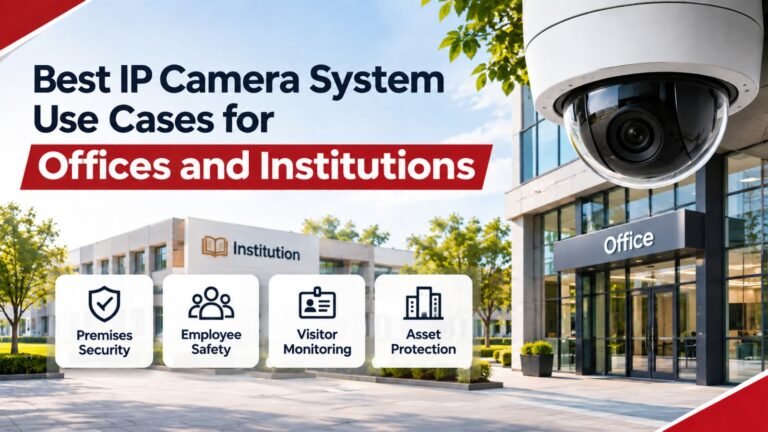
Best IP Camera System Use Cases for Offices and Institutions
Security has become an important priority for modern offices, educational institutions, healthcare facilities, commercial buildings, and other professional environments. Organisations need reliable ways to protect employees, visitors, valuable equipment, confidential information, and physical property. Traditional security arrangements, such as security guards and basic analogue CCTV cameras, may not always provide the visibility and monitoring capabilities required by larger or more complex facilities.
This is where an IP camera system for offices and institutions becomes a valuable security solution. Internet Protocol (IP) cameras use network connections to transmit digital video, allowing authorised users to monitor different locations through a centralised platform. Depending on the equipment and software selected, organisations can access live footage, review recorded events, receive security alerts, and manage multiple cameras from a single interface.
Modern network cameras offer several useful features, including high-definition recording, night vision, motion detection, remote monitoring, intelligent video analytics, and integration with compatible security technologies. These capabilities help organisations improve their security arrangements while making daily monitoring more organised and efficient.
However, installing cameras without understanding the specific security requirements of a facility can lead to unnecessary expenses and poor coverage. Every organisation has different monitoring priorities. An office may need to protect server rooms and employee entrances, while a school may focus on corridors, reception areas, and outdoor spaces.
In this guide, we will explore the most important applications, practical benefits, installation considerations, and essential features to consider when selecting a suitable network surveillance solution.
1. Understanding IP Camera Systems for Modern Organisations
Before exploring individual applications, it is important to understand how network-based surveillance works.
An IP camera captures video and transmits it through an internet protocol network. The footage can be accessed through a Network Video Recorder (NVR), Video Management Software (VMS), or another compatible monitoring platform.
Unlike many traditional analogue CCTV installations, network cameras can support flexible configurations and centralised management across multiple buildings or locations.
A typical installation includes:
- IP Cameras: Capture video from selected indoor and outdoor locations.
- Network Video Recorder: Stores footage and manages recording activities.
- PoE Switches: Provide power and network connectivity to compatible cameras through Ethernet cables.
- Network Infrastructure: Connects cameras, recorders, workstations, and monitoring devices.
- Video Management Software: Allows authorised users to view, search, and manage recordings.
- Storage Devices: Maintain recorded footage for the required retention period.
Organisations can select fixed dome cameras, bullet cameras, PTZ cameras, panoramic cameras, and specialised models according to their monitoring requirements.
For additional information about compatibility between network cameras and video management systems, visit ONVIF’s official website. Its profiles help organisations identify compatible features between conformant devices and clients.
2. Office Building Entrance and Reception Security
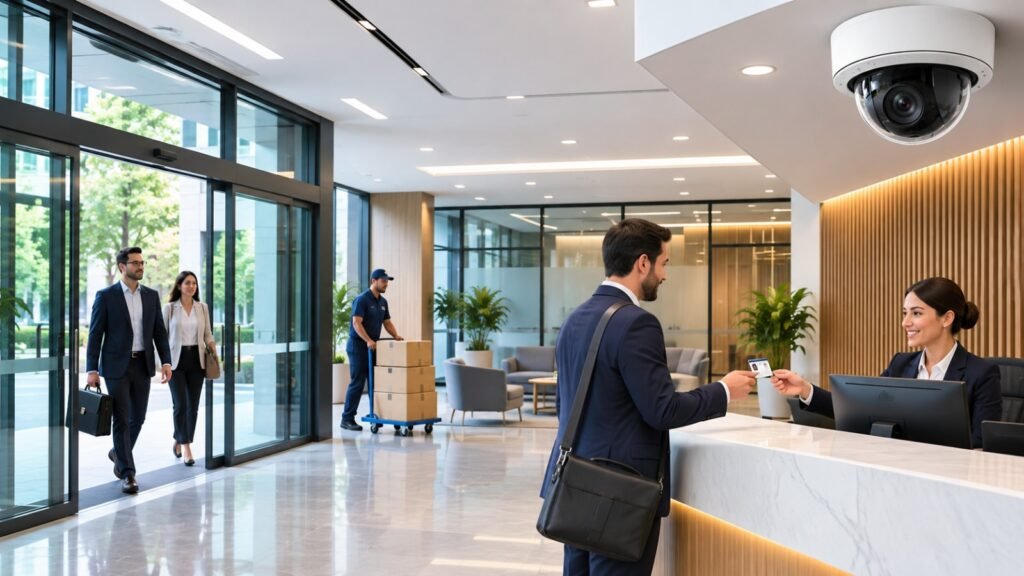
CCTV Audit Reception Checklist Template Free Download | Free Template
Office entrances and reception areas are among the most important locations for video surveillance. These areas experience regular movement throughout the day, including employees, visitors, delivery personnel, contractors, and business partners.
Without appropriate monitoring, organisations may find it difficult to identify unauthorised visitors or investigate incidents involving missing property.
An IP camera system for offices and institutions can provide clear visibility of reception desks, entrance doors, visitor waiting areas, and access points.
Important Applications
Visitor Monitoring
Security personnel can observe incoming visitors and identify unusual activity around reception areas.
Entry and Exit Recording
Recorded footage can help authorised personnel review incidents involving building access.
Package and Delivery Monitoring
Cameras can provide visibility of delivery activities and help investigate missing packages.
After-Hours Security
Night vision and motion-based recording can support monitoring when regular office operations have finished.
Recommended Camera Features
- High-resolution video recording.
- Wide dynamic range (WDR) for challenging lighting.
- Low-light performance.
- Motion detection.
- Suitable indoor viewing angles.
The objective is to maintain clear coverage without recording unnecessary private spaces.
3. Employee Safety and Workplace Monitoring
Latest video security innovations from Sony unveiled at ISC West – Detec AS – A Safe Choice
Employee safety is another important reason organisations invest in professional surveillance systems.
Offices contain different working environments, including open workspaces, meeting rooms, corridors, storage areas, and shared facilities. Monitoring suitable common areas can help security teams identify hazards and investigate workplace incidents.
A properly planned IP camera system for offices and institutions supports security awareness by providing recorded information about events occurring in authorised monitoring areas.
Common Workplace Use Cases
Monitoring Shared Areas
Cameras installed in appropriate corridors and common spaces can help security teams identify suspicious activity.
Investigating Workplace Incidents
Recorded footage may help authorised management investigate property damage, accidents, or security complaints.
Protecting Office Equipment
Surveillance around equipment storage areas can help deter unauthorised access.
Monitoring Emergency Situations
Security teams may use live camera feeds to understand situations and coordinate an appropriate response.
Maintaining Employee Privacy
Workplace monitoring must be handled responsibly. Employees should understand where cameras are installed and why monitoring is necessary.
Cameras should not be placed in private areas such as toilets, changing rooms, or other locations where individuals reasonably expect privacy.
Organisations should establish clear policies covering access to recordings, retention periods, and authorised monitoring responsibilities.
4. Educational Institutions and School Security
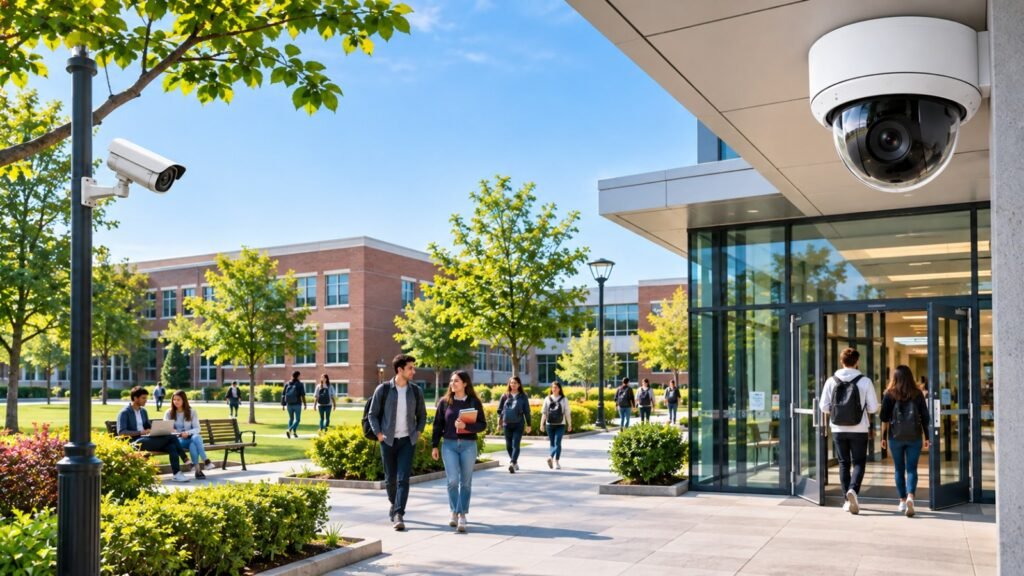
Campus Security After Brown University Tragedy: Questions Every University Should Be Asking
Schools, colleges, universities, and training centres manage large numbers of students, teachers, visitors, and administrative employees.
These environments often include multiple buildings, classrooms, laboratories, playgrounds, libraries, parking areas, and entrances. Managing security across all these locations can be challenging without a properly designed monitoring solution.
An IP camera system for offices and institutions can help educational organisations improve visibility across appropriate common and access-controlled areas.
Where Educational Institutions Can Use IP Cameras
School Entrances
Monitor visitors and movement around authorised entry and exit points.
Hallways and Corridors
Maintain visibility of common passageways during school operating hours.
Parking Areas
Monitor vehicles and help investigate incidents involving parked cars.
Libraries and Laboratories
Protect valuable educational equipment, computers, and other resources.
Outdoor Areas
Weather-resistant cameras can monitor school boundaries, playgrounds, and external walkways.
Benefits for Educational Organisations
- Better visibility across school premises.
- Improved monitoring of entrances.
- Recorded evidence for incident investigations.
- Protection of valuable equipment.
- Centralised monitoring of multiple buildings.
Educational institutions must also consider student privacy, appropriate camera positioning, and applicable child protection requirements.
Surveillance should support safety rather than unnecessarily monitor students’ private activities.
5. Healthcare Facilities and Hospital Security
Hospitals, clinics, laboratories, and medical centres operate in environments where security and privacy are equally important.
These facilities manage expensive medical equipment, medicines, confidential records, and continuous visitor movement. A security incident can affect both organisational operations and patient safety.
Network video surveillance can help healthcare administrators monitor suitable public and operational areas.
Important Healthcare Applications
Hospital Entrances and Reception Areas
Monitor visitor movement and identify unusual activity around public entrances.
Pharmacy Storage Areas
Protect authorised storage locations containing valuable medical supplies and medicines.
Medical Equipment Rooms
Help security personnel monitor access to expensive diagnostic and medical equipment.
Parking Facilities
Monitor vehicle movement and investigate incidents involving staff or visitors.
Restricted Staff Access Areas
Support security monitoring around authorised entry points to sensitive operational areas.
Privacy Considerations in Healthcare
Healthcare organisations must be particularly careful about where surveillance cameras are positioned.
Patient consultation rooms, examination rooms, treatment spaces, and other sensitive areas require special consideration and may be unsuitable for routine video surveillance.
The organisation should define a lawful purpose, restrict access to footage, and follow applicable data protection requirements.
6. Server Rooms and IT Infrastructure Protection
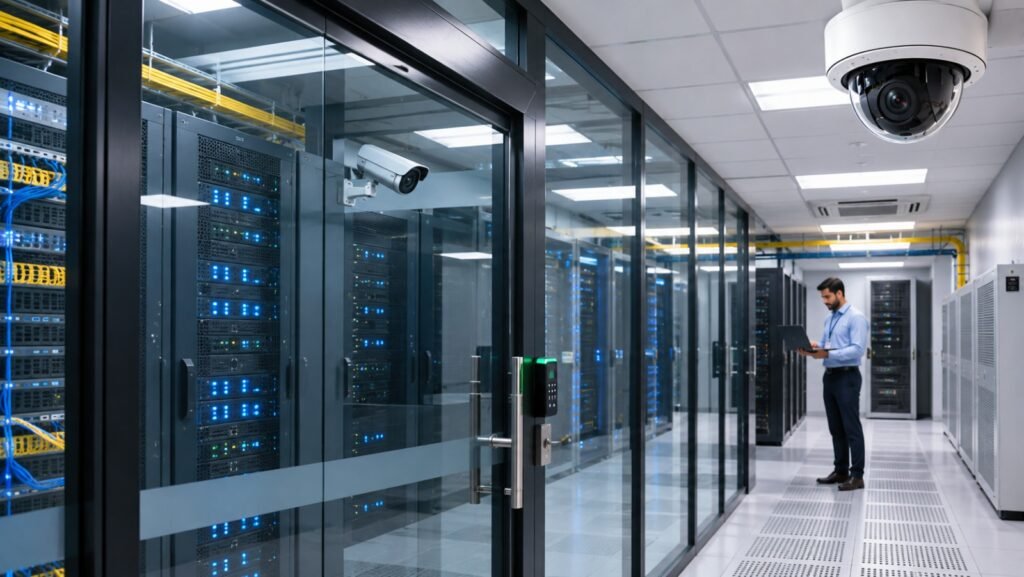
GEC | Global Engineering Contracting – Engineering & Infrastructure Solutions
Server rooms and IT departments contain some of the most valuable infrastructure within modern organisations.
These environments may contain business servers, networking equipment, storage devices, backup systems, and confidential digital information.
Unauthorised physical access, accidental equipment damage, or suspicious activity can create serious operational problems.
A properly configured IP camera system for offices and institutions can improve visibility around these critical areas.
Key Applications
- Monitor server room entrances.
- Record authorised and unauthorised access attempts.
- Observe equipment rooms and network cabinets.
- Monitor cooling and infrastructure areas where appropriate.
- Review incidents involving physical equipment.
Recommended Features
Organisations should consider cameras offering:
- High-resolution recording.
- Reliable low-light performance.
- Continuous recording options.
- Secure remote access.
- Integration with compatible access control systems.
- Sufficient recording storage.
Camera placement should focus on entrances and equipment access points rather than recording unnecessary sensitive information displayed on computer monitors.
Surveillance should complement, not replace, proper cybersecurity and physical access controls.
7. Corporate Parking Areas and Outdoor Premises
Does CCTV Really Reduce Crime? | Scutum
Large organisations often have parking facilities, outdoor walkways, loading areas, and building boundaries that require monitoring.
These locations can experience vehicle damage, unauthorised entry, suspicious movement, and property-related incidents.
Outdoor IP cameras help security teams maintain visibility across areas that may not be continuously monitored by staff.
Common Applications
Vehicle Monitoring
Cameras can capture vehicle movement around entrances and parking spaces.
Perimeter Security
Outdoor cameras can monitor selected boundary areas and access points.
Loading and Unloading Zones
Businesses can review delivery activities and investigate missing goods.
Outdoor Equipment Protection
Cameras can monitor external generators, electrical installations, and other valuable equipment.
Suitable Camera Types
Bullet cameras are commonly used for outdoor monitoring because they can provide focused coverage of selected areas.
PTZ cameras may be useful for larger premises where operators need to change viewing direction or zoom into specific locations.
When selecting outdoor cameras, check the IP protection rating, operating temperature range, weather resistance, and installation requirements.
8. Banks and Financial Institutions
Почему необходимо видеонаблюдение в банке
Banks and financial institutions handle valuable assets, confidential customer information, and financial transactions. As a result, they require carefully designed security arrangements.
Network cameras can support monitoring across suitable public and operational areas.
Important Use Cases
Bank Entrances
Monitor customer entry and exit activities.
Cashier and Teller Areas
Maintain visibility of designated transaction areas, subject to applicable privacy and financial regulations.
ATM Locations
Record activity around ATM installations and surrounding access points.
Document Storage Areas
Monitor authorised access to physical records and sensitive storage facilities.
External Building Areas
Observe parking spaces, building entrances, and selected perimeter locations.
Why Video Quality Matters
Financial environments often require footage that can be reviewed when investigating incidents.
Camera resolution, lens selection, lighting conditions, positioning, and recording settings all affect the quality of captured evidence.
Organisations should conduct a professional site assessment before selecting camera models or deciding how many cameras are required.
9. Retail Stores and Commercial Institutions
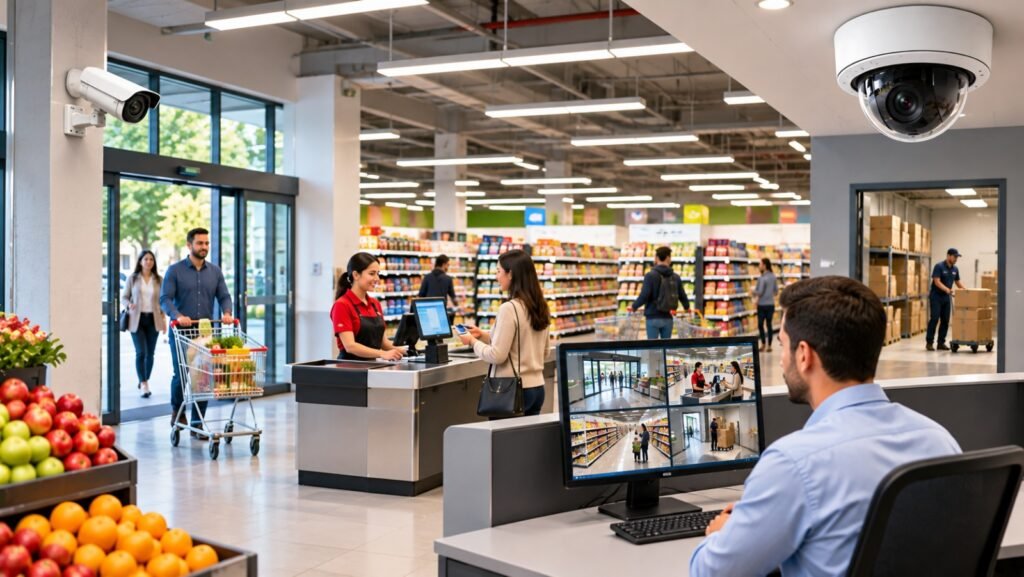
5 claves para el éxito de la videovigilancia en Supermercados
Retail businesses and commercial organisations face different security challenges, including shoplifting, inventory loss, unauthorised access, and disputes involving customers or employees.
An IP camera system for offices and institutions can also be adapted to suitable commercial environments where centralised monitoring and recorded evidence are important.
Practical Retail Applications
Sales Floors
Monitor general customer movement and selected merchandise areas.
Cash Counters
Review incidents involving transactions and cash-handling areas.
Stockrooms
Protect inventory and monitor access to storage facilities.
Delivery Areas
Record goods arriving at and leaving business premises.
Customer Entrances
Observe visitor movement and identify unusual activity.
Some advanced video management systems also offer compatible analytics that can generate alerts for selected events.
However, analytics should be tested in real operating conditions because lighting, camera positioning, and environmental factors can influence accuracy.
10. Government Buildings and Public Institutions
Commercial Security Systems Guide 2026 | Logic Fire & Security
Government offices and public institutions often manage sensitive documents, public services, important infrastructure, and large visitor volumes.
Security teams may need to monitor several buildings or departments from a central location.
Network video surveillance can support these requirements through centralised management and controlled access to recorded footage.
Common Applications
- Monitoring public reception areas.
- Protecting restricted office entrances.
- Observing parking and vehicle access.
- Monitoring storage facilities.
- Reviewing security incidents.
- Supporting coordination between security personnel.
Larger government facilities may benefit from a centralised video management platform that allows authorised operators to view cameras across different locations.
System design should consider network availability, secure storage, redundancy, and controlled user permissions.
11. Warehouses and Industrial Facilities
Best CCTV System for Warehouse Australia (2026 Guide)
Warehouses and industrial facilities often cover large areas containing valuable products, machinery, raw materials, and finished inventory.
Monitoring these environments can be challenging because of high ceilings, long aisles, loading docks, and different lighting conditions.
An IP camera system for offices and institutions can be extended to warehouse and industrial environments when the camera selection and network infrastructure are designed for those conditions.
Key Applications
Loading Docks
Monitor the movement of goods and vehicles.
Inventory Storage
Observe selected storage areas and investigate stock-related incidents.
Production Areas
Monitor suitable operational spaces and investigate safety-related incidents.
Perimeter Protection
Observe external entrances, gates, and selected boundary locations.
Recommended Camera Features
- Wide viewing angles.
- High-resolution sensors.
- Suitable night vision.
- Weather-resistant outdoor housings.
- Remote monitoring capabilities.
- Reliable recording and storage.
Industrial installations should also account for dust, vibration, temperature, lighting, and the physical layout of the facility.
12. Important Features to Consider When Selecting an IP Camera System
Choosing the correct cameras is essential for achieving reliable monitoring results.
Different organisations have different requirements, so selecting equipment based only on price or resolution may lead to disappointing performance.
Here are some important features to evaluate.
12.1 High-Resolution Video
Camera resolution affects the level of detail visible in recorded footage.
Common options include:
- 2MP Full HD.
- 4MP.
- 5MP.
- 8MP or 4K.
Higher resolution can provide more detail, but it also increases bandwidth and storage requirements.
The correct resolution depends on the monitoring distance, viewing angle, lighting, and level of detail required.
12.2 Night Vision and Low-Light Performance
Security incidents can occur outside normal business hours.
Infrared night vision, suitable image sensors, and low-light technologies help cameras capture footage in darker environments.
Organisations should evaluate actual night-time performance rather than relying only on advertised specifications.
12.3 Motion Detection and Intelligent Analytics
Modern network cameras may support different detection capabilities.
Examples include:
- Motion detection.
- Line-crossing detection.
- Intrusion detection.
- Human and vehicle classification.
- Tampering alerts.
These features can help security personnel identify relevant events more efficiently.
However, intelligent analytics are not perfect and should not replace human judgement.
12.4 Power over Ethernet (PoE)
PoE allows compatible cameras to receive power and transmit data through a single Ethernet cable.
This can simplify installation, reduce separate power connections, and make system expansion easier.
The PoE switch must provide sufficient power for all connected devices.
12.5 Remote Monitoring
Remote monitoring allows authorised personnel to view live footage and access recordings through compatible computers or mobile applications.
This is particularly useful for organisations managing multiple offices or buildings.
Remote access should always use secure authentication and appropriate network protection.
12.6 Storage and Recording Capacity
Storage capacity determines how much recorded footage can be retained.
Before purchasing equipment, organisations should consider:
- Number of cameras.
- Video resolution.
- Frame rate.
- Recording schedule.
- Compression technology.
- Required retention period.
A professional storage calculation can help prevent insufficient recording capacity.
13. Network Security and Data Protection Considerations
Because IP cameras operate through network infrastructure, they must be protected against unauthorised access.
Poor configuration can expose surveillance equipment and recorded information to unnecessary security risks.
Organisations should include cybersecurity in their installation and maintenance plans.
Essential Security Practices
Use Strong Passwords
Change default passwords and assign unique credentials to authorised users.
Restrict User Permissions
Employees should only access the camera feeds and recordings required for their responsibilities.
Separate CCTV Networks
Where practical, use network segmentation or dedicated VLANs to separate surveillance devices from general office traffic.
Update Firmware
Install security updates provided by the manufacturer.
Secure Remote Connections
Use encrypted connections, secure authentication, and appropriate firewall settings.
Protect Recording Equipment
Keep NVRs and storage devices in secure locations with restricted physical access.
For more guidance, read ONVIF’s cybersecurity best practices.
Organisations operating in Rwanda should also review the Data Protection and Privacy Office’s CCTV and AI-enabled video surveillance guidelines. These guidelines address the use of surveillance systems where personal data is processed.
14. How to Plan an Effective IP Camera Installation
A successful surveillance installation begins with proper planning rather than simply purchasing cameras.
Every facility has a different layout, operating schedule, network infrastructure, and security risk profile.
The following steps can help organisations develop a suitable installation plan.
Step 1: Conduct a Site Survey
Inspect the building and identify locations requiring monitoring.
Consider entrances, corridors, parking areas, storage rooms, server rooms, and external boundaries.
Step 2: Identify Security Objectives
Determine what each camera needs to monitor.
For example, an entrance camera may need to capture identifiable visitor activity, while a parking camera may need a wider viewing area.
Step 3: Select Appropriate Cameras
Choose dome, bullet, PTZ, or other specialised cameras according to the location and monitoring requirements.
Step 4: Plan Network Infrastructure
Calculate bandwidth requirements and identify suitable Ethernet cabling, PoE switches, and network equipment.
Step 5: Calculate Storage Requirements
Determine recording schedules, video quality, retention requirements, and the necessary NVR or storage capacity.
Step 6: Configure Monitoring Software
Set up authorised users, camera groups, recording schedules, notifications, and remote access.
Step 7: Test the Complete Installation
Check video quality, night vision, recording playback, network performance, camera positioning, and alert functionality.
Step 8: Establish a Maintenance Schedule
Regular inspections and software updates help maintain long-term system reliability.
For additional technical guidance on surveillance system planning and interoperability, organisations can consult the Royal Canadian Mounted Police CCTV system guide.
15. Why Professional Installation Matters
Even high-quality cameras may deliver poor results if they are incorrectly positioned, configured, or connected.
Professional installation helps organisations avoid common problems such as blind spots, insufficient lighting, unstable network connections, inadequate storage, and poor camera coverage.
An experienced security system installer can evaluate the facility and recommend equipment according to its actual requirements.
Professional installation may include:
- Site inspection and security assessment.
- Camera selection and placement.
- Network and PoE configuration.
- NVR installation.
- Video management software setup.
- Remote monitoring configuration.
- User training.
- System testing and maintenance planning.
For organisations in Kigali and other parts of Rwanda, working with an experienced local CCTV provider can also make ongoing maintenance and technical support more accessible.
You can explore available security solutions at Kigali Smart Solutions.
16. Common Mistakes to Avoid When Installing Office and Institutional Cameras
Organisations sometimes make purchasing and installation decisions without considering long-term performance.
Avoiding the following mistakes can help improve system reliability.
Choosing Cameras Only by Price
Low-cost equipment may not provide the required image quality, durability, or security features.
Ignoring Lighting Conditions
A camera that performs well during daylight may produce poor footage at night.
Installing Too Few Cameras
Insufficient coverage can leave important areas unmonitored.
Overlooking Storage Requirements
Inadequate recording capacity may result in important footage being overwritten too early.
Ignoring Network Security
Weak passwords and insecure remote access can expose the system to unauthorised users.
Failing to Maintain Equipment
Dirty lenses, damaged cables, outdated firmware, and storage problems can affect performance.
Ignoring Privacy Requirements
Surveillance should have a clearly defined purpose and must respect applicable privacy and data protection obligations.
17. Future Trends in IP Camera Systems for Offices and Institutions
Video surveillance technology continues to develop, giving organisations more options for managing their security infrastructure.
Several technologies are becoming increasingly important.
Artificial Intelligence and Video Analytics
AI-enabled cameras can support selected detection and classification tasks, helping security personnel identify specific events.
Cloud-Based Video Management
Cloud services can provide centralised management and remote access, depending on connectivity, service availability, and security requirements.
Smart Access Control Integration
Compatible surveillance platforms can work alongside access control systems to help security teams investigate entry-related events.
Centralised Multi-Site Monitoring
Organisations operating several offices can manage compatible cameras through a central video management platform.
Improved Cybersecurity
Modern surveillance deployments increasingly consider encrypted communication, secure authentication, device management, and network segmentation.
When evaluating newer technologies, organisations should verify actual product capabilities, compatibility, ongoing costs, and security requirements before making purchasing decisions.
Modern organisations require dependable security solutions that can adapt to changing operational needs. From corporate offices and educational institutions to hospitals, banks, warehouses, and government facilities, network video surveillance can improve visibility, support incident investigations, and help protect valuable assets.
Selecting the right IP camera system for offices and institutions requires careful consideration of camera resolution, night vision, storage capacity, network infrastructure, remote monitoring, cybersecurity, and privacy requirements.
Rather than choosing equipment based only on price, organisations should begin with a detailed site assessment and identify the specific security challenges they need to address.
With appropriate equipment, professional installation, secure configuration, and regular maintenance, an IP surveillance system can become an important part of a reliable long-term security strategy.
For businesses and institutions planning a new installation or upgrading an existing CCTV network, investing in a properly designed solution can help create a safer and more manageable working environment.
Frequently Asked Questions (FAQs)
1. What is the best IP camera system for offices and institutions?
The best system depends on building size, security requirements, lighting conditions, and recording needs. Organisations should consider high-resolution cameras, reliable NVR storage, remote monitoring, PoE connectivity, and secure video management software.
2. How many IP cameras does an office need?
The number depends on the building layout, entrances, corridors, parking areas, and other locations requiring monitoring. A professional site survey can determine the appropriate number and placement of cameras.
3. Can IP cameras be monitored remotely?
Yes. Compatible IP cameras can be accessed remotely through authorised mobile applications or computer software. Secure authentication and network configuration are essential.
4. Are IP cameras suitable for schools and universities?
Yes. IP cameras can help monitor entrances, corridors, parking areas, libraries, and other appropriate common spaces while respecting student privacy and applicable regulations.
5. How long can an IP camera system store recordings?
Recording duration depends on storage capacity, camera count, resolution, frame rate, compression, and recording schedules. Organisations should calculate storage requirements before installation.
6. Can IP cameras work with access control systems?
Yes. Compatible IP cameras and video management platforms can integrate with access control systems to provide additional visibility around authorised entry points.
7. Do IP cameras require internet access?
Not necessarily. Cameras can operate on a local network and record to an NVR without continuous internet access. Internet connectivity is generally needed for internet-based remote viewing and certain cloud services.
8. How often should an IP camera system be maintained?
Organisations should establish a regular maintenance schedule. This may include checking camera views, cleaning lenses, testing recordings, inspecting cables, reviewing storage capacity, and updating firmware.